本文為英文版的機器翻譯版本,如內容有任何歧義或不一致之處,概以英文版為準。
啟用 Amazon S3 Tables 整合
您可以使用 Amazon S3 主控台建立 Amazon S3 資料表儲存貯體,並將其與 AWS 分析服務整合。如需詳細資訊,請參閱搭配 AWS 分析服務使用 Amazon S3 Tables。
在 中 AWS Lake Formation,您可以使用 Lake Formation 主控台或使用 啟用與 AWS Glue Data Catalog 和 的 Amazon S3 Tables AWS Lake Formation 整合 AWS CLI。
-
開啟 Lake Formation 主控台,網址為 https://console.aws.amazon.com/lakeformation/
。 在導覽窗格中,選擇資料目錄下的目錄。
在目錄頁面上選擇啟用 S3 資料表整合。
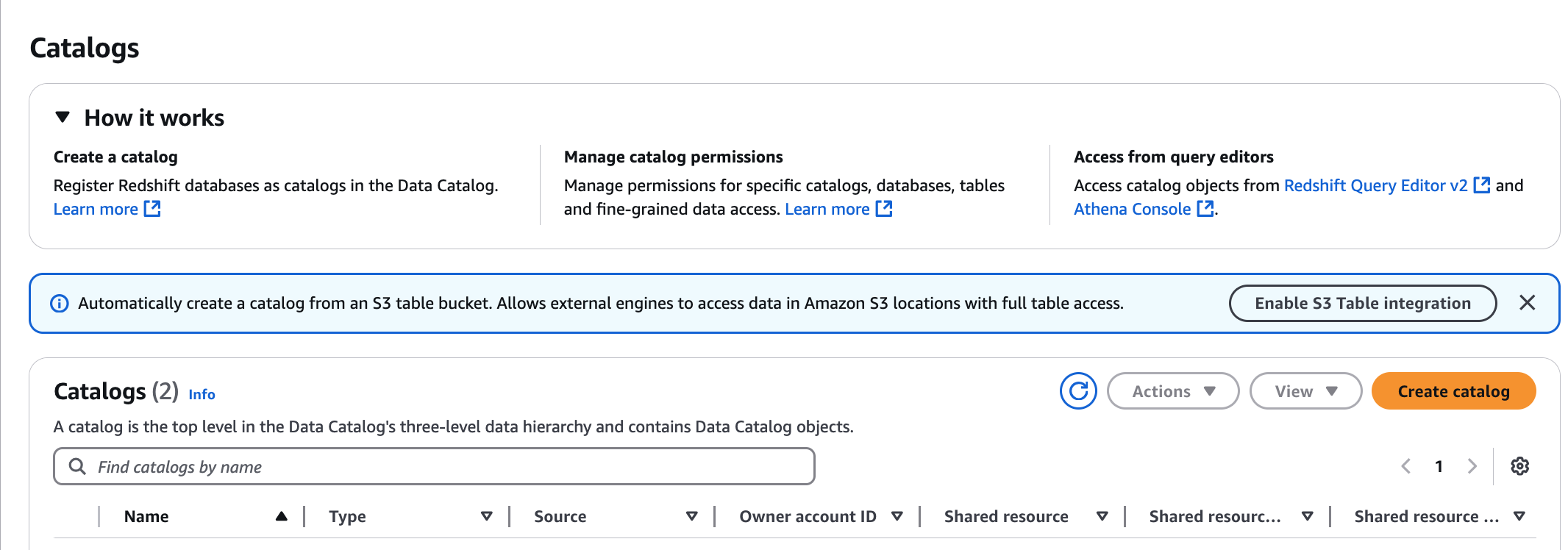
-
選擇具有 Lake Formation 所需許可的 IAM 角色,以擔任將登入資料提供給分析查詢引擎。如需角色存取資料所需的許可,請參閱先決條件一節step3-permissions中的 。
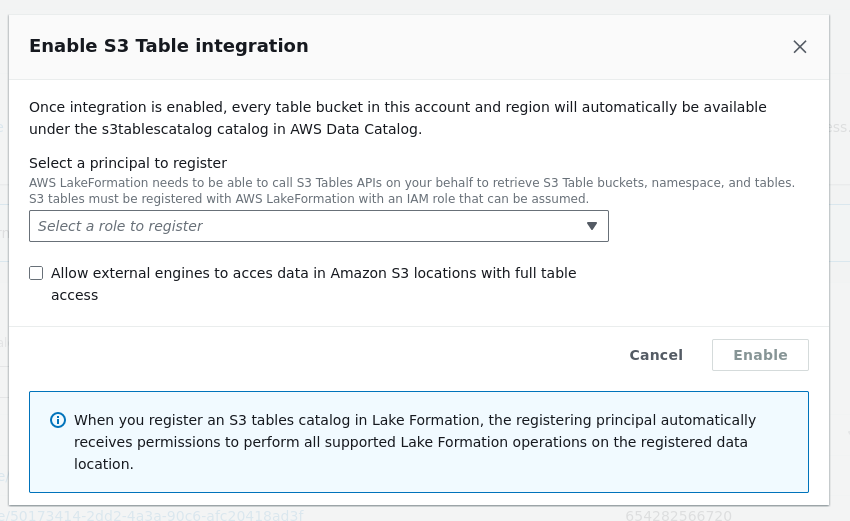
-
選取允許外部引擎使用完整資料表存取選項存取 Amazon S3 位置中的資料。當您啟用第三方引擎的完整資料表存取時,Lake Formation 會直接將登入資料傳回至第三方引擎,而不執行 IAM 工作階段標籤驗證。這表示您無法將 Lake Formation 精細存取控制套用至要存取的資料表。
選擇啟用。S3 Tables 的新目錄會新增至目錄清單。當您啟用 S3 資料表目錄整合時,服務會向 Lake Formation 註冊 S3 資料表儲存貯體的資料位置。
-
選擇目錄以檢視目錄物件,並將許可授予其他主體。
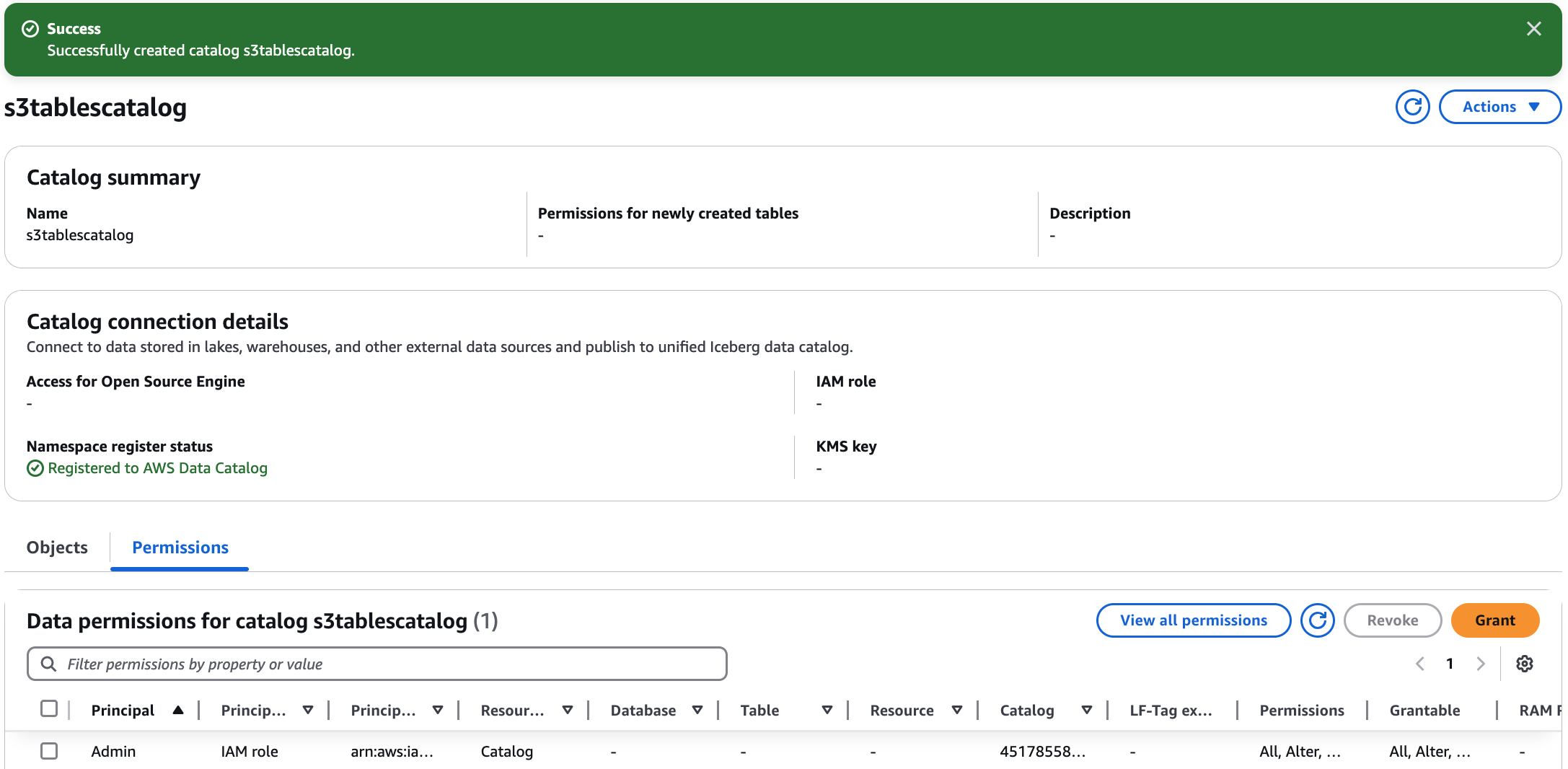
若要建立多層級目錄,請參閱《Amazon Simple Storage Service 使用者指南》中的建立資料表儲存貯體一節。
在先決條件區段之後,建立允許 Lake Formation 存取資料表資源的 IAM 服務角色。
-
建立名為
Role-Trust-Policy.json的檔案,其中包含下列信任政策:{ "Version": "2012-10-17", "Statement": [ { "Sid": "LakeFormationDataAccessPolicy", "Effect": "Allow", "Principal": { "Service": "lakeformation.amazonaws.com" }, "Action": [ "sts:AssumeRole", "sts:SetContext", "sts:SetSourceIdentity" ], "Condition": { "StringEquals": { "aws:SourceAccount": "111122223333" } } } ] } -
使用下列命令建立 IAM 服務角色:
aws iam create-role \ --role-nameS3TablesRoleForLakeFormation\ --assume-role-policy-document file://Role-Trust-Policy.json -
建立包含下列政策之名為
LF-GluePolicy.json的檔案:{ "Version": "2012-10-17", "Statement": [ { "Sid": "LakeFormationPermissionsForS3ListTableBucket", "Effect": "Allow", "Action": [ "s3tables:ListTableBuckets" ], "Resource": [ "*" ] }, { "Sid": "LakeFormationDataAccessPermissionsForS3TableBucket", "Effect": "Allow", "Action": [ "s3tables:CreateTableBucket", "s3tables:GetTableBucket", "s3tables:CreateNamespace", "s3tables:GetNamespace", "s3tables:ListNamespaces", "s3tables:DeleteNamespace", "s3tables:DeleteTableBucket", "s3tables:CreateTable", "s3tables:DeleteTable", "s3tables:GetTable", "s3tables:ListTables", "s3tables:RenameTable", "s3tables:UpdateTableMetadataLocation", "s3tables:GetTableMetadataLocation", "s3tables:GetTableData", "s3tables:PutTableData" ], "Resource": [ "arn:aws:s3tables:us-east-1:111122223333:bucket/*" ] } ] } -
使用下列命令以將政策連接至角色:
aws iam put-role-policy \ --role-nameS3TablesRoleForLakeFormation\ --policy-nameLakeFormationDataAccessPermissionsForS3TableBucket\ --policy-document file://LF-GluePolicy.json -
建立包含下列內容之名為
input.json的檔案:{ "ResourceArn": "arn:aws:s3tables:us-east-1:111122223333:bucket/*", "WithFederation": true, "RoleArn": "arn:aws:iam::111122223333:role/S3TablesRoleForLakeFormation" } -
使用下列命令向 Lake Formation 註冊資料表儲存貯體:
aws lakeformation register-resource \ --region us-east-1 \ --with-privileged-access \ --cli-input-json file://input.json -
建立包含下列型錄之名為
catalog.json的檔案:{ "Name": "s3tablescatalog", "CatalogInput": { "FederatedCatalog": { "Identifier": "arn:aws:s3tables:us-east-1:111122223333:bucket/*", "ConnectionName": "aws:s3tables" }, "CreateDatabaseDefaultPermissions": [], "CreateTableDefaultPermissions": [], "AllowFullTableExternalDataAccess": "True" } } -
使用下列命令列來建立
s3tablescatalog型錄。建立此目錄會將對應至資料表儲存貯體、命名空間和資料表的 AWS Glue Data Catalog 物件填入 。aws glue create-catalog \ --region us-east-1 \ --cli-input-json file://catalog.json -
AWS Glue 使用以下命令確認
s3tablescatalog目錄已新增至 :aws glue get-catalog --catalog-id s3tablescatalog
