本文為英文版的機器翻譯版本,如內容有任何歧義或不一致之處,概以英文版為準。
Stability AI 影像服務
您可以將穩定性 AI Image Services 與 Amazon Bedrock 搭配使用,以存取 13 種專門的影像編輯工具,這些工具旨在加速專業創意工作流程。使用 Stability AI 影像服務,您可以從草圖產生影像、將現有影像重組和重新設定樣式,或移除和取代影像中的物件。
本節說明如何使用 InvokeModel 對 Stability AI 影像服務進行推論呼叫。本節也提供 Python 中的程式碼範例,以及在使用 Stability AI 影像服務前後的影像範例。
Stability AI 影像服務有下列類別:
訂閱任何編輯或控制穩定性 AI Image Service 會自動將您註冊到所有 13 個可用的穩定性 AI Image Services。
請求與回應
請求內文在請求的 body 欄位傳遞到 InvokeModel。
模型調用請求內文欄位
當您使用穩定性 AI Image Services 進行 InvokeModel 呼叫時,請以如下所示的 JSON 物件填入內文欄位。
{
    'prompt': 'Create an image of a panda'
}
模型調用回應內文欄位
當您使用穩定性 AI Image Services 進行 InvokeModel 呼叫時,回應如下所示
{
    'seeds': [2130420379],
    'finish_reasons': [null],
    'images': ['...']
}
seeds – (字串) 用於為模型產生影像的種子清單。
-
finish_reasons – 指出請求是否已經過篩選的列舉。null 將指出請求成功。目前可能的值:"Filter reason: prompt", "Filter reason: output image", "Filter reason: input image", "Inference error", null。
-
images – 產生的影像清單,採用 base64 字串格式。
如需詳細資訊,請參閱 https://https://platform.us.stability.ai/docs/api-reference#tag/v1generation。
向上擴展
下一節說明升級穩定性 AI Image Services。
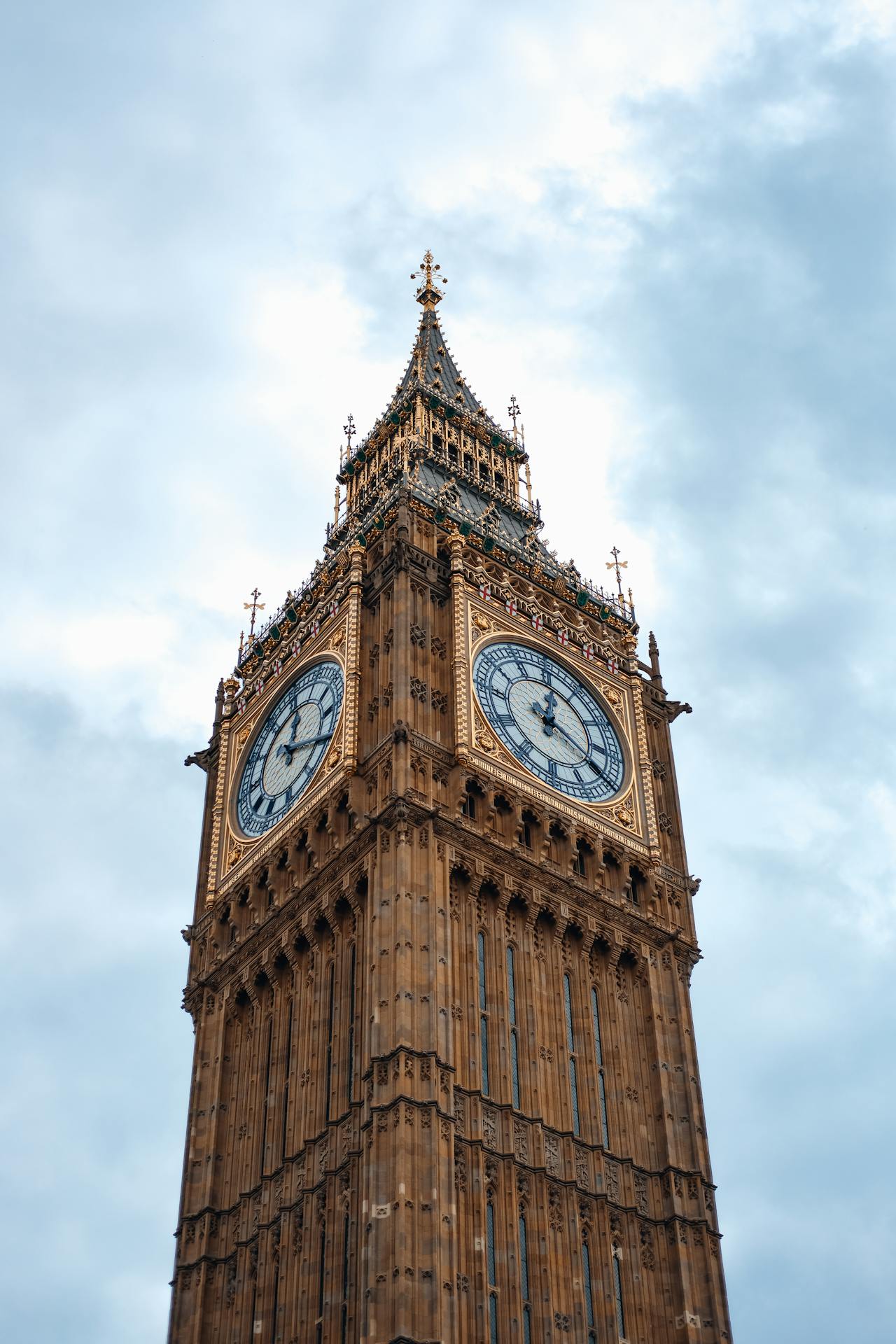
Creative Upscale 會擷取介於 64x64 和 100 萬像素之間的影像,並將影像擴展至 4K 解析度。此服務可以將映像升級 20 到 40 次,同時保留並通常提高品質。Creative Upscale 最適合用於高度降級的映像,不適用於 100 萬像素以上的相片,因為它可執行繁重的重新構想。
Creative Upscale 具有下列必要參數:
prompt — 您想要在輸出影像中看到的內容。一個強烈的描述性提示會清楚定義元素、顏色和主題,將帶來更好的結果。若要控制指定字詞的權重,請使用格式 (word:weight),其中 word 是您要控制權重的字詞,weight 是值。值 0 和 1.0 會去除強調該字詞,而介於 1.1 和 2 之間的值會強調該字詞。例如:天空清澈,(藍:0.3) 和 (綠:1.8) 表示天空呈藍色和綠色,但綠色多於藍色。最少 0 個字元,最多 10000 個字元。
image ‐ (字串) 要向上擴展的 Base64 映像。影像的每一邊必須至少為 64 像素。像素總數必須介於 4,096 到 1,048,576 像素之間。支援的格式:jpeg、png、webp。
下列是選用參數:
創造力 - (數字) 指出模型在向上擴展映像時的創造力。較高的值會導致在擴展期間將更多詳細資訊新增至映像。範圍介於 0.1 到 0.5 之間。預設 0.3
negative_prompt — (字串) 文字模糊,描述您不想要在輸出影像中看到的內容。這是進階功能。最多 10000 個字元。
seed — (數字) 用來引導產生「隨機性」的特定值。(省略此參數或傳遞 0 以使用隨機種子。) 範圍介於 0 至 4294967294 之間。預設值為 0。
output_format — (字串) 規定所產生影像的內容類型。列舉:jpeg、png、webp。預設值為 png。
style_preset — 將影像模型引導至特定樣式。列舉:3D 模型、類比影片、動畫、電影、漫畫書、數位藝術、增強、奇幻藝術、對稱、線條藝術、低多邊形、建模複合、霓虹龐克、摺紙、攝影、像素藝術、圖磚紋理。
- API
-
import base64
import json
import requests
import io
import os
from PIL import Image

image = "./content/input.jpg"

region = "us-east-1"
model_id = "us.stability.stable-creative-upscale-v1:0"
url = f"https://bedrock-runtime.{region}.amazonaws.com/model/{model_id}/invoke"
api_key = os.getenv("AWS_BEARER_TOKEN_BEDROCK") # https://docs.aws.amazon.com/bedrock/latest/userguide/getting-started-api-keys.html
headers = {
    "Content-Type":"application/json",
    "Authorization":f"Bearer {api_key}"
}

try:
    with open(image, "rb") as image_file:
        image_base64 = base64.b64encode(image_file.read()).decode('utf-8')

    params = {
        "image": image_base64,
        "prompt": "This dreamlike digital art captures a vibrant, kaleidoscopic Big Ben in London",
        "creativity": 0.30
    }
    response = requests.request("POST", url, json=params, headers=headers)
    response.raise_for_status()
    model_response = json.loads(response.text)
    base64_image_data = model_response["images"][0]

    if not base64_image_data:
        raise ValueError("No image data found in model response.")

    image_data = base64.b64decode(base64_image_data)
    image = Image.open(io.BytesIO(image_data))
    image.save("image.png")
    print("Successfully saved image.")

except Exception as e:
    print(e)
- Python
-
import boto3
import base64
import io
import json
from PIL import Image

image = "./content/input.jpg"

region = "us-east-1"
model_id = "us.stability.stable-creative-upscale-v1:0"

bedrock = boto3.client("bedrock-runtime", region_name=region)

try:
    with open(image, "rb") as image_file:
        image_base64 = base64.b64encode(image_file.read()).decode('utf-8')

    params = {
        "image": image_base64,
        "prompt": "This dreamlike digital art captures a vibrant, kaleidoscopic Big Ben in London",
        "creativity": 0.30
    }
    request = json.dumps(params)
    response = bedrock.invoke_model(modelId=model_id, body=request)
    model_response = json.loads(response["body"].read())
    base64_image_data = model_response["images"][0]

    if not base64_image_data:
        raise ValueError("No image data found in model response.")

    image_data = base64.b64decode(base64_image_data)
    image = Image.open(io.BytesIO(image_data))
    image.save("image.png")
    print("Successfully saved image.")

except Exception as e:
    print(e)
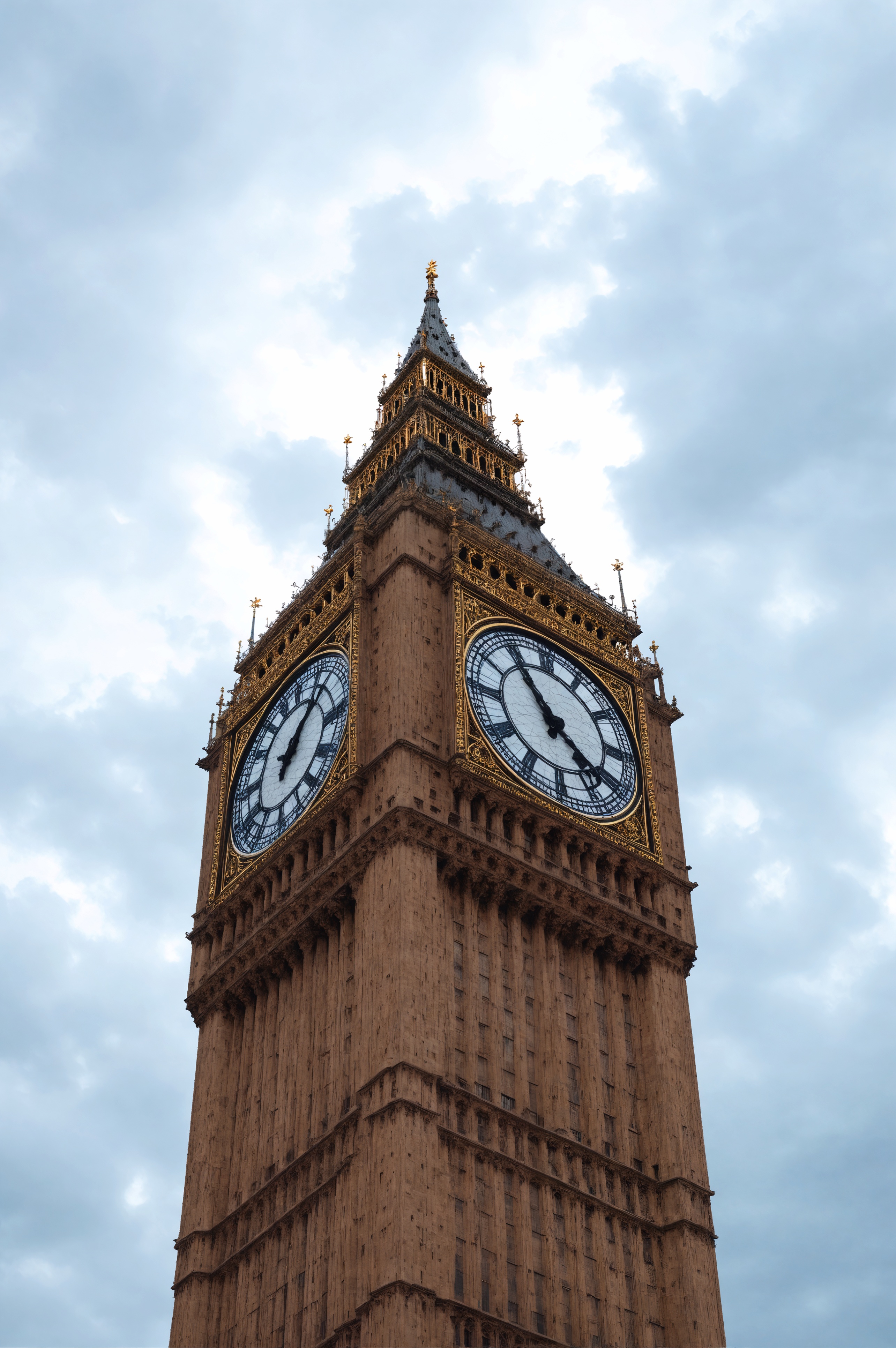
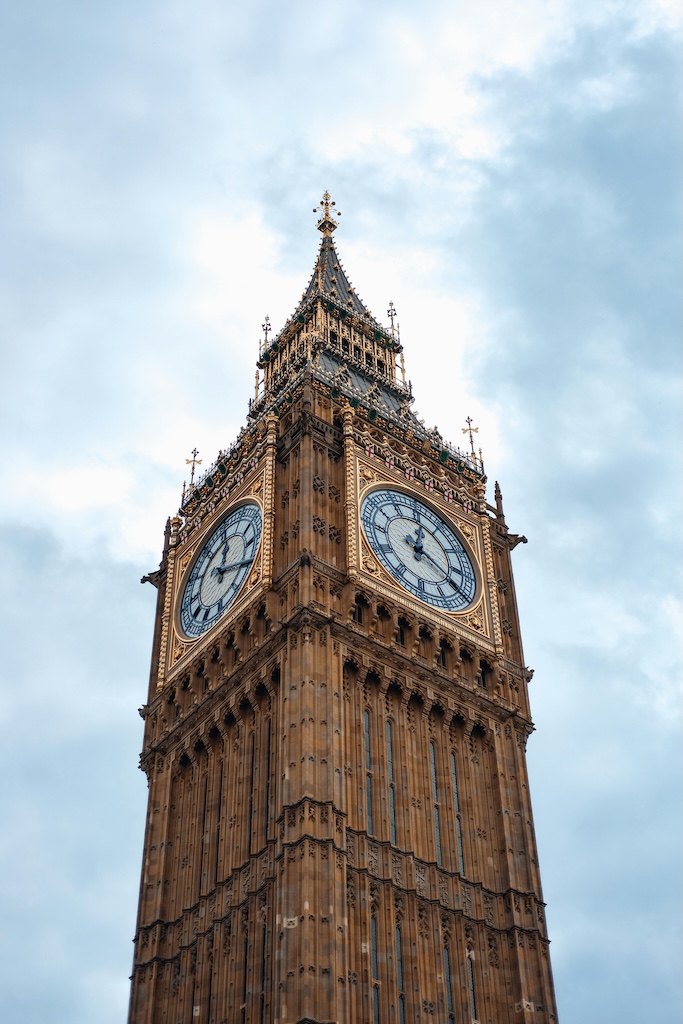
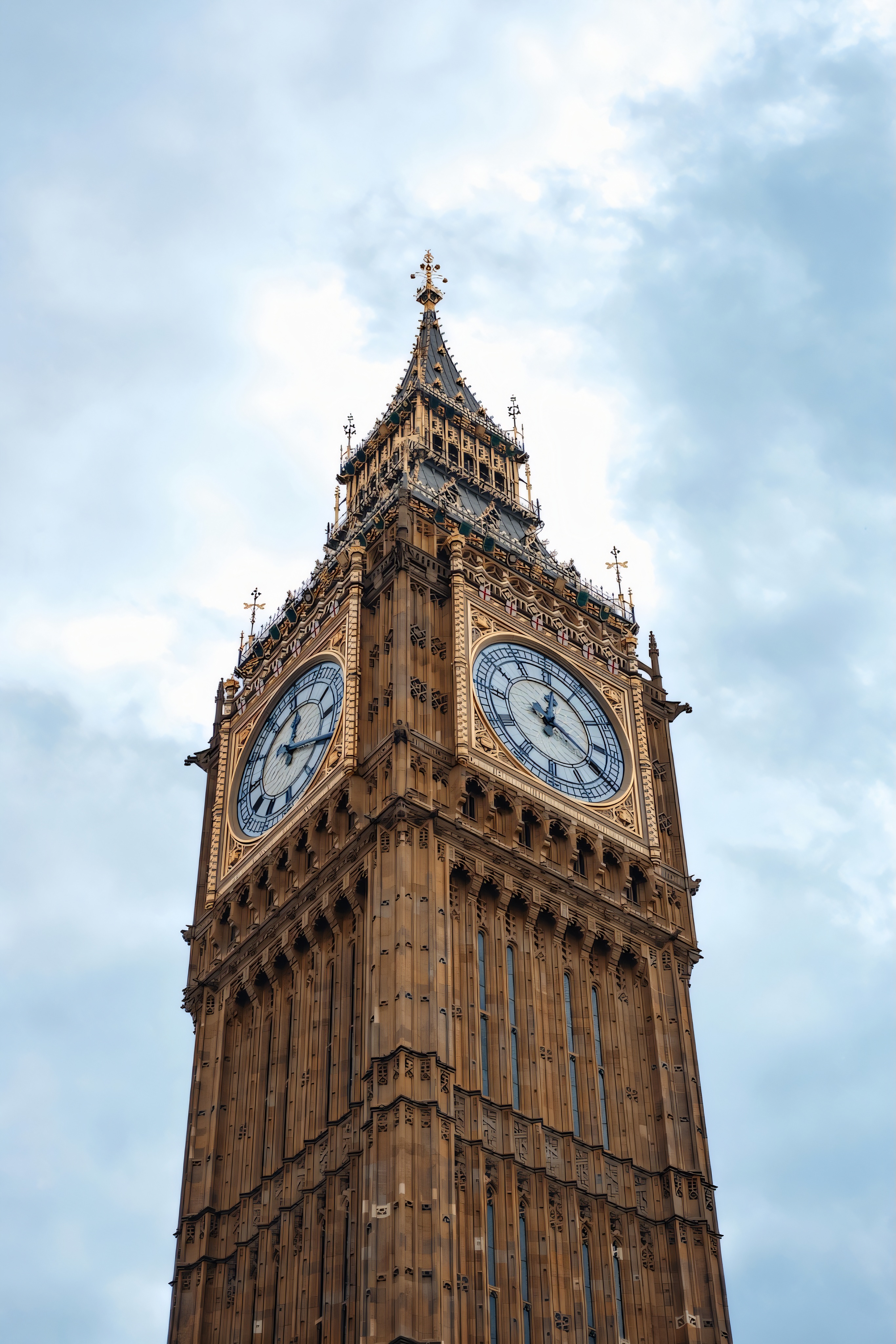
下表顯示使用下列提示的 Creative Upscale 操作的輸入和輸出影像:這種如幻想的數位藝術擷取了倫敦生動、萬花筒的 Big Ben。
保守的 Upscale 會擷取介於 64x64 到 100 萬像素之間的影像,並將其擴展至 4K 解析度。此服務可以將映像升級 20 到 40 次,同時保留所有層面。Conservative Upscale 可將對映像的更改降至最低,不應用於重新構想映像。
Conservative Upscale 具有下列必要參數:
prompt — 您想要在輸出影像中看到的內容。一個強烈的描述性提示會清楚定義元素、顏色和主題,將帶來更好的結果。若要控制指定字詞的權重,請使用格式 (word:weight),其中 word 是您要控制權重的字詞,weight 是值。值 0 和 1.0 會去除強調該字詞,而介於 1.1 和 2 之間的值會強調該字詞。例如:天空清澈,(藍:0.3) 和 (綠:1.8) 表示天空呈藍色和綠色,但綠色多於藍色。最少 0 個字元,最多 10000 個字元。
image ‐ (字串) 要向上擴展的 Base64 映像。影像的每一邊必須至少為 64 像素。像素總數不能超過 9,437,184 像素。影像長寬比必須介於 1:2.5 和 2.5:1 之間。支援的格式:jpeg、png、webp。
下列是選用參數:
創造力 - (數字) 指出模型在向上擴展映像時的創造力。較高的值會導致在擴展期間將更多詳細資訊新增至映像。範圍介於 0.1 到 0.5 之間。預設 0.35
negative_prompt — (字串) 文字模糊,描述您不想要在輸出影像中看到的內容。這是進階功能。最多 10000 個字元。
seed — (數字) 用來引導產生「隨機性」的特定值。(省略此參數或傳遞 0 以使用隨機種子。) 範圍介於 0 至 4294967294 之間。預設值為 0。
output_format — (字串) 規定所產生影像的內容類型。列舉:jpeg、png、webp。預設值為 png。
- API
-
import base64
import json
import requests
import io
import os
from PIL import Image

image = "./content/input.jpg"

region = "us-east-1"
model_id = "us.stability.stable-conservative-upscale-v1:0"
url = f"https://bedrock-runtime.{region}.amazonaws.com/model/{model_id}/invoke"
api_key = os.getenv("AWS_BEARER_TOKEN_BEDROCK") # https://docs.aws.amazon.com/bedrock/latest/userguide/getting-started-api-keys.html
headers = {
    "Content-Type":"application/json",
    "Authorization":f"Bearer {api_key}"
}

try:
    with open(image, "rb") as image_file:
        image_base64 = base64.b64encode(image_file.read()).decode('utf-8')

    params = {
        "image": image_base64,
        "prompt": "This dreamlike digital art captures a vibrant, kaleidoscopic Big Ben in London",
        "creativity": 0.30
    }
    response = requests.request("POST", url, json=params, headers=headers)
    response.raise_for_status()
    model_response = json.loads(response.text)
    base64_image_data = model_response["images"][0]

    if not base64_image_data:
        raise ValueError("No image data found in model response.")

    image_data = base64.b64decode(base64_image_data)
    image = Image.open(io.BytesIO(image_data))
    image.save("image.png")
    print("Successfully saved image.")

except Exception as e:
    print(e)
- Python
-
import boto3
import base64
import io
import json
from PIL import Image

image = "./content/input.jpg"

region = "us-east-1"
model_id = "us.stability.stable-conservative-upscale-v1:0"

bedrock = boto3.client("bedrock-runtime", region_name=region)

try:
    with open(image, "rb") as image_file:
        image_base64 = base64.b64encode(image_file.read()).decode('utf-8')

    params = {
        "image": image_base64,
        "prompt": "This dreamlike digital art captures a vibrant, kaleidoscopic Big Ben in London",
        "creativity": 0.30
    }
    request = json.dumps(params)
    response = bedrock.invoke_model(modelId=model_id, body=request)
    model_response = json.loads(response["body"].read())
    base64_image_data = model_response["images"][0]

    if not base64_image_data:
        raise ValueError("No image data found in model response.")

    image_data = base64.b64decode(base64_image_data)
    image = Image.open(io.BytesIO(image_data))
    image.save("image.png")
    print("Successfully saved image.")

except Exception as e:
    print(e)
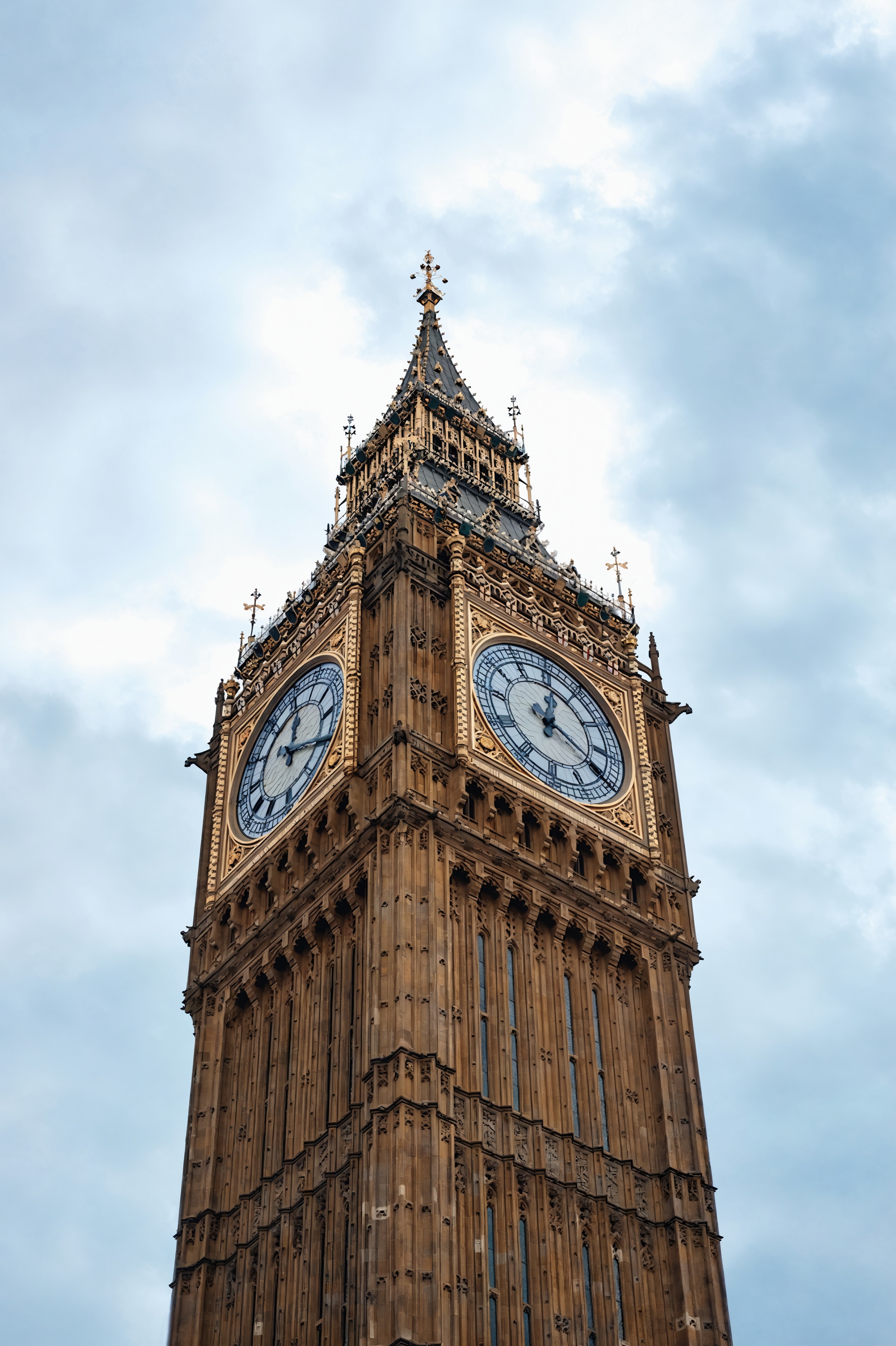
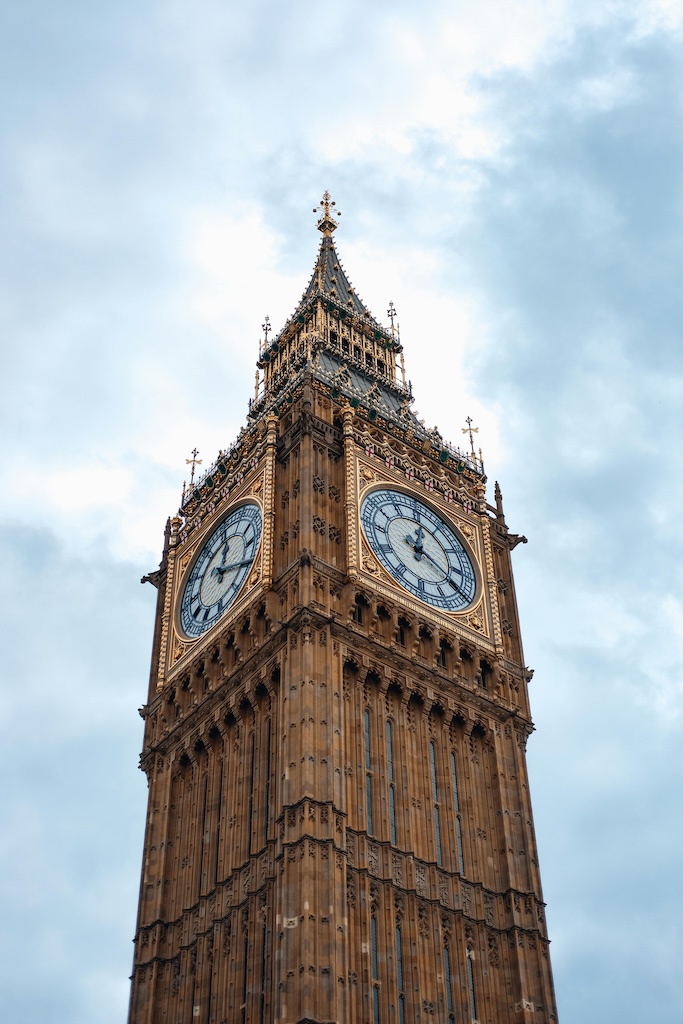
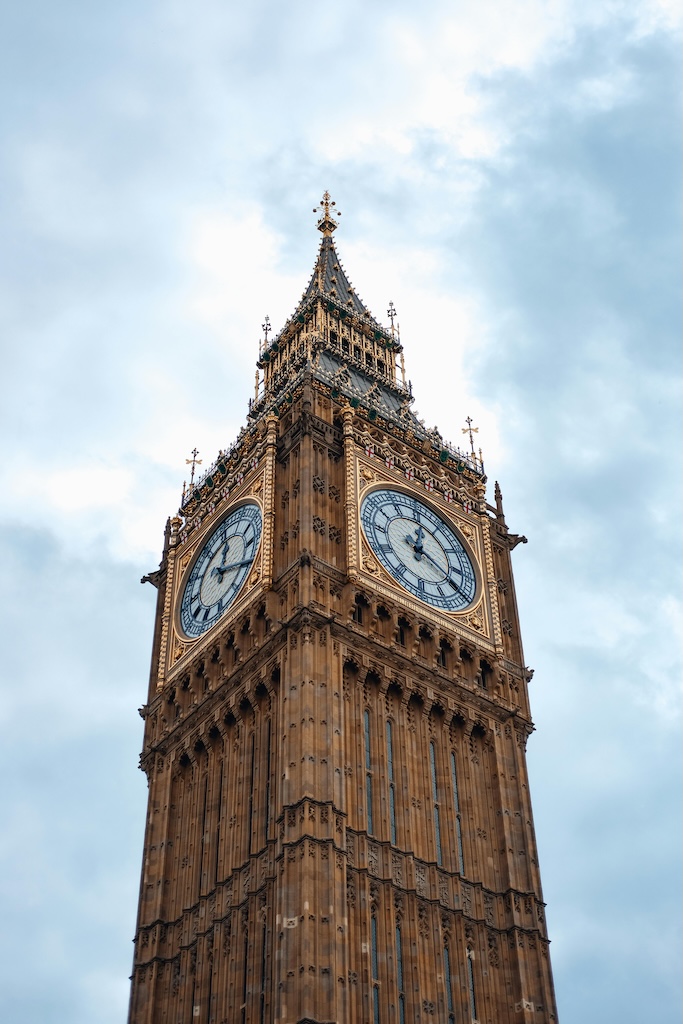
下表顯示使用下列提示的保守向上擴展操作的輸入和輸出影像:這種如幻想的數位藝術擷取了倫敦生動、萬花筒的 Big Ben。
Fast Upscale 使用預測和生成式 AI 將影像解析度增強 4 倍。這種輕量且快速的服務非常適合增強壓縮影像的品質,使其適用於社交媒體文章和其他應用程式。
Fast Upscale 具有下列必要參數:
- API
-
import base64
import json
import requests
import io
import os
from PIL import Image

image = "./content/input.jpg"

region = "us-east-1"
model_id = "us.stability.stable-fast-upscale-v1:0"
url = f"https://bedrock-runtime.{region}.amazonaws.com/model/{model_id}/invoke"
api_key = os.getenv("AWS_BEARER_TOKEN_BEDROCK") # https://docs.aws.amazon.com/bedrock/latest/userguide/getting-started-api-keys.html
headers = {
    "Content-Type":"application/json",
    "Authorization":f"Bearer {api_key}"
}

try:
    with open(image, "rb") as image_file:
        image_base64 = base64.b64encode(image_file.read()).decode('utf-8')

    params = {
        "image": image_base64
    }
    response = requests.request("POST", url, json=params, headers=headers)
    response.raise_for_status()
    model_response = json.loads(response.text)
    base64_image_data = model_response["images"][0]

    if not base64_image_data:
        raise ValueError("No image data found in model response.")

    image_data = base64.b64decode(base64_image_data)
    image = Image.open(io.BytesIO(image_data))
    image.save("image.png")
    print("Successfully saved image.")

except Exception as e:
    print(e)
- Python
-
import boto3
import base64
import io
import json
from PIL import Image

image = "./content/input.jpg"

region = "us-east-1"
model_id = "us.stability.stable-fast-upscale-v1:0"

bedrock = boto3.client("bedrock-runtime", region_name=region)

try:
    with open(image, "rb") as image_file:
        image_base64 = base64.b64encode(image_file.read()).decode('utf-8')

    params = {
        "image": image_base64
    }
    request = json.dumps(params)
    response = bedrock.invoke_model(modelId=model_id, body=request)
    model_response = json.loads(response["body"].read())
    base64_image_data = model_response["images"][0]

    if not base64_image_data:
        raise ValueError("No image data found in model response.")

    image_data = base64.b64decode(base64_image_data)
    image = Image.open(io.BytesIO(image_data))
    image.save("image.png")
    print("Successfully saved image.")

except Exception as e:
    print(e)
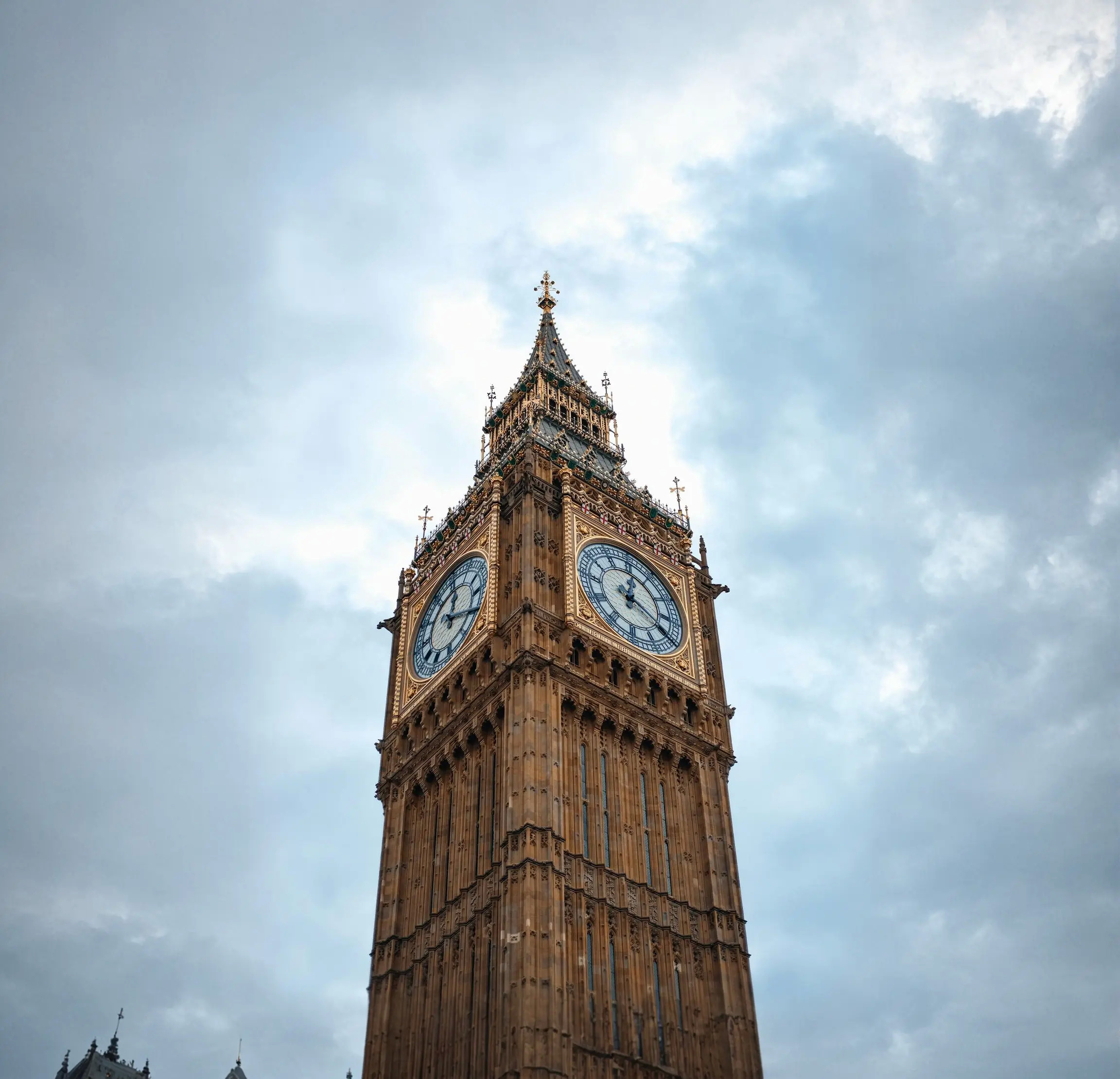
下表顯示 Fast Upscale 操作的輸入和輸出映像。
編輯
下一節說明編輯 Stability AI 影像服務。
修圖功能會智慧地修改影像,方法是根據遮罩影像的內容,將新的內容填入或取代指定的區域。
修圖具有下列必要參數:
prompt — 您想要在輸出影像中看到的內容。一個強烈的描述性提示會清楚定義元素、顏色和主題,將帶來更好的結果。若要控制指定字詞的權重,請使用格式 (word:weight),其中 word 是您要控制權重的字詞,weight 是值。值 0 和 1.0 會去除強調該字詞,而介於 1.1 和 2 之間的值會強調該字詞。例如:天空清澈,(藍:0.3) 和 (綠:1.8) 表示天空呈藍色和綠色,但綠色多於藍色。最少 0 個字元,最多 10000 個字元。
image — (字串) 要修圖的 Base64 影像。影像的每一邊必須至少為 64 像素。像素總數不能超過 9,437,184 像素。影像長寬比必須介於 1:2.5 和 2.5:1 之間。支援的格式:jpeg、png、webp。
下列是選用參數:
style_preset — (字串) 將影像模型引導至特定樣式。列舉:3D 模型、類比影片、動畫、電影、漫畫書、數位藝術、增強、奇幻藝術、對稱、線條藝術、低多邊形、建模複合、霓虹龐克、摺紙、攝影、像素藝術、圖磚紋理。
negative_prompt — (字串) 文字模糊,描述您不想要在輸出影像中看到的內容。這是進階功能。最多 10000 個字元。
seed — (數字) 用來引導產生「隨機性」的特定值。(省略此參數或傳遞 0 以使用隨機種子。) 範圍介於 0 至 4294967294 之間。預設值為 0。
output_format — (字串) 規定所產生影像的內容類型。列舉:jpeg、png、webp。預設值為 png。
mask — (字串) 透過第二個影像 (傳遞至此參數) 或透過影像參數的 Alpha 通道,控制逐像素修圖程序的強度。
以遮罩傳遞 — 傳遞至此參數的影像應該是黑白影像,代表根據指定像素的暗度或亮度,在任何像素上修圖的強度。全黑像素代表沒有修圖強度,全白像素代表最大強度。如果遮罩的大小與影像參數不同,則會自動調整遮罩大小。
Alpha 通道支援 — 如果您未提供明確遮罩,則會從影像參數的 Alpha 通道衍生遮罩。透明像素會進行修圖,而不透明像素則會保留。如果帶有 Alpha 通道的影像連同遮罩一起提供,則遮罩將會優先。
grow_mask — 將遮罩的邊緣往各個方向外擴指定的像素數量。遮罩周圍擴展的區域將會模糊,這有助於在修圖的內容與原始影像之間流暢地轉移。範圍介於 0 與 20 之間。預設值為 5。如果您注意到修圖內容的周圍有接縫或粗略的邊緣,請嘗試使用此參數。請注意,過度成長可能會遮蔽遮罩中的細節,並/或合併附近的遮罩區域。
- API
-
import base64
import json
import requests
import io
import os
from PIL import Image

image = "./content/input.png"
mask = "./content/mask.png"

region = "us-east-1"
model_id = "us.stability.stable-image-inpaint-v1:0"
url = f"https://bedrock-runtime.{region}.amazonaws.com/model/{model_id}/invoke"
api_key = os.getenv("AWS_BEARER_TOKEN_BEDROCK") # https://docs.aws.amazon.com/bedrock/latest/userguide/getting-started-api-keys.html
headers = {
    "Content-Type":"application/json",
    "Authorization":f"Bearer {api_key}"
}

try:
    with open(image, "rb") as image_file:
        image_base64 = base64.b64encode(image_file.read()).decode('utf-8')
    with open(mask, "rb") as mask_file:
        mask_base64 = base64.b64encode(mask_file.read()).decode('utf-8')

    params = {
        "image": image_base64,
        "mask": mask_base64,
        "prompt": "artificer of time and space"
    }
    response = requests.request("POST", url, json=params, headers=headers)
    response.raise_for_status()
    model_response = json.loads(response.text)
    base64_image_data = model_response["images"][0]

    if not base64_image_data:
        raise ValueError("No image data found in model response.")

    image_data = base64.b64decode(base64_image_data)
    image = Image.open(io.BytesIO(image_data))
    image.save("image.png")

    print("Successfully saved image.")

except Exception as e:
    print(e)
- Python
-
import boto3
import base64
import io
import json
from PIL import Image

image = "./content/input.png"
mask = "./content/mask.png"

region = "us-east-1"
model_id = "us.stability.stable-image-inpaint-v1:0"

bedrock = boto3.client("bedrock-runtime", region_name=region)

try:
    with open(image, "rb") as image_file:
        image_base64 = base64.b64encode(image_file.read()).decode('utf-8')
    with open(mask, "rb") as mask_file:
        mask_base64 = base64.b64encode(mask_file.read()).decode('utf-8')

    params = {
        "image": image_base64,
        "mask": mask_base64,
        "prompt": "artificer of time and space"
    }
    request = json.dumps(params)
    response = bedrock.invoke_model(modelId=model_id, body=request)
    model_response = json.loads(response["body"].read())
    base64_image_data = model_response["images"][0]

    if not base64_image_data:
        raise ValueError("No image data found in model response.")

    image_data = base64.b64decode(base64_image_data)
    image = Image.open(io.BytesIO(image_data))
    image.save("image.png")

    print("Successfully saved image.")

except Exception as e:
    print(e)
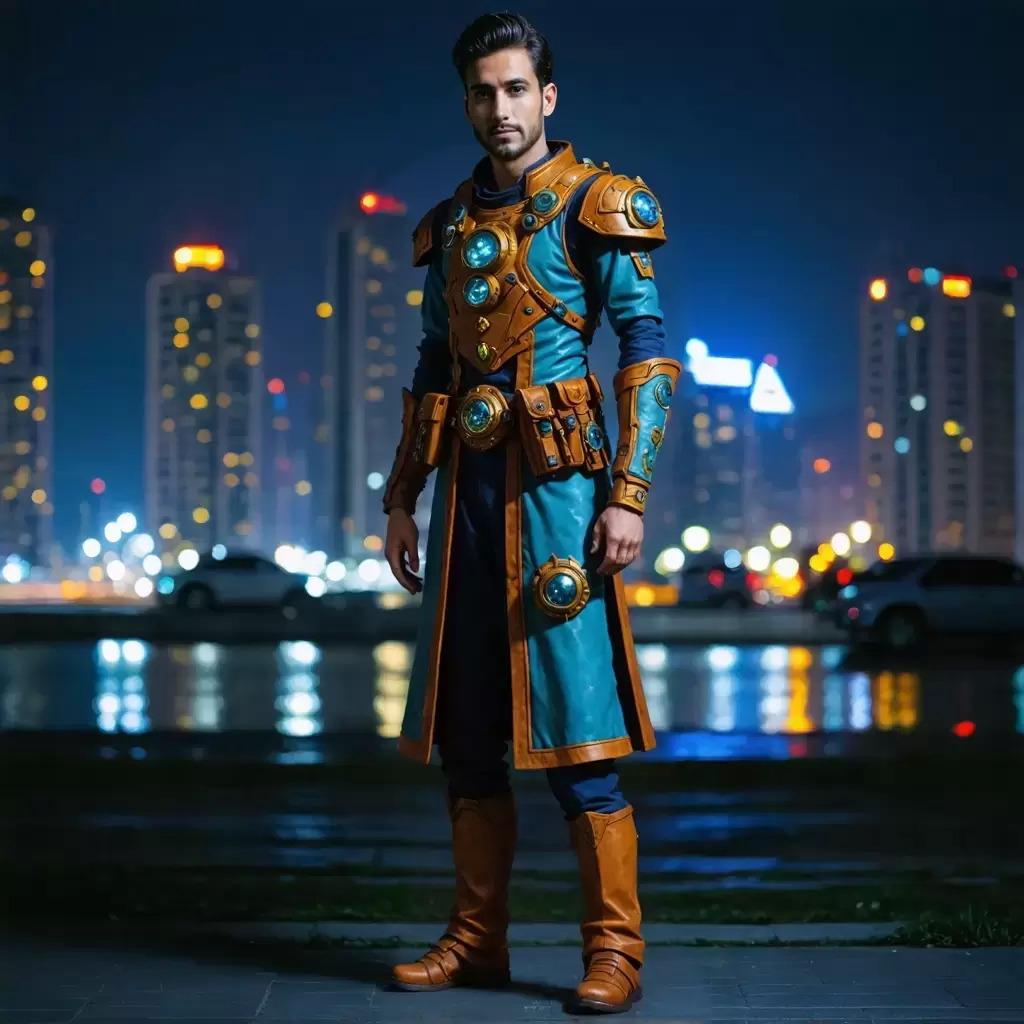
下表顯示修圖內容的輸入和輸出影像。
Outpaint 會在影像中插入其他內容,以任何方向填滿空間。相較於其他自動或手動嘗試展開映像中的內容,Outpaint 服務會將原始映像已編輯的指示降至最低。
Outpaint 具有下列必要參數:
下列是選用參數:
prompt — 您想要在輸出影像中看到的內容。一個強烈的描述性提示會清楚定義元素、顏色和主題,將帶來更好的結果。若要控制指定字詞的權重,請使用格式 (word:weight),其中 word 是您要控制權重的字詞,weight 是值。值 0 和 1.0 會去除強調該字詞,而介於 1.1 和 2 之間的值會強調該字詞。例如:天空清澈,(藍:0.3) 和 (綠:1.8) 表示天空呈藍色和綠色,但綠色多於藍色。最少 0 個字元,最多 10000 個字元。
style_preset — (字串) 將影像模型引導至特定樣式。列舉:3D 模型、類比影片、動畫、電影、漫畫書、數位藝術、增強、奇幻藝術、對稱、線條藝術、低多邊形、建模複合、霓虹龐克、摺紙、攝影、像素藝術、圖磚紋理。
seed — (數字) 用來引導產生「隨機性」的特定值。(省略此參數或傳遞 0 以使用隨機種子。) 範圍介於 0 至 4294967294 之間。預設值為 0。
output_format — (字串) 規定所產生影像的內容類型。列舉:jpeg、png、webp。預設值為 png。
創造力 - (數字) 指出模型在進行影像繪製時的創造力。較高的值會導致在除色期間將更具創造性的內容新增至映像。範圍介於 0.1 到 1.0 之間。預設值為 0.5。
left ‐ (整數) 影像左側要印出的像素數。至少必須提供一個非零值的傳出方向。範圍 0 到 2000。銷毀 0。
右 ‐ (整數) 影像右側的貼圖像素數。至少必須提供一個非零值的傳出方向。範圍 0 到 2000。銷毀 0。
up ‐ (整數) 影像頂端要印出的像素數。至少必須提供一個非零值的傳出方向。範圍 0 到 2000。銷毀 0。
down ‐ (整數) 影像底部要印出的像素數。至少必須提供一個非零值的傳出方向。範圍 0 到 2000。銷毀 0。
- API
-
import base64
import json
import requests
import io
import os
from PIL import Image

image = "./content/input.jpg"

region = "us-east-1"
model_id = "us.stability.stable-outpaint-v1:0"
url = f"https://bedrock-runtime.{region}.amazonaws.com/model/{model_id}/invoke"
api_key = os.getenv("AWS_BEARER_TOKEN_BEDROCK") # https://docs.aws.amazon.com/bedrock/latest/userguide/getting-started-api-keys.html
headers = {
    "Content-Type":"application/json",
    "Authorization":f"Bearer {api_key}"
}

try:
    with open(image, "rb") as image_file:
        image_base64 = base64.b64encode(image_file.read()).decode('utf-8')

    params = {
        "image": image_base64,
        "left": 512,
        "right": 512,
        "up": 200,
        "down": 100
    }
    response = requests.request("POST", url, json=params, headers=headers)
    response.raise_for_status()
    model_response = json.loads(response.text)
    base64_image_data = model_response["images"][0]

    if not base64_image_data:
        raise ValueError("No image data found in model response.")

    image_data = base64.b64decode(base64_image_data)
    image = Image.open(io.BytesIO(image_data))
    image.save("image.png")
    print("Successfully saved image.")

except Exception as e:
    print(e)
- Python
-
import boto3
import base64
import io
import json
from PIL import Image

image = "./content/input.png"

region = "us-east-1"
model_id = "us.stability.stable-outpaint-v1:0"

bedrock = boto3.client("bedrock-runtime", region_name=region)

try:
    with open(image, "rb") as image_file:
        image_base64 = base64.b64encode(image_file.read()).decode('utf-8')

    params = {
        "image": image_base64,
        "left": 512,
        "right": 512,
        "up": 200,
        "down": 100
    }
    request = json.dumps(params)
    response = bedrock.invoke_model(modelId=model_id, body=request)
    model_response = json.loads(response["body"].read())
    base64_image_data = model_response["images"][0]

    if not base64_image_data:
        raise ValueError("No image data found in model response.")

    image_data = base64.b64decode(base64_image_data)
    image = Image.open(io.BytesIO(image_data))
    image.save("image.png")
    print("Successfully saved image.")

except Exception as e:
    print(e)
下表顯示 Outpaint 操作的輸入和輸出映像。
搜尋和重新著色可讓您使用提示變更影像中特定物件的顏色。此服務是不需要遮罩的特定修圖版本。它會自動分割物件,並使用提示中請求的顏色來重新著色物件。
搜尋和重新著色具有下列必要參數:
prompt — 您想要在輸出影像中看到的內容。一個強烈的描述性提示會清楚定義元素、顏色和主題,將帶來更好的結果。若要控制指定字詞的權重,請使用格式 (word:weight),其中 word 是您要控制權重的字詞,weight 是值。值 0 和 1.0 會去除強調該字詞,而介於 1.1 和 2 之間的值會強調該字詞。例如:天空清澈,(藍:0.3) 和 (綠:1.8) 表示天空呈藍色和綠色,但綠色多於藍色。最少 0 個字元,最多 10000 個字元。
image — (字串) 要重新著色的 Base64 影像。影像的每一邊必須至少為 64 像素。像素總數不能超過 9,437,184 像素。影像長寬比必須介於 1:2.5 和 2.5:1 之間。支援的格式:jpeg、png、webp。
select_prompt — (字串) 影像中所要搜尋內容的簡短描述。最多 10000 個字元。
下列是選用參數:
style_preset — (字串) 將影像模型引導至特定樣式。列舉:3D 模型、類比影片、動畫、電影、漫畫書、數位藝術、增強、奇幻藝術、對稱、線條藝術、低多邊形、建模複合、霓虹龐克、摺紙、攝影、像素藝術、圖磚紋理。
negative_prompt — (字串) 文字模糊,描述您不想要在輸出影像中看到的內容。這是進階功能。最多 10000 個字元。
seed — (數字) 用來引導產生「隨機性」的特定值。(省略此參數或傳遞 0 以使用隨機種子。) 範圍介於 0 至 4294967294 之間。預設值為 0。
output_format — (字串) 規定所產生影像的內容類型。列舉:jpeg、png、webp。預設值為 png。
grow_mask — 將遮罩的邊緣往各個方向外擴指定的像素數量。遮罩周圍擴展的區域將會模糊,這有助於在修圖的內容與原始影像之間流暢地轉移。範圍介於 0 與 20 之間。預設值為 5。如果您注意到修圖內容的周圍有接縫或粗略的邊緣,請嘗試使用此參數。請注意,過度成長可能會遮蔽遮罩中的細節,並/或合併附近的遮罩區域。
- API
-
import base64
import json
import requests
import io
import os
from PIL import Image

image = "./content/input.png"

region = "us-east-1"
model_id = "us.stability.stable-image-search-recolor-v1:0"
url = f"https://bedrock-runtime.{region}.amazonaws.com/model/{model_id}/invoke"
api_key = os.getenv("AWS_BEARER_TOKEN_BEDROCK") # https://docs.aws.amazon.com/bedrock/latest/userguide/getting-started-api-keys.html
headers = {
    "Content-Type":"application/json",
    "Authorization":f"Bearer {api_key}"
}

try:
    with open(image, "rb") as image_file:
        image_base64 = base64.b64encode(image_file.read()).decode('utf-8')

    params = {
        "image": image_base64,
        "prompt": "pink jacket",
        "select_prompt": "jacket"
    }
    response = requests.request("POST", url, json=params, headers=headers)
    response.raise_for_status()
    model_response = json.loads(response.text)

    base64_image_data = model_response["images"][0]
    if not base64_image_data:
        raise ValueError("No image data found in model response.")

    image_data = base64.b64decode(base64_image_data)
    image = Image.open(io.BytesIO(image_data))
    image.save("image.png")

    print("Successfully saved image.")

except Exception as e:
    print(e)
- Python
-
import boto3
import base64
import io
import json
from PIL import Image

image = "./content/input.png"

region = "us-east-1"
model_id = "us.stability.stable-image-search-recolor-v1:0"

bedrock = boto3.client("bedrock-runtime", region_name=region)

try:
    with open(image, "rb") as image_file:
        image_base64 = base64.b64encode(image_file.read()).decode('utf-8')

    params = {
        "image": image_base64,
        "prompt": "pink jacket",
        "select_prompt": "jacket"
    }
    request = json.dumps(params)
    response = bedrock.invoke_model(modelId=model_id, body=request)
    model_response = json.loads(response["body"].read())
    base64_image_data = model_response["images"][0]

    if not base64_image_data:
        raise ValueError("No image data found in model response.")

    image_data = base64.b64decode(base64_image_data)
    image = Image.open(io.BytesIO(image_data))
    image.save("image.png")

    print("Successfully saved image.")

except Exception as e:
    print(e)
下表顯示使用下列提示的搜尋和重新著色操作其輸入和輸出影像:粉紅色夾克。
搜尋和取代可讓您使用搜尋提示,以簡單語言識別要取代的物件。此服務會自動分割物件,並將其取代為提示中請求的物件,而不需要遮罩。
搜尋和取代具有下列必要參數:
prompt — 您想要在輸出影像中看到的內容。一個強烈的描述性提示會清楚定義元素、顏色和主題,將帶來更好的結果。若要控制指定字詞的權重,請使用格式 (word:weight),其中 word 是您要控制權重的字詞,weight 是值。值 0 和 1.0 會去除強調該字詞,而介於 1.1 和 2 之間的值會強調該字詞。例如:天空清澈,(藍:0.3) 和 (綠:1.8) 表示天空呈藍色和綠色,但綠色多於藍色。最少 0 個字元,最多 10000 個字元。
image — (字串) 要重新著色的 Base64 影像。影像的每一邊必須至少為 64 像素。像素總數不能超過 9,437,184 像素。影像長寬比必須介於 1:2.5 和 2.5:1 之間。支援的格式:jpeg、png、webp。
search_prompt — (字串) 影像中所要修圖內容的簡短描述。最多 10000 個字元。
下列是選用參數:
style_preset — (字串) 將影像模型引導至特定樣式。列舉:3D 模型、類比影片、動畫、電影、漫畫書、數位藝術、增強、奇幻藝術、對稱、線條藝術、低多邊形、建模複合、霓虹龐克、摺紙、攝影、像素藝術、圖磚紋理。
negative_prompt — (字串) 文字模糊,描述您不想要在輸出影像中看到的內容。這是進階功能。最多 10000 個字元。
seed — (數字) 用來引導產生「隨機性」的特定值。(省略此參數或傳遞 0 以使用隨機種子。) 範圍介於 0 至 4294967294 之間。預設值為 0。
output_format — (字串) 規定所產生影像的內容類型。列舉:jpeg、png、webp。預設值為 png。
grow_mask — 將遮罩的邊緣往各個方向外擴指定的像素數量。遮罩周圍擴展的區域將會模糊,這有助於在修圖的內容與原始影像之間流暢地轉移。範圍介於 0 與 20 之間。預設值為 5。如果您注意到修圖內容的周圍有接縫或粗略的邊緣,請嘗試使用此參數。請注意,過度成長可能會遮蔽遮罩中的細節,並/或合併附近的遮罩區域。
- API
-
import base64
import json
import requests
import io
import os
from PIL import Image

image = "./content/input.png"

region = "us-east-1"
model_id = "us.stability.stable-image-search-replace-v1:0"
url = f"https://bedrock-runtime.{region}.amazonaws.com/model/{model_id}/invoke"
api_key = os.getenv("AWS_BEARER_TOKEN_BEDROCK") # https://docs.aws.amazon.com/bedrock/latest/userguide/getting-started-api-keys.html
headers = {
    "Content-Type":"application/json",
    "Authorization":f"Bearer {api_key}"
}

try:
    with open(image, "rb") as image_file:
        image_base64 = base64.b64encode(image_file.read()).decode('utf-8')

    params = {
        "image": image_base64,
        "prompt": "jacket",
        "search_prompt": "sweater",
    }
    response = requests.request("POST", url, json=params, headers=headers)
    response.raise_for_status()
    model_response = json.loads(response.text)
    base64_image_data = model_response["images"][0]

    if not base64_image_data:
        raise ValueError("No image data found in model response.")

    image_data = base64.b64decode(base64_image_data)
    image = Image.open(io.BytesIO(image_data))
    image.save("image.png")

    print("Successfully saved image.")

except Exception as e:
    print(e)
- Python
-
import boto3
import base64
import io
import json
from PIL import Image

image = "./content/input.png"

region = "us-east-1"
model_id = "us.stability.stable-image-search-replace-v1:0"

bedrock = boto3.client("bedrock-runtime", region_name=region)

try:
    with open(image, "rb") as image_file:
        image_base64 = base64.b64encode(image_file.read()).decode('utf-8')

    params = {
        "image": image_base64,
        "prompt": "jacket",
        "search_prompt": "sweater",
    }
    request = json.dumps(params)
    response = bedrock.invoke_model(modelId=model_id, body=request)
    model_response = json.loads(response["body"].read())
    base64_image_data = model_response["images"][0]

    if not base64_image_data:
        raise ValueError("No image data found in model response.")
    image_data = base64.b64decode(base64_image_data)

    image = Image.open(io.BytesIO(image_data))
    image.save("image.png")

    print("Successfully saved image.")

except Exception as e:
    print(e)
下表顯示使用下列提示的搜尋和取代操作其輸入和輸出影像:夾克。
清除可讓您使用影像遮罩移除不需要的元素,同時智慧地維持背景一致性。
清除具有下列必要參數:
下列是選用參數:
seed — (數字) 用來引導產生「隨機性」的特定值。(省略此參數或傳遞 0 以使用隨機種子。) 範圍介於 0 至 4294967294 之間。預設值為 0。
output_format — (字串) 規定所產生影像的內容類型。列舉:jpeg、png、webp。預設值為 png。
mask — (字串) 透過第二個影像 (傳遞至此參數) 或透過影像參數的 Alpha 通道,控制逐像素修圖程序的強度。
以遮罩傳遞 — 傳遞至此參數的影像應該是黑白影像,代表根據指定像素的暗度或亮度,在任何像素上修圖的強度。全黑像素代表沒有修圖強度,全白像素代表最大強度。如果遮罩的大小與影像參數不同,則會自動調整遮罩大小。
Alpha 通道支援 — 如果您未提供明確遮罩,則會從影像參數的 Alpha 通道衍生遮罩。透明像素會進行修圖,而不透明像素則會保留。如果帶有 Alpha 通道的影像連同遮罩一起提供,則遮罩將會優先。
grow_mask — 將遮罩的邊緣往各個方向外擴指定的像素數量。遮罩周圍擴展的區域將會模糊,這有助於在修圖的內容與原始影像之間流暢地轉移。範圍介於 0 與 20 之間。預設值為 5。如果您注意到修圖內容的周圍有接縫或粗略的邊緣,請嘗試使用此參數。請注意,過度成長可能會遮蔽遮罩中的細節,並/或合併附近的遮罩區域。
為了獲得最佳清除結果,請確定您的遮罩準確定義要移除的區域。如果未提供明確的遮罩,此服務將使用輸入影像的 Alpha 通道。如果兩者都提供,則遮罩優先。
- API
-
import base64
import json
import requests
import io
import os
from PIL import Image

image = "./content/input.png"
mask = "./content/mask.png"

region = "us-east-1"
model_id = "us.stability.stable-image-erase-object-v1:0"
url = f"https://bedrock-runtime.{region}.amazonaws.com/model/{model_id}/invoke"
api_key = os.getenv("AWS_BEARER_TOKEN_BEDROCK") # https://docs.aws.amazon.com/bedrock/latest/userguide/getting-started-api-keys.html
headers = {
    "Content-Type":"application/json",
    "Authorization":f"Bearer {api_key}"
}

try:
    with open(image, "rb") as image_file:
        image_base64 = base64.b64encode(image_file.read()).decode('utf-8'),
    with open(mask, "rb") as mask_file:
        mask_base64 = base64.b64encode(mask_file.read()).decode('utf-8')

    params = {
        "image": image_base64,
        "mask": mask_base64
    }
    response = requests.request("POST", url, json=params, headers=headers)
    response.raise_for_status()
    model_response = json.loads(response.text)
    base64_image_data = model_response["images"][0]

    if not base64_image_data:
        raise ValueError("No image data found in model response.")

    image_data = base64.b64decode(base64_image_data)
    image = Image.open(io.BytesIO(image_data))
    image.save("image.png")

    print("Successfully saved image.")

except Exception as e:
    print(e)
- Python
-
import boto3
import base64
import io
import json
from PIL import Image

image = "./content/input.png"
mask = "./content/mask.png"

region = "us-east-1"
model_id = "us.stability.stable-image-erase-object-v1:0"

bedrock = boto3.client("bedrock-runtime", region_name=region)

try:
    with open(image, "rb") as image_file:
        image_base64 = base64.b64encode(image_file.read()).decode('utf-8'),
    with open(mask, "rb") as mask_file:
        mask_base64 = base64.b64encode(mask_file.read()).decode('utf-8')

    params = {
        "image": image_base64,
        "mask": mask_base64
    }
    request = json.dumps(params)
    response = bedrock.invoke_model(modelId=model_id, body=request)
    model_response = json.loads(response["body"].read())
    base64_image_data = model_response["images"][0]

    if not base64_image_data:
        raise ValueError("No image data found in model response.")

    image_data = base64.b64decode(base64_image_data)
    image = Image.open(io.BytesIO(image_data))
    image.save("image.png")

    print("Successfully saved image.")

except Exception as e:
    print(e)
下表顯示清除操作的輸入和輸出影像。
移除背景可讓您精確地將主體與背景隔離。
移除背景具有下列必要參數:
下列是選用參數:
- API
-
import base64
import json
import requests
import io
import os
from PIL import Image

image = "./content/input.png"

region = "us-east-1"
model_id = "us.stability.stable-image-remove-background-v1:0"
url = f"https://bedrock-runtime.{region}.amazonaws.com/model/{model_id}/invoke"
api_key = os.getenv("AWS_BEARER_TOKEN_BEDROCK") # https://docs.aws.amazon.com/bedrock/latest/userguide/getting-started-api-keys.html
headers = {
    "Content-Type":"application/json",
    "Authorization":f"Bearer {api_key}"
}

try:
    with open(image, "rb") as image_file:
        image_base64 = base64.b64encode(image_file.read()).decode('utf-8')

    params = {
        "image": image_base64,
    }
    response = requests.request("POST", url, json=params, headers=headers)
    response.raise_for_status()
    model_response = json.loads(response.text)
    base64_image_data = model_response["images"][0]

    if not base64_image_data:
        raise ValueError("No image data found in model response.")

    image_data = base64.b64decode(base64_image_data)
    image = Image.open(io.BytesIO(image_data))
    image.save("image.png")

    print("Successfully saved image.")

except Exception as e:
    print(e)
- Python
-
import boto3
import base64
import io
import json
from PIL import Image

image = "./content/input.png"

region = "us-east-1"
model_id = "us.stability.stable-image-remove-background-v1:0"

bedrock = boto3.client("bedrock-runtime", region_name=region)

try:
    with open(image, "rb") as image_file:
        image_base64 = base64.b64encode(image_file.read()).decode('utf-8')

    params = {
        "image": image_base64
    }
    request = json.dumps(params)
    response = bedrock.invoke_model(modelId=model_id, body=request)
    model_response = json.loads(response["body"].read())
    base64_image_data = model_response["images"][0]

    if not base64_image_data:
        raise ValueError("No image data found in model response.")

    image_data = base64.b64decode(base64_image_data)
    image = Image.open(io.BytesIO(image_data))
    image.save("image.png")

    print("Successfully saved image.")

except Exception as e:
    print(e)
下表顯示移除背景操作的輸入和輸出影像。
控制項
下一節說明控制 Stability AI 影像服務。
使用精確的控制,將粗略的手繪草圖升級為精緻的輸出。對於非草圖影像,Control Sketch 允許使用影像中的等高線線條和邊緣對最終外觀進行詳細操作。
控制草圖具有下列必要參數:
prompt — 您想要在輸出影像中看到的內容。一個強烈的描述性提示會清楚定義元素、顏色和主題,將帶來更好的結果。若要控制指定字詞的權重,請使用格式 (word:weight),其中 word 是您要控制權重的字詞,weight 是值。值 0 和 1.0 會去除強調該字詞,而介於 1.1 和 2 之間的值會強調該字詞。例如:天空清澈,(藍:0.3) 和 (綠:1.8) 表示天空呈藍色和綠色,但綠色多於藍色。最少 0 個字元,最多 10000 個字元。
image — (字串) 草圖的 Base64 影像。影像的每一邊必須至少為 64 像素。像素總數不能超過 9,437,184 像素。影像長寬比必須介於 1:2.5 和 2.5:1 之間。支援的格式:jpeg、png、webp。
下列是選用參數:
control_strength — (數字) 影像對該世代的影響或控制程度。以介於 0 和 1 之間的浮點數表示,其中 0 是最小影響,1 是最大影響。預設值為 0.7。
negative_prompt — (字串) 文字模糊,描述您不想要在輸出影像中看到的內容。這是進階功能。最多 10000 個字元。
seed — (數字) 用來引導產生「隨機性」的特定值。(省略此參數或傳遞 0 以使用隨機種子。) 範圍介於 0 至 4294967294 之間。預設值為 0。
output_format — (字串) 規定所產生影像的內容類型。列舉:jpeg、png、webp。預設值為 png。
style_preset — 將影像模型引導至特定樣式。列舉:3D 模型、類比影片、動畫、電影、漫畫書、數位藝術、增強、奇幻藝術、對稱、線條藝術、低多邊形、建模複合、霓虹龐克、摺紙、攝影、像素藝術、圖磚紋理。
- API
-
import base64
import json
import requests
import io
import os
from PIL import Image

image = "./content/input.jpg"

region = "us-east-1"
model_id = "us.stability.stable-image-control-sketch-v1:0"
url = f"https://bedrock-runtime.{region}.amazonaws.com/model/{model_id}/invoke"
api_key = os.getenv("AWS_BEARER_TOKEN_BEDROCK") # https://docs.aws.amazon.com/bedrock/latest/userguide/getting-started-api-keys.html
headers = {
    "Content-Type":"application/json",
    "Authorization":f"Bearer {api_key}"
}

try:
    with open(image, "rb") as image_file:
        image_base64 = base64.b64encode(image_file.read()).decode('utf-8')

    params = {
        "image": image_base64,
        "prompt": "a house with background of mountains and river flowing nearby"
    }
    response = requests.request("POST", url, json=params, headers=headers)
    response.raise_for_status()
    model_response = json.loads(response.text)
    base64_image_data = model_response["images"][0]

    if not base64_image_data:
        raise ValueError("No image data found in model response.")

    image_data = base64.b64decode(base64_image_data)
    image = Image.open(io.BytesIO(image_data))
    image.save("image.png")
    print("Successfully saved image.")

except Exception as e:
    print(e)
- Python
-
import boto3
import base64
import io
import json
from PIL import Image

image = "./content/input.jpg"

region = "us-east-1"
model_id = "us.stability.stable-image-control-sketch-v1:0"

bedrock = boto3.client("bedrock-runtime", region_name=region)

try:
    with open(image, "rb") as image_file:
        image_base64 = base64.b64encode(image_file.read()).decode('utf-8')

    params = {
        "image": image_base64,
        "prompt": "a house with background of mountains and river flowing nearby"
    }
    request = json.dumps(params)
    response = bedrock.invoke_model(modelId=model_id, body=request)
    model_response = json.loads(response["body"].read())
    base64_image_data = model_response["images"][0]

    if not base64_image_data:
        raise ValueError("No image data found in model response.")

    image_data = base64.b64decode(base64_image_data)
    image = Image.open(io.BytesIO(image_data))
    image.save("image.png")
    print("Successfully saved image.")

except Exception as e:
    print(e)
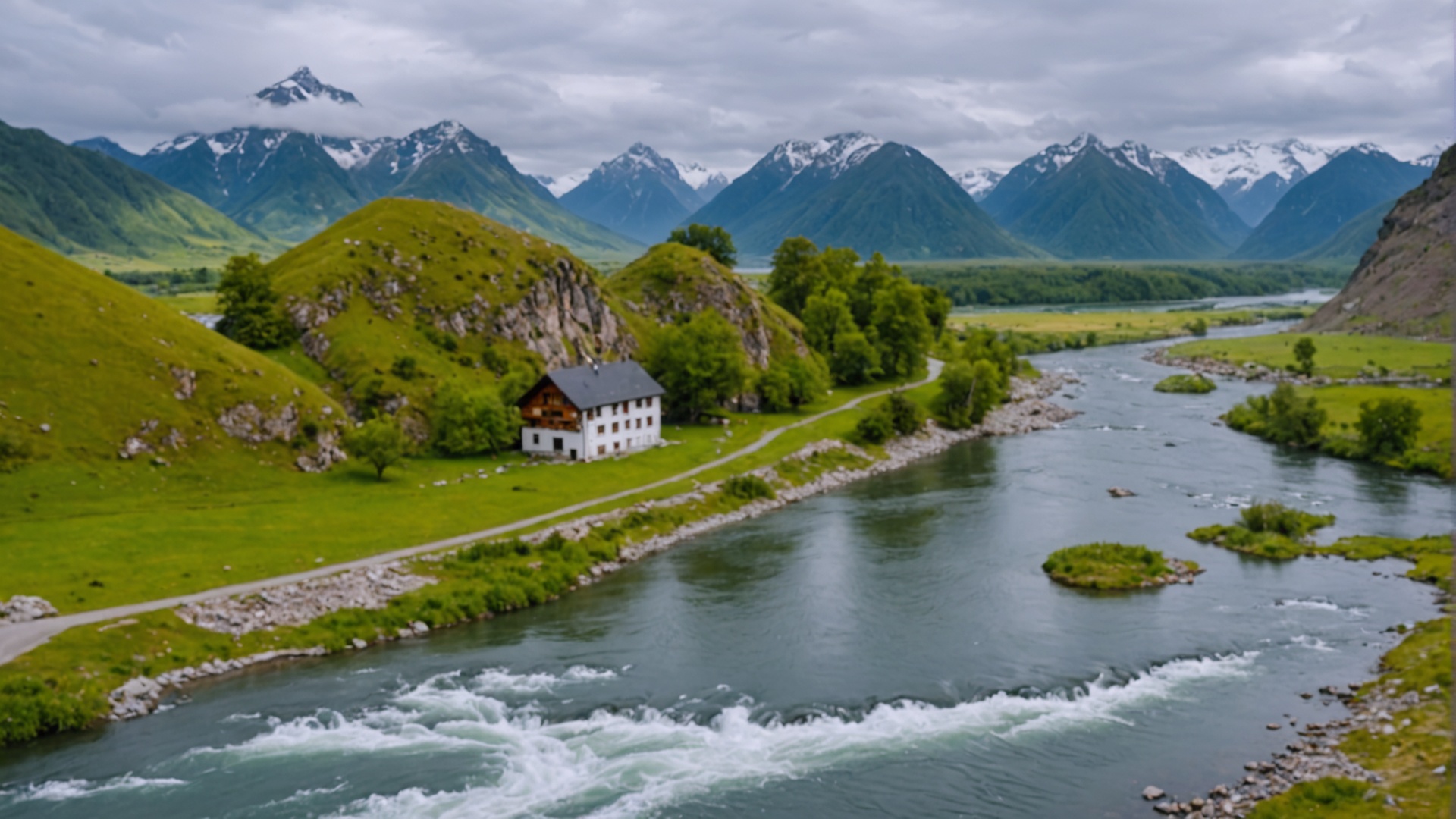
下表顯示使用下列提示的控制草圖呼叫其輸入和輸出影像:背景為山巒,附近有河流的房屋。
控制結構可讓您產生影像,同時維持輸入影像的結構。這對於如從模型重新建立場景或轉譯角色等進階內容建立案例特別寶貴。
控制結構具有下列必要參數:
prompt — 您想要在輸出影像中看到的內容。一個強烈的描述性提示會清楚定義元素、顏色和主題,將帶來更好的結果。若要控制指定字詞的權重,請使用格式 (word:weight),其中 word 是您要控制權重的字詞,weight 是值。值 0 和 1.0 會去除強調該字詞,而介於 1.1 和 2 之間的值會強調該字詞。例如:天空清澈,(藍:0.3) 和 (綠:1.8) 表示天空呈藍色和綠色,但綠色多於藍色。最少 0 個字元,最多 10000 個字元。
image — (字串) 草圖的 Base64 影像。影像的每一邊必須至少為 64 像素。像素總數不能超過 9,437,184 像素。影像長寬比必須介於 1:2.5 和 2.5:1 之間。支援的格式:jpeg、png、webp。
下列是選用參數:
control_strength — (數字) 影像對該世代的影響或控制程度。以介於 0 和 1 之間的浮點數表示,其中 0 是最小影響,1 是最大影響。預設值為 0.7。
negative_prompt — (字串) 文字模糊,描述您不想要在輸出影像中看到的內容。這是進階功能。最多 10000 個字元。
seed — (數字) 用來引導產生「隨機性」的特定值。(省略此參數或傳遞 0 以使用隨機種子。) 範圍介於 0 至 4294967294 之間。預設值為 0。
output_format — (字串) 規定所產生影像的內容類型。列舉:jpeg、png、webp。預設值為 png。
style_preset — 將影像模型引導至特定樣式。列舉:3D 模型、類比影片、動畫、電影、漫畫書、數位藝術、增強、奇幻藝術、對稱、線條藝術、低多邊形、建模複合、霓虹龐克、摺紙、攝影、像素藝術、圖磚紋理。
- API
-
import base64
import json
import requests
import io
import os
from PIL import Image

image = "./content/input.jpg"

region = "us-east-1"
model_id = "us.stability.stable-image-control-structure-v1:0"
url = f"https://bedrock-runtime.{region}.amazonaws.com/model/{model_id}/invoke"
api_key = os.getenv("AWS_BEARER_TOKEN_BEDROCK") # https://docs.aws.amazon.com/bedrock/latest/userguide/getting-started-api-keys.html
headers = {
    "Content-Type":"application/json",
    "Authorization":f"Bearer {api_key}"
}

try:
    with open(image, "rb") as image_file:
        image_base64 = base64.b64encode(image_file.read()).decode('utf-8')

    params = {
        "image": image_base64,
        "prompt": "surreal structure with motion generated sparks lighting the scene"

    }
    response = requests.request("POST", url, json=params, headers=headers)
    response.raise_for_status()
    model_response = json.loads(response.text)
    base64_image_data = model_response["images"][0]

    if not base64_image_data:
        raise ValueError("No image data found in model response.")

    image_data = base64.b64decode(base64_image_data)
    image = Image.open(io.BytesIO(image_data))
    image.save("image.png")
    print("Successfully saved image.")

except Exception as e:
    print(e)
- Python
-
import boto3
import base64
import io
import json
from PIL import Image

image = "./content/input.jpg"

region = "us-east-1"
model_id = "us.stability.stable-image-control-structure-v1:0"

bedrock = boto3.client("bedrock-runtime", region_name=region)

try:
    with open(image, "rb") as image_file:
        image_base64 = base64.b64encode(image_file.read()).decode('utf-8')

    params = {
        "image": image_base64,
        "prompt": "surreal structure with motion generated sparks lighting the scene"

    }
    request = json.dumps(params)
    response = bedrock.invoke_model(modelId=model_id, body=request)
    model_response = json.loads(response["body"].read())
    base64_image_data = model_response["images"][0]

    if not base64_image_data:
        raise ValueError("No image data found in model response.")

    image_data = base64.b64decode(base64_image_data)
    image = Image.open(io.BytesIO(image_data))
    image.save("image.png")
    print("Successfully saved image.")

except Exception as e:
    print(e)
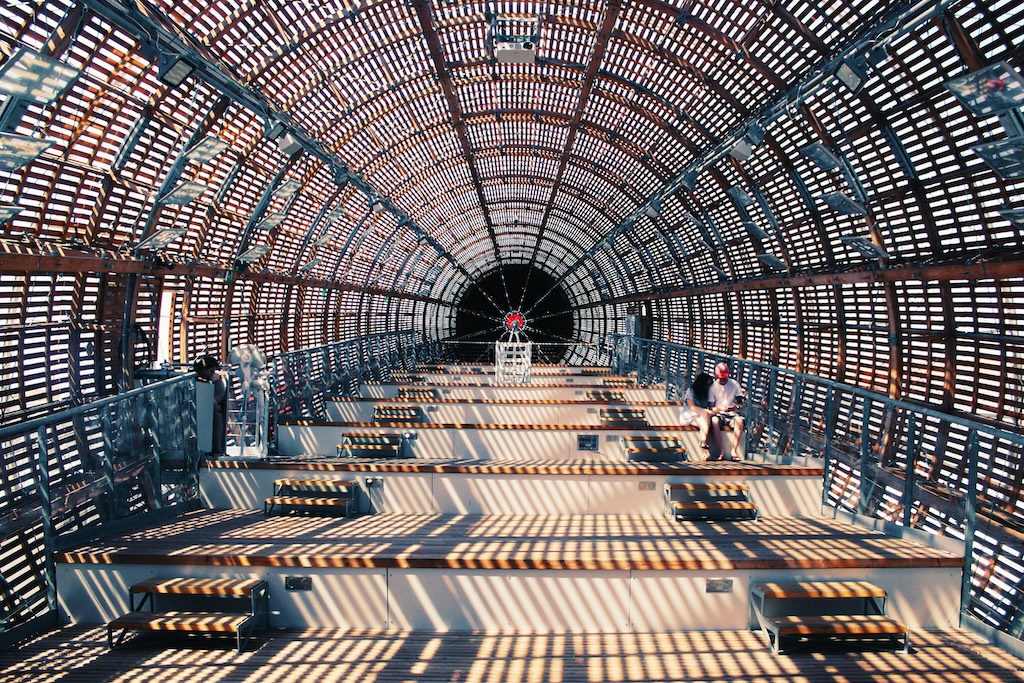
下表顯示使用下列提示的控制結構操作其輸入和輸出影像:運動產生的火花照亮場景的超現實結構。
樣式指南可讓您從輸入影像擷取樣式元素,並用於根據提示引導建立輸出影像。結果是新影像的樣式與輸入影像相同。
樣式指南具有下列必要參數:
prompt — 您想要在輸出影像中看到的內容。一個強烈的描述性提示會清楚定義元素、顏色和主題,將帶來更好的結果。若要控制指定字詞的權重,請使用格式 (word:weight),其中 word 是您要控制權重的字詞,weight 是值。值 0 和 1.0 會去除強調該字詞,而介於 1.1 和 2 之間的值會強調該字詞。例如:天空清澈,(藍:0.3) 和 (綠:1.8) 表示天空呈藍色和綠色,但綠色多於藍色。最少 0 個字元,最多 10000 個字元。
image — (字串) 草圖的 Base64 影像。影像的每一邊必須至少為 64 像素。像素總數不能超過 9,437,184 像素。影像長寬比必須介於 1:2.5 和 2.5:1 之間。支援的格式:jpeg、png、webp。
下列是選用參數:
aspect_ratio — (字串) 控制所產生影像的長寬比。此參數僅適用於文字轉影像請求。預設值為 1:1。列舉:16:9、1:1、21:9、2:3、3:2、4:5、5:4、9:16、9:21。預設值為 1:1。
negative_prompt — (字串) 文字模糊,描述您不想要在輸出影像中看到的內容。這是進階功能。最多 10000 個字元。
seed — (數字) 用來引導產生「隨機性」的特定值。(省略此參數或傳遞 0 以使用隨機種子。) 範圍介於 0 至 4294967294 之間。預設值為 0。
output_format — (字串) 規定所產生影像的內容類型。列舉:jpeg、png、webp。預設值為 png。
fidelity — (數字) 輸出影像的樣式與輸入影像的樣式相似的程度。範圍介於 0 至 1 之間。預設值為 0.5。
style_preset — 將影像模型引導至特定樣式。列舉:3D 模型、類比影片、動畫、電影、漫畫書、數位藝術、增強、奇幻藝術、對稱、線條藝術、低多邊形、建模複合、霓虹龐克、摺紙、攝影、像素藝術、圖磚紋理。
- API
-
import base64
import json
import requests
import io
import os
from PIL import Image

image = "./content/input.jpg"

region = "us-east-1"
model_id = "us.stability.stable-image-style-guide-v1:0"
url = f"https://bedrock-runtime.{region}.amazonaws.com/model/{model_id}/invoke"
api_key = os.getenv("AWS_BEARER_TOKEN_BEDROCK") # https://docs.aws.amazon.com/bedrock/latest/userguide/getting-started-api-keys.html
headers = {
    "Content-Type":"application/json",
    "Authorization":f"Bearer {api_key}"
}

try:
    with open(image, "rb") as image_file:
        image_base64 = base64.b64encode(image_file.read()).decode('utf-8')

    params = {
        "image": image_base64,
        "prompt": "wide shot of modern metropolis"
    }
    response = requests.request("POST", url, json=params, headers=headers)
    response.raise_for_status()
    model_response = json.loads(response.text)
    base64_image_data = model_response["images"][0]

    if not base64_image_data:
        raise ValueError("No image data found in model response.")

    image_data = base64.b64decode(base64_image_data)
    image = Image.open(io.BytesIO(image_data))
    image.save("image.png")
    print("Successfully saved image.")

except Exception as e:
    print(e)
- Python
-
import boto3
import base64
import io
import json
from PIL import Image

image = "./content/input.jpg"

region = "us-east-1"
model_id = "us.stability.stable-image-style-guide-v1:0"

bedrock = boto3.client("bedrock-runtime", region_name=region)

try:
    with open(image, "rb") as image_file:
        image_base64 = base64.b64encode(image_file.read()).decode('utf-8')

    params = {
        "image": image_base64,
        "prompt": "wide shot of modern metropolis"
    }
    request = json.dumps(params)
    response = bedrock.invoke_model(modelId=model_id, body=request)
    model_response = json.loads(response["body"].read())
    base64_image_data = model_response["images"][0]

    if not base64_image_data:
        raise ValueError("No image data found in model response.")

    image_data = base64.b64decode(base64_image_data)
    image = Image.open(io.BytesIO(image_data))
    image.save("image.png")
    print("Successfully saved image.")

except Exception as e:
    print(e)
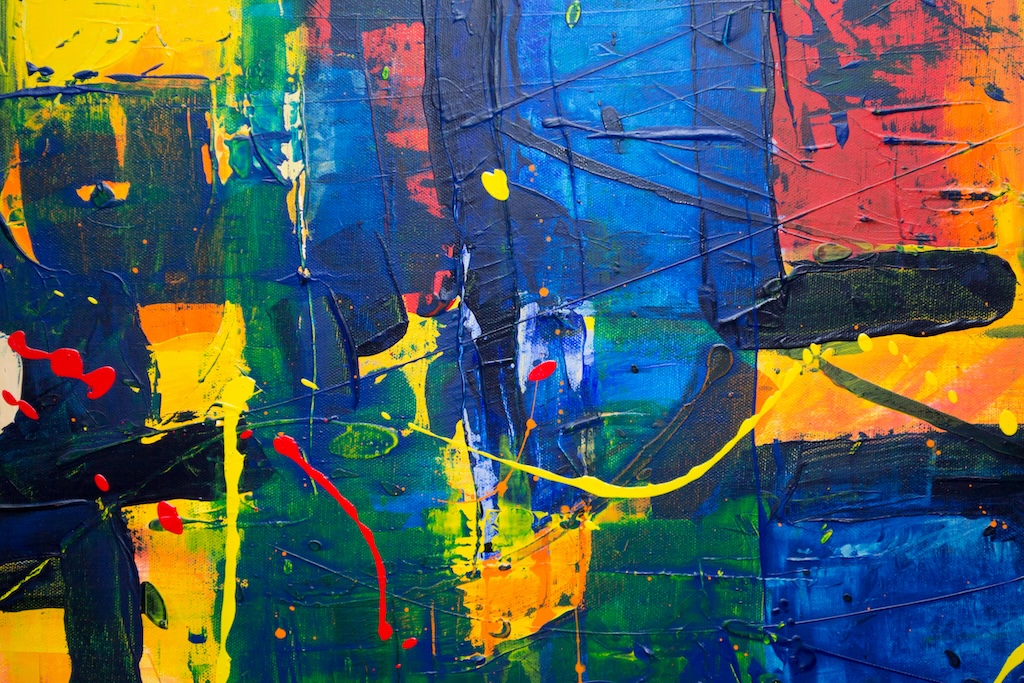
下表顯示使用下列提示的樣式指南呼叫其輸入和輸出影像:現代都會的廣角鏡頭。
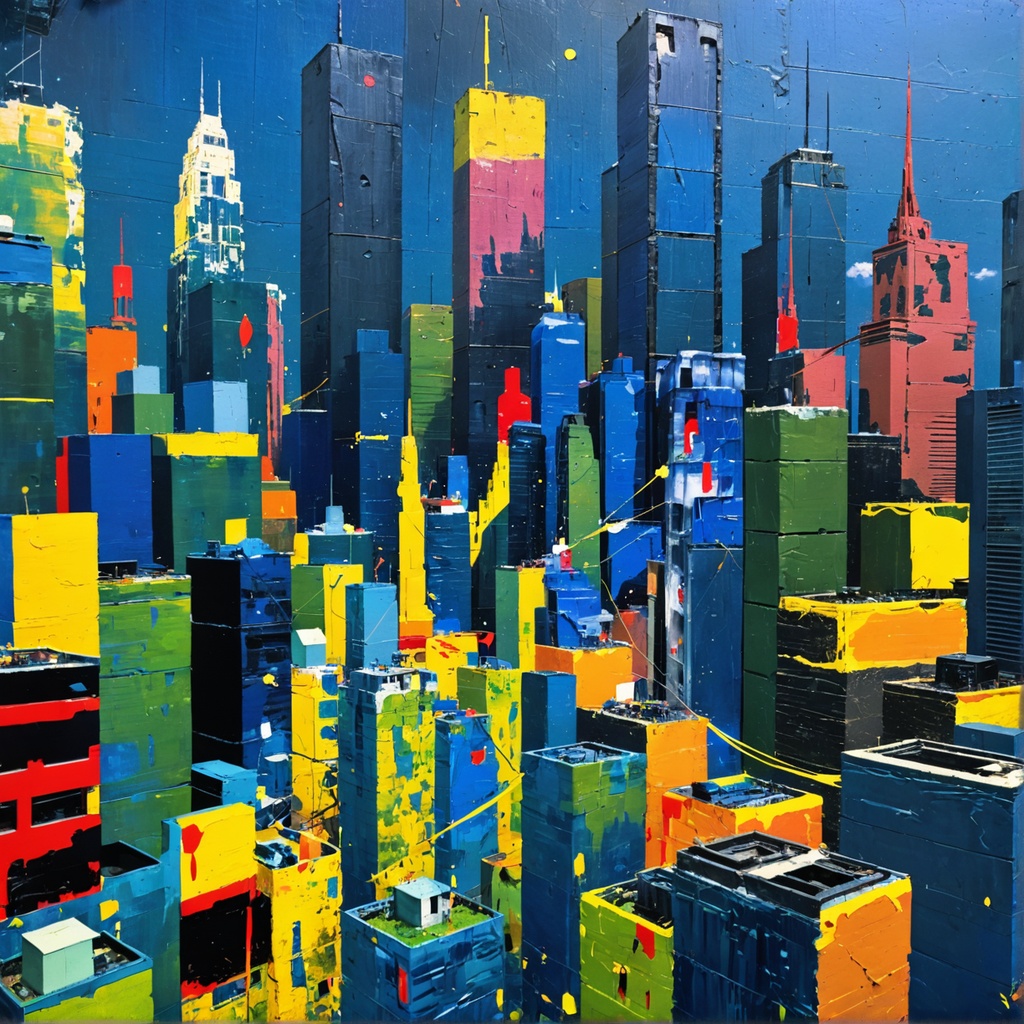
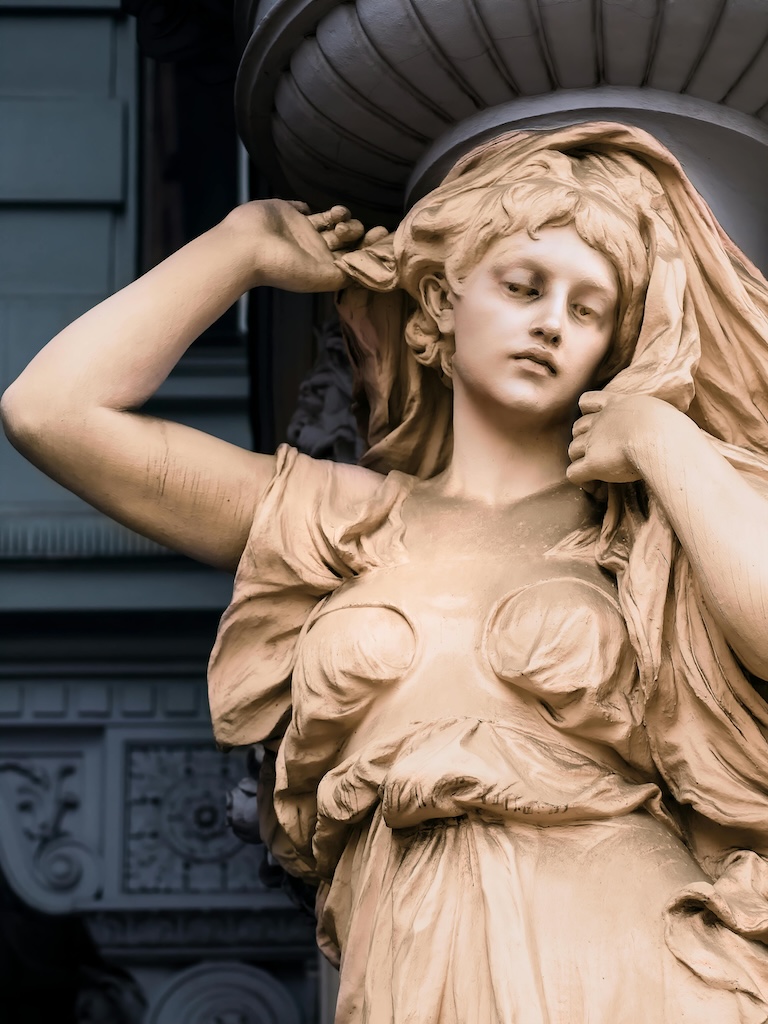
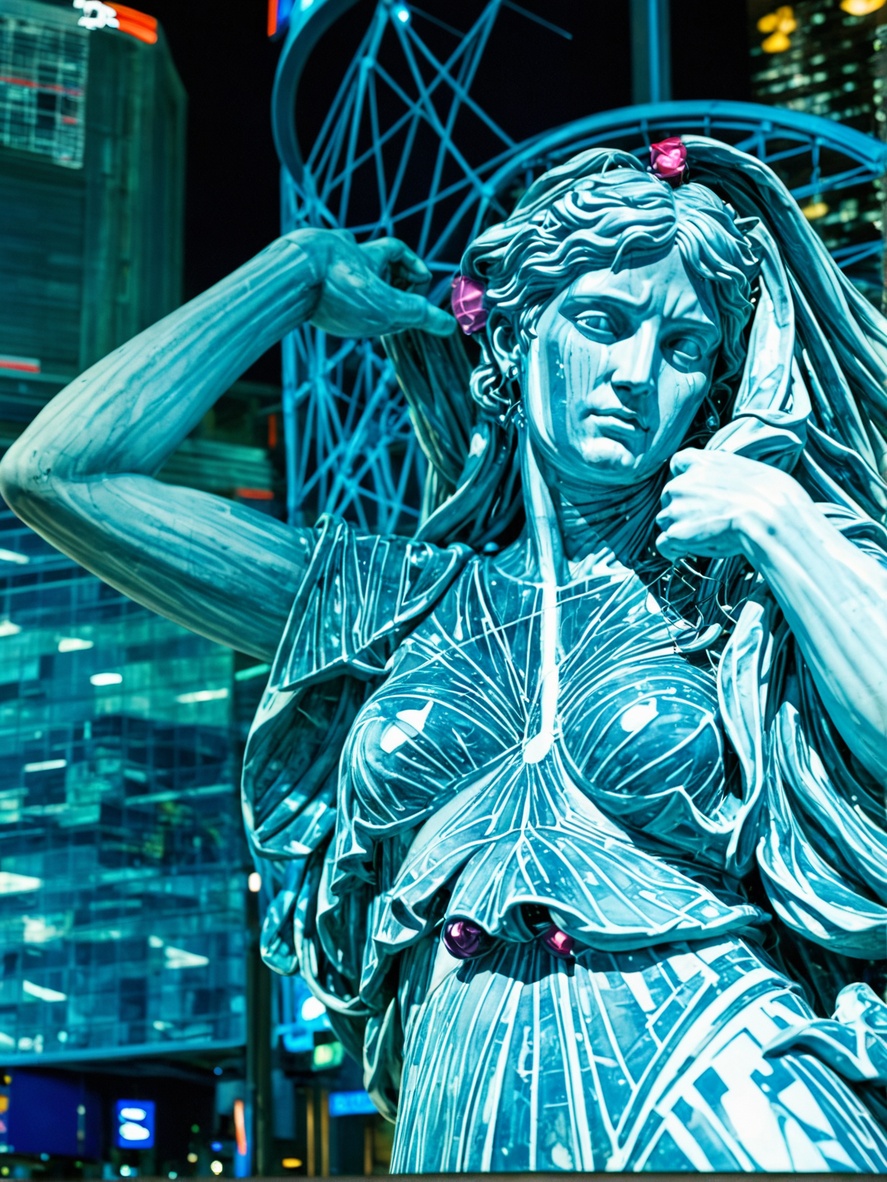
樣式轉移可讓您將參考樣式影像的視覺特性套用至目標影像。雖然樣式指南服務會從輸入影像中擷取樣式元素,並用於根據提示來引導建立輸出影像,但樣式轉移會特別轉換現有內容,同時保留原始合成。此工具有助於跨多個資產建立一致的內容。
樣式轉移具有下列必要參數:
init_image — (字串) 包含您要重新設定樣式之主體的 Base64 影像。影像的每一邊必須至少為 64 像素。像素總數不能超過 9,437,184 像素。影像長寬比必須介於 1:2.5 和 2.5:1 之間。支援的格式:jpeg、png、webp。
style_image — (字串) 包含您要重新設定樣式之主體的 Base64 影像。影像的每一邊必須至少為 64 像素。像素總數不能超過 9,437,184 像素。影像長寬比必須介於 1:2.5 和 2.5:1 之間。支援的格式:jpeg、png、webp。
下列是選用參數:
prompt — (字串) 您想要在輸出影像中看到的內容。一個強烈的描述性提示會清楚定義元素、顏色和主題,將帶來更好的結果。若要控制指定字詞的權重,請使用格式 (word:weight),其中 word 是您要控制權重的字詞,weight 是值。值 0 和 1.0 會去除強調該字詞,而介於 1.1 和 2 之間的值會強調該字詞。例如:天空清澈,(藍:0.3) 和 (綠:1.8) 表示天空呈藍色和綠色,但綠色多於藍色。
negative_prompt — (字串) 文字模糊,描述您不想要在輸出影像中看到的內容。這是進階功能。最多 10000 個字元。
seed — (數字) 用來引導產生「隨機性」的特定值。(省略此參數或傳遞 0 以使用隨機種子。) 範圍介於 0 至 4294967294 之間。預設值為 0。
output_format — (字串) 規定所產生影像的內容類型。列舉:jpeg、png、webp。預設值為 png。
composition_fidelity — (數字) 輸出影像的樣式與輸入影像的樣式相似的程度。範圍介於 0 與 1 之間。預設值為 0.9。
style_strength — (數字) 有時稱為去雜訊,此參數會控制 style_image 參數對所產生影像的影響程度。值 0 會產生與輸入相同的影像。值 1 相當於您完全沒有傳遞任何影像。範圍介於 0 與 1 之間。預設值為 1。
change_strength — (數字) 原始影像應該改變的程度。範圍介於 0.1 與 1 之間。預設值為 0.9。
- API
-
import base64
import json
import requests
import io
import os
from PIL import Image

image = "./content/input.jpg"
style_image = "./content/style.jpg"

region = "us-east-1"
model_id = "us.stability.stable-style-transfer-v1:0"
url = f"https://bedrock-runtime.{region}.amazonaws.com/model/{model_id}/invoke"
api_key = os.getenv("AWS_BEARER_TOKEN_BEDROCK") # https://docs.aws.amazon.com/bedrock/latest/userguide/getting-started-api-keys.html
headers = {
    "Content-Type":"application/json",
    "Authorization":f"Bearer {api_key}"
}

try:
    with open(image, "rb") as image_file:
        image_base64 = base64.b64encode(image_file.read()).decode('utf-8')

    with open(style_image, "rb") as style_image_file:
        style_image_base64 = base64.b64encode(style_image_file.read()).decode('utf-8')

    params = {
        "init_image": image_base64,
        "style_image": style_image_base64,
        "prompt": "statue"
    }
    response = requests.request("POST", url, json=params, headers=headers)
    response.raise_for_status()
    model_response = json.loads(response.text)
    base64_image_data = model_response["images"][0]

    if not base64_image_data:
        raise ValueError("No image data found in model response.")

    image_data = base64.b64decode(base64_image_data)
    image = Image.open(io.BytesIO(image_data))
    image.save("image.png")
    print("Successfully saved image.")

except Exception as e:
    print(e)
- Python
-
import boto3
import base64
import io
import json
from PIL import Image

image = "./content/cat_statue_512x512.jpg"
style_image = "./content/glowbot_style.jpg"

region = "us-east-1"
model_id = "us.stability.stable-style-transfer-v1:0"

bedrock = boto3.client("bedrock-runtime", region_name=region)

try:
    with open(image, "rb") as image_file:
        image_base64 = base64.b64encode(image_file.read()).decode('utf-8')

    with open(style_image, "rb") as style_image_file:
        style_image_base64 = base64.b64encode(style_image_file.read()).decode('utf-8')

    params = {
        "init_image": image_base64,
        "style_image": style_image_base64,
        "prompt": "statue"
    }
    request = json.dumps(params)
    response = bedrock.invoke_model(modelId=model_id, body=request)
    model_response = json.loads(response["body"].read())
    base64_image_data = model_response["images"][0]

    if not base64_image_data:
        raise ValueError("No image data found in model response.")

    image_data = base64.b64decode(base64_image_data)
    image = Image.open(io.BytesIO(image_data))
    image.save("image.png")
    print("Successfully saved image.")

except Exception as e:
    print(e)
下表顯示樣式移轉呼叫的輸入和輸出影像。