

本文属于机器翻译版本。若本译文内容与英语原文存在差异，则一律以英文原文为准。

# 使用 Amazon Augmented AI 进行人工审核
<a name="a2i-use-augmented-ai-a2i-human-review-loops"></a>

当您使用 AI 应用程序（例如 Amazon Rekognition、Amazon Textract 或自定义机器学习 (ML) 模型）时，可以使用 Amazon Augmented AI 对低置信度的预测或对预测的随机采样进行人工审核。
<a name="what-is-amazon-augmented-ai-a2i"></a>
**什么是 Amazon Augmented AI？**  
Amazon Augmented AI (Amazon A2I) 是一项服务，通过消除与构建人工审核系统或管理大量人工审核人员相关的繁重工作，为所有开发人员提供对 ML 预测的人工审查。

许多 ML 应用程序都要求对低置信度的预测进行人工审核，以确保结果的准确性。例如，在某些情况下，由于扫描质量差或手写字迹潦草，从扫描的按揭申请表格中提取信息可能需要人工审核。但是，构建人工审核系统既费时又成本高昂，因为它涉及实施复杂的流程或*工作流*，需要编写自定义软件来管理审核任务和结果，而且在许多情况下，还需要管理大量审核人员。

Amazon A2I 简化了为 ML 应用程序构建和管理人工审核的过程。Amazon A2I 面向常见的 ML 使用场景（例如内容审核和文档中的文本提取），提供了内置的人工审核工作流。您还可以为基于 SageMaker AI 或任何其他工具构建的 ML 模型创建自己的工作流程。借助 Amazon A2I，当模型无法进行高置信度的预测或无法连续审计其预测时，您可以允许人工审核人员介入。
<a name="a2i-use-cases-intro"></a>
**Amazon A2I 使用场景示例**  
以下示例演示了如何使用 Amazon A2I 将人工审核循环集成到机器学习应用程序中。在 [使用 Amazon A2I 的使用场景和示例](a2i-task-types-general.md) 中，对于每个这些示例，您都可以找到一个演示该工作流的 Jupyter 笔记本。
+ **将 Amazon A2I 与 Amazon Textract 结合使用** – 通过人工来审核单页文档中的重要键值对，或者让 Amazon Textract 随机采样并将数据集中的文档发送给人工进行审核。
+ **将 Amazon A2I 与 Amazon Rekognition 结合使用** – 如果 Amazon Rekognition 返回的置信度分数较低，则通过人工来审核不安全图像中的明显成人或暴力内容，或者 Amazon Rekognition 对数据集中的图像随机抽样并发送给工作人员进行审核。
+ **使用 Amazon A2I 查看实时机器学习推断** — 使用 Amazon A2I 查看部署到 AI 托管终端节点的模型所做的实时、低可信度推断，并使用 Amazon A2 SageMaker I 输出数据对模型进行增量训练。
+ **将 Amazon A2I 与 Amazon Comprehend 结合使用** – 通过人工来审核 Amazon Comprehend 对文本数据进行的推理，例如情绪分析、文本语法和实体检测。
+ **将 Amazon A2I 与 Amazon Transcribe 结合使用** – 通过人工来审核 Amazon Transcribe 对视频或音频文件的转录。使用对转录的人工审核循环的结果来创建自定义词汇，并改善未来类似视频或音频内容的转录。
+ **将 Amazon A2I 与 Amazon Translate 结合使用** – 通过人工来审核 Amazon Translate 返回的低置信度翻译。
+ **使用 Amazon A2I 审核表格数据** – 使用 Amazon A2I 将人工审核循环集成到使用表格数据的 ML 应用程序中。

![\[Amazon Augmented AI – 工作方式\]](http://docs.aws.amazon.com/zh_cn/sagemaker/latest/dg/images/amazon-augmented-ai-how-it-works.png)


**Topics**
+ [开始使用 Amazon Augmented AI](a2i-getting-started.md)
+ [使用 Amazon A2I 的使用场景和示例](a2i-task-types-general.md)
+ [创建人工审核工作流](a2i-create-flow-definition.md)
+ [删除人工审核工作流](a2i-delete-flow-definition.md)
+ [创建和启动人工循环](a2i-start-human-loop.md)
+ [删除人工循环](a2i-delete-human-loop.md)
+ [创建和管理工作人员任务模板](a2i-instructions-overview.md)
+ [监控和管理您的人工循环](a2i-monitor-humanloop-results.md)
+ [Amazon A2I 输出数据](a2i-output-data.md)
+ [Amazon Augmented AI 中的权限和安全性](a2i-permissions-security.md)
+ [Amazon CloudWatch Events 在 Amazon Agumented AI 中使用](a2i-cloudwatch-events.md)
+ [在 Amazon Augmented AI 中使用 API](a2i-api-references.md)

# 开始使用 Amazon Augmented AI
<a name="a2i-getting-started"></a>

要开始使用 Amazon Augmented AI，请查看 [Amazon A2I 的核心组件](a2i-getting-started-core-components.md)和[使用 Augmented AI 的先决条件](a2i-getting-started-prerequisites.md)。然后，使用以下文档来学习如何使用 Amazon A2I 控制台和 API。
+ [教程：开始使用 Amazon A2I 控制台](a2i-get-started-console.md)
+ [教程：开始使用 Amazon A2I API](a2i-get-started-api.md)

您也可以按照 Jupyter 笔记本教程开始使用 Amazon A2I API。有关笔记本和使用场景的列表，请参阅[使用 Amazon A2I 的使用场景和示例](a2i-task-types-general.md)。

# Amazon A2I 的核心组件
<a name="a2i-getting-started-core-components"></a>

查看以下术语以熟悉 Amazon A2I 的核心组件。

## 任务类型
<a name="a2i-task-type-get-started"></a>

*您将 Amazon A2I 集成到 AI/ML 的工作流程定义了亚马逊 A2I 任务类型。*

Amazon A2I 支持：
+ 两种*内置任务类型*：[Amazon Textract 键值对提取](https://docs.aws.amazon.com/sagemaker/latest/dg/a2i-textract-task-type.html)和 [Amazon Rekognition 图像监管](https://docs.aws.amazon.com/sagemaker/latest/dg/a2i-rekognition-task-type.html)。
+ 一种[自定义任务类型](https://docs.aws.amazon.com/sagemaker/latest/dg/a2i-task-types-custom.html)：使用自定义任务类型可将人工审核循环集成到*任意*机器学习工作流中。您可以使用自定义任务类型将 Amazon A2I 与其他 AWS 服务（例如 Amazon Comprehend、Amazon Transcribe 和 Amazon Translate）以及您自己的自定义机器学习工作流程集成。要了解更多信息，请参阅[使用 Amazon A2I 的使用场景和示例](a2i-task-types-general.md)。

在下表中选择选项卡，查看说明 Amazon A2I 如何处理各种任务类型的图表。使用上述列表中的链接选择任务类型页面，以了解有关该任务类型的详细信息。

------
#### [ Amazon Textract – Key-value pair extraction ]

此图描绘了使用 Amazon Textract 的 Amazon A2I 内置工作流。左侧描述的是创建 Amazon Textract 人工审核工作流所需的资源：Amazon S3 存储桶、激活条件、工作人员任务模板和工作团队。这些资源用于创建人工审核工作流，也称为流定义。一个箭头指向右侧的工作流的下一步：使用 Amazon Textract 配置采用人工审核工作流的人工循环。第二个箭头向右从此步骤直接指向满足了人工审核工作流中指定的激活条件的步骤。这将开始创建人工循环。在图像右侧，人工循环分三个步骤描述：1) 生成工作人员 UI 和工具，并为工作人员提供任务，2) 工作人员审核输入数据，最后 3) 结果保存在 Amazon S3 中。

![\[使用 Amazon Textract 的 Amazon A2I 内置工作流\]](http://docs.aws.amazon.com/zh_cn/sagemaker/latest/dg/images/a2i/diagrams/product-page-diagram_A21-Components_Textract@2x.png)


------
#### [ Amazon Rekognition – Image moderation ]

此图描绘了使用 Amazon Rekognition 的 Amazon A2I 内置工作流。左侧是创建 Amazon Rekognition 人工审核工作流所需的资源：Amazon S3 存储桶、激活条件、工作人员任务模板和工作团队。这些资源用于创建人工审核工作流，也称为流定义。一个箭头指向右侧的工作流的下一步：使用 Amazon Rekognition 配置采用人工审核工作流的人工循环。第二个箭头向右从此步骤直接指向满足了人工审核工作流中指定的激活条件的步骤。这将开始创建人工循环。在图像右侧，人工循环分三个步骤描述：1) 生成工作人员 UI 和工具，并为工作人员提供任务，2) 工作人员审核输入数据，最后 3) 结果保存在 Amazon S3 中。

![\[使用 Amazon Rekognition 的 Amazon A2I 内置工作流\]](http://docs.aws.amazon.com/zh_cn/sagemaker/latest/dg/images/a2i/diagrams/product-page-diagram_A2I-Components_Rekognition@2x.png)


------
#### [ Custom Task Type ]

下图描绘了 Amazon A2I 自定义工作流。使用自定义 ML 模型来生成预测。客户端应用程序使用用户定义的标准筛选这些预测，并确定是否需要人工审核。如果是这样，这些预测将发送到 Amazon A2I 进行人工审核。Amazon A2I 在 Amazon S3 中收集人工审核结果，客户端应用程序可以访问这些结果。如果筛选过程确定不需要人工审核，则可以直接将预测提供给客户端应用程序。

![\[Amazon A2I 自定义工作流\]](http://docs.aws.amazon.com/zh_cn/sagemaker/latest/dg/images/a2i/diagrams/product-page-diagram_A2I-Components_Custom@2x.png)


------

## 人工审核工作流（流定义）
<a name="a2i-getting-started-human-review-workflow"></a>

您可以使用人工审核工作流来指定您的人员*工作团队*，使用*工作人员任务模板*设置工作人员 UI，并提供有关工作人员应如何完成审核任务的信息。

对于内置任务类型，您还可以使用人工审核工作流来确定启动人工循环的条件。例如，Amazon Rekognition 可以使用机器学习执行图像内容审核。如果 Amazon Rekognition 的置信度过低，则可使用人工审核工作流，指定图像需要发送给人员来进行内容审核。

您可以使用人工审核工作流创建多个人工循环。

您可以在 A SageMaker I 控制台中或使用 SageMaker API 创建流程定义。要了解有关这些选项的更多信息，请参阅[创建人工审核工作流](a2i-create-flow-definition.md)。

**工作团队**  
*工作团队*是指一组工作人员，您可以向他们发送人工审核任务。

创建人工审核工作流时，您需要指定一个工作团队。

您的工作团队可以包括 [Amazon Mechanical Turk 人力](https://docs.aws.amazon.com/sagemaker/latest/dg/sms-workforce-management-public.html)、[供应商管理的人力](https://docs.aws.amazon.com/sagemaker/latest/dg/sms-workforce-management-vendor.html)或者您自己的[私有人力](https://docs.aws.amazon.com/sagemaker/latest/dg/sms-workforce-private.html)。使用私有人力时，您可以创建多个工作团队。每个工作团队都可用于多个人工审核工作流中。要了解如何创建人力和工作团队，请参阅[人力](sms-workforce-management.md)。

**工作人员模板和人工任务 UI**  
您可以使用*工作人员任务模板*，为人工审核任务创建工作人员 UI（*人工任务 UI*）。

工作人员任务 UI 显示输入数据，如文档或图像，以及面向工作人员的说明。它还提供了工作人员可用于完成任务的交互式工具。

对于内置任务类型，您必须使用为该任务类型提供的 Amazon A2I 工作人员任务模板。

## 人工循环
<a name="a2i-getting-started-human-loop"></a>

*人工循环*用于创建单个人工审核作业。对于每个人工审核作业，您可以选择工作人员的数量，*任务*会发送给这些工作人员以审核单个数据对象。例如，对于图像分类标注作业，如果将每个对象的工作人员数设置为 `3`，则会有三名工作人员对每个输入图像进行分类。增加每个对象的工作人员数量可以提高标签准确性。

人工循环使用人工审核工作流创建，如下所示：
+ 对于内置任务类型，人工审核工作流中指定的条件决定何时创建人工循环。
+ 人工审核任务将发送到在人工审核工作流中指定的工作团队。
+ 在人工审核工作流中指定的工作人员任务模板用于呈现人工任务 UI。

**什么时候会创建人工循环？**

当您使用其中一种*内置任务类型*时，当您的人工审核工作流程中指定的条件得到满足时，相应的 AWS 服务会代表您创建并启动人工循环。 例如：
+ 当您将 Augmented AI 与 Amazon Textract 结合使用时，您可以使用 API 操作 `AnalyzeDocument` 将 Amazon A2I 集成到文档审核任务中。当键值对满足在人工审核工作流中指定条件时，只要 Amazon Textract 返回与这些键值对相关的推理，就会创建人工循环。
+ 当您将 Augmented AI 与 Amazon Rekognition 结合使用时，您可以使用 API 操作 `DetectModerationLabels` 将 Amazon A2I 集成到图像监管任务中。当图像内容满足在人工审核工作流中指定条件时，只要 Amazon Rekognition 返回与这些图像内容相关的推理，就会创建人工循环。

在使用*自定义任务类型*时，您可以使用 [Amazon Augmented AI 运行时系统 API](https://docs.aws.amazon.com/augmented-ai/2019-11-07/APIReference/Welcome.html) 启动人工循环。当您在自定义应用程序中调用 `StartHumanLoop` 时，任务将发送给人工审核员。

要了解如何创建和启动人工循环，请参阅[创建和启动人工循环](a2i-start-human-loop.md)。

为了生成这些资源并创建人工审核工作流程，Amazon A2I 集成了多种资源 APIs，包括与您的任务类型 APIs关联的 Amazon Amgented AI 运行时模型 SageMaker APIs、和。要了解更多信息，请参阅[在 Amazon Augmented AI 中使用 API](a2i-api-references.md)。

**注意**  
AWS 当您将增强人工智能与其他 AWS 服务（例如Amazon Textract）一起使用时，可用区域可能会有所不同。在您用于与这些 AWS 服务交互的同一 AWS 区域中创建增强型 AI 资源。有关所有服务的 AWS 区域可用性，请参阅[区域表](https://aws.amazon.com/about-aws/global-infrastructure/regional-product-services/)。

# 使用 Augmented AI 的先决条件
<a name="a2i-getting-started-prerequisites"></a>

Amazon A2I 使用 IAM、A SageMaker I 和 Amazon S3 中的资源来创建和运行您的人工审核工作流程。创建人工审核工作流时，您可以在 Amazon A2I 控制台中创建其中一些资源。要了解如何操作，请参阅[教程：开始使用 Amazon A2I 控制台](a2i-get-started-console.md)。

要使用 Amazon A2I，您需要以下资源：
+ 一个或多个 Amazon S3 存储桶与您的输入和输出数据的工作流程位于同一 AWS 区域。要创建存储桶，请按照《Amazon Simple Storage Service 控制台用户指南》**中的[创建存储桶](https://docs.aws.amazon.com/AmazonS3/latest/user-guide/create-bucket.html)的说明操作。
+ 一个具有创建人工审核工作流所需权限的 IAM 角色，以及一个具有对 Augmented AI 的访问权限的 IAM 用户或角色。有关更多信息，请参阅 [Amazon Augmented AI 中的权限和安全性](a2i-permissions-security.md)。
+ 用于人工审核工作流的公有、私有或供应商人力。如果您计划使用私人员工，则需要提前在与您的 Amazon A2I 工作流程相同的 AWS 地区设置一名私人员工。要了解有关这些人力类型的更多信息，请参阅 [人力](sms-workforce-management.md)。
**重要**  
要了解目前涵盖了 Amazon Augmented AI 的合规性计划，请参阅[按合规性计划提供的范围内AWS 服务](https://aws.amazon.com/compliance/services-in-scope/)。如果您将亚马逊增强人工智能与其他 AWS 服务（例如亚马逊 Rekognition 和 Amazon Textract）结合使用，请注意，亚马逊增强人工智能可能不在与其他服务相同的合规计划范围内。您对如何使用 Amazon Augmented AI 负责，包括了解服务如何处理或存储客户数据，以及对数据环境合规性的任何影响。您应该与您的 AWS 客户团队讨论您的工作负载目标和目标；他们可以帮助您评估该服务是否适合您提议的用例和架构。

# 教程：开始使用 Amazon A2I 控制台
<a name="a2i-get-started-console"></a>

以下教程向您展示了如何在 Amazon A2I 控制台中开始使用 Amazon A2I。

本教程可以让您有机会将 Augmented AI 与 Amazon Textract 结合使用来进行文档审查，或者与 Amazon Rekognition 结合使用来进行图像内容审查。

## 先决条件
<a name="a2i-getting-started-console-prerequisites"></a>

要开始使用 Amazon A2I，请先满足以下先决条件。
+ 在与您的输入和输出数据工作流程相同的 AWS 区域中创建 Amazon S3 存储桶。例如，如果您在 us-east-1 中将 Amazon A2I 与 Amazon Textract 结合使用，请在 us-east-1 中创建存储桶。要创建存储桶，请按照《Amazon Simple Storage Service 控制台用户指南》**中的[创建存储桶](https://docs.aws.amazon.com/AmazonS3/latest/user-guide/create-bucket.html)的说明操作。
+ 请执行以下操作之一：
  + 如果您想使用 Amazon Textract 完成本教程，请下载以下映像并放入您的 Amazon S3 存储桶中。  
![\[简要求职申请\]](http://docs.aws.amazon.com/zh_cn/sagemaker/latest/dg/images/a2i/getting-started/sample-document-final.png)
  + 如果您想使用 Amazon Rekognition 完成本教程，请下载以下映像并放入您的 Amazon S3 存储桶中。  
![\[身穿比基尼的女子在沙滩上做瑜伽\]](http://docs.aws.amazon.com/zh_cn/sagemaker/latest/dg/images/a2i/getting-started/yoga_swimwear_resized.jpg)

**注意**  
Amazon A2I 控制台嵌入在 A SageMaker I 控制台中。

## 步骤 1：创建工作团队
<a name="a2i-get-started-console-step-1"></a>

首先，在 Amazon A2I 控制台中创建一个工作团队，然后将自己添加为工作人员，这样您就可以预览工作人员审核任务。

**重要**  
本教程使用私有工作团队。亚马逊 A2I 私人劳动力配置在 SageMaker 人工智能控制台的 Ground Truth 区域，由亚马逊 A2I 和 Ground Truth 共享。

**使用工作人员电子邮件创建私有人力**

1. 打开 SageMaker AI 控制台，网址为[https://console.aws.amazon.com/sagemaker/](https://console.aws.amazon.com/sagemaker/)。

1. 在导航窗格中，选择 **Ground Truth** 下的**标注人力**。

1. 选择**私有**，然后选择**创建私有团队**。

1. 选择**通过电子邮件邀请新工作人员**。

1. 对于本教程，请输入您的电子邮件，以及任何其他您希望能够预览人工任务 UI 的人员的电子邮件。您可在电子邮件地址框中粘贴或键入包含最多 50 个电子邮件的列表，以逗号分隔。

1. 输入组织名称和联系人电子邮件。

1. （可选）选择团队订阅到的 Amazon SNS 主题，这样在有新的 Ground Truth 标注作业可用时，工作人员将收到通知。Ground Truth 支持 Amazon SNS 通知，而 Augmented AI 不支持。如果您将工作人员订阅到 Amazon SNS 通知，他们将仅接收有关 Ground Truth 标注作业的通知，而不会收到有关 Augmented AI 任务的通知。

1.  选择**创建私有团队**。

如果您将自己添加到私有工作团队，则会收到来自 `no-reply@verificationemail.com` 的电子邮件，其中提供了登录信息。使用此电子邮件中的链接重置密码，然后登录您的工作人员门户。在您创建人工循环时，人工审核任务就会显示在此处。

## 步骤 2：创建人工审核工作流
<a name="a2i-get-started-console-step-2"></a>

在此步骤中，您将创建人工审核工作流。每个人工审核工作流都是针对特定[任务类型](https://docs.aws.amazon.com/sagemaker/latest/dg/a2i-task-types-general.html)创建的。在本教程中，您可以在内置任务类型之间进行选择：Amazon Rekognition 和 Amazon Textract。

**要创建人工审核工作流，请执行以下操作：**

1. 在 [https://console.aws.amazon.com/a2i 处打开增强型 A](https://console.aws.amazon.com/a2i/) I 控制台，访问**人工审核**工作流程页面。

1. 选择**创建人工审核工作流**。

1. 在**工作流程设置**中，输入您为本教程创建的工作流程**名称**、**S3 存储桶**和`AmazonAugmentedAIIntegratedAPIAccess`附加 AWS 托管策略的 **IAM 角色**。

1. 对于**任务类型**，选择 **Textract – 键值对提取**或者 **Rekognition – 图像监管**。

1. 选择您在下表中选择的任务类型，以获取该任务类型的说明。

------
#### [ Amazon Textract – Key-value pair extraction ]

   1. 选择**根据表单键置信度分数或在缺少特定表单键时触发对特定表单键的人工审核**。

   2. 在**键名称**中输入 `Mail Address`。

   3. 设置介于 `0` 和 `99` 之间的标识置信度阈值。

   4. 设置介于 `0` 和 `99` 之间的资格置信度阈值。

   5. 选择**通过在指定范围内的置信度分数来触发对 Amazon Textract 标识的所有表单键的人工审核**。

   6. 设置介于 `0` 和 `90` 之间的标识置信度阈值。

   7. 设置介于 `0` 和 `90` 之间的资格置信度阈值。

   如果 Amazon Textract 为 `Mail Address` 及其键返回的置信度分数低于 `99`，或者为在文档中检测到的任一键值对返回的置信度分数低于 `90`，则会启动人工审核。

   下图显示了 Amazon A2I 控制台的“Amazon Textract 表单提取 – 调用人工审核的条件”部分。在图片中，选中了前文解释的两种触发器类型的复选框，并且在第一个触发器中将 `Mail Address` 用作**键名称**。标识置信度阈值使用在表单中检测到的键值对的置信度分数来定义，设置为介于 0 到 99 之间。资格置信度阈值是使用键中包含的文本的置信度分数和表单中的值来定义的，设置为介于 0 到 99 之间。

![\[Amazon A2I 管理控制台显示了调用人工审核部分的条件。\]](http://docs.aws.amazon.com/zh_cn/sagemaker/latest/dg/images/a2i/getting-started/Textract-conditions.png)


------
#### [ Amazon Rekognition – Image moderation ]

   1. 选择**针对 Amazon Rekognition 根据标签置信度分数标识的标签触发人工审核**。

   2. 设置介于 `0` 和 `98` 之间的**阈值**。

   如果对于图像监管作业，Amazon Rekognition 返回的置信度分数低于 `98`，这将启动人工审核。

   下图显示了如何在 Amazon A2I 控制台中选择**根据标签置信度分数对 Amazon Rekognition 标识的标签触发人工审核**选项，并输入介于 0 和 98 之间的**阈值**。

![\[Amazon A2I 管理控制台显示了调用人工审核部分的条件。\]](http://docs.aws.amazon.com/zh_cn/sagemaker/latest/dg/images/a2i/getting-started/Rek-conditions.png)


------

1. 在**工作人员任务模板创建**下，选择**从默认模板创建**。

1. 输入**模板名称**。

1. 在**任务描述**字段中，输入以下文本：

   `Read the instructions carefully and complete the task.`

1. 在**工作人员**下，选择**私有**。

1. 选择您创建的私有团队。

1. 选择**创建**。

创建人工审核工作流后，它将显示在**人工审核工作流**页面上的表中。当**状态**为 `Active` 时，复制并保存工作流 ARN。您在下一个步骤中需要用到它。

## 步骤 3：启动人工循环
<a name="a2i-get-started-console-step-3"></a>

您必须使用 API 操作来启动人工循环。您可以使用各种特定语言来与 SDKs 这些 API 操作进行交互。要查看每个文档的文档 SDKs，请参阅 API 文档中的 “**另**请参阅” 部分，如下图所示。

![\[Amazon Textract API 文档中“另请参阅”部分的界面截图\]](http://docs.aws.amazon.com/zh_cn/sagemaker/latest/dg/images/a2i/getting-started/see-also.png)


在本教程中，您将使用以下方法之一 APIs：
+ 如果您选择了 Amazon Textract 任务类型，则可以使用 `[AnalyzeDocument](https://docs.aws.amazon.com/textract/latest/dg/API_AnalyzeDocument.html)` 操作。
+ 如果您选择了 Amazon Rekognition 任务类型，则可以使用 `[DetectModerationLabels](https://docs.aws.amazon.com/rekognition/latest/dg/API_DetectModerationLabels.html)` 操作。

您可以使用 SageMaker 笔记本实例（建议新用户 APIs 使用）或 () 与它们进行交互。 AWS Command Line Interface AWS CLI选择以下选项之一以详细了解这些选项：
+ 要详细了解并设置笔记本实例，请参阅 [Amazon SageMaker 笔记本实例](nbi.md)。
+ 要了解更多信息并开始使用 AWS CLI，请参阅[什么是 AWS 命令行界面？](https://docs.aws.amazon.com/cli/latest/userguide/cli-chap-welcome.html) 在《*AWS Command Line Interface 用户指南》*中。

在下表中选择您的任务类型，以查看使用 适用于 Python (Boto3) 的 AWS SDK的 Amazon Textract 和 Amazon Rekognition 示例请求。

------
#### [ Amazon Textract – Key-value pair extraction ]

以下示例使用在 us-w 适用于 Python (Boto3) 的 AWS SDK est-2 `analyze_document` 中调用。使用您的资源替换斜体红色文本。如果您使用的是 Amazon Mechanical Turk 人力，请包括 [https://docs.aws.amazon.com/augmented-ai/2019-11-07/APIReference/API_HumanLoopDataAttributes.html](https://docs.aws.amazon.com/augmented-ai/2019-11-07/APIReference/API_HumanLoopDataAttributes.html) 参数。有关更多信息，请参阅《AWS SDK for Python (Boto) API 参考》**中的 `[analyze\$1document](https://boto3.amazonaws.com/v1/documentation/api/latest/reference/services/textract.html#Textract.Client.analyze_document)` 文档。

```
   response = client.analyze_document(
         Document={
                "S3Object": {
                    "Bucket": "amzn-s3-demo-bucket", 
                    "Name": "document-name.pdf"
                }
         },
         HumanLoopConfig={
            "FlowDefinitionArn":"arn:aws:sagemaker:us-west-2:111122223333:flow-definition/flow-definition-name",
            "HumanLoopName":"human-loop-name",
            "DataAttributes" : {
                "ContentClassifiers":["FreeOfPersonallyIdentifiableInformation","FreeOfAdultContent"]
            }
         },
         FeatureTypes=["TABLES", "FORMS"])
```

------
#### [ Amazon Rekognition – Image moderation ]

以下示例使用在 us-w 适用于 Python (Boto3) 的 AWS SDK est-2 `detect_moderation_labels` 中调用。使用您的资源替换斜体红色文本。如果您使用的是 Amazon Mechanical Turk 人力，请包括 [https://docs.aws.amazon.com/augmented-ai/2019-11-07/APIReference/API_HumanLoopDataAttributes.html](https://docs.aws.amazon.com/augmented-ai/2019-11-07/APIReference/API_HumanLoopDataAttributes.html) 参数。有关更多信息，请参阅《AWS SDK for Python (Boto) API 参考》**中的 `[detect\$1moderation\$1labels](https://boto3.amazonaws.com/v1/documentation/api/latest/reference/services/rekognition.html#Rekognition.Client.detect_moderation_labels)` 文档。

```
   response = client.detect_moderation_labels(
            Image={
                "S3Object":{
                    "Bucket": "amzn-s3-demo-bucket", 
                    "Name": "image-name.png"
                }
            },
            HumanLoopConfig={
               "FlowDefinitionArn":"arn:aws:sagemaker:us-west-2:111122223333:flow-definition/flow-definition-name",
               "HumanLoopName":"human-loop-name",
               "DataAttributes":{
                    ContentClassifiers:["FreeOfPersonallyIdentifiableInformation"|"FreeOfAdultContent"]
                }
             })
```

------

## 步骤 4：在控制台中查看人工循环状态
<a name="a2i-get-started-console-step-4"></a>

当您启动人工循环时，您可以在 Amazon A2I 控制台中查看其状态。

**查看人工循环状态**

1. 在 [https://console.aws.amazon.com/a2i 处打开增强型 A](https://console.aws.amazon.com/a2i/) I 控制台，访问**人工审核**工作流程页面。

1. 选择用于启动人工循环的人工审核工作流。

1. 在**人工循环**部分中，您可以看到您的人工循环。在**状态**列中查看其状态。

## 步骤 5：下载输出数据
<a name="a2i-get-started-console-step-5"></a>

输出数据存储在您创建人工审核工作流时指定的 Amazon S3 存储桶中。

**查看 Amazon A2I 输出数据**

1. 打开 [Amazon S3 控制台](https://console.aws.amazon.com/s3/)。

1. 选择您在本示例的步骤 2 中，在创建人工审核工作流时指定的 Amazon S3 存储桶。

1. 首先从以人工审核工作流命名的文件夹，选择具有以下命名约定的文件夹来导航到输出数据：

   ```
   s3://output-bucket-specified-in-human-review-workflow/human-review-workflow-name/YYYY/MM/DD/hh/mm/ss/human-loop-name/output.json
   ```

1. 选择 `output.json` 并选择**下载**。

# 教程：开始使用 Amazon A2I API
<a name="a2i-get-started-api"></a>

本教程介绍了您在开始使用 Amazon A2I 时可以使用的 API 操作。

要使用 Jupyter 笔记本运行这些操作，请从中选择一个 Jupyter 笔记本[使用 Amazon A2I 的使用场景和示例](a2i-task-types-general.md)并使用它[将 SageMaker 笔记本实例与 Amazon A2I Jupyter 笔记本配合使用](a2i-task-types-general.md#a2i-task-types-notebook-demo)来学习如何在 A SageMaker I 笔记本实例中使用它。

要详细了解可用于 Amazon A2I 的 API 操作，请参阅 [在 Amazon Augmented AI 中使用 API](a2i-api-references.md)。

## 创建私有工作团队
<a name="a2i-get-started-api-create-work-team"></a>

您可以创建一个私有工作团队并将自己添加为员工，这样您就可以预览 Amazon A2I。

如果您不熟悉 Amazon Cognito，我们建议您使用 SageMaker AI 控制台创建私人员工队伍，并将自己添加为私人员工。有关说明，请参阅[步骤 1：创建工作团队](a2i-get-started-console.md#a2i-get-started-console-step-1)。

如果您熟悉 Amazon Cognito，则可以按照以下说明使用 API 创建私人工作团队。 SageMaker 创建工作团队后，请记录工作团队的 ARN (`WorkteamArn`)。

要了解有关私有人力和其他可用配置的更多信息，请参阅 [私有人力](sms-workforce-private.md)。

**创建私有人力**  
如果您还没有创建私人人力，则可以使用 [Amazon Cognito 用户池](https://docs.aws.amazon.com/cognito/latest/developerguide/cognito-user-identity-pools.html)创建。确保已将自己添加到此用户池中。您可以使用该 适用于 Python (Boto3) 的 AWS SDK `[create\$1workforce](https://boto3.amazonaws.com/v1/documentation/api/latest/reference/services/sagemaker.html#SageMaker.Client.create_workforce)`功能创建私人工作团队。有关其他特定语言的信息 SDKs，请参阅中的列表。[CreateWorkforce](https://docs.aws.amazon.com/sagemaker/latest/APIReference/API_CreateWorkforce.html#API_CreateWorkforce_SeeAlso)

```
    
    response = client.create_workforce(
        CognitoConfig={
            "UserPool": "Pool_ID",
            "ClientId": "app-client-id"
        },
        WorkforceName="workforce-name"
    )
```

**创建私有工作团队**  
 AWS 在该地区创建了一支私人员工队伍来配置和启动您的人工循环后，您可以使用该 适用于 Python (Boto3) 的 AWS SDK `[create\$1workteam](https://boto3.amazonaws.com/v1/documentation/api/latest/reference/services/sagemaker.html#SageMaker.Client.create_workteam)`功能创建私人工作团队。有关其他特定语言的信息 SDKs，请参阅中的列表。`[CreateWorkteam](https://docs.aws.amazon.com/sagemaker/latest/APIReference/API_CreateWorkteam.html#API_CreateWorkteam_SeeAlso)`

```
    response = client.create_workteam(
        WorkteamName="work-team-name",
        WorkforceName= "workforce-name",
        MemberDefinitions=[
            {
                "CognitoMemberDefinition": {
                    "UserPool": "<aws-region>_ID",
                    "UserGroup": "user-group",
                    "ClientId": "app-client-id"
                },
            }
        ]
    )
```

如下所示访问您的工作团队 ARN：

```
    workteamArn = response["WorkteamArn"]
```

**列出账户中的私有工作团队**  
如果您已经创建了私人工作团队，则可以使用该 适用于 Python (Boto3) 的 AWS SDK `[list\$1workteams](https://boto3.amazonaws.com/v1/documentation/api/latest/reference/services/sagemaker.html#SageMaker.Client.list_workteams)`功能列出账户中给定 AWS 区域的所有工作团队。有关其他特定语言的信息 SDKs，请参阅中的列表。`[ListWorkteams](https://docs.aws.amazon.com/sagemaker/latest/APIReference/API_ListWorkteams.html#API_ListWorkteams_SeeAlso)`

```
    response = client.list_workteams()
```

如果您的账户中有多个工作团队，则可能需要使用 `MaxResults`、`SortBy` 和 `NameContains` 来筛选结果。

## 创建人工审核工作流
<a name="a2i-get-started-api-create-human-review-workflow"></a>

您可以使用 Amazon A2I `[CreateFlowDefinition](https://docs.aws.amazon.com/sagemaker/latest/APIReference/API_CreateFlowDefinition.html)` 操作创建人工审核工作流。在创建人工审核工作流之前，您需要创建人工任务 UI。您可以使用 `[CreateHumanTaskUi](https://docs.aws.amazon.com/sagemaker/latest/APIReference/API_CreateHumanTaskUi.html)` 操作来创建。

如果您将 Amazon A2I 与 Amazon Textract 或 Amazon Rekognition 集成结合使用，则可以使用 JSON 指定激活条件。

### 创建人工任务 UI
<a name="a2i-get-started-api-worker-task-template"></a>

如果您正在创建用于 Amazon Textract 或 Amazon Rekognition 集成的人工审核工作流，则需要使用和修改预先制作的工作人员任务模板。对于所有自定义集成，您可以使用自己的自定义工作人员任务模板。使用下表了解如何使用工作人员任务模板，为两个内置的集成创建人工任务 UI。使用自己的模板替换模板来自定义此请求。

------
#### [ Amazon Textract – Key-value pair extraction ]

要了解有关模板版本的更多信息，请参阅 [Amazon Textract 的自定义模板示例](a2i-custom-templates.md#a2i-custom-templates-textract-sample)。

```
template = r"""
<script src="https://assets.crowd.aws/crowd-html-elements.js"></script>
{% capture s3_uri %}http://s3.amazonaws.com/{{ task.input.aiServiceRequest.document.s3Object.bucket }}/{{ task.input.aiServiceRequest.document.s3Object.name }}{% endcapture %}
<crowd-form>
  <crowd-textract-analyze-document 
      src="{{ s3_uri | grant_read_access }}" 
      initial-value="{{ task.input.selectedAiServiceResponse.blocks }}" 
      header="Review the key-value pairs listed on the right and correct them if they don"t match the following document." 
      no-key-edit="" 
      no-geometry-edit="" 
      keys="{{ task.input.humanLoopContext.importantFormKeys }}" 
      block-types='["KEY_VALUE_SET"]'>
    <short-instructions header="Instructions">
        <p>Click on a key-value block to highlight the corresponding key-value pair in the document.
        </p><p><br></p>
        <p>If it is a valid key-value pair, review the content for the value. If the content is incorrect, correct it.
        </p><p><br></p>
        <p>The text of the value is incorrect, correct it.</p>
        <p><img src="https://assets.crowd.aws/images/a2i-console/correct-value-text.png">
        </p><p><br></p>
        <p>A wrong value is identified, correct it.</p>
        <p><img src="https://assets.crowd.aws/images/a2i-console/correct-value.png">
        </p><p><br></p>
        <p>If it is not a valid key-value relationship, choose No.</p>
        <p><img src="https://assets.crowd.aws/images/a2i-console/not-a-key-value-pair.png">
        </p><p><br></p>
        <p>If you can’t find the key in the document, choose Key not found.</p>
        <p><img src="https://assets.crowd.aws/images/a2i-console/key-is-not-found.png">
        </p><p><br></p>
        <p>If the content of a field is empty, choose Value is blank.</p>
        <p><img src="https://assets.crowd.aws/images/a2i-console/value-is-blank.png">
        </p><p><br></p>
        <p><strong>Examples</strong></p>
        <p>Key and value are often displayed next or below to each other.
        </p><p><br></p>
        <p>Key and value displayed in one line.</p>
        <p><img src="https://assets.crowd.aws/images/a2i-console/sample-key-value-pair-1.png">
        </p><p><br></p>
        <p>Key and value displayed in two lines.</p>
        <p><img src="https://assets.crowd.aws/images/a2i-console/sample-key-value-pair-2.png">
        </p><p><br></p>
        <p>If the content of the value has multiple lines, enter all the text without line break. 
        Include all value text even if it extends beyond the highlight box.</p>
        <p><img src="https://assets.crowd.aws/images/a2i-console/multiple-lines.png"></p>
    </short-instructions>
    <full-instructions header="Instructions"></full-instructions>
  </crowd-textract-analyze-document>
</crowd-form>
"""
```

------
#### [ Amazon Rekognition – Image moderation ]

要了解有关模板版本的更多信息，请参阅 [Amazon Rekognition 的自定义模板示例](a2i-custom-templates.md#a2i-custom-templates-rekognition-sample)。

```
template = r"""
<script src="https://assets.crowd.aws/crowd-html-elements.js"></script>
{% capture s3_uri %}http://s3.amazonaws.com/{{ task.input.aiServiceRequest.image.s3Object.bucket }}/{{ task.input.aiServiceRequest.image.s3Object.name }}{% endcapture %}

<crowd-form>
  <crowd-rekognition-detect-moderation-labels
    categories='[
      {% for label in task.input.selectedAiServiceResponse.moderationLabels %}
        {
          name: "{{ label.name }}",
          parentName: "{{ label.parentName }}",
        },
      {% endfor %}
    ]'
    src="{{ s3_uri | grant_read_access }}"
    header="Review the image and choose all applicable categories."
  >
    <short-instructions header="Instructions">
      <style>
        .instructions {
          white-space: pre-wrap;
        }
      </style>
      <p class="instructions">Review the image and choose all applicable categories.
If no categories apply, choose None.

<b>Nudity</b>
Visuals depicting nude male or female person or persons

<b>Partial Nudity</b>
Visuals depicting covered up nudity, for example using hands or pose

<b>Revealing Clothes</b>
Visuals depicting revealing clothes and poses

<b>Physical Violence</b>
Visuals depicting violent physical assault, such as kicking or punching

<b>Weapon Violence</b>
Visuals depicting violence using weapons like firearms or blades, such as shooting

<b>Weapons</b>
Visuals depicting weapons like firearms and blades
    </short-instructions>

    <full-instructions header="Instructions"></full-instructions>
  </crowd-rekognition-detect-moderation-labels>
</crowd-form>"""
```

------
#### [ Custom Integration ]

以下是可以在自定义集成中使用的示例模板。该[笔记本](https://github.com/aws-samples/amazon-a2i-sample-jupyter-notebooks/blob/master/Amazon%20Augmented%20AI%20(A2I)%20and%20Comprehend%20DetectSentiment.ipynb)中使用了此模板，演示与 Amazon Comprehend 的自定义集成。

```
template = r"""
<script src="https://assets.crowd.aws/crowd-html-elements.js"></script>

<crowd-form>
    <crowd-classifier
      name="sentiment"
      categories='["Positive", "Negative", "Neutral", "Mixed"]'
      initial-value="{{ task.input.initialValue }}"
      header="What sentiment does this text convey?"
    >
      <classification-target>
        {{ task.input.taskObject }}
      </classification-target>
      
      <full-instructions header="Sentiment Analysis Instructions">
        <p><strong>Positive</strong> sentiment include: joy, excitement, delight</p>
        <p><strong>Negative</strong> sentiment include: anger, sarcasm, anxiety</p>
        <p><strong>Neutral</strong>: neither positive or negative, such as stating a fact</p>
        <p><strong>Mixed</strong>: when the sentiment is mixed</p>
      </full-instructions>

      <short-instructions>
       Choose the primary sentiment that is expressed by the text. 
      </short-instructions>
    </crowd-classifier>
</crowd-form>
"""
```

------

使用上面指定的模板，您可以使用 适用于 Python (Boto3) 的 AWS SDK `[create\$1human\$1task\$1ui](https://boto3.amazonaws.com/v1/documentation/api/latest/reference/services/sagemaker.html#SageMaker.Client.create_human_task_ui)`函数创建模板。有关其他特定语言的信息 SDKs，请参阅中的列表。`[CreateHumanTaskUi](https://docs.aws.amazon.com/sagemaker/latest/APIReference/API_CreateHumanTaskUi.html#API_CreateHumanTaskUi_SeeAlso)`

```
    
    response = client.create_human_task_ui(
        HumanTaskUiName="human-task-ui-name",
        UiTemplate={
            "Content": template
        }
    )
```

此响应元素包含人工任务 UI ARN。如下所示保存此内容：

```
    humanTaskUiArn = response["HumanTaskUiArn"]
```

### 创建 JSON 以指定激活条件
<a name="a2i-get-started-api-activation-conditions"></a>

对于 Amazon Textract 和 Amazon Rekognition 内置集成，您可以将激活条件保存在 JSON 对象中，然后在 `CreateFlowDefinition` 请求中使用。

接下来，选择一个选项卡以查看可用于这些内置集成的示例激活条件。有关激活条件选项的其他信息，请参阅[Amazon Augmented AI 中用于人工循环激活条件的 JSON 架构](a2i-human-fallback-conditions-json-schema.md)。

------
#### [ Amazon Textract – Key-value pair extraction ]

此示例为文档中的特定键（例如 `Mail address`）指定条件。如果 Amazon Textract 的置信度在此处设定的阈值之外，则会将文档发送给人员进行审核，并向工作人员提示引发人工循环的特定键。

```
      import json  

      humanLoopActivationConditions = json.dumps(
        {
            "Conditions": [
                {
                  "Or": [
                    
                    {
                        "ConditionType": "ImportantFormKeyConfidenceCheck",
                        "ConditionParameters": {
                            "ImportantFormKey": "Mail address",
                            "ImportantFormKeyAliases": ["Mail Address:","Mail address:", "Mailing Add:","Mailing Addresses"],
                            "KeyValueBlockConfidenceLessThan": 100,
                            "WordBlockConfidenceLessThan": 100
                        }
                    },
                    {
                        "ConditionType": "MissingImportantFormKey",
                        "ConditionParameters": {
                            "ImportantFormKey": "Mail address",
                            "ImportantFormKeyAliases": ["Mail Address:","Mail address:","Mailing Add:","Mailing Addresses"]
                        }
                    },
                    {
                        "ConditionType": "ImportantFormKeyConfidenceCheck",
                        "ConditionParameters": {
                            "ImportantFormKey": "Phone Number",
                            "ImportantFormKeyAliases": ["Phone number:", "Phone No.:", "Number:"],
                            "KeyValueBlockConfidenceLessThan": 100,
                            "WordBlockConfidenceLessThan": 100
                        }
                    },
                    {
                      "ConditionType": "ImportantFormKeyConfidenceCheck",
                      "ConditionParameters": {
                        "ImportantFormKey": "*",
                        "KeyValueBlockConfidenceLessThan": 100,
                        "WordBlockConfidenceLessThan": 100
                      }
                    },
                    {
                      "ConditionType": "ImportantFormKeyConfidenceCheck",
                      "ConditionParameters": {
                        "ImportantFormKey": "*",
                        "KeyValueBlockConfidenceGreaterThan": 0,
                        "WordBlockConfidenceGreaterThan": 0
                      }
                    }
            ]
        }
            ]
        }
    )
```

------
#### [ Amazon Rekognition – Image moderation ]

此处使用的人工循环激活条件针对 Amazon Rekognition 内容审核定制；它们基于 `Suggestive` 和 `Female Swimwear Or Underwear` 审核标签的置信度阈值。

```
        import json  

        humanLoopActivationConditions = json.dumps(
        {
            "Conditions": [
                {
                  "Or": [
                    {
                        "ConditionType": "ModerationLabelConfidenceCheck",
                        "ConditionParameters": {
                            "ModerationLabelName": "Suggestive",
                            "ConfidenceLessThan": 98
                        }
                    },
                    {
                        "ConditionType": "ModerationLabelConfidenceCheck",
                        "ConditionParameters": {
                            "ModerationLabelName": "Female Swimwear Or Underwear",
                            "ConfidenceGreaterThan": 98
                        }
                    }
                  ]
               }
            ]
        }
    )
```

------

### 创建人工审核工作流
<a name="a2i-get-started-api-flow-definition"></a>

本节举例说明了使用前几节中创建的资源进行的`CreateFlowDefinition` 适用于 Python (Boto3) 的 AWS SDK 请求。有关其他特定语言的信息 SDKs，请参阅中的列表。[CreateFlowDefinition](https://docs.aws.amazon.com/sagemaker/latest/APIReference/API_CreateFlowDefinition.html#API_CreateFlowDefinition_SeeAlso)使用下表中的选项卡，查看为 Amazon Textract 和 Amazon Rekognition 内置集成创建人工审核工作流的请求。

------
#### [ Amazon Textract – Key-value pair extraction ]

如果您使用与 Amazon Textract 的内置集成，则必须在 `HumanLoopRequestSource` 中为 `"AwsManagedHumanLoopRequestSource"` 指定 `"AWS/Textract/AnalyzeDocument/Forms/V1"`。

```
    response = client.create_flow_definition(
        FlowDefinitionName="human-review-workflow-name",
        HumanLoopRequestSource={
            "AwsManagedHumanLoopRequestSource": "AWS/Textract/AnalyzeDocument/Forms/V1"
        }, 
        HumanLoopActivationConfig={
            "HumanLoopActivationConditionsConfig": {
                "HumanLoopActivationConditions": humanLoopActivationConditions
            }
        },
        HumanLoopConfig={
            "WorkteamArn": workteamArn,
            "HumanTaskUiArn": humanTaskUiArn,
            "TaskTitle": "Document entry review",
            "TaskDescription": "Review the document and instructions. Complete the task",
            "TaskCount": 1,
            "TaskAvailabilityLifetimeInSeconds": 43200,
            "TaskTimeLimitInSeconds": 3600,
            "TaskKeywords": [
                "document review",
            ],
        },
        OutputConfig={
            "S3OutputPath": "s3://amzn-s3-demo-bucket/prefix/",
        },
        RoleArn="arn:aws:iam::<account-number>:role/<role-name>",
        Tags=[
            {
                "Key": "string",
                "Value": "string"
            },
        ]
    )
```

------
#### [ Amazon Rekognition – Image moderation ]

如果您使用与 Amazon Rekognition 的内置集成，则必须在 `HumanLoopRequestSource` 中为 `"AwsManagedHumanLoopRequestSource"` 指定 `"AWS/Rekognition/DetectModerationLabels/Image/V3"`。

```
    response = client.create_flow_definition(
        FlowDefinitionName="human-review-workflow-name",
        HumanLoopRequestSource={
            "AwsManagedHumanLoopRequestSource": "AWS/Rekognition/DetectModerationLabels/Image/V3"
        }, 
        HumanLoopActivationConfig={
            "HumanLoopActivationConditionsConfig": {
                "HumanLoopActivationConditions": humanLoopActivationConditions
            }
        },
        HumanLoopConfig={
            "WorkteamArn": workteamArn,
            "HumanTaskUiArn": humanTaskUiArn,
            "TaskTitle": "Image content moderation",
            "TaskDescription": "Review the image and instructions. Complete the task",
            "TaskCount": 1,
            "TaskAvailabilityLifetimeInSeconds": 43200,
            "TaskTimeLimitInSeconds": 3600,
            "TaskKeywords": [
                "content moderation",
            ],
        },
        OutputConfig={
            "S3OutputPath": "s3://amzn-s3-demo-bucket/prefix/",
        },
        RoleArn="arn:aws:iam::<account-number>:role/<role-name>",
        Tags=[
            {
                "Key": "string",
                "Value": "string"
            },
        ]
    )
```

------
#### [ Custom Integration ]

如果您使用自定义集成，请排除以下参数：`HumanLoopRequestSource`、`HumanLoopActivationConfig`。

```
    response = client.create_flow_definition(
        FlowDefinitionName="human-review-workflow-name",
        HumanLoopConfig={
            "WorkteamArn": workteamArn,
            "HumanTaskUiArn": humanTaskUiArn,
            "TaskTitle": "Image content moderation",
            "TaskDescription": "Review the image and instructions. Complete the task",
            "TaskCount": 1,
            "TaskAvailabilityLifetimeInSeconds": 43200,
            "TaskTimeLimitInSeconds": 3600,
            "TaskKeywords": [
                "content moderation",
            ],
        },
        OutputConfig={
            "S3OutputPath": "s3://amzn-s3-demo-bucket/prefix/",
        },
        RoleArn="arn:aws:iam::<account-number>:role/<role-name>",
        Tags=[
            {
                "Key": "string",
                "Value": "string"
            },
        ]
    )
```

------

创建人工审核工作流后，您可以从响应中检索流定义 ARN：

```
    humanReviewWorkflowArn = response["FlowDefinitionArn"]    
```

## 创建人工循环
<a name="a2i-get-started-api-create-human-loop"></a>

您用来启动人工循环的 API 操作，取决于您使用的 Amazon A2I 集成。
+ 如果您使用 Amazon Textract 内置集成，则使用该操作。[AnalyzeDocument](https://docs.aws.amazon.com/textract/latest/dg/API_AnalyzeDocument.html)
+ 如果您使用 Amazon Rekognition 内置集成，则使用该操作。[DetectModerationLabels](https://docs.aws.amazon.com/rekognition/latest/dg/API_DetectModerationLabels.html)
+ 如果您使用自定义集成，则使用该[StartHumanLoop](https://docs.aws.amazon.com/augmented-ai/2019-11-07/APIReference/API_StartHumanLoop.html)操作。

在下表中选择您的任务类型，以查看使用 适用于 Python (Boto3) 的 AWS SDK的 Amazon Textract 和 Amazon Rekognition 示例请求。

------
#### [ Amazon Textract – Key-value pair extraction ]

以下示例使用在 us-w 适用于 Python (Boto3) 的 AWS SDK est-2 `analyze_document` 中调用。使用您的资源替换斜体红色文本。如果您使用的是 Amazon Mechanical Turk 人力，请包括 [https://docs.aws.amazon.com/augmented-ai/2019-11-07/APIReference/API_HumanLoopDataAttributes.html](https://docs.aws.amazon.com/augmented-ai/2019-11-07/APIReference/API_HumanLoopDataAttributes.html) 参数。有关更多信息，请参阅《AWS SDK for Python (Boto) API 参考》**中的 [analyze\$1document](https://boto3.amazonaws.com/v1/documentation/api/latest/reference/services/textract.html#Textract.Client.analyze_document) 文档。

```
   response = client.analyze_document(
         Document={"S3Object": {"Bucket": "amzn-s3-demo-bucket", "Name": "document-name.pdf"},
         HumanLoopConfig={
            "FlowDefinitionArn":"arn:aws:sagemaker:us-west-2:111122223333:flow-definition/flow-definition-name",
            "HumanLoopName":"human-loop-name",
            "DataAttributes" : {ContentClassifiers:["FreeOfPersonallyIdentifiableInformation"|"FreeOfAdultContent"]}
         }
         FeatureTypes=["FORMS"]
    )
```

只有当 Amazon Textract 文档分析任务的置信度满足您在人工审核工作流中指定的激活条件时，才会创建人工循环。您可以查看 `response` 元素来确定是否创建了人工循环。要查看此响应中包含的所有内容，请参阅 [https://docs.aws.amazon.com/textract/latest/dg/API_HumanLoopActivationOutput.html](https://docs.aws.amazon.com/textract/latest/dg/API_HumanLoopActivationOutput.html)。

```
    if "HumanLoopArn" in analyzeDocumentResponse["HumanLoopActivationOutput"]:
        # A human loop has been started!
        print(f"A human loop has been started with ARN: {analyzeDocumentResponse["HumanLoopActivationOutput"]["HumanLoopArn"]}"
```

------
#### [ Amazon Rekognition – Image moderation ]

以下示例使用在 us-w 适用于 Python (Boto3) 的 AWS SDK est-2 `detect_moderation_labels` 中调用。使用您的资源替换斜体红色文本。如果您使用的是 Amazon Mechanical Turk 人力，请包括 [https://docs.aws.amazon.com/augmented-ai/2019-11-07/APIReference/API_HumanLoopDataAttributes.html](https://docs.aws.amazon.com/augmented-ai/2019-11-07/APIReference/API_HumanLoopDataAttributes.html) 参数。有关更多信息，请参阅《AWS SDK for Python (Boto) API 参考》**中的 [detect\$1moderation\$1labels](https://boto3.amazonaws.com/v1/documentation/api/latest/reference/services/rekognition.html#Rekognition.Client.detect_moderation_labels) 文档。

```
   response = client.detect_moderation_labels(
            Image={"S3Object":{"Bucket": "amzn-s3-demo-bucket", "Name": "image-name.png"}},
            HumanLoopConfig={
               "FlowDefinitionArn":"arn:aws:sagemaker:us-west-2:111122223333:flow-definition/flow-definition-name",
               "HumanLoopName":"human-loop-name",
               "DataAttributes":{ContentClassifiers:["FreeOfPersonallyIdentifiableInformation"|"FreeOfAdultContent"]}
             }
    )
```

只有当 Amazon Rekognition 图像监管任务的置信度满足您在人工审核工作流中指定的激活条件时，才会创建人工循环。您可以查看 `response` 元素来确定是否创建了人工循环。要查看此响应中包含的所有内容，请参阅 [https://docs.aws.amazon.com/rekognition/latest/dg/API_HumanLoopActivationOutput.html](https://docs.aws.amazon.com/rekognition/latest/dg/API_HumanLoopActivationOutput.html)。

```
    if "HumanLoopArn" in response["HumanLoopActivationOutput"]:
        # A human loop has been started!
        print(f"A human loop has been started with ARN: {response["HumanLoopActivationOutput"]["HumanLoopArn"]}")
```

------
#### [ Custom Integration ]

以下示例使用在 us-w 适用于 Python (Boto3) 的 AWS SDK est-2 `start_human_loop` 中调用。使用您的资源替换斜体红色文本。如果您使用的是 Amazon Mechanical Turk 人力，请包括 [https://docs.aws.amazon.com/augmented-ai/2019-11-07/APIReference/API_HumanLoopDataAttributes.html](https://docs.aws.amazon.com/augmented-ai/2019-11-07/APIReference/API_HumanLoopDataAttributes.html) 参数。有关更多信息，请参阅《AWS SDK for Python (Boto) API 参考》**中的 [start\$1human\$1loop](https://boto3.amazonaws.com/v1/documentation/api/latest/reference/services/sagemaker-a2i-runtime.html#AugmentedAIRuntime.Client.start_human_loop) 文档。

```
   response = client.start_human_loop(
        HumanLoopName= "human-loop-name",
        FlowDefinitionArn= "arn:aws:sagemaker:us-west-2:111122223333:flow-definition/flow-definition-name",
        HumanLoopInput={"InputContent": inputContentJson},
        DataAttributes={"ContentClassifiers":["FreeOfPersonallyIdentifiableInformation"|"FreeOfAdultContent"]}
   )
```

此示例将输入内容存储在变量 *`inputContentJson`* 中。假设输入内容包含两个元素：文本模板和情绪（例如 `Positive`、`Negative` 或 `Neutral`)，它的格式如下：

```
    inputContent = {
        "initialValue": sentiment,
         "taskObject": blurb
     }
```

键 `initialValue` 和 `taskObject` 必须与工作人员任务模板的 liquid 元素中使用的键相对应。请参阅 [创建人工任务 UI](#a2i-get-started-api-worker-task-template) 中的自定义模板以查看示例。

要创建 `inputContentJson`，请执行以下操作：

```
    import json
    
    inputContentJson = json.dumps(inputContent)
```

每次调用 `start_human_loop` 时会启动人工循环。要检查人工循环的状态，请使用 [describe\$1human\$1loop](https://boto3.amazonaws.com/v1/documentation/api/latest/reference/services/sagemaker-a2i-runtime.html#AugmentedAIRuntime.Client.describe_human_loop)：

```
    human_loop_info = a2i.describe_human_loop(HumanLoopName="human_loop_name")
    print(f"HumanLoop Status: {resp["HumanLoopStatus"]}")
    print(f"HumanLoop Output Destination: {resp["HumanLoopOutput"]}")
```

------

# 使用 Amazon A2I 的使用场景和示例
<a name="a2i-task-types-general"></a>

您可以使用 Amazon Augmented AI 将人工审核集成到*内置任务类型*、Amazon Textract 和 Amazon Rekognition 的工作流中，也可以使用*自定义任务类型*将人工审核集成到您的自定义任务中。

当您使用内置任务类型之一创建人工审核工作流时，您可以指定条件（如置信度阈值）来启动人工审核。当满足这些条件时，服务（Amazon Rekognition 或 Amazon Textract）会代表您创建一个人工循环，并将您的输入数据直接提供给 Amazon A2I 以发送给人工审核者。要了解内置任务类型的更多信息，请参阅以下内容：
+ [将 Amazon Augmented AI 与 Amazon Textract 结合使用](a2i-textract-task-type.md)
+ [将 Amazon Augmented AI 与 Amazon Rekognition 结合使用](a2i-rekognition-task-type.md)

使用自定义任务类型时，您可以使用 Amazon A2I 运行时系统 API 创建并启动人工循环。使用自定义任务类型，将人工审核工作流与其他 AWS 服务或者自己的自定义 ML 应用程序集成。
+ 有关更多详细信息，请参阅 [将 Amazon Augmented AI 与自定义任务类型结合使用](a2i-task-types-custom.md)

下表概述了您可以使用 AI Jupyter 笔记本探索的各种 Amazon A2 SageMaker I 用例。要开始使用 Jupyter 笔记本，请按照[将 SageMaker 笔记本实例与 Amazon A2I Jupyter 笔记本配合使用](#a2i-task-types-notebook-demo)中的说明操作。有关更多示例，请参阅此[GitHub存储库](https://github.com/aws-samples/amazon-a2i-sample-jupyter-notebooks)。


****  

| **使用场景** | **描述** | **任务类型** | 
| --- | --- | --- | 
|  [将 Amazon A2I 与 Amazon Textract 结合使用](https://github.com/aws-samples/amazon-a2i-sample-jupyter-notebooks/blob/master/Amazon%20Augmented%20AI%20(A2I)%20and%20Textract%20AnalyzeDocument.ipynb)  |  通过人工来审核单页文档，以审核重要的表单键/值对，或者让 Amazon Textract 对数据集中的文档随机抽样并发送给工作人员进行审核。  | 内置 | 
| [将 Amazon A2I 与 Amazon Rekognition 结合使用](https://github.com/aws-samples/amazon-a2i-sample-jupyter-notebooks/blob/master/Amazon%20Augmented%20AI%20(A2I)%20and%20Rekognition%20DetectModerationLabels.ipynb) |  如果 Amazon Rekognition 返回的置信度分数较低，则通过人工来审核不安全图像中的明显成人或暴力内容，或者 Amazon Rekognition 对数据集中的图像随机抽样并发送给工作人员进行审核。  |  内置  | 
| [将 Amazon A2I 与 Amazon Comprehend 结合使用](https://github.com/aws-samples/amazon-a2i-sample-jupyter-notebooks/blob/master/Amazon%20Augmented%20AI%20(A2I)%20and%20Comprehend%20DetectSentiment.ipynb) |  通过人工来审核 Amazon Comprehend 对文本数据进行的推理，例如情绪分析、文本语法和实体检测。  |  自定义  | 
| [将 Amazon A2I 与 Amazon Transcribe 结合使用](https://github.com/aws-samples/amazon-a2i-sample-jupyter-notebooks/blob/master/A2I-Video-Transcription-with-Amazon-Transcribe.ipynb) |  通过人工来审核 Amazon Transcribe 对视频或音频文件的转录。使用对转录的人工审核循环的结果来创建自定义词汇，并改善未来类似视频或音频内容的转录。  | 自定义 | 
| [将 Amazon A2I 与 Amazon Translate 结合使用](https://github.com/aws-samples/amazon-a2i-sample-jupyter-notebooks/blob/master/Amazon%20Augmented%20AI%20(A2I)%20and%20Amazon%20Translate.ipynb) |  通过人工来审核 Amazon Translate 返回的低置信度翻译。  |  自定义  | 
| [使用 Amazon A2I 审核实时 ML 推理](https://github.com/aws-samples/amazon-a2i-sample-jupyter-notebooks/blob/master/Amazon%20A2I%20with%20Amazon%20SageMaker%20for%20object%20detection%20and%20model%20retraining.ipynb)  |  使用 Amazon A2I 查看部署到 A SageMaker I 托管终端节点的模型所做的实时、低可信度推断，并使用 Amazon A2I 输出数据对模型进行增量训练。  |  自定义  | 
| [使用 Amazon A2I 审核表格数据](https://github.com/aws-samples/amazon-a2i-sample-jupyter-notebooks/blob/master/Amazon%20Augmented%20AI%20(Amazon%20A2I)%20Integration%20with%20tabular%20data.ipynb) |  使用 Amazon A2I 将人工审核循环集成到使用表格数据的 ML 应用程序中。  |  自定义  | 

**Topics**
+ [将 SageMaker 笔记本实例与 Amazon A2I Jupyter 笔记本配合使用](#a2i-task-types-notebook-demo)
+ [将 Amazon Augmented AI 与 Amazon Textract 结合使用](a2i-textract-task-type.md)
+ [将 Amazon Augmented AI 与 Amazon Rekognition 结合使用](a2i-rekognition-task-type.md)
+ [将 Amazon Augmented AI 与自定义任务类型结合使用](a2i-task-types-custom.md)

## 将 SageMaker 笔记本实例与 Amazon A2I Jupyter 笔记本配合使用
<a name="a2i-task-types-notebook-demo"></a>

有关演示如何将 Amazon A2I 人工审阅循环集成到机器学习工作流程中的示 end-to-end例，您可以在笔记本实例中使用此[GitHub 存储库](https://github.com/aws-samples/amazon-a2i-sample-jupyter-notebooks)中的 Jupyter 笔记本。 SageMaker 

**要在亚马逊笔记本实例中使用 Amazon A2I 自定义任务类型示例笔记本，请执行以下 SageMaker 操作：**

1. 如果您没有活动的 SageMaker 笔记本实例，请按照中的说明创建一个笔记本实例[为本教程创建 Amazon SageMaker 笔记本实例](gs-setup-working-env.md)。

1. 当您的笔记本实例处于活动状态时，选择笔记本实例名称右侧的 “**打开 JupyterLab**”。可能需要一些时间 JupyterLab 才能加载。

1. 选择 “添加 Github 存储库” 图标 (![\[Diagonal arrow icon with N and 1 symbols, representing a one-to-many relationship.\]](http://docs.aws.amazon.com/zh_cn/sagemaker/latest/dg/images/icons/Git_squip_add_repo.png))，将 GitHub 仓库克隆到您的工作区。

1. 输入[亚马逊 a2 i-sample-jupyter-notebooks](https://github.com/aws-samples/amazon-a2i-sample-jupyter-notebooks) 存储库 HTTPS 网址。

1. 选择 **CLONE (克隆)**。

1. 打开要运行的笔记本。

1. 按照笔记本中的说明配置人工审核工作流和人工循环，然后运行调用。

1. 为避免产生不必要的费用，完成演示后，请停止并删除您的笔记本实例，以及演练期间创建的任何 Amazon S3 存储桶、IAM 角色和 CloudWatch 事件资源。

# 将 Amazon Augmented AI 与 Amazon Textract 结合使用
<a name="a2i-textract-task-type"></a>

利用 Amazon Textract，您可向应用程序添加文档文本检测和分析功能。Amazon Augmented AI (Amazon A2I) 直接与 Amazon Textract 的 `AnalyzeDocument` API 操作集成。可以使用 `AnalyzeDocument` 分析文档以了解检测到的项目之间的关系。在向 `AnalyzeDocument` 请求添加 Amazon A2I 人工审核循环时，Amazon A2I 会监控 Amazon Textract 结果，并在满足流定义中指定的条件时将文档发送给一个或多个工作人员以进行审核。例如，如果您希望人员审核特定键（例如 `Full name:`）及其关联的输入值，您可以创建激活条件，只要检测到 `Full name:` 键就启动人工审核，或在该键的推理置信度低于您指定的范围时启动人工审核。

下图描绘了 Amazon A2I 内置的 Amazon Textract 工作流。左侧是创建 Amazon Textract 人工审核工作流所需的资源：Amazon S3 存储桶、激活条件、工作人员任务模板和工作团队。这些资源用于创建人工审核工作流，也称为流定义。一个箭头指向右侧的工作流的下一步：使用 Amazon Textract 配置采用人工审核工作流的人工循环。第二个箭头向右从此步骤直接指向满足了人工审核工作流中指定的激活条件的步骤。这将开始创建人工循环。在图像右侧，人工循环分三个步骤描述：1) 生成工作人员 UI 和工具，使任务可供工作人员使用，2) 工作人员审核输入数据，最后 3) 结果保存在 Amazon S3 中。

![\[将 Amazon Augmented AI 与 Amazon Textract 结合使用\]](http://docs.aws.amazon.com/zh_cn/sagemaker/latest/dg/images/a2i/diagrams/product-page-diagram_A21-Components_Textract@2x.png)


在创建人工审核工作流或流定义时，您可以通过指定*激活条件*，指定 Amazon Textract 何时将任务发送给工作人员以进行审核。

在使用 Amazon Textract 任务类型时，可以设置以下激活条件：
+ 根据表单键置信度分数，启动对特定表单键的人工审核。
+ 在特定表单键缺失时启动人工审核。
+ 针对 Amazon Textract 标识的置信度分数在指定范围内的所有表单键，启动人工审核。
+ 随机将表单示例发送给工作人员以进行审查。

当激活条件依赖于表单键置信度分数时，您可以使用两种类型的预测置信度来启动人工循环：
+ **标识置信度** – 在表单中检测到的键/值对的置信度分数。
+ **资格置信度** – 表单中的键和值包含的文本的置信度分数。

在以下部分的图像中，**Full Name: Jane Doe** 是键/值对，**Full Name** 是键，**Jane Doe** 是值。

您可以在创建人工审核工作流程时使用 Amazon SageMaker AI 控制台来设置这些激活条件，也可以通过为人工循环激活条件创建 JSON 并将其指定为 `CreateFlowDefinition` API 操作`HumanLoopActivationConditions`参数中的输入来设置这些激活条件。要了解如何以 JSON 格式指定激活条件，请参阅 [Amazon Augmented AI 中用于人工循环激活条件的 JSON 架构](a2i-human-fallback-conditions-json-schema.md) 和[将人工循环激活条件 JSON 架构与 Amazon Textract 结合使用](a2i-json-humantaskactivationconditions-textract-example.md)。

**注意**  
在 Amazon Textract 中使用增强人工智能时，请在您用来调用的同一 AWS 区域创建增强人工智能资源。`AnalyzeDocument`

## 开始使用：将人工审核集成到 Amazon Textract 分析文档作业中
<a name="a2i-create-textract-human-review"></a>

要将人工审核集成到 Amazon Textract 文本检测和分析作业中，您需要创建流定义，然后使用 Amazon Textract API 将该流定义集成到您的工作流中。要了解如何使用 SageMaker AI 控制台或增强型 AI API 创建流程定义，请参阅以下主题：
+ [创建人工审核工作流（控制台）](a2i-create-flow-definition.md#a2i-create-human-review-console)
+ [创建人工审核工作流 (API)](a2i-create-flow-definition.md#a2i-create-human-review-api)

在创建流定义后，请参阅[将 Augmented AI 与 Amazon Textract 结合使用](https://docs.aws.amazon.com/textract/latest/dg/a2i-textract.html)，以了解如何将流定义集成到 Amazon Textract 任务中。

## End-to-End 使用亚马逊 Textract 和亚马逊 A2I 的示例
<a name="a2i-task-types-textract-notebook-demo"></a>

有关演示如何使用 end-to-end控制台将 Amazon Textract 与 Amazon A2I 配合使用的示例，请参阅。[教程：开始使用 Amazon A2I 控制台](a2i-get-started-console.md)

要学习如何使用亚马逊 A2I API 创建和开始人工审阅，您可以在笔记本实例中使用[亚马逊增强人工智能（Amazon A2I）与 Amazon Textract 的分析文档 [示例] 集成](https://github.com/aws-samples/amazon-a2i-sample-jupyter-notebooks/blob/master/Amazon%20Augmented%20AI%20(A2I)%20and%20Textract%20AnalyzeDocument.ipynb)。 SageMaker 要开始使用，请参阅[将 SageMaker 笔记本实例与 Amazon A2I Jupyter 笔记本配合使用](a2i-task-types-general.md#a2i-task-types-notebook-demo)。

## A2I Textract 工作人员控制台预览
<a name="a2i-textract-console-preview"></a>

在 Amazon Textract 工作流中为工作人员分配审核任务时，工作人员可能会看到与以下内容类似的用户界面：

![\[A2I Textract 工作人员管理控制台中的审核任务示例。\]](http://docs.aws.amazon.com/zh_cn/sagemaker/latest/dg/images/a2i-textract-example.png)


创建人工审核定义时，您可以在 SageMaker AI 控制台中自定义此界面，也可以通过创建和使用自定义模板来自定义此界面。要了解更多信息，请参阅[创建和管理工作人员任务模板](a2i-instructions-overview.md)。

# 将 Amazon Augmented AI 与 Amazon Rekognition 结合使用
<a name="a2i-rekognition-task-type"></a>

Amazon Rekognition 让您可以向应用程序轻松添加图像分析功能。Amazon Rekognition `DetectModerationLabels` API 操作直接与 Amazon A2I 集成，这样您便可以轻松创建人工循环来审核不安全的图像，例如明显的成人或暴力内容。您可以使用 `DetectModerationLabels`，通过流定义 ARN 配置人工循环。这使 Amazon A2I 能够分析由 Amazon Rekognition 做出的预测，并将结果发送给人员以便审核这些预测是否符合流定义中设置的条件。

下图描绘了使用 Amazon Rekognition 的 Amazon A2I 内置工作流。左侧是创建 Amazon Rekognition 人工审核工作流所需的资源：Amazon S3 存储桶、激活条件、工作人员任务模板和工作团队。这些资源用于创建人工审核工作流，也称为流定义。一个箭头指向右侧的工作流的下一步：使用 Amazon Rekognition 配置采用人工审核工作流的人工循环。第二个箭头向右从此步骤直接指向满足了人工审核工作流中指定的激活条件的步骤。这将开始创建人工循环。在图像右侧，人工循环分三个步骤描述：1) 生成工作人员 UI 和工具，使任务可供工作人员使用，2) 工作人员审核输入数据，最后 3) 结果保存在 Amazon S3 中。

![\[将 Amazon Augmented AI 与 Amazon Rekognition 结合使用\]](http://docs.aws.amazon.com/zh_cn/sagemaker/latest/dg/images/a2i/diagrams/product-page-diagram_A2I-Components_Rekognition@2x.png)


在使用 Amazon Rekognition 任务类型时，可以设置以下激活条件：
+ 根据标签置信度分数，对由 Amazon Rekognition 标识的标签启动人工审核。
+ 随机将图像示例发送给人员以进行审查。

您可以在创建 SageMaker 人工审核工作流程时使用 Amazon AI 控制台来设置这些激活条件，也可以为人工循环激活条件创建 JSON 并将其指定为 `CreateFlowDefinition` API 操作`HumanLoopActivationConditions`参数中的输入。要了解如何以 JSON 格式指定激活条件，请参阅 [Amazon Augmented AI 中用于人工循环激活条件的 JSON 架构](a2i-human-fallback-conditions-json-schema.md) 和[将人工循环激活条件 JSON 架构与 Amazon Rekognition 结合使用](a2i-json-humantaskactivationconditions-rekognition-example.md)。

**注意**  
在 Amazon Rekognition AWS 中使用增强人工智能时，请在您用来调用的同一区域创建增强人工智能资源。`DetectModerationLabels`

## 开始使用：将人工审核集成到 Amazon Rekognition 图像监管作业中
<a name="a2i-create-rekognition-human-review"></a>

要将人工审核集成到 Amazon Rekognition 中，请参阅以下主题：
+ [创建人工审核工作流（控制台）](a2i-create-flow-definition.md#a2i-create-human-review-console)
+ [创建人工审核工作流 (API)](a2i-create-flow-definition.md#a2i-create-human-review-api)

在创建流定义后，请参阅[将 Augmented AI 与 Amazon Rekognition 结合使用](https://docs.aws.amazon.com/rekognition/latest/dg/a2i-rekognition.html)，以了解如何将流定义集成到 Amazon Rekognition 任务中。

## End-to-end 使用亚马逊 Rekognition 和亚马逊 A2I 进行演示
<a name="a2i-task-types-rekognition-notebook-demo"></a>

有关演示如何使用 end-to-end控制台将 Amazon Rekognition 与 Amazon A2I 配合使用的示例，请参阅。[教程：开始使用 Amazon A2I 控制台](a2i-get-started-console.md)

要学习如何使用亚马逊 A2I API 创建和开始人工审核，您可以在笔记本实例中使用亚马逊[增强人工智能（亚马逊 A2I）与亚马逊 Rekognition [示例] 集](https://github.com/aws-samples/amazon-a2i-sample-jupyter-notebooks/blob/master/Amazon%20Augmented%20AI%20(A2I)%20and%20Rekognition%20DetectModerationLabels.ipynb)成。 SageMaker 要开始使用，请参阅[将 SageMaker 笔记本实例与 Amazon A2I Jupyter 笔记本配合使用](a2i-task-types-general.md#a2i-task-types-notebook-demo)。

## A2I Rekognition 工作人员控制台预览
<a name="a2i-rekognition-console-preview"></a>

在 Amazon Rekognition 工作流中为工作人员分配审核任务时，工作人员可能会看到类似于下文的用户界面：

![\[A2I Rekognition 工作人员管理控制台中的图片示例。\]](http://docs.aws.amazon.com/zh_cn/sagemaker/latest/dg/images/a2i-rekognition-example.png)


创建人工审核定义时，您可以在 SageMaker AI 控制台中自定义此界面，也可以通过创建和使用自定义模板来自定义此界面。要了解更多信息，请参阅[创建和管理工作人员任务模板](a2i-instructions-overview.md)。

# 将 Amazon Augmented AI 与自定义任务类型结合使用
<a name="a2i-task-types-custom"></a>

您可以使用 Amazon Augmented AI (Amazon A2I)，通过*自定义任务类型*，将人工审核（人工循环）集成到*任何*机器学习工作流中。此选项为您提供了最大的灵活性，可以自定义将数据对象发送给人工进行审阅的条件，以及工作人员用户界面的外观。

使用自定义任务类型时，您可以创建自定义人工审核工作流，并指定在应用程序中直接发送数据对象以供人工审核的条件。

下图描绘了 Amazon A2I 自定义工作流。使用自定义 ML 模型来生成预测。客户端应用程序使用用户定义的标准筛选这些预测，并确定是否需要人工审核。如果是这样，这些预测将发送到 Amazon A2I 进行人工审核。Amazon A2I 在 Amazon S3 中收集人工审核结果，客户端应用程序可以访问这些结果。如果筛选过程确定不需要人工审核，则可以直接将预测提供给客户端应用程序。

![\[将 Amazon Augmented AI 与自定义任务类型结合使用\]](http://docs.aws.amazon.com/zh_cn/sagemaker/latest/dg/images/a2i/diagrams/product-page-diagram_A2I-Components_Custom@2x.png)


使用本页上的步骤，了解如何通过自定义任务类型将 Amazon A2I 集成到任意机器学习工作流中。

**使用流定义创建人工循环，将其集成到应用程序中并监控结果**

1. 完成 Amazon A2I [使用 Augmented AI 的先决条件](a2i-getting-started-prerequisites.md)。注意以下几点：
   + 指向存储输入和输出数据的 Amazon Simple Storage Service (Amazon S3) 存储桶的路径。
   + 附带所需权限的 (IAM) 角色的亚马逊资源名称 AWS Identity and Access Management (ARN)。
   + （可选）如果您计划使用私有人力，则为私有人力的 ARN。

1. 使用 HTML 元素，创建 Amazon A2I 用于生成工作人员任务 UI 的自定义工作人员模板。要了解如何创建自定义模板，请参阅[创建自定义工作人员模板](a2i-custom-templates.md)。

1. 使用步骤 2 中的自定义工作器模板在 Amazon A SageMaker I 控制台中生成工作器任务模板。要了解如何操作，请参阅[创建工作人员任务模板](a2i-worker-template-console.md#a2i-create-worker-template-console)。

   在下一步中，您将创建流定义：
   + 如果您想使用 SageMaker API 创建流程定义，请记下此工作线程任务模板的 ARN 以供下一步使用。
   + 如果您使用控制台创建流定义，则在您选择**创建人工审核工作流**时，模板将自动显示在**工作人员任务模板**部分。

1. 创建流定义时，请提供 S3 存储桶的路径、您的 IAM 角色 ARN 和工作人员模板。
   + 要了解如何使用 SageMaker A `CreateFlowDefinition` I API 创建流程定义，请参阅[创建人工审核工作流 (API)](a2i-create-flow-definition.md#a2i-create-human-review-api)。
   + 要了解如何使用 SageMaker AI 控制台创建流程定义，请参阅[创建人工审核工作流（控制台）](a2i-create-flow-definition.md#a2i-create-human-review-console)。

1. 使用 [Amazon A2I 运行时系统 API](https://docs.aws.amazon.com/augmented-ai/2019-11-07/APIReference/Welcome.html) 配置您的人工循环。要了解如何操作，请参阅[创建和启动人工循环](a2i-start-human-loop.md)。

1. 要控制何时在应用程序中启动人工审核，请指定在应用程序中调用 `StartHumanLoop` 的条件。在将 Amazon A2I 与自定义任务类型结合使用时，人工循环激活条件（如启动人工循环的置信度阈值）将不可用。每次 `StartHumanLoop` 调用都会导致人工审核。

启动人工循环后，您可以使用亚马逊增强人工智能运行时 API 和亚马逊 EventBridge （也称为 Amazon Ev CloudWatch ents）管理和监控您的循环。要了解更多信息，请参阅[监控和管理您的人工循环](a2i-monitor-humanloop-results.md)。

## End-to-end 使用 Amazon A2I 自定义任务类型的教程
<a name="a2i-task-types-custom-notebook-demo"></a>

有关演 end-to-end示如何将 Amazon A2I 集成到各种机器学习工作流程中的示例，请参阅中的表格。[使用 Amazon A2I 的使用场景和示例](a2i-task-types-general.md)要开始使用这些笔记本之一，请参阅[将 SageMaker 笔记本实例与 Amazon A2I Jupyter 笔记本配合使用](a2i-task-types-general.md#a2i-task-types-notebook-demo)。

# 创建人工审核工作流
<a name="a2i-create-flow-definition"></a>

使用 Amazon Augmented AI (Amazon A2I) *人工审核工作流*（也称为*流定义*），指定以下内容：
+ 对于 Amazon Textract 和 Amazon Rekognition 内置任务类型，指定调用您人工循环的条件
+ 将任务发送到的人力
+ 您的人力将收到的一组说明，称为*工作人员任务模板*
+ 工作人员任务的配置，包括接收任务的工作人员数量和完成任务的时间限制 
+ 存储输出数据的位置 

您可以在 SageMaker AI 控制台中或使用 AI [https://docs.aws.amazon.com/sagemaker/latest/APIReference/API_CreateFlowDefinition.html](https://docs.aws.amazon.com/sagemaker/latest/APIReference/API_CreateFlowDefinition.html)操作创建 SageMaker 人工审核工作流程。对于 Amazon Textract 和 Amazon Rekognition 任务类型，您可在创建流定义时，使用控制台构建工作人员任务模板。

**重要**  
用于启动人工循环的人工循环激活条件（例如，置信度阈值），不可用于 Amazon A2I 自定义任务类型。使用控制台为自定义任务类型创建流定义时，您无法指定激活条件。使用 Amazon A2I API 为自定义任务类型创建流定义时，您无法设置 `HumanLoopActivationConditionsConfig` 参数的 `HumanLoopActivationConditions` 属性。要控制何时启动人工审核，请指定在自定义应用程序中调用 `StartHumanLoop` 的条件。在这种情况下，每次 `StartHumanLoop` 调用都会导致人工审核。有关更多信息，请参阅 [将 Amazon Augmented AI 与自定义任务类型结合使用](a2i-task-types-custom.md)。

**先决条件**

要创建人工审核工作流定义，您必须已完成[使用 Augmented AI 的先决条件](a2i-getting-started-prerequisites.md)中所述的先决条件。

如果您使用 API 为任意任务类型创建流定义，或者在控制台中创建流定义时使用自定义任务类型，则首先需要创建工作人员任务模板。有关更多信息，请参阅 [创建和管理工作人员任务模板](a2i-instructions-overview.md)。

如果您在控制台中为内置任务类型创建流定义时，希望预览工作人员任务模板，请确保使用类似于[启用工作人员任务模板预览](a2i-permissions-security.md#permissions-for-worker-task-templates-augmented-ai)中所述的策略，向您用于创建流定义的角色授予访问 Amazon S3 存储桶（其中包含您的模板构件）的权限。


**Topics**
+ [创建人工审核工作流（控制台）](#a2i-create-human-review-console)
+ [创建人工审核工作流 (API)](#a2i-create-human-review-api)
+ [Amazon Augmented AI 中用于人工循环激活条件的 JSON 架构](a2i-human-fallback-conditions-json-schema.md)

## 创建人工审核工作流（控制台）
<a name="a2i-create-human-review-console"></a>

使用此过程使用 AI 控制台创建 Amazon Agumented AI（Amazon A2I） SageMaker 人工审核工作流程。如果您刚开始使用 Amazon A2I，我们建议您使用部门中的人员创建一个私有工作团队，并在创建流定义时使用该工作团队的 ARN。要了解如何设置私有人力和创建工作团队，请参阅[创建私人员工（Amazon A SageMaker I 控制台）](sms-workforce-create-private-console.md)。如果您已设置私有人力，请参阅[使用 SageMaker AI 控制台创建工作团队](sms-workforce-management-private-console.md#create-workteam-sm-console)以了解如何将工作团队添加到该人力中。

如果您正在将 Amazon A2I 与某个内置任务类型结合使用，则在控制台中创建人工审核工作流时，可以使用 Augmented AI 提供的默认工作人员任务模板来创建工作人员说明。要查看 Augmented AI 提供的默认模板示例，请参阅[使用 Amazon A2I 的使用场景和示例](a2i-task-types-general.md)中的内置任务类型。

**创建流定义（控制台）**

1. 打开 SageMaker AI 控制台，网址为[https://console.aws.amazon.com/sagemaker/](https://console.aws.amazon.com/sagemaker/)。

1. 在导航窗格的 **Augmented AI** 部分中，选择**人工审核工作流**，然后选择**创建人工审核工作流**。

1. 在 **Overview (概述)** 中，执行以下操作：

   1. 在**名称**中，输入唯一工作流名称。该名称必须为小写字母，在您账户的 AWS 区域内是唯一的，并且最多可以包含 63 个字符。有效字符包括：a-z、0-9 和 -（连字符）。

   1. 在**输出的 S3 位置**中，输入将人工审核结果存储到的 S3 存储桶。存储桶必须与工作流程位于同一个 AWS 区域。

   1. 对于 **IAM 角色**，选择具有所需权限的角色。如果您选择内置任务类型并希望在控制台中预览工作人员模板，请提供附加了[启用工作人员任务模板预览](a2i-permissions-security.md#permissions-for-worker-task-templates-augmented-ai)中所描述策略类型的角色。

1. 在**任务类型**中，选择您希望人工执行的任务类型。

1. 如果您选择 Amazon Rekognition 或 Amazon Textract 任务类型，请指定调用人工审核的条件。
   + 对于 Amazon Rekognition 图像监管任务，选择一个推理置信度分数阈值区间，在此区间将启动人工审核。
   + 对于 Amazon Textract 任务，当特定的表单键缺失或表单键检测置信度较低时，您可以启动人工审核。如果在对文本中的所有表单键进行评估后，任何表单键的置信度低于所需的阈值，您也可以启动人工审核。您可以使用两个变量来指定置信阈值：**标识置信度**和**资格置信度**。要了解有关这些变量的更多信息，请参阅[将 Amazon Augmented AI 与 Amazon Textract 结合使用](a2i-textract-task-type.md)。
   + 对于这两种任务类型，您可以随机将一定比例的数据对象（图像或表单）及其标签发送给工作人员以供审查。

1. 配置并指定工作人员任务模板：

   1. 如果您使用的是 Amazon Rekognition 或 Amazon Textract 任务类型：

      1. 在**创建模板**部分：
        + 对于 Amazon Rekognition 和 Amazon Textract 任务类型，要使用 Amazon A2I 默认模板来为工作人员创建说明，请选择**从默认模板构建**。
          + 如果您选择**从默认模板构建**，请在**工作人员任务设计**中创建您的说明。
            + 请提供在您 AWS 所在区域中唯一的**模板名称**。
            + 在**说明**部分中，提供有关如何完成您的任务的详细说明。为了帮助工作人员达到更好的准确性，请提供好示例和坏示例。
            + （可选）在**其他说明**中，向您的工作人员提供其他信息和说明。

              有关创建有效说明的信息，请参阅[创建良好的工作人员说明](a2i-creating-good-instructions-guide.md)。
        + 要选择您已创建的自定义模板，请从**模板**菜单中选择该模板，并提供一个**任务描述**来简要描述工作人员的任务。要了解如何创建自定义模板，请参阅[创建工作人员任务模板](a2i-worker-template-console.md#a2i-create-worker-template-console)。

   1. 使用自定义任务类型时：

      1. 在**工作人员任务模板**部分中，从列表中选择您的模板。您在 SageMaker AI 控制台中创建的所有模板都显示在此列表中。要了解如何为自定义任务类型创建模板，请参阅[创建和管理工作人员任务模板](a2i-instructions-overview.md)。

1. （可选）预览工作人员模板：

   对于 Amazon Rekognition 和 Amazon Textract 任务类型，您可以选择**查看示例工作人员任务**以预览工作人员任务 UI。

   如果要为自定义任务类型创建流定义，您可以使用 `RenderUiTemplate` 操作预览工作人员任务 UI。有关更多信息，请参阅 [预览工作人员任务模板](a2i-custom-templates.md#a2i-preview-your-custom-template)。

1. 在**工作人员**中，选择人力类型。

1. 选择**创建**。

### 后续步骤
<a name="a2i-next-step-createflowdefinition-console"></a>

创建人工审核工作流后，该工作流将显示在控制台中的**人工审核工作流**下。要查看流定义的 Amazon 资源名称 (ARN) 和配置详细信息，请通过选择名称来选择工作流。

如果您使用的是内置任务类型，则可以使用流程定义 ARN，使用该 AWS 服务的 API（例如 Amazon Textract API）启动人工循环。对于自定义任务类型，您可以使用 ARN，通过 Amazon Augmented AI 运行时系统 API 启动人工循环。要了解有关这两个选项的更多信息，请参阅[创建和启动人工循环](a2i-start-human-loop.md)。

## 创建人工审核工作流 (API)
<a name="a2i-create-human-review-api"></a>

要使用 SageMaker API 创建流程定义，请使用`CreateFlowDefinition`操作。完成[使用 Augmented AI 的先决条件](a2i-getting-started-prerequisites.md)之后，请按照以下步骤了解如何使用此 API 操作。

有关 `CreateFlowDefinition` 操作的概览以及有关每个参数的详细信息，请参阅 [https://docs.aws.amazon.com/sagemaker/latest/APIReference/API_CreateFlowDefinition.html](https://docs.aws.amazon.com/sagemaker/latest/APIReference/API_CreateFlowDefinition.html)。

**创建流定义 (API)**

1. 对于 `FlowDeﬁnitionName`，输入唯一名称。该名称在您账户的 AWS 区域内必须是唯一的，并且最多可以包含 63 个字符。有效字符包括：a-z、0-9 和 -（连字符）。

1. 对于 `RoleArn`，输入您为授予对数据源访问权限而配置的角色的 ARN。

1. 对于 `HumanLoopConfig`，输入有关工作人员及其所见内容的信息。有关中每个参数的信息`HumanLoopConfig`，请参见[HumanLoopConfig](https://docs.aws.amazon.com/sagemaker/latest/APIReference/API_CreateFlowDefinition.html#sagemaker-CreateFlowDefinition-request-HumanLoopActivationConfig)。

1. （可选）如果您使用内置任务类型，请在 `HumanLoopActivationConﬁg` 中提供启动人工循环的条件。要了解如何创建 `HumanLoopActivationConﬁg` 参数所需的输入，请参阅[Amazon Augmented AI 中用于人工循环激活条件的 JSON 架构](a2i-human-fallback-conditions-json-schema.md)。如果您未在此处指定条件，则当您为与内置任务类型（例如 Amazon Textract 或 Amazon Rekognition）关联的 AWS 服务提供流程定义时，该服务会将所有任务发送给人工工作人员进行审核。

   如果您使用自定义任务类型，则将禁用 `HumanLoopActivationConfig`。要了解如何使用自定义任务类型控制何时将任务发送给工作人员，请参阅[将 Amazon Augmented AI 与自定义任务类型结合使用](a2i-task-types-custom.md)。

1. （可选）如果您使用的是内置任务类型，请在参数中指定集成源（例如 Amazon Rekognition 或 Amazon Textract）。[HumanLoopRequestSource](https://docs.aws.amazon.com/sagemaker/latest/APIReference/API_HumanLoopRequestSource.html)

1. 对于 `OutputConfig`，指示 Amazon Simple Storage Service (Amazon S3) 中存储人工循环输出的位置。

1. （可选）使用 `Tags` 输入键/值对以帮助您分类和组织流定义。每个标签都由键和值组成，这两个参数都由您定义。

------
#### [ Amazon Textract – Key-value pair extraction ]

以下请求示例使用 适用于 Python (Boto3) 的 AWS SDK创建 Amazon Textract 人工审核工作流（流定义）。您必须使用 `'AWS/Textract/AnalyzeDocument/Forms/V1'` 来创建 Amazon Textract 人工循环。仅当您使用的是 Mechanical Turk 人力时才包括 `PublicWorkforceTaskPrice`。

```
sagemaker_client = boto3.client('sagemaker', aws_region)

response = sagemaker_client.create_flow_definition(
    FlowDefinitionName='ExampleFlowDefinition',
    HumanLoopRequestSource={
         'AwsManagedHumanLoopRequestSource': 'AWS/Textract/AnalyzeDocument/Forms/V1'
    }, 
    HumanLoopActivationConfig={
        'HumanLoopActivationConditionsConfig': {
            'HumanLoopActivationConditions': '{...}'
        }
    },
    HumanLoopConfig={
        'WorkteamArn': 'arn:aws:sagemaker:aws_region:aws_account_number:workteam/private-crowd/workteam_name',
        'HumanTaskUiArn': 'arn:aws:sagemaker:aws_region:aws_account_number:human-task-ui/template_name',
        'TaskTitle': 'Example task title',
        'TaskDescription': 'Example task description.',
        'TaskCount': 123,
        'TaskAvailabilityLifetimeInSeconds': 123,
        'TaskTimeLimitInSeconds': 123,
        'TaskKeywords': [
            'Keyword1','Keyword2'
        ],
        'PublicWorkforceTaskPrice': {
            'AmountInUsd': {
                'Dollars': 123,
                'Cents': 123,
                'TenthFractionsOfACent': 123
            }
        }
    },
    OutputConfig={
        'S3OutputPath': 's3://bucket/path/',
        'KmsKeyId': '1234abcd-12ab-34cd-56ef-1234567890ab'
    },
    RoleArn='arn:aws:iam::aws_account_number:role/role_name',
    Tags=[
        {
            'Key': 'KeyName',
            'Value': 'ValueName'
        },
    ]
)
```

------
#### [ Amazon Rekognition – Image moderation ]

以下请求示例使用 适用于 Python (Boto3) 的 AWS SDK创建 Amazon Rekognition 人工审核工作流（流定义）。您必须使用 `'AWS/Rekognition/DetectModerationLabels/Image/V3'` 以创建 Amazon Rekognition 流定义。仅当您使用的是 Mechanical Turk 人力时才包括 `PublicWorkforceTaskPrice`。

```
sagemaker_client = boto3.client('sagemaker', aws_region)

response = sagemaker_client.create_flow_definition(
    FlowDefinitionName='ExampleFlowDefinition',
    HumanLoopRequestSource={
         'AwsManagedHumanLoopRequestSource': 'AWS/Rekognition/DetectModerationLabels/Image/V3'
    }, 
    HumanLoopActivationConfig={
        'HumanLoopActivationConditionsConfig': {
            'HumanLoopActivationConditions': '{...}'
        }
    },
    HumanLoopConfig={
        'WorkteamArn': 'arn:aws:sagemaker:aws_region:aws_account_number:workteam/private-crowd/workteam_name',
        'HumanTaskUiArn': 'arn:aws:sagemaker:aws_region:aws_account_number:human-task-ui/template_name',
        'TaskTitle': 'Example task title',
        'TaskDescription': 'Example task description.',
        'TaskCount': 123,
        'TaskAvailabilityLifetimeInSeconds': 123,
        'TaskTimeLimitInSeconds': 123,
        'TaskKeywords': [
            'Keyword1','Keyword2'
        ],
        'PublicWorkforceTaskPrice': {
            'AmountInUsd': {
                'Dollars': 123,
                'Cents': 123,
                'TenthFractionsOfACent': 123
            }
        }
    },
    OutputConfig={
        'S3OutputPath': 's3://bucket/path/',
        'KmsKeyId': '1234abcd-12ab-34cd-56ef-1234567890ab'
    },
    RoleArn='arn:aws:iam::aws_account_number:role/role_name',
    Tags=[
        {
            'Key': 'KeyName',
            'Value': 'ValueName'
        },
    ]
)
```

------
#### [ Custom Workflow ]

以下请求示例为自定义集成创建人工审核工作流（流定义）。要创建这种类型的人工审核工作流，请忽略流定义请求中的 `HumanLoopRequestSource`。只有当您使用的是 Mechanical Turk 人力时，才需要包括 `PublicWorkforceTaskPrice`。

```
sagemaker_client = boto3.client('sagemaker', aws_region)

response = sagemaker_client.create_flow_definition(
    FlowDefinitionName='ExampleFlowDefinition',
    HumanLoopActivationConfig={
        'HumanLoopActivationConditionsConfig': {
            'HumanLoopActivationConditions': '{...}'
        }
    },
    HumanLoopConfig={
        'WorkteamArn': 'arn:aws:sagemaker:aws_region:aws_account_number:workteam/private-crowd/workteam_name',
        'HumanTaskUiArn': 'arn:aws:sagemaker:aws_region:aws_acount_number:human-task-ui/template_name',
        'TaskTitle': 'Example task title',
        'TaskDescription': 'Example task description.',
        'TaskCount': 123,
        'TaskAvailabilityLifetimeInSeconds': 123,
        'TaskTimeLimitInSeconds': 123,
        'TaskKeywords': [
            'Keyword1','Keyword2'
        ],
        'PublicWorkforceTaskPrice': {
            'AmountInUsd': {
                'Dollars': 123,
                'Cents': 123,
                'TenthFractionsOfACent': 123
            }
        }
    },
    OutputConfig={
        'S3OutputPath': 's3://bucket/path/',
        'KmsKeyId': '1234abcd-12ab-34cd-56ef-1234567890ab'
    },
    RoleArn='arn:aws:iam::account_number:role/role_name',
    Tags=[
        {
            'Key': 'KeyName',
            'Value': 'ValueName'
        },
    ]
)
```

------

### 后续步骤
<a name="a2i-next-step-createflowdefinition-api"></a>

成功调用 `CreateFlowDefinition` API 操作的返回值是流定义的 Amazon 资源名称 (ARN)。

如果您使用的是内置任务类型，则可以使用流程定义 ARN，使用该 AWS 服务的 API（即 Amazon Textract API）启动人工循环。对于自定义任务类型，您可以使用 ARN，通过 Amazon Augmented AI 运行时系统 API 启动人工循环。要了解有关这些选项的更多信息，请参阅[创建和启动人工循环](a2i-start-human-loop.md)。

# Amazon Augmented AI 中用于人工循环激活条件的 JSON 架构
<a name="a2i-human-fallback-conditions-json-schema"></a>

`HumanLoopActivationConditions` 是 [https://docs.aws.amazon.com/sagemaker/latest/APIReference/API_CreateFlowDefinition.html](https://docs.aws.amazon.com/sagemaker/latest/APIReference/API_CreateFlowDefinition.html) API 的输入参数。此参数是 JSON 格式的字符串。JSON 对创建人工循环的条件建立模型，确定在根据集成 AI 服务 API（例如 `Rekognition.DetectModerationLabels` 或 `Textract.AnalyzeDocument`）的响应评估这些条件时，应该创建哪个人工循环。此响应称为*推理*。例如，Amazon Rekognition 发送对审核标签的推理以及关联的置信度得分。在此示例中，推理是模型对适合图像的标签的最佳估计值。对于 Amazon Textract，推理是针对文本块之间的关联（*键/值对*）进行的，例如表单中 `Name:` 和 `Sue` 之间的关联以及文本块（即*词块*）中的内容，例如“Name”。

下面是 JSON 的架构。在顶层，`HumanLoopActivationConditions` 具有 JSON 数组 `Conditions`。此数组的每个成员都是一个独立的条件，如果评估为 `true`，将导致 Amazon A2I 创建人工循环。每个这样的独立条件可以是简单条件，也可以是复杂条件。简单条件具有以下属性：
+ `ConditionType`：此属性标识条件的类型。与 Amazon A2I 集成的每个 AWS AI 服务 API 都会定义了自己一组允许的 `ConditionTypes`。
  + Rekognition `DetectModerationLabels` – 此 API 支持 `ModerationLabelConfidenceCheck` 和 `Sampling` `ConditionType` 值。
  + Textract `AnalyzeDocument` – 此 API 支持 `ImportantFormKeyConfidenceCheck`、`MissingImportantFormKey` 和 `Sampling` `ConditionType` 值。
+ `ConditionParameters` – 这是一个 JSON 对象，用于将条件参数化。此对象的允许属性集取决于 `ConditionType` 的值。每个 `ConditionType` 定义它自己的 `ConditionParameters` 集。

`Conditions` 数组的成员可以对复杂条件进行建模。为此，它使用 `And` 和 `Or` 逻辑运算符连接原始条件并嵌套底层简单条件。最多支持两层嵌套。

```
{
    "$schema": "http://json-schema.org/draft-07/schema#",
    "definitions": {
        "Condition": {
            "type": "object",
            "properties": {
                "ConditionType": {
                    "type": "string"
                },
                "ConditionParameters": {
                    "type": "object"
                }
            },
            "required": [
                "ConditionType"
            ]
        },
        "OrConditionArray": {
            "type": "object",
            "properties": {
                "Or": {
                    "type": "array",
                    "minItems": 2,
                    "items": {
                        "$ref": "#/definitions/ComplexCondition"
                    }
                }
            }
        },
        "AndConditionArray": {
            "type": "object",
            "properties": {
                "And": {
                    "type": "array",
                    "minItems": 2,
                    "items": {
                        "$ref": "#/definitions/ComplexCondition"
                    }
                }
            }
        },
        "ComplexCondition": {
            "anyOf": [
                {
                    "$ref": "#/definitions/Condition"
                },
                {
                    "$ref": "#/definitions/OrConditionArray"
                },
                {
                    "$ref": "#/definitions/AndConditionArray"
                }
            ]
        }
    },
    "type": "object",
    "properties": {
        "Conditions": {
            "type": "array",
            "items": {
                "$ref": "#/definitions/ComplexCondition"
            }
        }
    }
}
```

**注意**  
人工循环激活条件不适用于与自定义任务类型集成的人工审核工作流。对于自定义任务类型，`HumanLoopActivationConditions` 参数禁用。

**Topics**
+ [将人工循环激活条件 JSON 架构与 Amazon Textract 结合使用](a2i-json-humantaskactivationconditions-textract-example.md)
+ [将人工循环激活条件 JSON 架构与 Amazon Rekognition 结合使用](a2i-json-humantaskactivationconditions-rekognition-example.md)

# 将人工循环激活条件 JSON 架构与 Amazon Textract 结合使用
<a name="a2i-json-humantaskactivationconditions-textract-example"></a>

与 Amazon A2I 结合使用时，`AnalyzeDocument` 操作支持 `ConditionType` 参数中的以下输入：
+ `ImportantFormKeyConfidenceCheck` – 对于文档表单键和词块，当推理置信度在指定范围内时，使用此条件创建人工循环。*表单键* 是文档中与输入关联的任何单词。输入称为*值*。表单键和值一起称为*键/值对*。*词块*是指 Amazon Textract 在检测的文本块内识别的单词。要了解有关 Amazon Textract 文档块的更多信息，请参阅《Amazon Textract 开发者指南》**中的[文档和块对象](https://docs.aws.amazon.com/textract/latest/dg/how-it-works-document-layout.html)。
+ `MissingImportantFormKey` – 当 Amazon Textract 未在文档中标识键或其关联的别名时，使用此条件可创建人工循环。
+ `Sampling` – 使用此条件指定发送供人工审核的表单百分比，而不考虑推理置信度得分。使用此条件来执行以下操作：
  + 通过对模型分析的所有表单随机抽样并发送指定百分比的表单进行人工审核，对 ML 模型进行审计。
  + 使用 `ImportantFormKeyConfidenceCheck` 条件随机抽样满足 `ImportantFormKeyConfidenceCheck` 中指定的条件的一定百分比的推理以启动人工循环，并仅发送指定的百分比进行人工审核。

**注意**  
如果您向 `AnalyzeDocument` 多次发送同一请求，则对于该输入的推理，`Sampling` 的结果不会更改。例如，如果您发出一个 `AnalyzeDocument` 请求，并且 `Sampling` 未启动人工循环，则以后发送给 `AnalyzeDocument` 的具有相同配置的请求将不会启动人工循环。

## `ImportantFormKeyConfidenceCheck` 输入和结果
<a name="a2i-textract-importantformkeycofidencecheck"></a>

`ImportantFormKeyConfidenceCheck` `ConditionType` 支持以下 `ConditionParameters`：
+ `ImportantFormKey` – 一个字符串，表示 Amazon Textract 检测到的键/值对中需要进行人工审核的键。如果此参数的值是包罗万象的特殊值 (\$1)，则所有键都被视为与条件匹配。您可以使用此项，对满足特定置信度阈值的任何键/值对都需要人工审核的情况进行建模。
+ `ImportantFormKeyAliases` – 表示重要表单键的替代拼写或逻辑等价物的数组。
+ `KeyValueBlockConfidenceEquals`
+ `KeyValueBlockConfidenceLessThan`
+ `KeyValueBlockConfidenceLessThanEquals`
+ `KeyValueBlockConfidenceGreaterThan`
+ `KeyValueBlockConfidenceGreaterThanEquals`
+ `WordBlockConfidenceEquals`
+ `WordBlockConfidenceLessThan`
+ `WordBlockConfidenceLessThanEquals`
+ `WordBlockConfidenceGreaterThan`
+ `WordBlockConfidenceGreaterThanEquals`

当您使用 `ImportantFormKeyConfidenceCheck` `ConditionType` 时，Amazon A2I 会发送键/值块、对键/值块的词块推理以及您在 `ImportantFormKey` 和 `ImportantFormKeyAliases` 中指定的关联别名，以供人工审核。

创建流程定义时，如果您使用 Amazon A SageMaker I 控制台**的人工审核工作流程**部分中提供的默认工作人员任务模板，则通过此激活条件发送供人工审核的键值和区块推断将包含在工作线程界面中。如果您使用自定义工作人员任务模板，则需要包含 `{{ task.input.selectedAiServiceResponse.blocks }}` 元素以包含来自 Amazon Textract 的初始值输入数据（推理）。有关使用此输入元素的自定义模板的示例，请参阅[Amazon Textract 的自定义模板示例](a2i-custom-templates.md#a2i-custom-templates-textract-sample)。

## `MissingImportantFormKey` 输入和结果
<a name="a2i-textract-missingimportantformkey"></a>

`MissingImportantFormKey` `ConditionType` 支持以下 `ConditionParameters`：
+ `ImportantFormKey` – 一个字符串，表示 Amazon Textract 检测到的键/值对中需要进行人工审核的键。
+ `ImportantFormKeyAliases` – 表示重要表单键的替代拼写或逻辑等价物的数组。

在使用 `MissingImportantFormKey` `ConditionType` 时，如果 `ImportantFormKey` 中的键或 `ImportantFormKeyAliases` 中的别名未包含在 Amazon Textract 推理中，则将发送表单以进行人工审核，并且不包含任何预测的键/值对。例如，如果 Amazon Textract 仅标识表单中的 `Address` 和 `Phone`，但缺少 `ImportantFormKey` 和 `Name`（在 `MissingImportantFormKey` 条件类型中），则将发送表单供人工审核，而不包含任何检测到的表单键（`Address` 和 `Phone`）。

如果您使用 SageMaker AI 控制台中提供的默认工作人员任务模板，则会创建一个任务，要求工作人员识别中的密钥`ImportantFormKey`和关联的值。如果您使用自定义工作人员任务模板，则需要包含 `<task.input.humanLoopContext>` 自定义 HTML 元素以配置此任务。

## 采样输入和结果
<a name="a2i-textract-randomsamplingpercentage"></a>

`Sampling` `ConditionType` 现在支持 `RandomSamplingPercentage` `ConditionParameters`。`RandomSamplingPercentage` 的输入必须是 0.01 到 100 之间的实数。此数字表示符合人工审核条件并将发送供人工审核的数据百分比。如果您使用 `Sampling` 条件而没有附加任何其他条件，则此数字表示从单个请求的 `AnalyzeDocument` 操作的所有推理中，发送供人工审核的百分比。

如果您指定 `Sampling` 条件而没有任何其他条件类型，则所有键/值和块推理都会发送给工作人员审核。

创建流程定义时，如果您使用 SageMaker AI 控制台**的人工审阅工作流程**部分中提供的默认工作人员任务模板，则通过此激活条件发送给人工审核的所有键值和区块推断都将包含在工作线程界面中。如果您使用自定义工作人员任务模板，则需要包含 `{{ task.input.selectedAiServiceResponse.blocks }}` 元素以包含来自 Amazon Textract 的初始值输入数据（推理）。有关使用此输入元素的自定义模板的示例，请参阅[Amazon Textract 的自定义模板示例](a2i-custom-templates.md#a2i-custom-templates-textract-sample)。

## 示例
<a name="a2i-json-activation-condition-examples"></a>

虽然只要有一个条件评估为 `true` 即可启动人工循环，但 Amazon A2I 将评估 Amazon Textract 分析的每个对象的所有条件。人工审核者需要针对评估为 `true` 的所有条件，审核重要表单键。

**示例 1：检测置信度分数在指定范围内、启动人工循环的重要表单键**

以下示例显示了在满足以下三个条件任意之一时，启动人工审核的 `HumanLoopActivationConditions` JSON：
+ Amazon Textract `AnalyzeDocument` API 返回一个键/值对，其键是 `Employee Name`、`Name` 或 `EmployeeName` 之一，键/值块的置信度小于 60，且组成键和值的每个词块的置信度小于 85。
+ Amazon Textract `AnalyzeDocument` API 返回一个键/值对，其键是 `Pay Date`、`PayDate`、`DateOfPay` 或 `pay-date` 之一，键/值块的置信度小于 65，且组成键和值的每个词块的置信度小于 85。
+ Amazon Textract `AnalyzeDocument` API 返回一个键/值对，其键是 `Gross Pay`、`GrossPay` 或 `GrossAmount` 之一，键/值块的置信度小于 60，且组成键和值的每个词块的置信度小于 85。

```
{
    "Conditions": [
        {
            "ConditionType": "ImportantFormKeyConfidenceCheck",
            "ConditionParameters": {
                "ImportantFormKey": "Employee Name",
                "ImportantFormKeyAliases": [
                    "Name",
                    "EmployeeName"
                ],
                "KeyValueBlockConfidenceLessThan": 60,
                "WordBlockConfidenceLessThan": 85
            }
        },
        {
            "ConditionType": "ImportantFormKeyConfidenceCheck",
            "ConditionParameters": {
                "ImportantFormKey": "Pay Date",
                "ImportantFormKeyAliases": [
                    "PayDate",
                    "DateOfPay",
                    "pay-date"
                ],
                "KeyValueBlockConfidenceLessThan": 65,
                "WordBlockConfidenceLessThan": 85
            }
        },
        {
            "ConditionType": "ImportantFormKeyConfidenceCheck",
            "ConditionParameters": {
                "ImportantFormKey": "Gross Pay",
                "ImportantFormKeyAliases": [
                    "GrossPay",
                    "GrossAmount"
                ],
                "KeyValueBlockConfidenceLessThan": 60,
                "WordBlockConfidenceLessThan": 85
            }
        }
    ]
}
```

**示例 2：使用 `ImportantFormKeyConfidenceCheck`**

在以下示例中，如果 Amazon Textract 检测到某个键/值对，其键/值块的置信度低于 60，并且任何基础词块的置信度低于 90，则会创建人工循环。人工审核者被要求审核与置信值比较公式匹配的所有表单键/值对。

```
{
    "Conditions": [
        {
            "ConditionType": "ImportantFormKeyConfidenceCheck",
            "ConditionParameters": {
                "ImportantFormKey": "*",
                "KeyValueBlockConfidenceLessThan": 60,
                "WordBlockConfidenceLessThan": 90
            }
        }
    ]
}
```

**示例 3：使用采样**

在以下示例中，将 Amazon Textract `AnalyzeDocument` 请求得出的 5% 的推理发送给工作人员进行审核。Amazon Textract 返回的所有检测的键/值对将发送给工作人员进行审核。

```
{
  "Conditions": [
    {
      "ConditionType": "Sampling",
      "ConditionParameters": {
        "RandomSamplingPercentage": 5
      }
    }
  ]
}
```

**示例 4：使用 `MissingImportantFormKey`**

在以下示例中，如果 Amazon Textract 所检测的键中缺少 `Mailing Address` 或其别名 `Mailing Address:`，则将启动人工审核。在使用默认工作人员任务模板时，工作人员 UI 将要求工作人员标识键 `Mailing Address` 或 `Mailing Address:` 及其关联值。

```
{
    "ConditionType": "MissingImportantFormKey",
    "ConditionParameters": {
        "ImportantFormKey": "Mailing Address",
        "ImportantFormKeyAliases": ["Mailing Address:"]
    }
}
```

**示例 5：使用采样和 `ImportantFormKeyConfidenceCheck` 及 `And` 运算符**

在此示例中，将 Amazon Textract 所检测的满足下列条件的 5% 的键/值对发送给工作人员进行审核：其键为 `Pay Date`、`PayDate`、`DateOfPay` 或 `pay-date` 之一，键/值块的置信度小于 65，组成键和值的每个词块的置信度小于 85。

```
{
  "Conditions": [
    {
      "And": [
        {
          "ConditionType": "Sampling",
          "ConditionParameters": {
            "RandomSamplingPercentage": 5
          }
        },
        {
          "ConditionType": "ImportantFormKeyConfidenceCheck",
            "ConditionParameters": {
                "ImportantFormKey": "Pay Date",
                "ImportantFormKeyAliases": [
                    "PayDate",
                    "DateOfPay",
                    "pay-date"
                ],
                "KeyValueBlockConfidenceLessThan": 65,
                "WordBlockConfidenceLessThan": 85
            }
        }
      ]
    }
  ]
}
```

**示例 6：使用采样和 `ImportantFormKeyConfidenceCheck` 及 `And` 运算符**

使用此示例可以配置人工审核工作流，始终将指定键/值对的低置信度推理发送进行人工审核，并按指定比率抽样键/值对的高置信度推理。

在以下示例中，通过以下方式之一启动人工审核：
+ 对于所检测的键/值对，其键为 `Pay Date`、`PayDate`、`DateOfPay` 或 `pay-date` 之一，且键/值和词块置信度低于 60 时，将发送供人工审核。仅将 `Pay Date` 表单键（及其别名）和关联值发送给工作人员进行审查。
+ 对于所检测的键/值对，在满足以下条件时，将其 5% 发送供人工审核：键是 `Pay Date`、`PayDate`、`DateOfPay` 或 `pay-date` 之一，且键/值和词块置信度大于 90。仅将 `Pay Date` 表单键（及其别名）和关联值发送给工作人员进行审查。

```
{
  "Conditions": [
    {
      "Or": [
       {
          "ConditionType": "ImportantFormKeyConfidenceCheck",
            "ConditionParameters": {
                "ImportantFormKey": "Pay Date",
                "ImportantFormKeyAliases": [
                    "PayDate",
                    "DateOfPay",
                    "pay-date"
                ],
                "KeyValueBlockConfidenceLessThan": 60,
                "WordBlockConfidenceLessThan": 60
            }
        },
        {
            "And": [
                {
                    "ConditionType": "Sampling",
                    "ConditionParameters": {
                        "RandomSamplingPercentage": 5
                    }
                },
                {
                    "ConditionType": "ImportantFormKeyConfidenceCheck",
                        "ConditionParameters": {
                            "ImportantFormKey": "Pay Date",
                            "ImportantFormKeyAliases": [
                                "PayDate",
                                "DateOfPay",
                                "pay-date"
                        ],
                        "KeyValueBlockConfidenceLessThan": 90
                        "WordBlockConfidenceGreaterThan": 90
                    }
                }
            ]
        }
      ]
    }
  ]
}
```

**示例 7：使用采样和 `ImportantFormKeyConfidenceCheck` 及 `Or` 运算符**

在以下示例中，Amazon Textract `AnalyzeDocument` 操作返回一个键/值对，其键是 `Pay Date`、`PayDate`、`DateOfPay` 或 `pay-date` 之一，键/值块的置信度小于 65，组成键和值的每个词块的置信度小于 85。此外，所有其他表单中有 5% 的表单将启动人工审核。对于随机选择的每个表单，该表单中检测的所有键/值对都将发送给人员进行审核。

```
{
  "Conditions": [
    {
      "Or": [
        {
          "ConditionType": "Sampling",
          "ConditionParameters": {
            "RandomSamplingPercentage": 5
          }
        },
        {
           "ConditionType": "ImportantFormKeyConfidenceCheck",
            "ConditionParameters": {
                "ImportantFormKey": "Pay Date",
                "ImportantFormKeyAliases": [
                    "PayDate",
                    "DateOfPay",
                    "pay-date"
                ],
                "KeyValueBlockConfidenceLessThan": 65,
                "WordBlockConfidenceLessThan": 85
            }
          }
        }
      ]
    }
  ]
}
```

# 将人工循环激活条件 JSON 架构与 Amazon Rekognition 结合使用
<a name="a2i-json-humantaskactivationconditions-rekognition-example"></a>

与 Amazon A2I 一起使用时，Amazon Rekognition `DetectModerationLabels` 操作支持 `ConditionType` 参数中的以下输入：
+ `ModerationLabelConfidenceCheck` – 当一个或多个指定标签的推理置信度低时，使用此条件类型创建人工循环。
+ `Sampling` – 使用此条件指定发送进行人工审核的所有推理的百分比。使用此条件来执行以下操作：
  + 通过对模型的所有推理随机抽样并将指定的百分比发送进行人工审核，对 ML 模型进行审计。
  + 使用 `ModerationLabelConfidenceCheck` 条件随机抽样满足 `ModerationLabelConfidenceCheck` 中指定的条件的一定百分比的推理以启动人工循环，并仅发送指定的百分比进行人工审核。

**注意**  
如果您向 `DetectModerationLabels` 多次发送同一请求，则对于该输入的推理，`Sampling` 的结果不会更改。例如，如果您发出一次 `DetectModerationLabels` 请求，并且 `Sampling` 没有启动人工循环，则以后发送给 `DetectModerationLabels` 的具有相同配置的请求将不会启动人工循环。

创建流程定义时，如果您使用 Amazon A SageMaker I 控制台**的人工审核工作流程**部分中提供的默认工作人员任务模板，则当工作人员打开您的任务时，这些激活条件发送给人工审核的推断将包含在工作线程用户界面中。如果您使用自定义工作人员任务模板，则需要包含 `<task.input.selectedAiServiceResponse.blocks>` 自定义 HTML 元素来访问这些推理。有关使用此 HTML 元素的自定义模板示例，请参阅 [Amazon Rekognition 的自定义模板示例](a2i-custom-templates.md#a2i-custom-templates-rekognition-sample)。

## `ModerationLabelConfidenceCheck` 输入
<a name="a2i-rek-moderationlabelconfidencecheck"></a>

对于 `ModerationLabelConfidenceCheck` `ConditionType`，支持以下 `ConditionParameters`：
+ `ModerationLabelName`— Amazon Rekognit `DetectModerationLabels` ion 操作[ModerationLabel](https://docs.aws.amazon.com/rekognition/latest/dg/API_ModerationLabel.html)检测到的的确切（区分大小写）名称。您可以指定包罗万象的特殊值 (\$1) 来表示任何审核标签。
+ `ConfidenceEquals`
+ `ConfidenceLessThan`
+ `ConfidenceLessThanEquals`
+ `ConfidenceGreaterThan`
+ `ConfidenceGreaterThanEquals`

当您使用 `ModerationLabelConfidenceCheck` `ConditionType` 时，Amazon A2I 为您在 `ModerationLabelName` 中指定的标签发送标签推理供人工审核。

## 采样输入
<a name="a2i-rek-randomsamplingpercentage"></a>

`Sampling` `ConditionType` 现在支持 `RandomSamplingPercentage` `ConditionParameters`。`RandomSamplingPercentage` 参数的输入应是 0.01 到 100 之间的实数。此数字表示符合人工审核条件并将发送进行人工审核的推理百分比。如果您在不使用任何其他条件的情况下使用 `Sampling` 条件，则此数字表示单个 `DetectModerationLabel` 请求生成的所有推理中，发送供人工审核的百分比。

## 示例
<a name="a2i-json-rek-activation-condition-examples"></a>

**示例 1：使用 `ModerationLabelConfidenceCheck` 和 `And` 运算符**

以下 `HumanLoopActivationConditions` 条件示例在满足下列一个或多个条件时启动人工审核：
+ Amazon Rekognition 对置信度介于 90 到 99 之间的 `Graphic Male Nudity` 审核标签进行检测。
+ Amazon Rekognition 对置信度介于 80 到 99 之间的 `Graphic Female Nudity` 审核标签进行检测。

请注意使用 `Or` 和 `And` 逻辑运算符对此逻辑进行建模。

虽然在 `Or` 运算符下的两个条件中，只需要任何一个条件的评估结果为 `true` 即可创建人工循环，但 Amazon Augmented AI 会评估所有条件。人工审核者需要审核所有条件评估为 `true` 的审核标签。

```
{
     "Conditions": [{
         "Or": [{
                 "And": [{
                         "ConditionType": "ModerationLabelConfidenceCheck",
                         "ConditionParameters": {
                             "ModerationLabelName": "Graphic Male Nudity",
                             "ConfidenceLessThanEquals": 99
                         }
                     },
                     {
                         "ConditionType": "ModerationLabelConfidenceCheck",
                         "ConditionParameters": {
                             "ModerationLabelName": "Graphic Male Nudity",
                             "ConfidenceGreaterThanEquals": 90
                         }
                     }
                 ]
             },
             {
                 "And": [{
                         "ConditionType": "ModerationLabelConfidenceCheck",
                         "ConditionParameters": {
                             "ModerationLabelName": "Graphic Female Nudity",
                             "ConfidenceLessThanEquals": 99
                         }
                     },
                     {
                         "ConditionType": "ModerationLabelConfidenceCheck",
                         "ConditionParameters": {
                             "ModerationLabelName": "Graphic Female Nudity",
                             "ConfidenceGreaterThanEquals": 80
                         }
                     }
                 ]
             }
         ]
     }]
}
```

**示例 2：使用 `ModerationLabelConfidenceCheck` 以及 catch-all 值 (\$1)**

在以下示例中，如果检测到置信度大于或等于 75 的任何审核标签，则启动人工循环。人工审核者需要审核置信度得分大于或等于 75 的所有审核标签。

```
{
    "Conditions": [
        {
            "ConditionType": "ModerationLabelConfidenceCheck",
            "ConditionParameters": {
                "ModerationLabelName": "*",
                "ConfidenceGreaterThanEquals": 75
            }
        }
    ]
}
```

**示例 3：使用采样**

在以下示例中，将 `DetectModerationLabels` 请求得出的 5% 的 Amazon Rekognition 推理发送给工作人员。使用 SageMaker AI 控制台中提供的默认工作人员任务模板时，Amazon Rekognition 返回的所有审核标签都将发送给工作人员进行审核。

```
{
  "Conditions": [
    {
      "ConditionType": "Sampling",
      "ConditionParameters": {
        "RandomSamplingPercentage": 5
      }
    }
  ]
}
```

**示例 4：使用采样和 `ModerationLabelConfidenceCheck` 及 `And` 运算符**

在此示例中，将 `Graphic Male Nudity` 审核标签的 5% Amazon Rekognition 推理（其置信度大于 50）发送给工作人员以进行审核。使用 SageMaker AI 控制台中提供的默认工作人员任务模板时，只有`Graphic Male Nudity`标签的推断才会发送给工作人员进行审查。

```
{
  "Conditions": [
    {
      "And": [
        {
          "ConditionType": "Sampling",
          "ConditionParameters": {
            "RandomSamplingPercentage": 5
          }
        },
        {
          "ConditionType": "ModerationLabelConfidenceCheck",
          "ConditionParameters": {
            "ModerationLabelName": "Graphic Male Nudity",
            "ConfidenceGreaterThan": 50
          }
        }
      ]
    }
  ]
}
```

**示例 5：使用采样和 `ModerationLabelConfidenceCheck` 及 `And` 运算符**

使用此示例可以配置人工审核工作流，始终发送指定标签的低置信度推理进行人工审核，并按指定比率对标签的高置信度推理采样。

在以下示例中，通过以下方式之一启动人工审核：
+ 对于 `Graphic Male Nudity` 审核标签的推理，在置信度分数小于 60 时将始终发送供人工审核。仅将 `Graphic Male Nudity` 标签发送给工作人员以进行审查。
+ `Graphic Male Nudity` 审核标签的所有推理（其置信度分数大于 90）的 5% 将发送以供人工审查。仅将 `Graphic Male Nudity` 标签发送给工作人员以进行审查。

```
{
  "Conditions": [
    {
      "Or": [
        {
          "ConditionType": "ModerationLabelConfidenceCheck",
          "ConditionParameters": {
            "ModerationLabelName": "Graphic Male Nudity",
            "ConfidenceLessThan": 60
          }
        },
        {
            "And": [
                {
                    "ConditionType": "Sampling",
                    "ConditionParameters": {
                        "RandomSamplingPercentage": 5
                    }
                },
                {
                    "ConditionType": "ModerationLabelConfidenceCheck",
                    "ConditionParameters": {
                        "ModerationLabelName": "Graphic Male Nudity",
                        "ConfidenceGreaterThan": 90
                    }
                }
            ]
        }
      ]
    }
  ]
}
```

**示例 6：使用采样和 `ModerationLabelConfidenceCheck` 及 `Or` 运算符**

在以下示例中，如果 Amazon Rekognition 推理响应包含“裸体男性图”标签且推理置信度大于 50，则会创建人工循环。此外，所有其他推理中有 5% 的推理将启动人工循环。

```
{
  "Conditions": [
    {
      "Or": [
        {
          "ConditionType": "Sampling",
          "ConditionParameters": {
            "RandomSamplingPercentage": 5
          }
        },
        {
          "ConditionType": "ModerationLabelConfidenceCheck",
          "ConditionParameters": {
            "ModerationLabelName": "Graphic Male Nudity",
            "ConfidenceGreaterThan": 50
          }
        }
      ]
    }
  ]
}
```

# 删除人工审核工作流
<a name="a2i-delete-flow-definition"></a>

当您删除人工审核工作流程或在人工回路进行时删除 AWS 帐户时，您的人工审核工作流程状态将更改为`Deleting`。如果工作人员尚未启动由这些人工循环创建的任务，则 Amazon A2I 会自动停止并删除所有关联的人工循环。如果工作人员已在处理某个任务，则该任务将继续可用，直到完成或过期。只要员工仍在处理某项任务，您的人工审核工作流的状态就为 `Deleting`。完成这些任务后，结果将存储在流定义指定的 Amazon S3 存储桶中。

删除流定义不会从 S3 存储桶中删除任何工作人员的回应。如果任务已完成，但您删除了 AWS 账户，则结果将存储在 Augmented AI 服务存储桶中 30 天，然后永久删除。

删除所有人工循环后，人工审核工作流将永久删除。某个人工审核工作流删除后，您可以重复使用其名称来创建新的人工审核工作流。

您可能会出于以下任一原因删除人工审核工作流：
+ 您已将数据发送给一组人工审查人员，并希望删除所有未启动的人工循环，因为您希望这些工作人员不再处理这些任务。
+ 用于生成工作人员 UI 的工作人员任务模板无法正常呈现或无法按预期运行。

删除人工审核工作流后，将发生以下更改：
+ 人工审核工作流程不再显示在 Amazon SageMaker AI 控制台增强型 AI 区域**的人工审核工作流程**页面上。
+ 当您使用人工审核工作流名称作为 API 操作 [https://docs.aws.amazon.com/sagemaker/latest/APIReference/API_DescribeFlowDefinition.html](https://docs.aws.amazon.com/sagemaker/latest/APIReference/API_DescribeFlowDefinition.html) 或 [https://docs.aws.amazon.com/sagemaker/latest/APIReference/API_DeleteFlowDefinition.html](https://docs.aws.amazon.com/sagemaker/latest/APIReference/API_DeleteFlowDefinition.html) 的输入时，Augmented AI 返回 `ResourceNotFound` 错误。
+ 当您使用时[https://docs.aws.amazon.com/sagemaker/latest/APIReference/API_ListFlowDefinitions.html](https://docs.aws.amazon.com/sagemaker/latest/APIReference/API_ListFlowDefinitions.html)，结果中不会包括已删除的人工审核工作流。
+ 当您使用人工审核工作流 ARN 作为 Augmented AI 运行时系统 API 操作 `[ListHumanLoops](https://docs.aws.amazon.com/augmented-ai/2019-11-07/APIReference/API_ListHumanLoops.html)` 的输入时，Augmented AI 返回 `ResourceNotFoundException`。

## 使用控制台或 SageMaker API 删除流程定义
<a name="a2i-delete-flow-definition-how-to"></a>

您可以在 AI 控制台的 Agumented AI 区域**的人工审核工作流程**页面上删除人工审核工作流程，也可以使用 SageMaker AI API 删除 SageMaker 人工审核工作流程。

只有当流定义的状态为 `Active` 时才能将其删除。

**删除人工审核工作流（控制台）**

1. 导航到增强型 AI 控制台，网址为[https://console.aws.amazon.com/a2i/](https://console.aws.amazon.com/a2i)。

1. 在导航窗格中的 **Augmented AI** 部分下，选择**人工审核工作流**。

1. 选择要删除的人工审核工作流的带有超链接的名称。

1. 在人工审核工作流的**摘要**页面的右上角，选择**删除**。

1. 在要求您确认删除人工审查工作流的对话框中，选择 **Delete (删除)**。

系统会自动将您重定向到 **Human review workflows (人工审查工作流)** 页面。在删除人工审查工作流时，该工作流的状态列中将显示 **Deleting (正在删除)** 状态。删除该工作流后，它不再显示在此页面上的工作流列表中。

**删除人工审核工作流 (API)**  
您可以使用 SageMaker A [DeleteFlowDefinition](https://docs.aws.amazon.com/sagemaker/latest/APIReference/API_DeleteFlowDefinition.html)I API 操作删除人工审核工作流程（流程定义）。通过[AWS CLI](https://docs.aws.amazon.com/cli/latest/reference/sagemaker/delete-flow-definition.html)和[各种特定语言](https://docs.aws.amazon.com/sagemaker/latest/APIReference/API_DeleteFlowDefinition.html#API_DeleteFlowDefinition_SeeAlso)支持此 API 操作 SDKs。下表显示了使用适用于 Python 的 SDK (Boto3) 和删除人工审核工作流程的 AWS CLI 请求示例。*`example-flow-definition`*

------
#### [ 适用于 Python (Boto3) 的 AWS SDK ]

以下请求示例使用 SDK for Python (Boto3) 删除人工审核工作流。有关更多信息，请参阅《AWS SDK for Python (Boto) API 参考》**中的 [delete\$1flow\$1definition](https://boto3.amazonaws.com/v1/documentation/api/latest/reference/services/sagemaker.html#SageMaker.Client.delete_flow_definition)。

```
import boto3

sagemaker_client = boto3.client('sagemaker')
response = sagemaker_client.delete_flow_definition(FlowDefinitionName='example-flow-definition')
```

------
#### [ AWS CLI ]

以下请求示例使用 AWS CLI 删除人工审核工作流程。有关更多信息，请参阅《[AWS CLI 命令参考](https://docs.aws.amazon.com/cli/latest/reference/)》**中的 [delete-flow-definition](https://docs.aws.amazon.com/cli/latest/reference/sagemaker/delete-flow-definition.html)。

```
$ aws sagemaker delete-flow-definition --flow-definition-name 'example-flow-definition'
```

------

如果操作成功，Augmented AI 会发送回带有空 HTTP 正文的 HTTP 200 响应。

# 创建和启动人工循环
<a name="a2i-start-human-loop"></a>

*人工循环* 启动人工审核工作流，并将数据审核任务发送给工作人员。当您使用 Amazon A2I 内置任务类型之一时，当您的流程定义中指定的条件得到满足时，相应的 AWS 服务会代表您创建并启动人工循环。如果未在流定义中指定任何条件，则为每个对象创建一个人工循环。如果将 Amazon A2I 用于自定义任务，则在应用程序调用 `StartHumanLoop` 时，人工循环将启动。

按照以下说明操作，使用 Amazon Rekognition 或 Amazon Textract 内置任务类型以及自定义任务类型配置人工循环。

**先决条件**

要创建和启动人工循环，必须将`AmazonAugmentedAIFullAccess`策略附加到配置或启动人工循环的 AWS Identity and Access Management (IAM) 用户或角色。这是您用来通过 `HumanLoopConfig` 为内置任务类型配置人工循环的身份。对于自定义任务类型，这是您用来调用 `StartHumanLoop` 的身份。

此外，使用内置任务类型时，您的用户或角色必须有权调用与您的任务类型关联的 AWS 服务的 API 操作。例如，如果将 Amazon Rekognition 与 Augmented AI 结合使用，您必须附加调用 `DetectModerationLabels` 所需的权限。有关可用于授予这些权限的基于身份的策略的示例，请参阅 [Amazon Rekognition 基于身份的策略示例](https://docs.aws.amazon.com/rekognition/latest/dg/security_iam_id-based-policy-examples.html)和 [Amazon Textract 基于身份的策略示例](https://docs.aws.amazon.com/textract/latest/dg/security_iam_id-based-policy-examples.html)。您也可以使用更一般的策略 `AmazonAugmentedAIIntegratedAPIAccess` 以授予这些权限。有关更多信息，请参阅 [创建有权调用 Amazon A2I、Amazon Textract 和 Amazon Rekognition API 操作的用户](a2i-permissions-security.md#a2i-grant-general-permission)。

要创建和启动人工循环，您需要一个流定义 ARN。要了解如何创建流定义（或人工审核工作流），请参阅[创建人工审核工作流](a2i-create-flow-definition.md)。

**重要**  
Amazon A2I 要求，对于包含人工循环输入图像数据的所有 S3 存储桶，都必须附加 CORS 策略。要了解有关此变化的更多信息，请参阅 [CORS 权限要求](a2i-permissions-security.md#a2i-cors-update)。

## 为内置任务类型创建和启动人工循环
<a name="a2i-human-loop-built-in-task-type"></a>

要使用内置任务类型启动人工循环，请使用相应服务的 API 来提供输入数据并配置人工循环。对于 Amazon Textract，您可以使用 `AnalyzeDocument` API 操作。对于 Amazon Rekognition，您可以使用 `DetectModerationLabels` API 操作。您可以使用 AWS CLI 或特定语言的 SDK 通过这些 API 操作创建请求。

**重要**  
当您使用内置任务类型创建人工循环时，您可以使用 `DataAttributes` 指定一组与提供给 `StartHumanLoop` 操作的输入相关的 `ContentClassifiers`。使用内容分类器声明您的内容不含个人身份信息或成人内容。  
要使用 Amazon Mechanical Turk，请确保您的数据中不包含个人身份信息，包括 HIPAA 规定的受保护的健康信息。包括 `FreeOfPersonallyIdentifiableInformation` 内容分类器。如果你不使用这个内容分类器， SageMaker AI 不会将你的任务发送给 Mechanical Turk。即使您的数据不含成人内容，也请包含 `'FreeOfAdultContent'` 分类器。如果你不使用这些内容分类器， SageMaker AI 可能会限制可以查看你的任务的 Mechanical Turk 工作人员。

在您使用内置任务类型的 AWS 服务 API 启动机器学习作业后，Amazon A2I 会监控该服务的推理结果。例如，在使用 Amazon Rekognition 运行作业时，Amazon A2I 会检查每个图像的推理置信度分数，并将其与流定义中指定的置信度阈值进行比较。如果满足启动人工审核任务的条件，或者如果您未在流定义中指定条件，则人工审核任务将发送到工作人员。

### 创建 Amazon Textract 人工循环
<a name="a2i-human-loop-textract"></a>

Amazon A2I 与 Amazon Textract 集成，以便您能够使用 Amazon Textract API 配置和启动人工循环。要将文档文件发送到 Amazon Textract 来进行文本分析，您可以使用 Amazon Textract [`AnalyzeDocument` API 操作](https://docs.aws.amazon.com/textract/latest/dg/API_AnalyzeDocument.html)。要向此文档分析作业添加人工循环，您必须配置参数 `HumanLoopConfig`。

在配置人工循环时，您在 `HumanLoopConfig` 的 `FlowDefinitionArn` 中指定的流定义，必须与在 `Document` 参数的 `Bucket` 中标识的存储桶位于同一 AWS 区域。

下表显示了如何将此操作与 AWS CLI 和一起使用的示例 适用于 Python (Boto3) 的 AWS SDK。

------
#### [ 适用于 Python (Boto3) 的 AWS SDK ]

以下请求示例使用 SDK for Python (Boto3)。有关更多信息，请参阅《AWS SDK for Python (Boto) API 参考》**中的 [analyze\$1document](https://boto3.amazonaws.com/v1/documentation/api/latest/reference/services/textract.html#Textract.Client.analyze_document)。

```
import boto3

textract = boto3.client('textract', aws_region)

response = textract.analyze_document(
            Document={'S3Object': {'Bucket': bucket_name, 'Name': document_name}},
            FeatureTypes=["TABLES", "FORMS"],
            HumanLoopConfig={
                'FlowDefinitionArn': 'arn:aws:sagemaker:aws_region:aws_account_number:flow-definition/flow_def_name',
                'HumanLoopName': 'human_loop_name',
                'DataAttributes': {'ContentClassifiers': ['FreeOfPersonallyIdentifiableInformation','FreeOfAdultContent']}
            }
          )
```

------
#### [ AWS CLI ]

以下请求示例使用 AWS CLI。有关更多信息，请参阅[《AWS CLI 命令参考》](https://docs.aws.amazon.com/cli/latest/reference/)**中的 [analyze-document](https://docs.aws.amazon.com/cli/latest/reference/textract/analyze-document.html)。

```
$ aws textract analyze-document \
     --document '{"S3Object":{"Bucket":"bucket_name","Name":"document_name"}}' \
     --human-loop-config HumanLoopName="human_loop_name",FlowDefinitionArn="arn:aws:sagemaker:aws-region:aws_account_number:flow-definition/flow_def_name",DataAttributes='{ContentClassifiers=["FreeOfPersonallyIdentifiableInformation", "FreeOfAdultContent"]}' \
     --feature-types '["TABLES", "FORMS"]'
```

```
$ aws textract analyze-document \
     --document '{"S3Object":{"Bucket":"bucket_name","Name":"document_name"}}' \
     --human-loop-config \
          '{"HumanLoopName":"human_loop_name","FlowDefinitionArn":"arn:aws:sagemaker:aws_region:aws_account_number:flow-definition/flow_def_name","DataAttributes": {"ContentClassifiers":["FreeOfPersonallyIdentifiableInformation","FreeOfAdultContent"]}}' \
     --feature-types '["TABLES", "FORMS"]'
```

------

在配置了人工循环的情况下运行 `AnalyzeDocument` 后，Amazon A2I 将监控来自 `AnalyzeDocument` 的结果，并根据流定义的激活条件检查该结果。如果一个或多个键/值对的 Amazon Textract 推理置信度分数满足审核条件，Amazon A2I 将启动人工审核循环，并将 [https://docs.aws.amazon.com/textract/latest/dg/API_HumanLoopActivationOutput.html](https://docs.aws.amazon.com/textract/latest/dg/API_HumanLoopActivationOutput.html) 对象包含在 `AnalyzeDocument` 响应中。

### 创建 Amazon Rekognition 人工循环
<a name="a2i-human-loop-rekognition"></a>

Amazon A2I 将与 Amazon Rekognition 集成，以便您能够使用 Amazon Rekognition API 配置和启动人工循环。要将图像发送到 Amazon Rekognition 以进行内容审核，请使用 Amazon Rekognition [`DetectModerationLabels` API 操作](https://docs.aws.amazon.com/rekognition/latest/dg/API_DetectModerationLabels.html)。要配置人工循环，请在配置 `DetectModerationLabels` 时设置 `HumanLoopConfig` 参数。

在配置人工循环时，您在 `HumanLoopConfig` 的 `FlowDefinitionArn` 中指定的流定义，必须与在 `Image` 参数的 `Bucket` 中标识的 S3 存储桶位于同一 AWS 区域。

下表显示了如何将此操作与 AWS CLI 和一起使用的示例 适用于 Python (Boto3) 的 AWS SDK。

------
#### [ 适用于 Python (Boto3) 的 AWS SDK ]

以下请求示例使用 SDK for Python (Boto3)。有关更多信息，请参阅**《AWS SDK for Python (Boto) API 参考》中的 [detect\$1moderation\$1labels](https://boto3.amazonaws.com/v1/documentation/api/latest/reference/services/rekognition.html#Rekognition.Client.detect_moderation_labels)。

```
import boto3

rekognition = boto3.client("rekognition", aws_region)

response = rekognition.detect_moderation_labels( \
        Image={'S3Object': {'Bucket': bucket_name, 'Name': image_name}}, \
        HumanLoopConfig={ \
            'HumanLoopName': 'human_loop_name', \
            'FlowDefinitionArn': , "arn:aws:sagemaker:aws_region:aws_account_number:flow-definition/flow_def_name" \
            'DataAttributes': {'ContentClassifiers': ['FreeOfPersonallyIdentifiableInformation','FreeOfAdultContent']}
         })
```

------
#### [ AWS CLI ]

以下请求示例使用 AWS CLI。有关更多信息，请参阅《[AWS CLI 命令参考](https://docs.aws.amazon.com/cli/latest/reference/)》**中的 [detect-moderation-labels](https://docs.aws.amazon.com/cli/latest/reference/rekognition/detect-moderation-labels.html)。

```
$ aws rekognition detect-moderation-labels \
    --image "S3Object={Bucket='bucket_name',Name='image_name'}" \
    --human-loop-config HumanLoopName="human_loop_name",FlowDefinitionArn="arn:aws:sagemaker:aws_region:aws_account_number:flow-definition/flow_def_name",DataAttributes='{ContentClassifiers=["FreeOfPersonallyIdentifiableInformation", "FreeOfAdultContent"]}'
```

```
$ aws rekognition detect-moderation-labels \
    --image "S3Object={Bucket='bucket_name',Name='image_name'}" \
    --human-loop-config \
        '{"HumanLoopName": "human_loop_name", "FlowDefinitionArn": "arn:aws:sagemaker:aws_region:aws_account_number:flow-definition/flow_def_name", "DataAttributes": {"ContentClassifiers": ["FreeOfPersonallyIdentifiableInformation", "FreeOfAdultContent"]}}'
```

------

在配置了人工循环的情况下运行 `DetectModerationLabels` 后，Amazon A2I 将监控来自 `DetectModerationLabels` 的结果，并根据流定义的激活条件检查该结果。如果某个图像的 Amazon Rekognition 推理置信度分数满足审核条件，Amazon A2I 将启动人工审核循环，并将响应元素 `HumanLoopActivationOutput` 包含在 `DetectModerationLabels` 响应中。

## 为自定义任务类型创建和启动人工循环
<a name="a2i-instructions-starthumanloop"></a>

要为自定义人工审核任务配置人工循环，请在应用程序中使用 `StartHumanLoop` 操作。本节提供了使用 适用于 Python (Boto3) 的 AWS SDK 和 AWS Command Line Interface (AWS CLI) 的人工循环请求示例。有关支持的其他特定语言的文档 SDKs ，请使用 Amazon Am `StartHumanLoop` gented AI Runtime API 文档中的 “**另请参阅**” 部分。[StartHumanLoop](https://docs.aws.amazon.com/augmented-ai/2019-11-07/APIReference/API_StartHumanLoop.html)请参阅[使用 Amazon A2I 的使用场景和示例](a2i-task-types-general.md)以查看演示如何将 Amazon A2I 与自定义任务类型结合使用的示例。

**先决条件**

要完成此过程，您需要：
+ 输入数据的格式设置为 JSON 格式文件的字符串表示形式
+ 流定义的 Amazon 资源名称 (ARN)

**配置人工循环**

1. 对于 `DataAttributes`，指定一组与提供给 `StartHumanLoop` 操作的输入相关的 `ContentClassifiers`。使用内容分类器声明您的内容不含个人身份信息或成人内容。

   要使用 Amazon Mechanical Turk，请确保您的数据中不包含个人身份信息（包括 HIPAA 规定的受保护的健康信息），并包括 `FreeOfPersonallyIdentifiableInformation` 内容分类器。如果你不使用这个内容分类器， SageMaker AI 不会将你的任务发送给 Mechanical Turk。即使您的数据不含成人内容，也请包含 `'FreeOfAdultContent'` 分类器。如果你不使用这些内容分类器， SageMaker AI 可能会限制可以查看你的任务的 Mechanical Turk 工作人员。

1. 对于 `FlowDefinitionArn`，输入流定义的 Amazon 资源名称 (ARN)。

1. 对于 `HumanLoopInput`，以 JSON 格式文件的字符串表示形式输入您的输入数据。构建输入数据和自定义工作人员任务模板，以便在您启动人工循环时，向工作人员正确显示输入数据。请参阅[预览工作人员任务模板](a2i-custom-templates.md#a2i-preview-your-custom-template)以了解如何预览自定义工作人员任务模板。

1. 对于 `HumanLoopName`，输入人工循环的名称。该名称在您账户所在的区域中必须唯一，并且最多可以包含 63 个字符。有效字符：a-z、0-9 和 -（连字符）。

**启动人工循环**
+ 要启动人工循环，请使用首选的特定于语言的 SDK 提交与以下示例类似的请求。

------
#### [ 适用于 Python (Boto3) 的 AWS SDK ]

以下请求示例使用 SDK for Python (Boto3)。有关更多信息，请参阅《AWS SDK for Python (Boto) API 参考》**中的 [Boto 3 Augmented AI 运行时系统](https://boto3.amazonaws.com/v1/documentation/api/latest/reference/services/sagemaker-a2i-runtime.html#AugmentedAIRuntime.Client.start_human_loop)。

```
import boto3

a2i_runtime_client = boto3.client('sagemaker-a2i-runtime')

response = a2i_runtime_client.start_human_loop(
    HumanLoopName='human_loop_name',
    FlowDefinitionArn='arn:aws:sagemaker:aws-region:xyz:flow-definition/flow_def_name',
    HumanLoopInput={
        'InputContent': '{"InputContent": {\"prompt\":\"What is the answer?\"}}'    
    },
    DataAttributes={
        'ContentClassifiers': [
            'FreeOfPersonallyIdentifiableInformation'|'FreeOfAdultContent',
        ]
    }
)
```

------
#### [ AWS CLI ]

以下请求示例使用 AWS CLI。有关更多信息，请参阅《[AWS CLI 命令参考](https://docs.aws.amazon.com/cli/latest/reference/)》**中的 [start-human-loop](https://docs.aws.amazon.com/cli/latest/reference/sagemaker-a2i-runtime/start-human-loop.html)。

```
$ aws sagemaker-a2i-runtime start-human-loop
        --flow-definition-arn 'arn:aws:sagemaker:aws_region:xyz:flow-definition/flow_def_name' \
        --human-loop-name 'human_loop_name' \
        --human-loop-input '{"InputContent": "{\"prompt\":\"What is the answer?\"}"}' \
        --data-attributes ContentClassifiers="FreeOfPersonallyIdentifiableInformation","FreeOfAdultContent" \
```

------

当您通过直接调用 `StartHumanLoop` 成功启动人工循环时，响应将包含一个 `HumanLoopARN` 和一个设置为 `NULL` 的 `HumanLoopActivationResults` 对象。您可以使用此人工循环名称来监控和管理您的人工循环。

## 后续步骤:
<a name="a2i-next-step-starthumanloop"></a>

启动人工循环后，您可以使用 Amazon Agumented AI 运行时 API 和亚马逊 CloudWatch 事件对其进行管理和监控。要了解更多信息，请参阅[监控和管理您的人工循环](a2i-monitor-humanloop-results.md)。

# 删除人工循环
<a name="a2i-delete-human-loop"></a>

当您删除人工循环时，其状态更改为 `Deleting`。删除人工循环后，工作人员不再可以执行相关的人工审核任务。在以下任一情况下，您可能需要删除人工循环：
+ 用于生成工作人员用户界面的工作人员任务模板没有正确呈现或未按预期运行。
+ 单个数据对象被意外多次发送给工作人员。
+ 您不再需要通过人工审核数据对象。

如果人工循环的状态是 `InProgress`，您必须在删除人工循环之前停止它。当您停止人工循环时，在停止期间状态会变为 `Stopping`。当状态更改为 `Stopped` 时，您可以删除人工循环。

如果工作人员已在处理某个任务而您要停止关联的人工循环，则该任务将继续可用，直到完成或过期。只要工作人员仍在处理一项任务，您的人工循环的状态就是 `Stopping`。在完成这些任务后，结果将存储在人工审核工作流定义中指定的 Amazon S3 存储桶 URI 位置。如果工作人员在没有提交工作的情况下离开任务，则该任务将停止，工作人员无法返回任务。如果还没有工作人员开始处理任务，则会立即停止该任务。

如果您删除用于创建人工循环的 AWS 帐户，则该帐户会自动停止并删除。

## 人工循环数据留存和删除
<a name="a2i-delete-human-loop-data-retention"></a>

当工作人员完成人工审核任务时，结果将存储在 Amazon S3 输出存储桶中，这是您在用于创建人工循环的人工审核工作流中指定的存储桶。删除或停止人工循环不会从 S3 存储桶中删除任何工作人员的回应。

此外，出于以下原因，Amazon A2I 会在内部暂时存储人工循环输入和输出数据：
+ 如果您配置人工循环，以便将单个数据对象发送给多个工作人员进行审核，那么直到所有工作人员均完成审核任务，Amazon A2I 才会将输出数据写入 S3 存储桶。Amazon A2I 在内部存储部分答案（来自单个工作人员的答案），以便以将完整结果写入 S3 存储桶。
+ 如果您报告了低质量的人工审核结果，Amazon A2I 可以调查并回应您的问题。
+ 对于输出 S3 存储桶（在用于创建人工循环的人工审核工作流中指定），如果您失去对其的访问权限或者将其删除，并且任务已经发送给一个或多个工作人员，Amazon A2I 需要一个地方来临时存储人工审核结果。

如果人工循环状态更改为以下状态之一，在 30 天后，Amazon A2I 将在内部删除此数据：`Deleted`、`Stopped` 或者 `Completed`。换而言之，在人工循环已完成、已停止或已删除的 30 天后，将会删除数据。此外，如果您关闭用于创建关联人机循环的 AWS 账户，则这些数据将在 30 天后删除。

## 使用控制台或 Amazon A2I API 停止和删除流定义
<a name="a2i-delete-human-loop-how-to"></a>

您可以在 Augmented AI 控制台中或使用 SageMaker API 来停止和删除人工循环。当人工循环被删除后，状态变为 `Deleted`。

**删除人工循环（控制台）**

1. 导航到增强型 AI 控制台，网址为[https://console.aws.amazon.com/a2i/](https://console.aws.amazon.com/a2i)。

1. 在导航窗格中的 **Augmented AI** 部分下，选择**人工审核工作流**。

1. 对于要删除的人工循环，选择创建该循环所用人工审核工作流的带有超链接的名称。

1. 在页面底部的**人工循环**部分中，选择要停止和删除的人工循环。

1. 如果人工循环状态为 `Completed`、`Stopped` 或 `Failed`，请选择**删除**。

   如果人工循环的**状态**为 `InProgress`，请选择**停止**。当状态更改为**已停止**时，选择**删除**。

**删除人工循环 (API)**

1. 使用 Augmented AI 运行时系统 API 操作 `[DescribeHumanLoop](https://docs.aws.amazon.com/augmented-ai/2019-11-07/APIReference/API_DescribeHumanLoop.html)` 检查人工循环的状态。请参阅下表中的使用此操作的示例。

------
#### [ 适用于 Python (Boto3) 的 AWS SDK ]

   以下示例使用适用于 Python 的 SDK (Boto3) 来描述名为的人类循环。*example-human-loop*有关更多信息，请参阅《AWS SDK for Python (Boto) API 参考》**中的 [describe\$1human\$1loop](https://boto3.amazonaws.com/v1/documentation/api/latest/reference/services/sagemaker-a2i-runtime.html#AugmentedAIRuntime.Client.describe_human_loop)。

   ```
   import boto3
   
   a2i_runtime_client = boto3.client('sagemaker-a2i-runtime')
   response = a2i_runtime_client.describe_human_loop(HumanLoopName='example-human-loop')
   human_loop_status = response['HumanLoopStatus']
   print(f'example-human-loop status is: {human_loop_status}')
   ```

------
#### [ AWS CLI ]

   以下示例使用 AWS CLI 来描述名为的人工循环*example-human-loop*。有关更多信息，请参阅《[AWS CLI 命令参考](https://docs.aws.amazon.com/cli/latest/reference/)》**中的 [describe-human-loop](https://docs.aws.amazon.com/cli/latest/reference/sagemaker-a2i-runtime/describe-human-loop.html)。

   ```
   $ aws sagemaker-a2i-runtime describe-human-loop --human-loop-name 'example-human-loop'
   ```

------

1. 如果流定义状态为 `Completed`、`Stopped` 或 `Failed`，则使用 Augmented AI 运行时系统 API 操作 `[DeleteHumanLoop](https://docs.aws.amazon.com/augmented-ai/2019-11-07/APIReference/API_DeleteHumanLoop.html)` 删除流定义。

------
#### [ 适用于 Python (Boto3) 的 AWS SDK ]

   以下示例使用适用于 Python 的 SDK (Boto3) 删除名为的人工循环。*example-human-loop*有关更多信息，请参阅《AWS SDK for Python (Boto) API 参考》**中的 [delete\$1human\$1loop](https://boto3.amazonaws.com/v1/documentation/api/latest/reference/services/sagemaker-a2i-runtime.html#AugmentedAIRuntime.Client.delete_human_loop)。

   ```
   import boto3
   
   a2i_runtime_client = boto3.client('sagemaker-a2i-runtime')
   response = a2i_runtime_client.delete_human_loop(HumanLoopName='example-human-loop')
   ```

------
#### [ AWS CLI ]

   以下示例使用 AWS CLI 删除名为的人工循环*example-human-loop*。有关更多信息，请参阅《[AWS CLI 命令参考](https://docs.aws.amazon.com/cli/latest/reference/)》**中的 [delete-human-loop](https://docs.aws.amazon.com/cli/latest/reference/sagemaker-a2i-runtime/delete-human-loop.html)。

   ```
   $ aws sagemaker-a2i-runtime delete-human-loop --human-loop-name 'example-human-loop'
   ```

------

   如果人工循环状态为 `InProgress`，则使用 `[StopHumanLoop](https://docs.aws.amazon.com/augmented-ai/2019-11-07/APIReference/API_StopHumanLoop.html)` 停止人工循环，然后使用 `DeleteHumanLoop` 进行删除。

------
#### [ 适用于 Python (Boto3) 的 AWS SDK ]

   以下示例使用适用于 Python 的 SDK (Boto3) 来描述名为的人类循环。*example-human-loop*有关更多信息，请参阅《AWS SDK for Python (Boto) API 参考》**中的 [stop\$1human\$1loop](https://boto3.amazonaws.com/v1/documentation/api/latest/reference/services/sagemaker-a2i-runtime.html#AugmentedAIRuntime.Client.stop_human_loop)。

   ```
   import boto3
   
   a2i_runtime_client = boto3.client('sagemaker-a2i-runtime')
   response = a2i_runtime_client.stop_human_loop(HumanLoopName='example-human-loop')
   ```

------
#### [ AWS CLI ]

   以下示例使用 AWS CLI 来描述名为的人工循环*example-human-loop*。有关更多信息，请参阅《[AWS CLI 命令参考](https://docs.aws.amazon.com/cli/latest/reference/)》**中的 [stop-human-loop](https://docs.aws.amazon.com/cli/latest/reference/sagemaker-a2i-runtime/stop-human-loop.html)。

   ```
   $ aws sagemaker-a2i-runtime stop-human-loop --human-loop-name 'example-human-loop'
   ```

------

# 创建和管理工作人员任务模板
<a name="a2i-instructions-overview"></a>

您可以通过创建*工作人员任务模板*为工作人员创建任务用户界面。工作人员任务模板是一个 HTML 文件，用于显示输入数据和帮助工作人员完成任务的说明。

对于 Amazon Rekognition 或 Amazon Textract 任务类型，您可以使用图形用户界面 (GUI) 自定义预先制作的工作人员任务模板，避免需要处理 HTML 代码。对于此选项，请使用[创建人工审核工作流（控制台）](a2i-create-flow-definition.md#a2i-create-human-review-console)中的说明来创建人工审核工作流，并在 Amazon SageMaker AI 控制台中自定义工作人员任务模板。使用这些说明创建模板后，该模板将显示在 [Augmented AI 控制台](https://console.aws.amazon.com/a2i)的工作人员任务页面上。

如果您在为自定义任务类型创建人工审核工作流，则必须使用 HTML 代码创建*自定义工作人员任务模板*。有关更多信息，请参阅 [创建自定义工作人员模板](a2i-custom-templates.md)。

如果您使用 HTML 创建模板，则必须使用此模板在 Amazon A2I 控制台中生成 *Amazon A2I 人工任务 UI Amazon 资源名称 (ARN)*。此 ARN 具有以下格式：`arn:aws:sagemaker:<aws-region>:<aws-account-number>:human-task-ui/<template-name>`。此 ARN 与您可以在一个或多个人工审核工作流（流定义）中使用的工作人员任务模板资源相关联。

按照在[创建工作人员任务模板](a2i-worker-template-console.md#a2i-create-worker-template-console)中找到的说明操作，或使用 [https://docs.aws.amazon.com/sagemaker/latest/APIReference/API_CreateHumanTaskUi.html](https://docs.aws.amazon.com/sagemaker/latest/APIReference/API_CreateHumanTaskUi.html) API 操作来生成工作人员任务 UI ARN。

**Topics**
+ [创建和删除工作人员任务模板](a2i-worker-template-console.md)
+ [创建自定义工作人员模板](a2i-custom-templates.md)
+ [创建良好的工作人员说明](a2i-creating-good-instructions-guide.md)

# 创建和删除工作人员任务模板
<a name="a2i-worker-template-console"></a>

可以使用工作人员模板来自定义在工作人员在处理任务时显示的界面和说明。按照本页上的说明在 Amazon SageMaker AI 控制台的增强型 AI 区域中创建工作人员任务模板。其中为 Amazon Textract 和 Amazon Rekognition 任务提供了入门模板。要了解如何使用 HTML crowd 元素自定义您的模板，请参阅[创建自定义工作人员模板](a2i-custom-templates.md)。

在 AI 控制台增强型 AI 区域的工作人员任务模板页面中创建工作人员模板时，会生成工作人员任务模板 ARN。 SageMaker 在使用 API [https://docs.aws.amazon.com/sagemaker/latest/APIReference/API_CreateFlowDefinition.html](https://docs.aws.amazon.com/sagemaker/latest/APIReference/API_CreateFlowDefinition.html) 操作创建流定义时，请使用此 ARN 作为对 `HumanTaskUiArn` 的输入。在控制台的“人工审核工作流”页面上创建人工审核工作流时，可以选择此模板。

如果您要为 Amazon Textract 或 Amazon Rekognition 任务类型创建工作人员任务模板资源，则可以在工作人员任务模板控制台页面上预览从模板生成的工作人员 UI。您必须将[启用工作人员任务模板预览](a2i-permissions-security.md#permissions-for-worker-task-templates-augmented-ai)中描述的策略附加到用于预览模板的 IAM 角色。

## 创建工作人员任务模板
<a name="a2i-create-worker-template-console"></a>

您可以使用 SageMaker AI 控制台和 SageMaker API 操作创建工作人员任务模板[https://docs.aws.amazon.com/sagemaker/latest/APIReference/API_CreateHumanTaskUi.html](https://docs.aws.amazon.com/sagemaker/latest/APIReference/API_CreateHumanTaskUi.html)。

**创建工作人员任务模板（控制台）**

1. 打开 Amazon A2I 控制台，网址为。[https://console.aws.amazon.com/a2i/](https://console.aws.amazon.com/a2i)

1. 在左侧导航窗格中的 **Amazon Augmented AI** 下，选择**工作人员任务模板**。

1. 选择**创建模板**。

1. 在 **Template name (模板名称)** 中，输入一个唯一名称。

1. （可选）输入一个 **IAM 角色**，该角色向 Amazon A2I 授予代表您调用服务所需的权限。

1. 在**模板类型**中，从下拉菜单中选择模板类型。如果要为 **Textract-form extraction (Textract 表单提取)** 或 **Rekognition -image moderation (Rekognition 图像监管)** 任务创建模板，请选择适当的选项。

1. 输入您的自定义模板元素，如下所示：
   + 如果您已选择 Amazon Textract 或 Amazon Rekognition 任务模板，则**模板编辑器**将自动填充可自定义的默认模板。
   + 如果您使用的是自定义模板，请在编辑器中输入预定义的模板。

1. （可选）要完成此步骤，您必须向 IAM 角色 ARN 提供读取在**步骤 5** 中的用户界面上呈现的 Amazon S3 对象的权限。

   只能在为 Amazon Textract 或 Amazon Rekognition 创建模板时预览模板。

   选择**查看预览**可预览工作人员将看到的界面和说明。这是一个交互式预览。在完成示例任务并选择 **Submit (提交)** 后，您将看到刚刚执行的任务所生成的输出。

   如果要为自定义任务类型创建工作人员任务模板，您可以使用 `RenderUiTemplate` 预览工作人员任务 UI。有关更多信息，请参阅 [预览工作人员任务模板](a2i-custom-templates.md#a2i-preview-your-custom-template)。

1. 如果您对模板感到满意，请选择 **Create (创建)**。

创建模板后，您可以在控制台中创建人工审核工作流时选择该模板。您的模板还会显示在 A **I 控制台的 Amazon** Agumented SageMaker AI 部分**的工作人员任务模板**下。选择您的模板可查看其 ARN。在使用 API 操作 [https://docs.aws.amazon.com/sagemaker/latest/APIReference/API_CreateFlowDefinition.html](https://docs.aws.amazon.com/sagemaker/latest/APIReference/API_CreateFlowDefinition.html) 时，可以使用此 ARN。

**使用工作人员任务模板创建工作人员任务模板 (API)**  
要使用 SageMaker API 操作生成工作任务模板 [https://docs.aws.amazon.com/sagemaker/latest/APIReference/API_CreateHumanTaskUi.html](https://docs.aws.amazon.com/sagemaker/latest/APIReference/API_CreateHumanTaskUi.html)，请在中为用户界面指定一个名称，`HumanTaskUiName`然后在`Content`下方输入您的 HTML 模板`UiTemplate`。在的 “**另请参阅**” 部分中查找支持 SDKs 此 API 操作的特定语言的文档。[https://docs.aws.amazon.com/sagemaker/latest/APIReference/API_CreateHumanTaskUi.html](https://docs.aws.amazon.com/sagemaker/latest/APIReference/API_CreateHumanTaskUi.html)

## 删除工作人员任务模板
<a name="sms-delete-worker-task-template"></a>

创建工作人员任务模板后，可以使用 SageMaker AI 控制台或 SageMaker API 操作将其删除[https://docs.aws.amazon.com/sagemaker/latest/APIReference/API_DeleteHumanTaskUi.html](https://docs.aws.amazon.com/sagemaker/latest/APIReference/API_DeleteHumanTaskUi.html)。

删除某个工作人员任务模板后，您无法使用通过该模板创建的人工审核工作流（流定义）来启动人工循环。已使用您删除的工作人员任务模板创建的任何人工循环将继续处理，直到完成，不会受到影响。

**删除工作人员任务模板（控制台）**

1. 打开 Amazon A2I 控制台，网址为。[https://console.aws.amazon.com/a2i/](https://console.aws.amazon.com/a2i)

1. 在左侧导航窗格中的 Amazon Augmented AI 下，选择**工作人员任务模板**。

1. 选择要删除的模板。

1. 选择**删除**。

1. 此时显示一个模块来确认您的选择。选择**删除**。

**删除工作人员任务模板 (API)**  
要使用 SageMaker API 操作删除工作任务模板 [https://docs.aws.amazon.com/sagemaker/latest/APIReference/API_DeleteHumanTaskUi.html](https://docs.aws.amazon.com/sagemaker/latest/APIReference/API_DeleteHumanTaskUi.html)，请在中指定界面的名称`HumanTaskUiName`。

# 创建自定义工作人员模板
<a name="a2i-custom-templates"></a>

*Crowd HTML 元素* 是提供多种任务小部件和设计元素的 Web 组件，您可以根据您要提出的问题定制这些组件。您可以使用这些 crowd 元素创建自定义工作人员模板，并将其与 Amazon Augmented AI (Amazon A2I) 人工审核工作流集成，以自定义工作人员控制台和说明。

有关可供 Amazon A2I 用户使用的所有 HTML crowd 元素的列表，请参阅 [Crowd HTML 元素参考](sms-ui-template-reference.md)。有关模板的示例，请参阅[AWS GitHub存储库](https://github.com/aws-samples/amazon-a2i-sample-task-uis)，其中包含 60 多个自定义任务模板示例。

## 在本地开发模板
<a name="developing-templates-locally"></a>

在控制台中测试模板将如何处理传入数据时，您可以通过在 HTML 文件的顶部添加以下代码，在浏览器中测试模板的 HTML 和自定义元素的外观。

```
<script src="https://assets.crowd.aws/crowd-html-elements.js"></script>
```

这会加载必要的代码来呈现自定义 HTML 元素。如果您希望在常用编辑器而非在控制台中开发您的模板的外观，则使用此代码。

此代码不会解析您的变量。您可能希望在本地开发时将它们替换示例内容。

## 使用外部资产
<a name="a2i-custom-template-using-external-assets"></a>

Amazon Augmented AI 自定义模板允许您嵌入外部脚本和样式表。例如，以下标题将位于 `https://www.example.com/my-enhancement-styles.css` 的 `text/css` 样式表名称 `stylesheet` 嵌入自定义模板中。

**Example**  

```
<script src="https://www.example.com/my-enhancment-script.js"></script>
<link rel="stylesheet" type="text/css" href="https://www.example.com/my-enhancement-styles.css">
```

如果您遇到错误，请确保您的原始服务器随资产一起发送正确的 MIME 类型和编码标头。

例如，对于远程脚本，MIME 和编码类型为 `application/javascript;CHARSET=UTF-8`。

对于远程样式表，MIME 和编码类型为：`text/css;CHARSET=UTF-8`。

## 跟踪变量
<a name="a2i-custom-template-step2-UI-vars"></a>

构建自定义模板时，您必须向其中添加变量，用于表示可能在不同任务之间或者在不同工作人员之间更改的数据片段。如果您以其中一个示例模板开始，您需要确保您知道它已经使用的变量。

例如，对于将 Amazon AI 人工审核循环与 Amazon Textract 文本审核任务集成的自定义模板，使用 `{{ task.input.selectedAiServiceResponse.blocks }}` 作为初始值输入数据。对于将 Amazon Augmented AI (Amazon A2I) 与 Amazon Rekognition，请使用 `{{ task.input.selectedAiServiceResponse.moderationLabels }}`。对于自定义任务类型，您需要确定任务类型的输入参数。使用指定了 `customInputValuesForStartHumanLoop` 的 `{{ task.input.customInputValuesForStartHumanLoop}}`。

## Amazon Textract 的自定义模板示例
<a name="a2i-custom-templates-textract-sample"></a>

所有自定义模板都以 `<crowd-form> </crowd-form>` 元素开始和结束。与标准 HTML `<form>` 元素类似，所有格式代码都应位于这些元素之间。

对于 Amazon Textract 文档分析任务，请使用 `<crowd-textract-analyze-document>` 元素。它使用以下属性：
+ `src` – 指定要注释的图像文件的 URL。
+ `initialValue` – 为工作人员 UI 中的属性设置初始值。
+ `blockTypes`（必需）– 确定工作人员可以执行的分析类型。当前仅支持 `KEY_VALUE_SET`。
+ `keys`（必需）– 指定工作人员可以添加的新键和关联的文本值。
+ `no-key-edit`（必需）– 防止工作人员编辑通过 `initialValue` 传递的注释的键。
+ `no-geometry-edit` – 防止工作人员编辑通过 `initialValue` 传递的注释的多边形。

对于 `<crowd-textract-analyze-document>` 元素的子元素，您必须有两个区域。您可以在这些区域中使用任意 HTML 和 CSS 元素。
+ `<full-instructions>` – 工具中的**查看完整说明**链接中提供的说明。您可以将此项留空，但我们建议您提供完整的说明以获得更好结果。
+ `<short-instructions>` – 工具侧栏中显示的任务的简要描述。您可以将此项留空，但我们建议您提供完整的说明以获得更好结果。

 Amazon Textract 模板类似于以下内容。

**Example**  

```
<script src="https://assets.crowd.aws/crowd-html-elements.js"></script>
{% capture s3_uri %}http://s3.amazonaws.com/{{ task.input.aiServiceRequest.document.s3Object.bucket }}/{{ task.input.aiServiceRequest.document.s3Object.name }}{% endcapture %}

<crowd-form>
  <crowd-textract-analyze-document
    src="{{ s3_uri | grant_read_access }}"
    initial-value="{{ task.input.selectedAiServiceResponse.blocks }}"
    header="Review the key-value pairs listed on the right and correct them if they don't match the following document."
    no-key-edit
    no-geometry-edit
    keys="{{ task.input.humanLoopContext.importantFormKeys }}"
    block-types="['KEY_VALUE_SET']"
  >
    <short-instructions header="Instructions">
      <style>
        .instructions {
          white-space: pre-wrap;
        }
        .instructionsImage {
          display: inline-block;
          max-width: 100%;
        }
      </style>
      <p class='instructions'>Choose a key-value block to highlight the corresponding key-value pair in the document.

If it is a valid key-value pair, review the content for the value. If the content is incorrect, correct it.

The text of the value is incorrect, correct it.
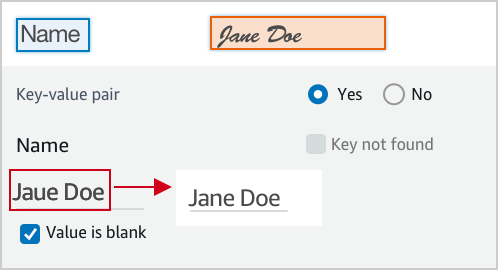
<img class='instructionsImage' src="https://example-site/correct-value-text.png" />

A wrong value is identified, correct it.
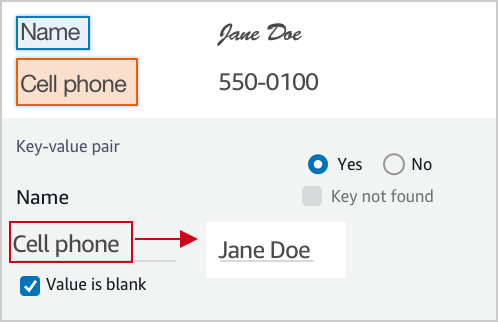
<img class='instructionsImage' src="https://example-site/correct-value.png" />

If it is not a valid key-value relationship, choose No.
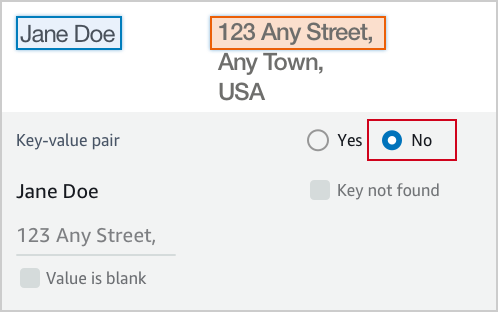
<img class='instructionsImage' src="https://example-site/not-a-key-value-pair.png" />

If you can’t find the key in the document, choose Key not found.
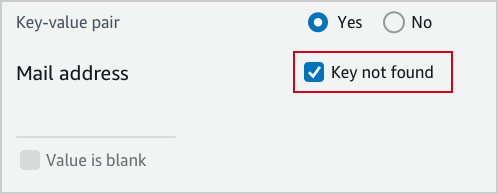
<img class='instructionsImage' src="https://example-site/key-is-not-found.png" />

If the content of a field is empty, choose Value is blank.
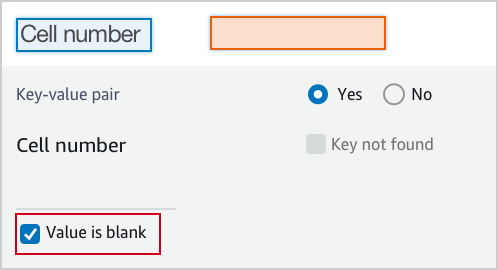
<img class='instructionsImage' src="https://example-site/value-is-blank.png" />

<b>Examples</b>
Key and value are often displayed next to or below to each other.

Key and value displayed in one line.

<img class='instructionsImage' src="https://example-site/sample-key-value-pair-1.png" />

Key and value displayed in two lines.
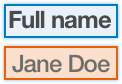
<img class='instructionsImage' src="https://example-site/sample-key-value-pair-2.png" />

If the content of the value has multiple lines, enter all the text without a line break. Include all value text even if it extends beyond the highlight box.
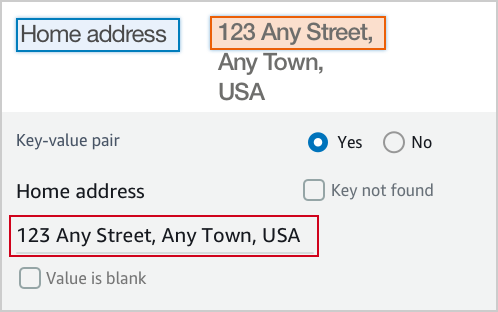
<img class='instructionsImage' src="https://assets.crowd.aws/images/a2i-console/multiple-lines.png" /></p>
    </short-instructions>

    <full-instructions header="Instructions"></full-instructions>
  </crowd-textract-analyze-document>
</crowd-form>
```

## Amazon Rekognition 的自定义模板示例
<a name="a2i-custom-templates-rekognition-sample"></a>

所有自定义模板都以 `<crowd-form> </crowd-form>` 元素开始和结束。与标准 HTML `<form>` 元素类似，所有格式代码都应位于这些元素之间。对于 Amazon Rekognition 自定义任务模板，请使用 `<crowd-rekognition-detect-moderation-labels>` 元素。此元素支持以下属性：
+ `categories` – 字符串数组*或*对象数组（每个对象都具有 `name` 字段）。
  + 如果类别作为对象提供，则以下情况适用：
    + 显示的类别是 `name` 字段的值。
    + 返回的答复包含任何选定类别的*完整*对象。
  + 如果类别作为字符串提供，则以下情况适用：
    + 返回的答复是选择的所有字符串的数组。
+ `exclusion-category` – 通过设置此属性，您可以在 UI 中的类别下创建一个按钮。当用户选择按钮时，将取消选择并禁用所有类别。如果工作人员再次选择该按钮，您将重新允许用户选择类别。如果工作人员在您按下按钮之后，通过选择**提交**按钮提交任务，则该任务将返回一个空数组。

对于 `<crowd-rekognition-detect-moderation-labels>` 元素的子元素，您必须有两个区域。
+ `<full-instructions>` – 工具中的**查看完整说明**链接中提供的说明。您可以将此项留空，但我们建议您提供完整的说明以获得更好结果。
+ `<short-instructions>` – 工具侧栏中显示的任务的简要描述。您可以将此项留空，但我们建议您提供完整的说明以获得更好结果。

使用这些元素的模板类似于如下所示。

```
<script src="https://assets.crowd.aws/crowd-html-elements.js"></script>
{% capture s3_uri %}http://s3.amazonaws.com/{{ task.input.aiServiceRequest.image.s3Object.bucket }}/{{ task.input.aiServiceRequest.image.s3Object.name }}{% endcapture %}

<crowd-form>
  <crowd-rekognition-detect-moderation-labels
    categories='[
      {% for label in task.input.selectedAiServiceResponse.moderationLabels %}
        {
          name: "{{ label.name }}",
          parentName: "{{ label.parentName }}",
        },
      {% endfor %}
    ]'
    src="{{ s3_uri | grant_read_access }}"
    header="Review the image and choose all applicable categories."
  >
    <short-instructions header="Instructions">
      <style>
        .instructions {
          white-space: pre-wrap;
        }
      </style>
      <p class='instructions'>Review the image and choose all applicable categories.
If no categories apply, choose None.

<b>Nudity</b>
Visuals depicting nude male or female person or persons

<b>Graphic Male Nudity</b>
Visuals depicting full frontal male nudity, often close ups

<b>Graphic Female Nudity</b>
Visuals depicting full frontal female nudity, often close ups

<b>Sexual Activity</b>
Visuals depicting various types of explicit sexual activities and pornography

<b>Illustrated Nudity or Sexual Activity</b>
Visuals depicting animated or drawn sexual activity, nudity, or pornography

<b>Adult Toys</b>
Visuals depicting adult toys, often in a marketing context

<b>Female Swimwear or Underwear</b>
Visuals depicting female person wearing only swimwear or underwear

<b>Male Swimwear Or Underwear</b>
Visuals depicting male person wearing only swimwear or underwear

<b>Partial Nudity</b>
Visuals depicting covered up nudity, for example using hands or pose

<b>Revealing Clothes</b>
Visuals depicting revealing clothes and poses, such as deep cut dresses

<b>Graphic Violence or Gore</b>
Visuals depicting prominent blood or bloody injuries

<b>Physical Violence</b>
Visuals depicting violent physical assault, such as kicking or punching

<b>Weapon Violence</b>
Visuals depicting violence using weapons like firearms or blades, such as shooting

<b>Weapons</b>
Visuals depicting weapons like firearms and blades

<b>Self Injury</b>
Visuals depicting self-inflicted cutting on the body, typically in distinctive patterns using sharp objects

<b>Emaciated Bodies</b>
Visuals depicting extremely malnourished human bodies

<b>Corpses</b>
Visuals depicting human dead bodies

<b>Hanging</b>
Visuals depicting death by hanging</p>
    </short-instructions>

    <full-instructions header="Instructions"></full-instructions>
  </crowd-rekognition-detect-moderation-labels>
</crowd-form>
```

## 使用 Liquid 添加自动化功能
<a name="a2i-custom-templates-step2-automate"></a>

自定义模板系统使用 [Liquid](https://shopify.github.io/liquid/) 实现自动化。*Liquid* 是开源内联标记语言。有关更多信息和文档，请参阅 [Liquid 主页](https://shopify.github.io/liquid/)。

在 Liquid 中，单大括号之间的文本以及百分比符号是执行控制流或迭代等操作的指令或*标签*。双大括号之间的文本是一个变量或用于输出变量值的*对象*。以下列表包括两种类型的 Liquid 标签，在自动化模板输入数据的处理时，这些标签可能会非常有用。如果您选择以下标签类型之一，您将被重定向到 Liquid 文档。
+ [控制流](https://shopify.github.io/liquid/tags/control-flow/)：包括编程逻辑运算符，如 `if/else`、`unless` 以及 `case/when`。
+ [迭代](https://shopify.github.io/liquid/tags/iteration/)：使您能够使用 for 循环之类的语句重复运行代码块。

  例如，以下代码示例演示了如何使用 Liquid `for` 标签来创建 `for` 循环。此示例循环浏览从 Amazon Rekognition 返回的 [https://docs.aws.amazon.com/rekognition/latest/dg/API_ModerationLabel.html](https://docs.aws.amazon.com/rekognition/latest/dg/API_ModerationLabel.html)，并显示 `moderationLabels` 属性 `name` 和 `parentName` 供员工审核：

  ```
   {% for label in task.input.selectedAiServiceResponse.moderationLabels %}
      {
        name: &quot;{{ label.name }}&quot;,
        parentName: &quot;{{ label.parentName }}&quot;,
      },
   {% endfor %}
  ```

### 使用变量筛选器
<a name="a2i-custom-templates-step2-automate-filters"></a>

除了标准的 [Liquid](https://shopify.github.io/liquid/filters/abs/) 筛选条件和操作之外，Amazon Augmented AI (Amazon A2I) 还提供了几个额外的筛选条件。您可以在变量名称之后放置竖线 (`|`) 字符，然后指定筛选条件名称，从而应用筛选条件。要链接筛选条件，请使用以下格式。

**Example**  

```
{{ <content> | <filter> | <filter> }}
```

#### 自动转义和显式转义
<a name="a2i-custom-templates-step2-automate-filters-autoescape"></a>

默认情况下，输入将进行 HTML 转义，以防止在变量文本和 HTML 之间产生混淆。您可以明确添加 `escape` 筛选条件，使其对于读取正在进行转义的模板源的用户更显而易见。

#### escape\$1once
<a name="a2i-custom-templates-step2-automate-escapeonce"></a>

`escape_once` 可确保您的代码已经转义，而不会再次重新转义。例如，确保 `&amp;` 不会成为 `&amp;amp;`。

#### skip\$1autoescape
<a name="a2i-custom-templates-step2-automate-skipautoescape"></a>

当您的内容要用作 HTML 时，`skip_autoescape` 很有用。例如，您可能在边界框的完整说明中有一些文本段落和一些图像。

**注意**  
请谨慎使用 `skip_autoescape`。对于模板，最佳实践是避免使用 `skip_autoescape` 传递功能代码或标记，除非您绝对确信您对正传递的内容具有严格的控制。如果您传递用户输入，您可能会让您的工作线程遭受跨站点脚本攻击。

#### to\$1json
<a name="a2i-custom-templates-step2-automate-tojson"></a>

`to_json`对您提供给 JavaScript 对象表示法 (JSON) 的数据进行编码。如果您提供了一个对象，它会对该对象进行序列化。

#### grant\$1read\$1access
<a name="a2i-custom-templates-step2-automate-grantreadaccess"></a>

`grant_read_access` 获取 Amazon Simple Storage Service (Amazon S3) URI 并将其编码为 HTTPS URL（具有针对该资源的短期访问令牌）。这样，就可以向工作人员显示存储在 S3 存储桶中但原本无法公开访问的照片、音频或视频对象。

#### s3\$1presign
<a name="a2i-custom-templates-step2-automate-s3"></a>

 `s3_presign` 筛选器的工作方式与 `grant_read_access` 筛选器相同，`s3_presign` 获取 Amazon S3 网址并将其编码为 HTTPS 网址（具有针对此资源的短期访问令牌）。这样，就可以向工作人员显示存储在 S3 存储桶中但原本无法公开访问的照片、音频或视频对象。

**Example 变量筛选器示例**  
Input  

```
auto-escape: {{ "Have you read 'James & the Giant Peach'?" }}
explicit escape: {{ "Have you read 'James & the Giant Peach'?" | escape }}
explicit escape_once: {{ "Have you read 'James &amp; the Giant Peach'?" | escape_once }}
skip_autoescape: {{ "Have you read 'James & the Giant Peach'?" | skip_autoescape }}
to_json: {{ jsObject | to_json }}                
grant_read_access: {{ "s3://amzn-s3-demo-bucket/myphoto.png" | grant_read_access }}
s3_presign: {{ "s3://amzn-s3-demo-bucket/myphoto.png" | s3_presign }}
```

**Example**  
Output  

```
auto-escape: Have you read &#39;James &amp; the Giant Peach&#39;?
explicit escape: Have you read &#39;James &amp; the Giant Peach&#39;?
explicit escape_once: Have you read &#39;James &amp; the Giant Peach&#39;?
skip_autoescape: Have you read 'James & the Giant Peach'?
to_json: { "point_number": 8, "coords": [ 59, 76 ] }
grant_read_access: https://s3.amazonaws.com/amzn-s3-demo-bucket/myphoto.png?<access token and other params>
s3_presign: https://s3.amazonaws.com/amzn-s3-demo-bucket/myphoto.png?<access token and other params>
```

**Example 自动化分类模板的示例。**  
要自动执行此简单文本分类示例，请包括 Liquid 标签 `{{ task.input.source }}`。此示例使用 [crowd-classifier](sms-ui-template-crowd-classifier.md) 元素。  

```
<script src="https://assets.crowd.aws/crowd-html-elements.js"></script>
<crowd-form>
  <crowd-classifier 
    name="tweetFeeling"
    categories="['positive', 'negative', 'neutral', 'cannot determine']"
    header="Which term best describes this tweet?" 
  >
    <classification-target>
       {{ task.input.source }}
    </classification-target>

    <full-instructions header="Analyzing a sentiment">
      Try to determine the feeling the author 
      of the tweet is trying to express. 
      If none seems to match, choose "other."
    </full-instructions>

    <short-instructions>
      Pick the term that best describes the sentiment 
      of the tweet. 
    </short-instructions>

  </crowd-classifier>
</crowd-form>
```

## 预览工作人员任务模板
<a name="a2i-preview-your-custom-template"></a>

要预览自定义工作人员任务模板，请使用 A SageMaker I `RenderUiTemplate` 操作。您可以将该`RenderUiTemplate`操作与 AWS CLI 或您的首选 AWS SDK 一起使用。有关此 API 操作所支持语言 SDKs 的文档，请参阅的[https://docs.aws.amazon.com/sagemaker/latest/APIReference/API_RenderUiTemplate.html#API_RenderUiTemplate_SeeAlso](https://docs.aws.amazon.com/sagemaker/latest/APIReference/API_RenderUiTemplate.html#API_RenderUiTemplate_SeeAlso)部分[https://docs.aws.amazon.com/sagemaker/latest/APIReference/API_RenderUiTemplate.html](https://docs.aws.amazon.com/sagemaker/latest/APIReference/API_RenderUiTemplate.html)。

**先决条件**

要预览您的工作任务模板，您使用的 AWS Identity and Access Management (IAM) 角色 Amazon 资源名称 (ARN) 或`RoleArn`，必须有权访问该模板使用的 S3 对象。要了解如何配置角色或用户，请参阅[启用工作人员任务模板预览](a2i-permissions-security.md#permissions-for-worker-task-templates-augmented-ai)。

**要使用 `RenderUiTemplate` 操作预览工作人员任务模板，请执行以下操作：**

1. 提供附加了所需策略的角色的 **`RoleArn`** 以预览自定义模板。

1. 在 **`Task`** 的 **`Input`** 参数中，提供一个 JSON 对象，其中包含模板中定义的变量的值。这些变量用于替换 `task.input.source` 变量。例如，如果您在模板中定义了 task.input.text 变量，则可以在 JSON 对象中以 `text`:`sample text` 格式提供变量。

1. 在 **`UiTemplate`** 的 **`Content`** 参数中，插入您的模板。

配置了 `RenderUiTemplate` 之后，请使用首选的 SDK 或 AWS CLI 提交请求以呈现模板。如果您的请求成功，响应将包括 [https://docs.aws.amazon.com/sagemaker/latest/APIReference/API_RenderUiTemplate.html#API_RenderUiTemplate_ResponseSyntax](https://docs.aws.amazon.com/sagemaker/latest/APIReference/API_RenderUiTemplate.html#API_RenderUiTemplate_ResponseSyntax)，这是一个呈现工作人员 UI 的 HTML 的 Liquid 模板。

**重要**  
要预览模板，您需要有权读取在用户界面上呈现的 Amazon S3 对象的 IAM 角色。有关可附加到 IAM 角色以授予这些权限的示例策略，请参阅[启用工作人员任务模板预览](a2i-permissions-security.md#permissions-for-worker-task-templates-augmented-ai)。

# 创建良好的工作人员说明
<a name="a2i-creating-good-instructions-guide"></a>

为人工审核作业创建良好的说明可提高工作人员完成任务的准确性。您可以在创建人工审核工作流时修改控制台中提供的默认说明，也可以使用控制台创建自定义工作人员模板并在此模板中包含您的说明。这些说明将显示在工作人员在其中完成标记任务的 UI 页面上。

## 创建良好的工作人员说明
<a name="a2i-good-instructions-console"></a>

Amazon Augmented AI 控制台中有三种说明：
+ **任务描述** – 描述应提供任务的简要说明。
+ **说明** – 这些说明显示在工作人员完成任务的同一网页上。这些说明应提供简单的参考内容，向工作人员显示完成任务的正确方法。
+ **附加说明** – 这些说明显示在工作人员选择**查看完整说明**时出现的对话框中。我们建议您提供完成任务的详细说明，并附上多个示例来显示边缘情况和其他难以标记对象的情况。

## 将示例图像添加到您的说明
<a name="sms-using-s3-images"></a>

图像为您的工作人员提供了有用的示例。要将可公开访问的图像添加到您的说明，请执行以下操作：

1. 将光标放在说明编辑器中的所需图像位置。

1. 选择编辑器工具栏中的图像图标。

1. 输入图像的 URL。

如果您的说明图像位于不可公开访问的 S3 存储桶中，请执行以下操作：
+ 对于图像 URL，请输入：`{{ 'https://s3.amazonaws.com/your-bucket-name/image-file-name' | grant_read_access }}`。

这会提供一个附加了短期一次性访问代码的图像 URL，以便工作人员的浏览器可以显示该图像。将在说明编辑器中显示损坏的图像图标，但在预览该工具时，将在提供的预览中显示该图像。有关 `grand_read_access` 元素的更多信息，请参阅 [s3\$1presigngrant\$1read\$1accesss3\$1presign](a2i-custom-templates.md#a2i-custom-templates-step2-automate-grantreadaccess)。

# 监控和管理您的人工循环
<a name="a2i-monitor-humanloop-results"></a>

在启动人工审核循环后，您可以使用 [Amazon Augmented AI 运行时系统 API](https://docs.aws.amazon.com/augmented-ai/2019-11-07/APIReference/Welcome.html) 检查和管理发送到循环的任务结果。此外，Amazon A2I 与 Amazon EventBridge（也称为 Amazon CloudWatch Events）集成，可在人工审核循环状态变为 `Completed`、`Failed` 或 `Stopped` 时提醒您。此事件传送保证至少进行一次，这意味着在人工循环结束后创建的所有事件都成功传送到 EventBridge。

使用以下过程可了解如何使用 Amazon A2I 运行时系统 API 监控和管理您的人工循环。请参阅[Amazon CloudWatch Events 在 Amazon Agumented AI 中使用](a2i-cloudwatch-events.md) 以了解如何将 Amazon A2I 与 Amazon EventBridge 集成。

**检查输出数据：**

1. 通过调用 [https://docs.aws.amazon.com/augmented-ai/2019-11-07/APIReference/API_DescribeHumanLoop.html](https://docs.aws.amazon.com/augmented-ai/2019-11-07/APIReference/API_DescribeHumanLoop.html) 操作来检查人工循环的结果。此 API 操作的结果包含有关循环激活的原因和结果的信息。

1. 在 Amazon Simple Storage Service (Amazon S3) 中检查来自人工循环的输出数据。在指向数据的路径中，`YYYY/MM/DD/hh/mm/ss` 表示人工循环创建日期的年 (`YYYY`)、月 (`MM`) 和日 (`DD`)，以及创建时间的小时 (`hh`)、分钟 (`mm`) 和秒 (`ss`)。

   ```
   s3://customer-output-bucket-specified-in-flow-definition/flow-definition-name/YYYY/MM/DD/hh/mm/ss/human-loop-name/output.json
   ```

您可以将此结构与 AWS Glue 或 Amazon Athena 集成以便对输出数据进行分区和分析。有关更多信息，请参阅[管理 AWS Glue 中用于 ETL 输出的分区](https://docs.aws.amazon.com/glue/latest/dg/aws-glue-programming-etl-partitions.html)。

要了解有关 Amazon A2I 输出数据格式的更多信息，请参阅 [Amazon A2I 输出数据](a2i-output-data.md)。

**停止和删除您的人工循环：**

1. 人工循环启动后，您可以使用 `HumanLoopName`，调用 [https://docs.aws.amazon.com/augmented-ai/2019-11-07/APIReference/API_StopHumanLoop.html](https://docs.aws.amazon.com/augmented-ai/2019-11-07/APIReference/API_StopHumanLoop.html) 操作来停止人工循环。如果人工循环已成功停止，则服务器将发送回 HTTP 200 响应。

1. 要删除状态等于 `Failed`、`Completed` 或 `Stopped` 的人工循环，请使用 [https://docs.aws.amazon.com/augmented-ai/2019-11-07/APIReference/API_DeleteHumanLoop.html](https://docs.aws.amazon.com/augmented-ai/2019-11-07/APIReference/API_DeleteHumanLoop.html) 操作。

**列出人工循环：**

1. 可通过调用 [https://docs.aws.amazon.com/augmented-ai/2019-11-07/APIReference/API_ListHumanLoops.html](https://docs.aws.amazon.com/augmented-ai/2019-11-07/APIReference/API_ListHumanLoops.html) 操作来列出所有活动的人工循环。可以使用 `CreationTimeAfter` 和 `CreateTimeBefore` 参数按循环的创建日期筛选人工循环。

1. 如果成功，`ListHumanLoops` 在响应元素中返回 [https://docs.aws.amazon.com/augmented-ai/2019-11-07/APIReference/API_HumanLoopSummary.html](https://docs.aws.amazon.com/augmented-ai/2019-11-07/APIReference/API_HumanLoopSummary.html) 和 `NextToken` 对象。`HumanLoopSummaries` 包含有关单个人工循环的信息。例如，它列出循环的状态和（如果适用）失败原因。

   将 `NextToken` 中返回的字符串用作对 `ListHumanLoops` 的后续调用中的输入以查看下一页人工循环。

# Amazon A2I 输出数据
<a name="a2i-output-data"></a>

当您的机器学习工作流向 Amazon A2I 发送一个数据对象时，此时会创建*人工循环*，并且人工审核者会收到*任务*来审核该数据对象。每个人工审核任务的输出数据都存储在您在人工审核工作流中指定的 Amazon Simple Storage Service (Amazon S3) 输出存储桶中。在指向数据的路径中，`YYYY/MM/DD/hh/mm/ss` 表示人工循环创建日期的年 (`YYYY`)、月 (`MM`) 和日 (`DD`)，以及创建时间的小时 (`hh`)、分钟 (`mm`) 和秒 (`ss`)。

```
s3://customer-output-bucket-specified-in-flow-definition/flow-definition-name/YYYY/MM/DD/hh/mm/ss/human-loop-name/output.json
```

输出数据的内容取决于[任务类型](https://docs.aws.amazon.com/sagemaker/latest/dg/a2i-task-types-general.html)（内置还是自定义）和您使用的[人力](https://docs.aws.amazon.com/sagemaker/latest/dg/sms-workforce-management.html)类型。您的输出数据始终包括工作人员的回应。此外，输出数据可能包括有关人工循环、人工审核者（工作人员）和数据对象的元数据。

使用以下部分详细了解用于不同任务类型和人力的 Amazon A2I 输出数据格式。

## 内置任务类型的输出数据
<a name="sms-output-data-textract"></a>

Amazon A2I 内置任务类型包括 Amazon Textract 和 Amazon Rekognition。在人工回应之外，这些任务之一的输出数据还包括详细信息，说明创建人工循环的原因，以及用于创建人工循环的集成服务。使用下表了解有关所有内置任务类型的输出数据架构的详细信息。每个这些参数的*值*取决于您在 Amazon A2I 上使用的服务。有关这些服务特定值的详细信息，请参阅本节中的第二个表。


****  

| 参数 | 值类型 | 示例值 | 说明 | 
| --- | --- | --- | --- | 
| awsManagedHumanLoopRequestSource |  字符串  | AWS/Rekognition/DetectModerationLabels/Image/V3 或 AWS/Textract/AnalyzeDocument/Forms/V1 | 请求 Amazon A2I 的 API 操作和相关 AWS 服务创建了人为循环。这是您用来配置 Amazon A2I 人工循环的 API 操作。 | 
| flowDefinitionArn |  字符串  | arn:aws:sagemaker:us-west-2:111122223333:flow-definition/flow-definition-name |  用于创建人工循环的人工审核工作流（流定义）的 Amazon 资源编号 (ARN)。  | 
| humanAnswers |  JSON 对象列表  | <pre>{<br />"answerContent": {<br />    "AWS/Rekognition/DetectModerationLabels/Image/V3": {<br />        "moderationLabels": [...]<br />    }<br />},</pre> 或者<pre>{<br />    "answerContent": {<br />        "AWS/Textract/AnalyzeDocument/Forms/V1": {<br />            "blocks": [...]<br />    }<br />},</pre> | 包含 answerContent 中工作人员回应的 JSON 对象的列表。此对象还包含提交详细信息，使用私有人力时，还会包括工作人员元数据。要了解更多信息，请参阅[跟踪工作人员活动](#a2i-worker-id-private)。对于来自 Amazon Rekognition `DetectModerationLabel` 审核任务生成的人工循环输出数据，此参数仅包含正面回应。例如，如果工作人员选择*没有内容*，则不会包括此回应。 | 
| humanLoopName |  字符串  |  `'human-loop-name'`  | 人工循环的名称。 | 
| inputContent |  JSON 对象  |  <pre>{<br />    "aiServiceRequest": {...},<br />    "aiServiceResponse": {...},<br />    "humanTaskActivationConditionResults": {...},<br />    "selectedAiServiceResponse": {...}<br />}</pre>  |   AWS 服务在请求创建人工循环时发送给 Amazon A2I 的输入内容。  | 
| aiServiceRequest |  JSON 对象  | <pre>{<br />    "document": {...},<br />    "featureTypes": [...],<br />    "humanLoopConfig": {...}<br />}</pre>或者 <pre>{<br />    "image": {...},<br />    "humanLoopConfig": {...}<br />}</pre> |  发送到与 Amazon A2 AWS I 集成的服务的原始请求。例如，如果您将 Amazon Rekognition 与 Amazon A2I 结合使用，则这包括通过 API 操作 `DetectModerationLabels` 发出的请求。对于 Amazon Textract 集成，这包括通过 `AnalyzeDocument` 发出的请求。  | 
| aiServiceResponse |  JSON 对象  |  <pre>{<br />    "moderationLabels": [...],<br />    "moderationModelVersion": "3.0"<br />}</pre> 或者 <pre>{<br />    "blocks": [...],<br />    "documentMetadata": {}<br />}</pre>  |  来自该 AWS 服务的完整回复。这是用来确定是否需要审核的数据。此对象可能包含未与人工审核者共享的数据对象的相关元数据。  | 
| selectedAiServiceResponse |  JSON 对象  |  <pre>{<br />    "moderationLabels": [...],<br />    "moderationModelVersion": "3.0"<br />}</pre> 或者 <pre>{<br />    "blocks": [...],<br />    "documentMetadata": {}<br />}</pre>  |  与 `ActivationConditions` 中激活条件匹配的 `aiServiceResponse` 的子集。 在推理随机采样时，或者所有推理启动激活条件时，`aiServiceResponse` 中列出的所有数据对象在 `selectedAiServiceResponse` 中列出。  | 
| humanTaskActivationConditionResults |  JSON 对象  |  <pre>{<br />     "Conditions": [...]<br />}</pre>  |  `inputContent` 中的 JSON 对象，其中包含创造人工循环的原因。这包括在人工审核工作流（流定义）中包含的激活条件的列表 (`Conditions`)，以及每个条件的评估结果，此结果为 `true` 或 `false`。要详细了解激活条件，请参阅 [Amazon Augmented AI 中用于人工循环激活条件的 JSON 架构](a2i-human-fallback-conditions-json-schema.md)。  | 

在下表中选择一个选项卡以了解特定于任务类型的参数，并查看每种内置任务类型的示例输出数据代码块。

------
#### [ Amazon Textract Task Type Output Data ]

当您使用 Amazon Textract 内置集成时，在输出数据中，您会看到 `awsManagedHumanLoopRequestSource` 的值为 `'AWS/Textract/AnalyzeDocument/Forms/V1'`。

`answerContent` 参数包含 `Block` 对象，其中包括对发送给 Amazon A2I 的所有块的人工回应。

`aiServiceResponse` 参数还包括 `Block` 对象，其中包含 Amazon Textract 对发送到 `AnalyzeDocument` 的原始请求的响应。

要了解您在块对象中看到的参数的详细信息，请参阅《Amazon Textract 开发人员指南》**中的[块](https://docs.aws.amazon.com/textract/latest/dg/API_Block.html)。

以下是对 Amazon Textract 文档分析推理进行 Amazon A2I 人工审核的输出数据示例。

```
{
    "awsManagedHumanLoopRequestSource": "AWS/Textract/AnalyzeDocument/Forms/V1",
    "flowDefinitionArn": "arn:aws:sagemaker:us-west-2:111122223333:flow-definition/flow-definition-name",
    "humanAnswers": [
        {
            "answerContent": {
                "AWS/Textract/AnalyzeDocument/Forms/V1": {
                    "blocks": [...]
                }
            },
            "submissionTime": "2020-09-28T19:17:59.880Z",
            "workerId": "111122223333",
            "workerMetadata": {
                "identityData": {
                    "identityProviderType": "Cognito",
                    "issuer": "https://cognito-idp.us-west-2.amazonaws.com/us-west-2_111111",
                    "sub": "c6aa8eb7-9944-42e9-a6b9-111122223333"
                }
            }
        }
    ],
    "humanLoopName": "humnan-loop-name",
    "inputContent": {
        "aiServiceRequest": {
            "document": {
                "s3Object": {
                    "bucket": "amzn-s3-demo-bucket1",
                    "name": "document-demo.jpg"
                }
            },
            "featureTypes": [
                "TABLES",
                "FORMS"
            ],
            "humanLoopConfig": {
                "dataAttributes": {
                    "contentClassifiers": [
                        "FreeOfPersonallyIdentifiableInformation"
                    ]
                },
                "flowDefinitionArn": "arn:aws:sagemaker:us-west-2:111122223333:flow-definition/flow-definition-name",
                "humanLoopName": "humnan-loop-name"
            }
        },
        "aiServiceResponse": {
            "blocks": [...],
            "documentMetadata": {
                "pages": 1
            }
        },
        "humanTaskActivationConditionResults": {
            "Conditions": [
                {
                    "EvaluationResult": true,
                    "Or": [
                        {
                            "ConditionParameters": {
                                "ImportantFormKey": "Mail address",
                                "ImportantFormKeyAliases": [
                                    "Mail Address:",
                                    "Mail address:",
                                    "Mailing Add:",
                                    "Mailing Addresses"
                                ],
                                "KeyValueBlockConfidenceLessThan": 100,
                                "WordBlockConfidenceLessThan": 100
                            },
                            "ConditionType": "ImportantFormKeyConfidenceCheck",
                            "EvaluationResult": true
                        },
                        {
                            "ConditionParameters": {
                                "ImportantFormKey": "Mail address",
                                "ImportantFormKeyAliases": [
                                    "Mail Address:",
                                    "Mail address:",
                                    "Mailing Add:",
                                    "Mailing Addresses"
                                ]
                            },
                            "ConditionType": "MissingImportantFormKey",
                            "EvaluationResult": false
                        }
                    ]
                }
            ]
        },
        "selectedAiServiceResponse": {
            "blocks": [...]
        }
    }
}
```

------
#### [ Amazon Rekognition Task Type Output Data ]

当您使用 Amazon Textract 内置集成时，在输出数据中，您会看到字符串 `awsManagedHumanLoopRequestSource` 的值为 `'AWS/Rekognition/DetectModerationLabels/Image/V3'`。

`answerContent` 参数包含 `moderationLabels` 对象，其中包含对发送到 Amazon A2I 的所有审核标签的人工回应。

`aiServiceResponse` 参数还包括 `moderationLabels` 对象，其中包含 Amazon Rekognition 对发送到 `DetectModerationLabels` 的原始请求的响应。

要详细了解您在区块对象中看到的参数，请参阅 Amazon Rekognition 开发者指南。[ModerationLabel](https://docs.aws.amazon.com/rekognition/latest/dg/API_ModerationLabel.html)

以下是对 Amazon Rekognition 图像监管推理进行 Amazon A2I 人工审核的输出数据示例。

```
{
    "awsManagedHumanLoopRequestSource": "AWS/Rekognition/DetectModerationLabels/Image/V3",
    "flowDefinitionArn": "arn:aws:sagemaker:us-west-2:111122223333:flow-definition/flow-definition-name",
    "humanAnswers": [
        {
            "answerContent": {
                "AWS/Rekognition/DetectModerationLabels/Image/V3": {
                    "moderationLabels": [...]
                }
            },
            "submissionTime": "2020-09-28T19:22:35.508Z",
            "workerId": "ef7294f850a3d9d1",
            "workerMetadata": {
                "identityData": {
                    "identityProviderType": "Cognito",
                    "issuer": "https://cognito-idp.us-west-2.amazonaws.com/us-west-2_111111",
                    "sub": "c6aa8eb7-9944-42e9-a6b9-111122223333"
                }
            }
        }
    ],
    "humanLoopName": "humnan-loop-name",
    "inputContent": {
        "aiServiceRequest": {
            "humanLoopConfig": {
                "flowDefinitionArn": "arn:aws:sagemaker:us-west-2:111122223333:flow-definition/flow-definition-name",
                "humanLoopName": "humnan-loop-name"
            },
            "image": {
                "s3Object": {
                    "bucket": "amzn-s3-demo-bucket1",
                    "name": "example-image.jpg"
                }
            }
        },
        "aiServiceResponse": {
            "moderationLabels": [...],
            "moderationModelVersion": "3.0"
        },
        "humanTaskActivationConditionResults": {
            "Conditions": [
                {
                    "EvaluationResult": true,
                    "Or": [
                        {
                            "ConditionParameters": {
                                "ConfidenceLessThan": 98,
                                "ModerationLabelName": "Suggestive"
                            },
                            "ConditionType": "ModerationLabelConfidenceCheck",
                            "EvaluationResult": true
                        },
                        {
                            "ConditionParameters": {
                                "ConfidenceGreaterThan": 98,
                                "ModerationLabelName": "Female Swimwear Or Underwear"
                            },
                            "ConditionType": "ModerationLabelConfidenceCheck",
                            "EvaluationResult": false
                        }
                    ]
                }
            ]
        },
        "selectedAiServiceResponse": {
            "moderationLabels": [
                {
                    "confidence": 96.7122802734375,
                    "name": "Suggestive",
                    "parentName": ""
                }
            ],
            "moderationModelVersion": "3.0"
        }
    }
}
```

------

## 自定义任务类型的输出数据
<a name="sms-output-data-custom"></a>

当您将 Amazon A2I 添加到自定义人工审核工作流时，在人工审核任务返回的输出数据中，您将看到以下参数。


****  

| 参数 | 值类型 | 说明 | 
| --- | --- | --- | 
|  `flowDefinitionArn`  |  字符串  |  用于创建人工循环的人工审核工作流（流定义）的 Amazon 资源编号 (ARN)。  | 
|  `humanAnswers`  |  JSON 对象列表  | 包含 answerContent 中工作人员回应的 JSON 对象的列表。此参数中的值由从[工作人员任务模板](https://docs.aws.amazon.com/sagemaker/latest/dg/a2i-instructions-overview.html)收到的输出决定。如果您使用的是私有人力，则包括工作人员元数据。要了解更多信息，请参阅[跟踪工作人员活动](#a2i-worker-id-private)。 | 
|  `humanLoopName`  | 字符串 | 人工循环的名称。 | 
|  `inputContent`  |  JSON 对象  |  在对 [https://docs.aws.amazon.com/augmented-ai/2019-11-07/APIReference/API_StartHumanLoop.html](https://docs.aws.amazon.com/augmented-ai/2019-11-07/APIReference/API_StartHumanLoop.html) 的请求中发送到 Amazon A2I 的输入内容。  | 

以下是与 Amazon A2I 和 Amazon Transcribe 的自定义集成的输出数据示例。在此示例中，`inputContent` 包括：
+ Amazon S3 中 .mp4 文件的路径和视频标题
+ 从 Amazon Transcribe 返回的转录（解析自 Amazon Transcribe 输出数据）
+ 开始和结束时间，工作人员任务模板使用该时间来裁剪 .mp4 文件并向工作人员显示视频的相关部分

```
{
    "flowDefinitionArn": "arn:aws:sagemaker:us-west-2:111122223333:flow-definition/flow-definition-name",
    "humanAnswers": [
        {
            "answerContent": {
                "transcription": "use lambda to turn your notebook"
            },
            "submissionTime": "2020-06-18T17:08:26.246Z",
            "workerId": "ef7294f850a3d9d1",
            "workerMetadata": {
                "identityData": {
                    "identityProviderType": "Cognito",
                    "issuer": "https://cognito-idp.us-west-2.amazonaws.com/us-west-2_111111",
                    "sub": "c6aa8eb7-9944-42e9-a6b9-111122223333"
                }
            }

        }
    ],
    "humanLoopName": "human-loop-name",
    "inputContent": {
        "audioPath": "s3://amzn-s3-demo-bucket1/a2i_transcribe_demo/Fully-Managed Notebook Instances with Amazon SageMaker - a Deep Dive.mp4",
        "end_time": 950.27,
        "original_words": "but definitely use Lambda to turn your ",
        "start_time": 948.51,
        "video_title": "Fully-Managed Notebook Instances with Amazon SageMaker - a Deep Dive.mp4"
    }
}
```

## 跟踪工作人员活动
<a name="a2i-worker-id-private"></a>

Amazon A2I 提供了信息，您可用这些信息在任务输出数据中跟踪单独工作人员。要标识处理人工审核任务的工作人员，请使用 Amazon S3 中输出数据的以下内容：
+ `acceptanceTime` 是工作人员接受任务的时间。此日期和时间戳的格式为 `YYYY-MM-DDTHH:MM:SS.mmmZ`，表示年 (`YYYY`)、月 (`MM`)、日 (`DD`)、时 (`HH`)、分 (`MM`), 秒 (`SS`) 和毫秒 (`mmm`)。日期和时间由 **T** 分隔。
+ `submissionTime` 是工作人员使用**提交**按钮来提交其标注的时间。此日期和时间戳的格式为 `YYYY-MM-DDTHH:MM:SS.mmmZ`，表示年 (`YYYY`)、月 (`MM`)、日 (`DD`)、时 (`HH`)、分 (`MM`), 秒 (`SS`) 和毫秒 (`mmm`)。日期和时间由 **T** 分隔。
+ `timeSpentInSeconds` 报告工作人员积极处理该任务的总时间，以秒为单位。此指标不包括工作人员暂停或休息的时间。
+ `workerId` 对于每个工作人员都是唯一的。
+ 如果您使用[私有人力](https://docs.aws.amazon.com/sagemaker/latest/dg/sms-workforce-private.html)，在 `workerMetadata` 中您会看到以下内容。
  + `identityProviderType` 是用于管理私有人力的服务。
  + `issuer` 是 Amazon Cognito 用户池或 OpenID Connect (OIDC) 身份提供者 (IdP) 发布者，与分配到此人工审核任务的工作团队相关联。
  + 通过唯一 `sub` 标识符来指代工作人员。如果您使用 Amazon Cognito 创建人力，则可以使用 Amazon Cognito 检索与此 ID 关联的工作人员的详细信息（例如姓名或用户名）。要了解如何操作，请参阅[《Amazon Cognito 开发人员指南》](https://docs.aws.amazon.com/cognito/latest/developerguide/)**中的[管理和搜索用户账户](https://docs.aws.amazon.com/cognito/latest/developerguide/how-to-manage-user-accounts.html#manage-user-accounts-searching-user-attributes)。

在您使用 Amazon Cognito 来创建私有人力时，您可能会看到如下所示的输出示例。这在 `identityProviderType` 中标识。

```
"submissionTime": "2020-12-28T18:59:58.321Z",
"acceptanceTime": "2020-12-28T18:59:15.191Z", 
"timeSpentInSeconds": 40.543,
"workerId": "a12b3cdefg4h5i67",
"workerMetadata": {
    "identityData": {
        "identityProviderType": "Cognito",
        "issuer": "https://cognito-idp.aws-region.amazonaws.com/aws-region_123456789",
        "sub": "aaaaaaaa-bbbb-cccc-dddd-eeeeeeeeeeee"
    }
}
```

 在您使用自己的 OIDC IdP 来创建私有人力时，您可能会看到如下所示的输出示例：

```
"workerMetadata": {
        "identityData": {
            "identityProviderType": "Oidc",
            "issuer": "https://example-oidc-ipd.com/adfs",
            "sub": "aaaaaaaa-bbbb-cccc-dddd-eeeeeeeeeeee"
        }
}
```

要了解有关使用私有人力的更多信息，请参阅[私有人力](sms-workforce-private.md)。

# Amazon Augmented AI 中的权限和安全性
<a name="a2i-permissions-security"></a>

使用 Amazon Agumented AI (Amazon A2I) 为 ML/AI 应用程序创建人工审核工作流程时，您可以*在 Amazon A SageMaker I 中*创建和配置资源，例如人力和工作人员任务模板。要配置和启动人工循环，你可以将亚马逊 A2I 与其他 AWS 服务（例如亚马逊 Textract 或 Amazon Rekognition）集成，要么使用亚马逊增强人工智能运行时 API。要创建人工审核工作流程并启动人工循环，您必须将某些策略附加到您的 AWS Identity and Access Management (IAM) 角色或用户。具体来说：
+ 自 2020 年 1 月 12 日当天开始，当您使用图像输入数据启动人工循环时，您必须向包含输入数据的 Amazon S3 存储桶添加 CORS 标头策略。请参阅 [CORS 权限要求](#a2i-cors-update)，了解更多信息。
+ 创建流定义时，您需要提供一个角色，向 Amazon A2I 授予权限以访问 Amazon S3，这包括读取在人工任务 UI 中呈现的对象，以及写入人工审核的结果。

  此角色还必须附加信任策略，以授予 SageMaker AI 代入该角色的权限。这使得 Amazon A2I 可以根据您附加到角色的权限执行操作。

  有关您可修改并附加到用于创建流定义的角色的示例策略，请参阅[向用于创建流定义的 IAM 角色添加权限](#a2i-human-review-permissions-s3)。这些策略附加到在 AI 控制台的 Amazon A2 SageMaker I 区域**的人工审核工作流程**部分中创建的 IAM 角色。
+ 要创建和启动人工循环，您可以从内置任务类型（如 `DetectModerationLabel` 或 `AnalyzeDocument`）中使用 API 操作，也可以在自定义 ML 应用程序中使用 Amazon A2I 运行时系统 API 操作 `StartHumanLoop`。您需要将 `AmazonAugmentedAIFullAccess` 托管策略附加到调用这些 API 操作的用户，以便授予对这些服务的权限来使用 Amazon A2I 操作。要了解如何操作，请参阅[创建可调用 Amazon A2I API 操作的用户](#create-user-grants)。

  此策略*不*授予调用与内置任务类型关联的 AWS 服务的 API 操作的权限。例如，`AmazonAugmentedAIFullAccess` 不会授予调用 Amazon Rekognition `DetectModerationLabel` API 操作或 Amazon Textract `AnalyzeDocument` API 操作的权限。您可以使用更一般的策略 `AmazonAugmentedAIIntegratedAPIAccess` 以授予这些权限。有关更多信息，请参阅 [创建有权调用 Amazon A2I、Amazon Textract 和 Amazon Rekognition API 操作的用户](#a2i-grant-general-permission)。当您想要向用户授予使用 Amazon A2I 和集成 AWS 服务的 API 操作的广泛权限时，这是一个不错的选择。

  如果要配置更精细的权限，请参阅 [Amazon Rekognition 基于身份的策略示例](https://docs.aws.amazon.com/rekognition/latest/dg/security_iam_id-based-policy-examples.html)和 [Amazon Textract 基于身份的策略示例](https://docs.aws.amazon.com/textract/latest/dg/security_iam_id-based-policy-examples.html)，以了解可用于授权使用这些单独服务的基于身份的策略。
+ 要预览自定义工作人员任务 UI 模板，您需要有权读取在用户界面上呈现的 Amazon S3 对象的 IAM 角色。请参阅[启用工作人员任务模板预览](#permissions-for-worker-task-templates-augmented-ai)中的策略示例。

**Topics**
+ [CORS 权限要求](#a2i-cors-update)
+ [向用于创建流定义的 IAM 角色添加权限](#a2i-human-review-permissions-s3)
+ [创建可调用 Amazon A2I API 操作的用户](#create-user-grants)
+ [创建有权调用 Amazon A2I、Amazon Textract 和 Amazon Rekognition API 操作的用户](#a2i-grant-general-permission)
+ [启用工作人员任务模板预览](#permissions-for-worker-task-templates-augmented-ai)
+ [使用带有加密存储桶的 Amazon A2I AWS KMS](#a2i-kms-encryption)
+ [其他权限和安全资源](#additional-security-resources-augmented-ai)

## CORS 权限要求
<a name="a2i-cors-update"></a>

2020 年初，Chrome 和 Firefox 等广泛使用的浏览器改变了基于图像元数据旋转图像的默认行为，此数据称为 [EXIF 数据](https://en.wikipedia.org/wiki/Exif)。以前，浏览器将始终完全按照存储在磁盘上的方式显示图像，通常不进行旋转。更改之后，图像现在会根据名为*方向值*的图像元数据进行旋转。这对整个机器学习 (ML) 社区具有重要的影响。例如，如果未考虑 EXIF 方向，用于标注图像的应用程序可能会以意想不到的方向显示图像，并导致标签不正确。

从Chrome 89开始， AWS 无法再自动阻止图像的旋转，因为网络标准组织W3C已认定，控制图像旋转的功能违反了网络的同源政策。因此，在您提交请求以创建人工循环时，为了确保工作人员以可预测的方向来标注输入图像，您必须向包含输入图像的 S3 存储桶添加 CORS 标头策略。

**重要**  
如果您没有向包含输入数据的 S3 存储桶添加 CORS 配置，那么这些输入数据对象的人工审核任务将失败。

您可以在 Amazon S3 控制台中，将 CORS 策略添加到包含输入数据的 S3 存储桶。在 S3 控制台中，要在包含输入图像的 S3 存储桶上设置所需的 CORS 标头，请按照[如何通过 CORS 添加跨域资源共享？](https://docs.aws.amazon.com/AmazonS3/latest/user-guide/add-cors-configuration.html)中的详细说明进行操作。对托管您的图像的存储桶使用以下 CORS 配置代码。如果您使用 Amazon S3 控制台将策略添加到存储桶，则必须使用 JSON 格式。

**JSON**

```
[{
   "AllowedHeaders": [],
   "AllowedMethods": ["GET"],
   "AllowedOrigins": ["*"],
   "ExposeHeaders": []
}]
```

**XML**

```
<CORSConfiguration>
 <CORSRule>
   <AllowedOrigin>*</AllowedOrigin>
   <AllowedMethod>GET</AllowedMethod>
 </CORSRule>
</CORSConfiguration>
```

下面的 GIF 演示了 Amazon S3 文档中使用 Amazon S3 控制台添加 CORS 头策略的说明。

![\[关于如何使用 Amazon S3 管理控制台添加 CORS 标头策略的图片。\]](http://docs.aws.amazon.com/zh_cn/sagemaker/latest/dg/images/sms/gifs/cors-config.gif)


## 向用于创建流定义的 IAM 角色添加权限
<a name="a2i-human-review-permissions-s3"></a>

要创建流程定义，请将本节中的策略附加到您在 AI 控制台中创建 SageMaker 人工审核工作流程或使用 `CreateFlowDefinition` API 操作时使用的角色。
+ 如果您使用控制台创建人工审核工作流，在使用[在控制台中创建人工审核工作流](https://docs.aws.amazon.com/sagemaker/latest/dg/create-human-review-console.html)时，对于 **IAM 角色**字段，请输入角色的 Amazon 资源名称 (ARN)。
+ 使用 API 创建流定义时，请将这些策略附加到传递给 `CreateFlowDefinition` 操作的 `RoleArn` 参数的角色。

当您创建人工审核工作流（流定义）时，Amazon A2I 调用 Amazon S3 来完成您的任务。要授予 Amazon A2I 权限以在 Amazon S3 存储桶中检索和存储您的文件，请创建以下策略并将其附加到您的角色。例如，如果您发送用于进行人工审核的图像、文档和其他文件存储在名为 `my_input_bucket` 的 S3 存储桶中，并且如果您希望将人工审核存储在名为 `my_output_bucket` 的存储桶中，则创建以下策略。

------
#### [ JSON ]

****  

```
{
    "Version":"2012-10-17",		 	 	 
    "Statement": [
        {
            "Effect": "Allow",
            "Action": [
                "s3:GetObject"
            ],
            "Resource": [
                "arn:aws:s3:::my_input_bucket/*"
            ]
        },
        {
            "Effect": "Allow",
            "Action": [
                "s3:PutObject"
            ],
            "Resource": [
                "arn:aws:s3:::my_output_bucket/*"
            ]
        }
    ]
}
```

------

此外，IAM 角色必须具有以下信任策略才能向 A SageMaker I 授予代入该角色的权限。要详细了解 IAM 信任策略，请参阅 *AWS Identity and Access Management* 文档中**策略和权限**的[基于资源策略](https://docs.aws.amazon.com/IAM/latest/UserGuide/access_policies.html#policies_resource-based)部分。

------
#### [ JSON ]

****  

```
{
  "Version":"2012-10-17",		 	 	 
  "Statement": [
    {
      "Sid": "AllowSageMakerToAssumeRole",
      "Effect": "Allow",
      "Principal": {
        "Service": "sagemaker.amazonaws.com"
      },
      "Action": "sts:AssumeRole"
    }
  ]
}
```

------

有关创建和管理 IAM 角色的更多信息，请参阅《AWS Identity and Access Management 用户指南》**中的以下主题：
+ 要创建 IAM 角色，请参阅[创建角色以向 IAM 用户委派权限](https://docs.aws.amazon.com/IAM/latest/UserGuide/id_roles_create_for-user.html)。
+ 要了解如何创建 IAM 策略，请参阅[创建 IAM 策略](https://docs.aws.amazon.com/IAM/latest/UserGuide/access_policies_create.html)。
+ 要了解如何将 IAM 策略附加到角色，请参阅[添加和删除 IAM 身份权限](https://docs.aws.amazon.com/IAM/latest/UserGuide/access_policies_manage-attach-detach.html)。

## 创建可调用 Amazon A2I API 操作的用户
<a name="create-user-grants"></a>

要使用 Amazon A2I 为 Amazon Rekognition、Amazon Textract 或 Amazon A2I 运行时系统 API 创建和启动人工循环，您必须使用有权调用 Amazon A2I 操作的用户。为此，请使用 IAM 控制台将 [`AmazonAugmentedAIFullAccess` 托管策略附加到新的或现有的用户](https://console.aws.amazon.com/iam/home?region=us-east-2#/policies/arn:aws:iam::aws:policy/AmazonAugmentedAIFullAccess$jsonEditor)。

该策略允许用户从 API 中调用 API 操作以创建和管理流程定义，并允许用户从 Amazon Agumented AI Runtime API 调用 API 来创建和管理人工循环。 SageMaker 要了解有关这些 API 操作的更多信息，请参阅[ APIs 在 Amazon Agumented AI 中使用](https://docs.aws.amazon.com/sagemaker/latest/dg/a2i-api-references.html)。

`AmazonAugmentedAIFullAccess` 不会授予使用 Amazon Rekognition 或 Amazon Textract API 操作的权限。

**注意**  
您也可以将 `AmazonAugmentedAIFullAccess` 附加到用于创建和启动人工循环的 IAM 角色。

要提供访问权限，请为您的用户、组或角色添加权限：
+ 中的用户和群组 AWS IAM Identity Center：

  创建权限集合。按照《AWS IAM Identity Center 用户指南》**中[创建权限集](https://docs.aws.amazon.com//singlesignon/latest/userguide/howtocreatepermissionset.html)的说明进行操作。
+ 通过身份提供者在 IAM 中托管的用户：

  创建适用于身份联合验证的角色。按照《IAM 用户指南》**中[针对第三方身份提供者创建角色（联合身份验证）](https://docs.aws.amazon.com//IAM/latest/UserGuide/id_roles_create_for-idp.html)的说明进行操作。
+ IAM 用户：
  + 创建您的用户可以担任的角色。按照《IAM 用户指南》**中[为 IAM 用户创建角色](https://docs.aws.amazon.com//IAM/latest/UserGuide/id_roles_create_for-user.html)的说明进行操作。
  + （不推荐使用）将策略直接附加到用户或将用户添加到用户组。按照《IAM 用户指南》**中[向用户添加权限（控制台）](https://docs.aws.amazon.com//IAM/latest/UserGuide/id_users_change-permissions.html#users_change_permissions-add-console)中的说明进行操作。

有关更多信息，请参阅《AWS Identity and Access Management 用户指南》**中的[添加和删除 IAM 身份权限](https://docs.aws.amazon.com/IAM/latest/UserGuide/access_policies_manage-attach-detach.html)。

## 创建有权调用 Amazon A2I、Amazon Textract 和 Amazon Rekognition API 操作的用户
<a name="a2i-grant-general-permission"></a>

要创建具有权限的用户，以便调用内置任务类型使用的 API 操作（即，对于 Amazon Rekognition 为 `DetectModerationLables`，对于 Amazon Textract 为 `AnalyzeDocument`）并有权使用所有 Amazon A2I API 操作，请附加 IAM 托管策略 `AmazonAugmentedAIIntegratedAPIAccess`。如果要为使用 Amazon A2I 且具有多种任务类型的用户授予广泛的权限，您可能需要使用该策略。要了解有关这些 API 操作的更多信息，请参阅[ APIs 在 Amazon Agumented AI 中使用](https://docs.aws.amazon.com/sagemaker/latest/dg/a2i-api-references.html)。

**注意**  
您也可以将 `AmazonAugmentedAIIntegratedAPIAccess` 附加到用于创建和启动人工循环的 IAM 角色。

要提供访问权限，请为您的用户、组或角色添加权限：
+ 中的用户和群组 AWS IAM Identity Center：

  创建权限集合。按照《AWS IAM Identity Center 用户指南》**中[创建权限集](https://docs.aws.amazon.com//singlesignon/latest/userguide/howtocreatepermissionset.html)的说明进行操作。
+ 通过身份提供者在 IAM 中托管的用户：

  创建适用于身份联合验证的角色。按照《IAM 用户指南》**中[针对第三方身份提供者创建角色（联合身份验证）](https://docs.aws.amazon.com//IAM/latest/UserGuide/id_roles_create_for-idp.html)的说明进行操作。
+ IAM 用户：
  + 创建您的用户可以担任的角色。按照《IAM 用户指南》**中[为 IAM 用户创建角色](https://docs.aws.amazon.com//IAM/latest/UserGuide/id_roles_create_for-user.html)的说明进行操作。
  + （不推荐使用）将策略直接附加到用户或将用户添加到用户组。按照《IAM 用户指南》**中[向用户添加权限（控制台）](https://docs.aws.amazon.com//IAM/latest/UserGuide/id_users_change-permissions.html#users_change_permissions-add-console)中的说明进行操作。

有关更多信息，请参阅《AWS Identity and Access Management 用户指南》**中的[添加和删除 IAM 身份权限](https://docs.aws.amazon.com/IAM/latest/UserGuide/access_policies_manage-attach-detach.html)。

## 启用工作人员任务模板预览
<a name="permissions-for-worker-task-templates-augmented-ai"></a>

要自定义工作人员在处理任务时看到的界面和说明，您可以创建工作人员任务模板。您可以使用[https://docs.aws.amazon.com/sagemaker/latest/APIReference/API_CreateHumanTaskUi.html](https://docs.aws.amazon.com/sagemaker/latest/APIReference/API_CreateHumanTaskUi.html)操作或 SageMaker AI 控制台创建模板。

要预览模板，您需要具有以下权限的 IAM 角色，以读取在用户界面上呈现的 Amazon S3 对象。

------
#### [ JSON ]

****  

```
{
    "Version":"2012-10-17",		 	 	 
    "Statement": [
        {
            "Effect": "Allow",
            "Action": [
                "s3:GetObject"
            ],
            "Resource": [
                "arn:aws:s3:::my_input_bucket/*"
            ]
        }
    ]
}
```

------

对于 Amazon Rekognition 和 Amazon Textract 任务类型，您可以使用人工智能控制台的 “亚马逊增强人工智能” 部分预览您的模板。 SageMaker 对于自定义任务类型，您可以通过调用 [https://docs.aws.amazon.com/sagemaker/latest/APIReference/API_RenderUiTemplate.html](https://docs.aws.amazon.com/sagemaker/latest/APIReference/API_RenderUiTemplate.html) 操作预览模板。要预览模板，请按照任务类型的说明操作：
+  Amazon Rekognition 和 Amazon Textract 任务 SageMaker 类型 — 在 AI 控制台中，按照中记录的步骤使用角色的亚马逊资源名称 (ARN)。[创建工作人员任务模板](a2i-worker-template-console.md#a2i-create-worker-template-console)
+ 自定义任务类型 – 在 `RenderUiTemplate` 操作中，在 `RoleArn` 参数中使用角色的 ARN。

## 使用带有加密存储桶的 Amazon A2I AWS KMS
<a name="a2i-kms-encryption"></a>

如果您指定 AWS Key Management Service (AWS KMS) 客户托管密钥来加密`OutputConfig`的输出数据 [https://docs.aws.amazon.com/sagemaker/latest/APIReference/API_CreateFlowDefinition.html](https://docs.aws.amazon.com/sagemaker/latest/APIReference/API_CreateFlowDefinition.html)，则必须为该密钥添加类似于以下内容的 IAM 策略。此策略向您用于创建人工循环的 IAM 执行角色授予权限，以便使用此密钥执行 `"Action"` 中列出的所有操作。要了解有关这些操作的更多信息，请参阅《 AWS Key Management Service 开发者指南》中的[AWS KMS 权限](https://docs.aws.amazon.com/kms/latest/developerguide/kms-api-permissions-reference.html)。

要使用此策略，请将 `"Principal"` 中的 IAM 服务角色 ARN，替换为您在创建人工审核工作流（流定义）时使用的执行角色的 ARN。当您使用 `CreateFlowDefinition` 创建标注作业时，这是您为 [https://docs.aws.amazon.com/sagemaker/latest/APIReference/API_CreateLabelingJob.html#sagemaker-CreateLabelingJob-request-RoleArn](https://docs.aws.amazon.com/sagemaker/latest/APIReference/API_CreateLabelingJob.html#sagemaker-CreateLabelingJob-request-RoleArn) 指定的 ARN。请注意，在控制台中创建流定义时，您不能提供 `KmsKeyId`。

```
{
    "Sid": "AllowUseOfKmsKey",
    "Effect": "Allow",
    "Principal": {
        "AWS": "arn:aws:iam::111122223333:role/service-role/example-role"
    },
    "Action": [
        "kms:Encrypt",
        "kms:Decrypt",
        "kms:ReEncrypt*",
        "kms:GenerateDataKey*",
        "kms:DescribeKey"
    ],
    "Resource": "*"
}
```

## 其他权限和安全资源
<a name="additional-security-resources-augmented-ai"></a>
+ [使用标签控制对 SageMaker AI 资源的访问权限](security_iam_id-based-policy-examples.md#access-tag-policy).
+ [适用于 Amazon AI 的基于身份的政策 SageMaker](security_iam_service-with-iam.md#security_iam_service-with-iam-id-based-policies)
+ [使用条件键控制 SageMaker AI 资源的创建](security_iam_id-based-policy-examples.md#sagemaker-condition-examples)
+ [Amazon SageMaker AI API 权限：操作、权限和资源参考](api-permissions-reference.md)
+ [在 Amazon A SageMaker I 中配置安全性](security.md)

# Amazon CloudWatch Events 在 Amazon Agumented AI 中使用
<a name="a2i-cloudwatch-events"></a>

当人工审核循环状态更改为`Completed`、`Failed`或时，Amazon Agumented AI 使用亚马逊 CloudWatch 事件提醒您`Stopped`。此事件至少保证传送一次，这意味着在人工循环完成时创建的所有事件都将成功传递到 CloudWatch 事件 (Amazon EventBridge)。当审阅循环变为其中一种状态时，Augmented AI 会向 CloudWatch 事件发送一个类似于以下内容的事件。

```
{
    "version":"0",
    "id":"12345678-1111-2222-3333-12345EXAMPLE",
    "detail-type":"SageMaker A2I HumanLoop Status Change",
    "source":"aws.sagemaker",
    "account":"1111111111111",
    "time":"2019-11-14T17:49:25Z",
    "region":"us-east-1",
    "resources":["arn:aws:sagemaker:us-east-1:111111111111:human-loop/humanloop-nov-14-1"],
    "detail":{
        "creationTime":"2019-11-14T17:37:36.740Z",
        "failureCode":null,
        "failureReason":null,
        "flowDefinitionArn":"arn:aws:sagemaker:us-east-1:111111111111:flow-definition/flowdef-nov-12",
        "humanLoopArn":"arn:aws:sagemaker:us-east-1:111111111111:human-loop/humanloop-nov-14-1",
        "humanLoopName":"humanloop-nov-14-1",
        "humanLoopOutput":{ 
            "outputS3Uri":"s3://customer-output-bucket-specified-in-flow-definition/flowdef-nov-12/2019/11/14/17/37/36/humanloop-nov-14-1/output.json"
        },
        "humanLoopStatus":"Completed"
    }
}
```

JSON 输出中的详细信息包括以下内容：

`creationTime`  
Augmented AI 创建人工循环时的时间戳。

`failureCode`  
表示特定失败类型的失败代码。

`failureReason`  
人工循环失败的原因。仅当人工审核循环状态为 `failed` 时，才会返回失败原因。

`flowDefinitionArn`  
流定义的 Amazon 资源名称 (ARN) 或*人工审核工作流*。

`humanLoopArn`  
人工循环的 Amazon 资源名称 (ARN)。

`humanLoopName`  
人工循环的名称。

`humanLoopOutput`  
包含人工循环输出相关信息的对象。

`outputS3Uri`  
Augmented AI 存储人工循环输出的 Amazon S3 对象的位置。

`humanLoopStatus`  
人工循环的状态。

## 将事件从你的人类循环发送到 CloudWatch 事件
<a name="a2i-cloud-watch-events-rule-setup"></a>

要配置 CloudWatch 事件规则以获取您的 Amazon A2I 人工循环的状态更新或*事件*，请使用 AWS Command Line Interface (AWS CLI) [https://docs.aws.amazon.com/cli/latest/reference/events/put-rule.html](https://docs.aws.amazon.com/cli/latest/reference/events/put-rule.html)命令。在使用 `put-rule` 命令时，请指定以下内容来接收人工循环状态：
+ `\"source\":[\"aws.sagemaker\"]`
+ `\"detail-type\":[\"SageMaker A2I HumanLoop Status Change\"]`

要配置 CloudWatch 事件规则以监视所有状态变化，请使用以下命令并替换占位符文本。例如，替换`"A2IHumanLoopStatusChanges"`为唯一 CloudWatch 的事件规则名称，替换为*`"arn:aws:iam::111122223333:role/MyRoleForThisRule"`*附有 events.amazonaws.com 信任策略的 IAM 角色的亚马逊资源编号 (ARN)。*region*替换为要在其中创建规则的 AWS 区域。

```
aws events put-rule --name "A2IHumanLoopStatusChanges" 
    --event-pattern "{\"source\":[\"aws.sagemaker\"],\"detail-type\":[\"SageMaker A2I HumanLoop Status Change\"]}" 
    --role-arn "arn:aws:iam::111122223333:role/MyRoleForThisRule" 
    --region "region"
```

要了解有关`put-rule`请求的更多信息，请参阅 *Amazon Events 用户指南中的 CloudWatch CloudWatch 事件*[模式](https://docs.aws.amazon.com/AmazonCloudWatch/latest/events/CloudWatchEventsandEventPatterns.html)。

## 设置目标以处理事件
<a name="a2i-subscribe-cloud-watch-events"></a>

要处理事件，您需要设置目标。例如，如果您想在人为回路状态更改时收到一封电子邮件，请使用亚马逊* CloudWatch 用户指南中[设置亚马逊 SNS 通知](https://docs.aws.amazon.com/AmazonCloudWatch/latest/monitoring/US_SetupSNS.html)中的步骤来设置 A* mazon SNS 主题并订阅您的电子邮件。创建主题后，可以使用该主题创建目标。

**向 “ CloudWatch 事件” 规则添加目标**

1. 打开控制 CloudWatch 台：[https://console.aws.amazon.com/cloudwatch/home](https://console.aws.amazon.com/cloudwatch/home)

1. 在导航窗格中，选择**规则**。

1. 选择要将目标添加到的规则。

1. 选择**操作**，然后选择**编辑**。

1. 在 “**目标**” 下，选择 “**添加目标**”，然后选择检测到人为循环状态更改事件时要执行的 AWS 服务。

1. 配置您的目标。有关说明，请参阅[该服务的AWS 文档](https://docs.aws.amazon.com/index.html)中有关配置目标的主题。

1. 选择**配置详细信息**。

1. 对于**名称**，输入一个名称并（可选）在**描述**中提供有关规则用途的详细信息。

1. 请确保选中**状态**旁边的复选框，以便您的规则以**已启用**状态列出。

1. 选择**更新规则**。

## 使用人工审核输出
<a name="using-human-review-output"></a>

收到人工审核结果后，您可以分析结果并将其与机器学习预测进行比较。存储在 Amazon S3 存储桶中的 JSON 包含机器学习预测和人工审核结果。

## 更多信息
<a name="amazon-augmented-ai-programmatic-walkthroughs"></a>

[亚马逊 A SageMaker I 发送给亚马逊的事件 EventBridge](automating-sagemaker-with-eventbridge.md)

# 在 Amazon Augmented AI 中使用 API
<a name="a2i-api-references"></a>

您可以通过编程方式创建人工审核工作流或工作人员任务模板。您使用的 API 取决于您创建的是 Amazon Rekognition、Amazon Textract 还是自定义任务类型。本主题提供指向每个任务类型和编程任务的 API 参考文档的链接。

以下 API 可与 Augmented AI 一起使用：

**Amazon Augmented AI**  
使用 Augmented AI API 启动、停止和删除人工审核循环。您还可以列出所有人工审核循环，并返回账户中有关人工审核循环的信息。  
阅读 [Amazon Augmented AI 运行时系统 API 参考](https://docs.aws.amazon.com/augmented-ai/2019-11-07/APIReference/Welcome.html)，了解有关人工审核循环 API 的更多信息。

**Amazon Rekognition**  
使用 `[ DetectModerationLabels](https://docs.aws.amazon.com/rekognition/latest/dg/API_DetectModerationLabels.html)` API 的 **HumanLoopConfig** 参数，通过 Amazon Rekognition 启动人工审核工作流。

**Amazon SageMaker AI**  
使用 Amazon SageMaker API 创建 `FlowDefinition`（也称为*人工审核工作流*）。您还可以创建 `HumanTaskUi` 或*工作人员任务模板*。  
有关更多信息，请参阅 [https://docs.aws.amazon.com/sagemaker/latest/APIReference/API_CreateFlowDefinition.html](https://docs.aws.amazon.com/sagemaker/latest/APIReference/API_CreateFlowDefinition.html) 或 [https://docs.aws.amazon.com/sagemaker/latest/APIReference/API_CreateHumanTaskUi.html](https://docs.aws.amazon.com/sagemaker/latest/APIReference/API_CreateHumanTaskUi.html) API 文档。

**Amazon Textract**  
使用 [AnalyzeDocument](https://docs.aws.amazon.com/textract/latest/dg/API_AnalyzeDocument.html) API 的 **HumanLoopConfig** 参数，通过 Amazon Textract 启动人工审核工作流。

## 程序化教程
<a name="amazon-augmented-ai-programmatic-walkthroughs"></a>

以下教程针对以编程方式创建人工审核工作流和工作人员任务模板，提供了示例代码和分步说明。
+ [教程：开始使用 Amazon A2I API](a2i-get-started-api.md)
+ [创建人工审核工作流 (API)](a2i-create-flow-definition.md#a2i-create-human-review-api)
+ [创建和启动人工循环](a2i-start-human-loop.md)
+ 《Amazon Rekognition 开发人员指南》**中的[将 Amazon Augmented AI 与 Amazon Rekognition 结合使用](https://docs.aws.amazon.com/rekognition/latest/dg/a2i-rekognition.html)
+ 《Amazon Textract 开发人员指南》**中的[将 Amazon Augmented AI 与 Amazon Textract AnalyzeDocument 结合使用](https://docs.aws.amazon.com/textract/latest/dg/a2i-textract.html)。