Datasets
Datasets are collections of indexes that represent a logical grouping of your observability data. You use datasets to organize logs and traces data so that you can query and analyze related indexes together in the Discover experience. Each dataset maps to one or more indexes in your OpenSearch Service domain and defines the data type, time field, and query language for the Discover page.
Dataset types
The following table describes the dataset types that you can create.
| Type | Description | Query language |
|---|---|---|
| Logs | Groups one or more log indexes for querying and visualization in the Discover Logs page. | PPL |
| Traces | Groups trace span indexes for querying and visualization in the Discover Traces page. | PPL |
Note
Metrics do not require a dataset because metric data is not stored in OpenSearch. Metrics are queried directly from Amazon Managed Service for Prometheus using PromQL.
To create a logs dataset
Complete the following steps to create a logs dataset in OpenSearch UI.
-
In your observability workspace, expand Discover in the left navigation and choose Logs.
-
Choose Create dataset.
-
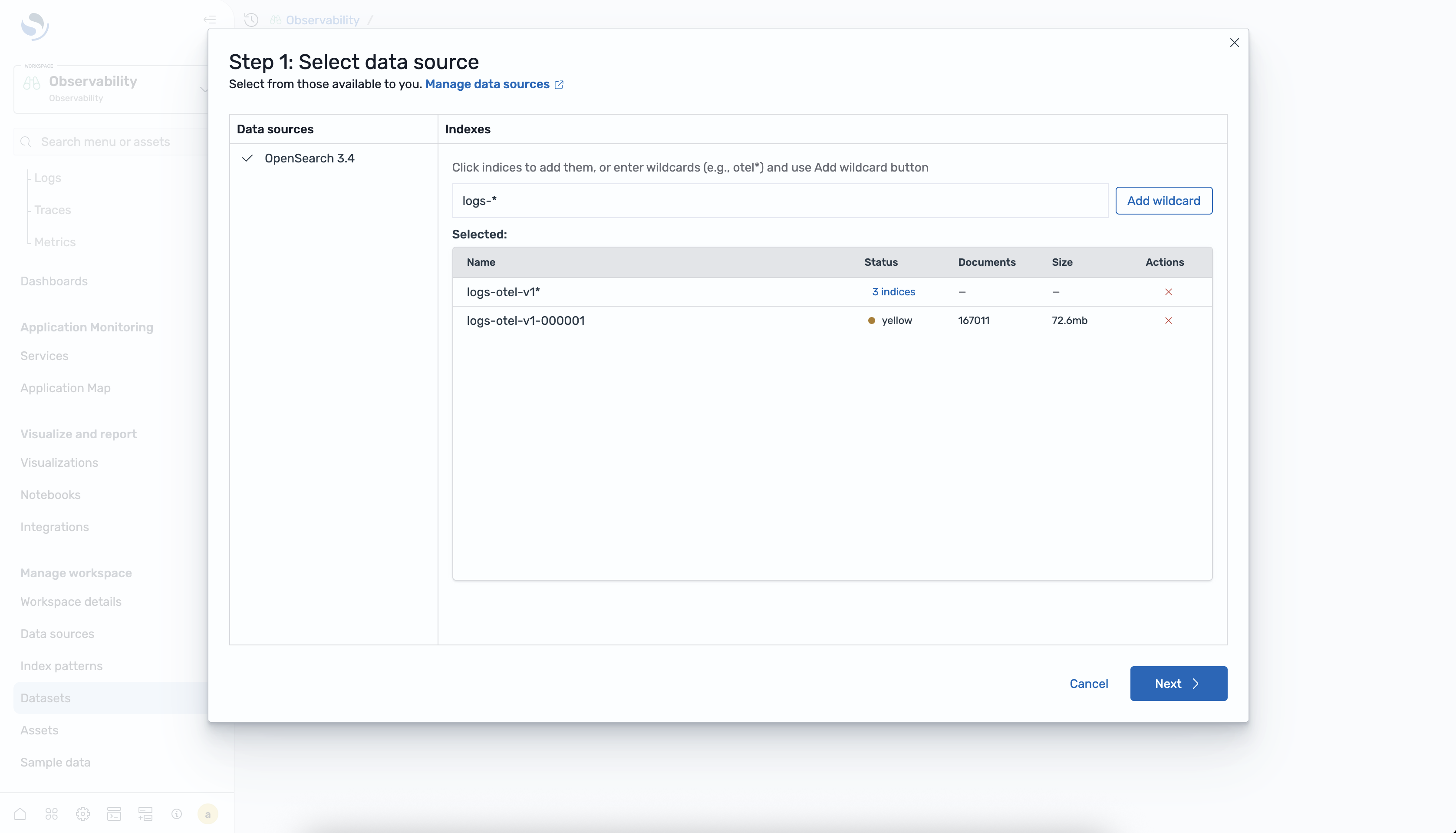
Select a data source from the list of available OpenSearch Service connections.
-
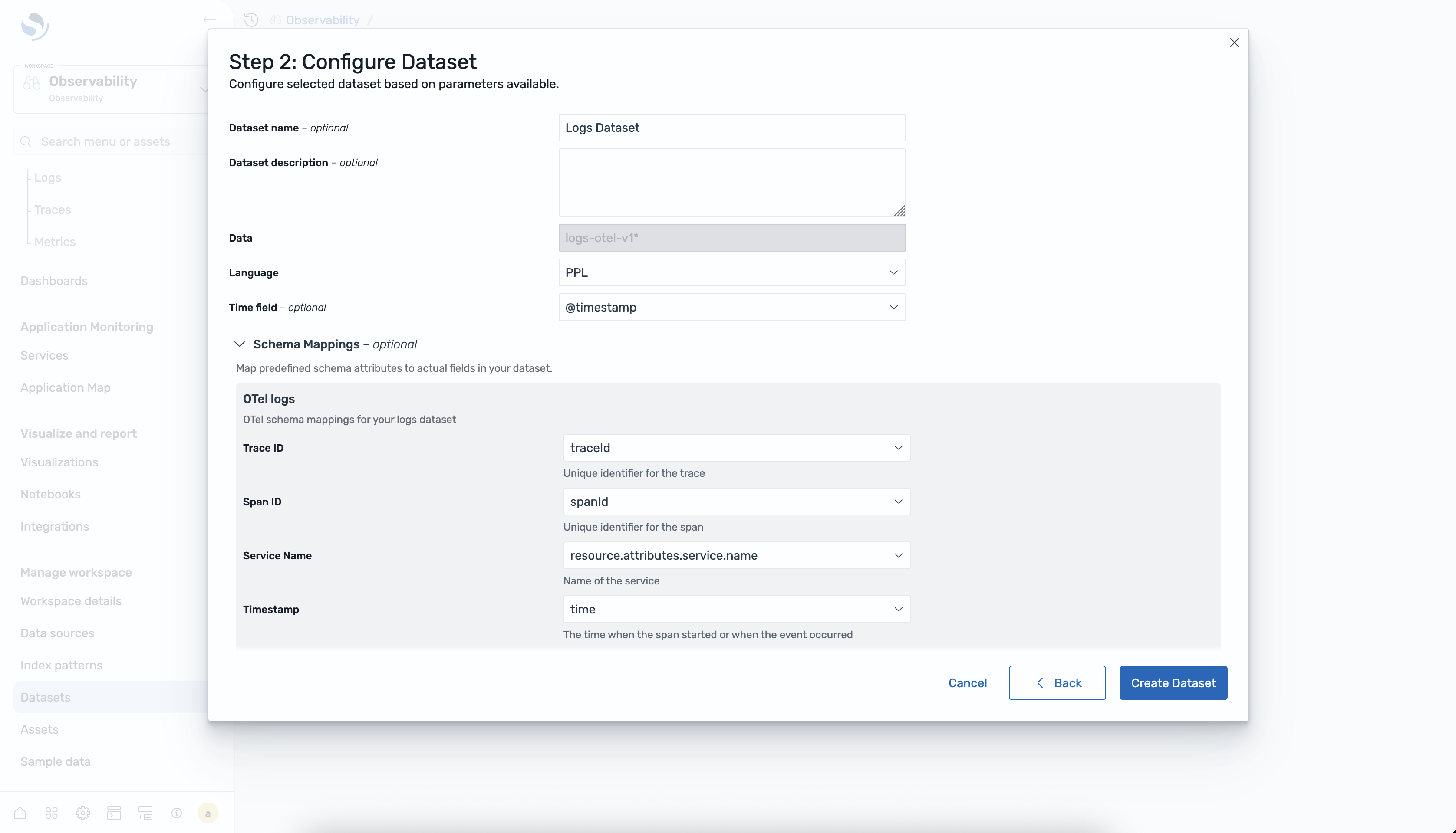
Configure the dataset by entering a name, selecting the index, and specifying the timestamp field.
-
Choose Create dataset to save the configuration.
To create a traces dataset
Complete the following steps to create a traces dataset in OpenSearch UI.
-
In your observability workspace, expand Discover in the left navigation and choose Traces.
-
Choose Create dataset.
-
Select a data source from the list of available OpenSearch Service connections.
-
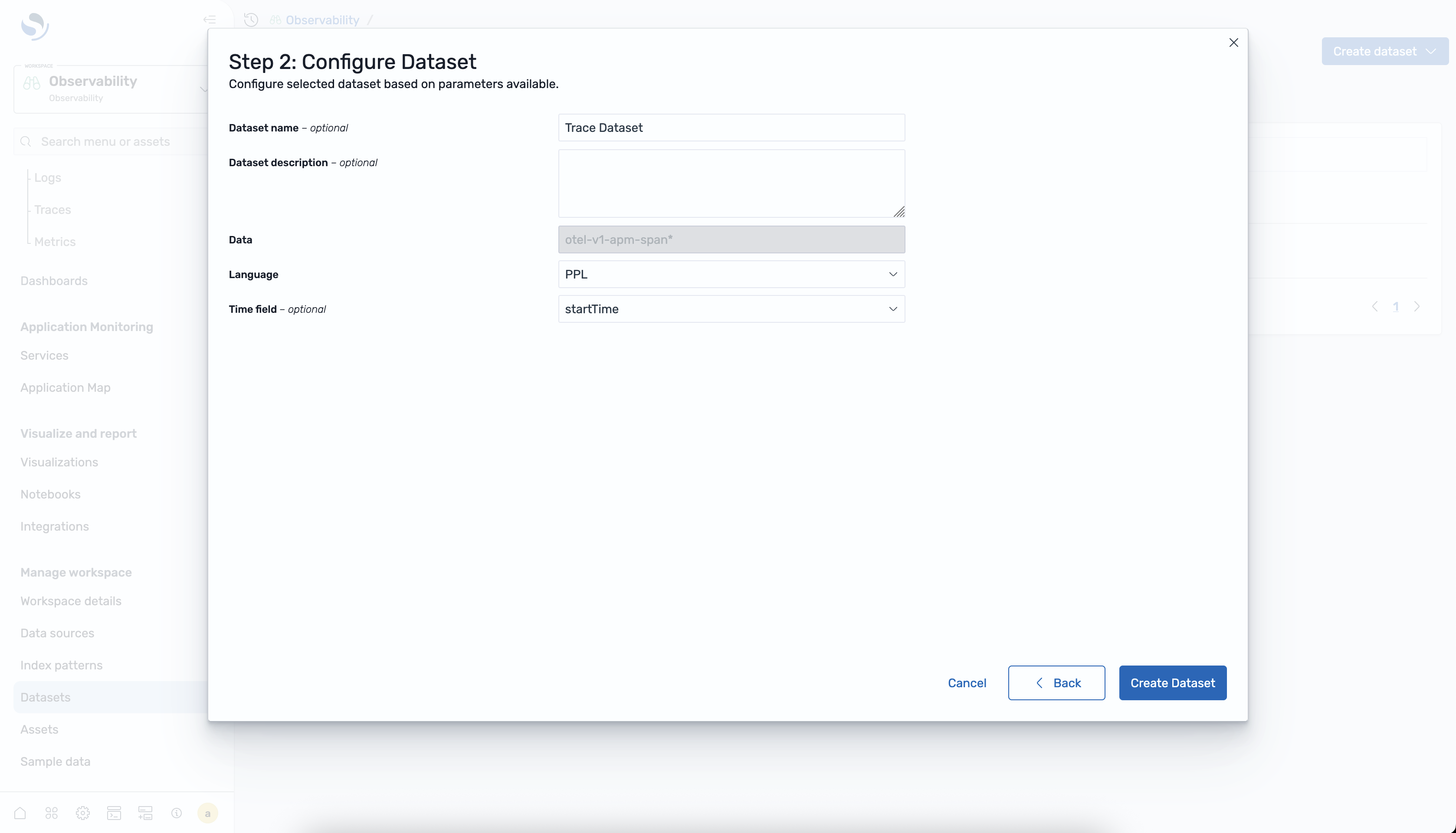
Configure the dataset by entering a name, selecting the span index, and specifying the timestamp field.
-
Choose Create dataset to save the configuration.
To view datasets
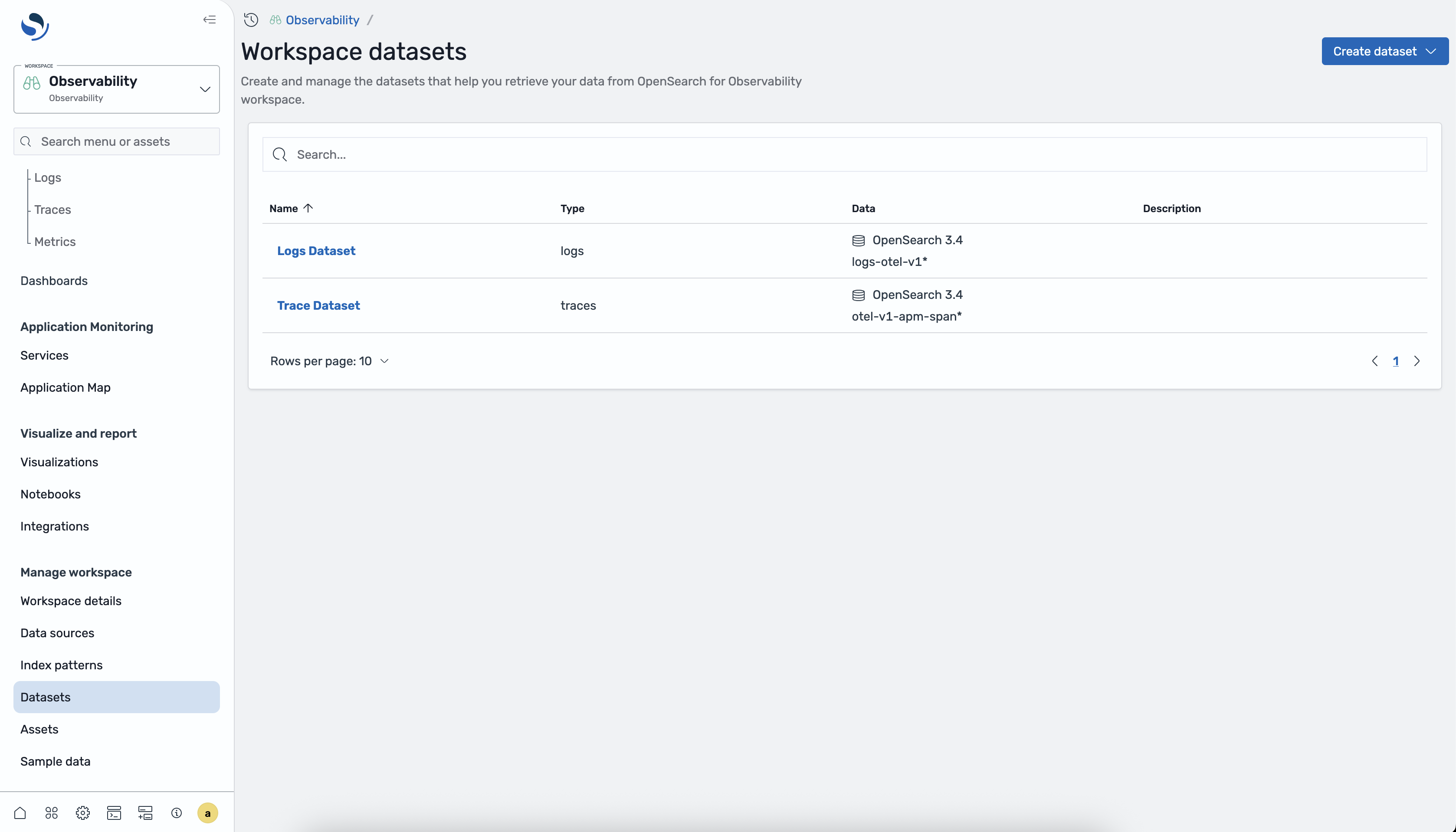
You can view all configured datasets from the dataset selector on the Discover Logs or Discover Traces page. The dataset list shows the name, type, data source, and timestamp field for each dataset.
Analyzing datasets in Discover
After you create a dataset, you can analyze it in the corresponding Discover page.
Logs
Select a logs dataset from the dataset selector on the Discover Logs page to query and visualize your log data using PPL. For more information, see Discover Logs.
Traces
Select a traces dataset from the dataset selector on the Discover Traces page to explore trace spans, view RED metrics, and drill into individual traces. For more information, see Discover Traces.