设置、配置和管理您的应用程序以从 CloudWatch 控制台进行监控
本节提供设置、配置和管理应用程序以从 CloudWatch 控制台进行监控的步骤。
添加和配置应用程序
从 CloudWatch 控制台添加和配置应用程序
要通过 CloudWatch 控制台开始使用 CloudWatch Application Insights,请执行以下步骤。
-
开始。打开 CloudWatch 控制台登陆页面
。从左侧导航窗格中,选择 Insights 下的 Application Insights。所打开的页面将显示使用 CloudWatch Application Insights 监控的应用程序列表及它们的监控状态。 -
添加应用程序。要为应用程序设置监控,请选择 Add an application(添加应用程序)。在选择 Add an application(添加应用程序)时,系统会提示您 Choose Application Type(选择应用程序类型)。
-
基于资源组的应用程序。选择此选项后,您可以选择此账户中要监控的资源组。要在一个组件上使用多个应用程序,您必须使用基于资源组的监控。
-
基于账户的应用程序。选择此选项后,您可以监控此账户中的所有资源。如果您想监控账户中的所有资源,我们建议使用此选项而不是基于资源组的选项,因为应用程序载入过程更快。
注意
不能使用 Application Insights 将基于资源组的监控与基于账户的监控相结合。要更改应用程序类型,必须删除所有正在监控之下的应用程序,并 Choose Application Type(选择应用程序类型)。
当您添加第一个应用程序以进行监控时,CloudWatch Application Insights 会在账户中创建服务相关角色,该角色授予 Application Insights 代表您调用其他 AWS 服务的权限。有关 Application Insights 在您的账户中创建的服务相关角色的更多信息,请参阅 在 CloudWatch Application Insights 中使用服务相关角色。
-
-
-
提交应用程序监控配置后,您将转到应用程序的详细信息页面,您可以在该页面查看 Application summary(应用程序摘要)、Monitored components(已监控组件)的列表和 Unmonitored components(未监控组件)的列表,并通过选择 Components(组件)旁边的选项卡,查看 Configuration history(配置历史记录)、Log patterns(日志模式)和您已应用的任何 Tags(标签)。
要查看关于应用程序的洞察,请选择 View Insights(查看洞察)。
通过选择 Edit(编辑),您可以更新 CloudWatch Events 监控的选项以及与 AWS Systems Manager OpsCenter 的集成。
在 Components(组件)下,您可以选择 Actions(操作)菜单来创建、修改或取消分组实例组。
您可以通过选择组件旁边的项目符号并选择 Manage monitoring(管理监控)来管理组件的监控,包括应用程序层、日志组、事件日志、指标和自定义告警。
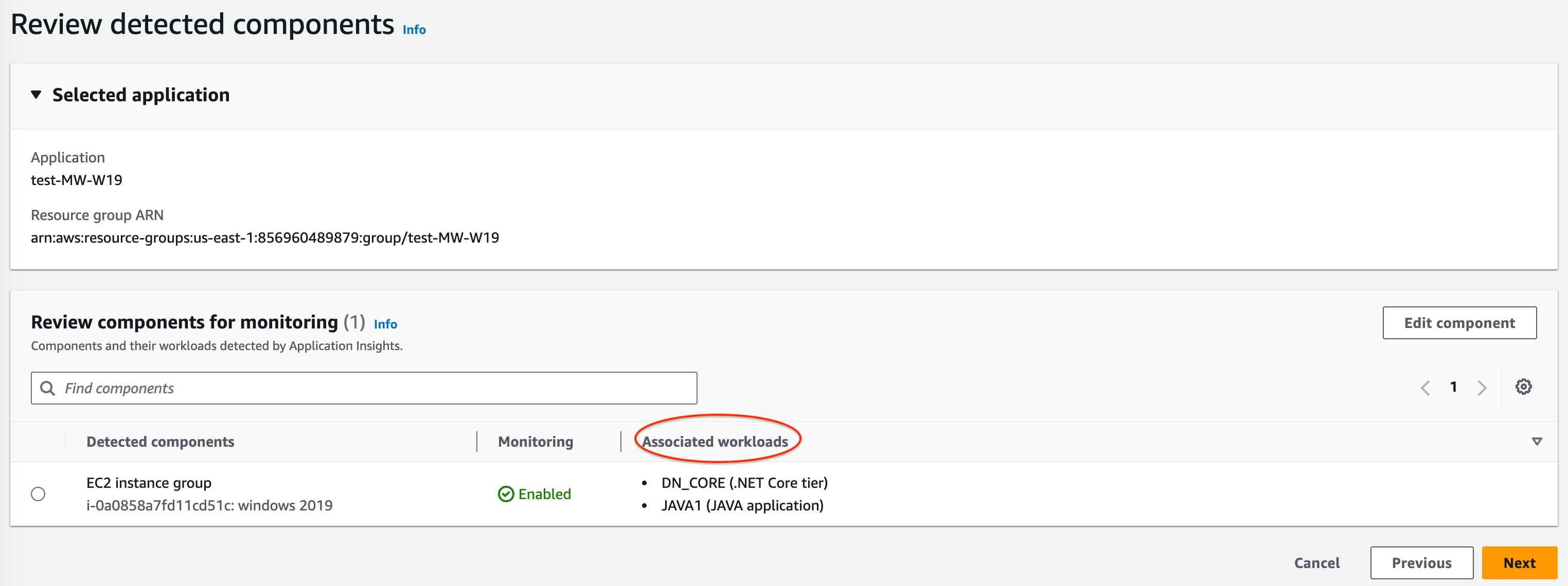
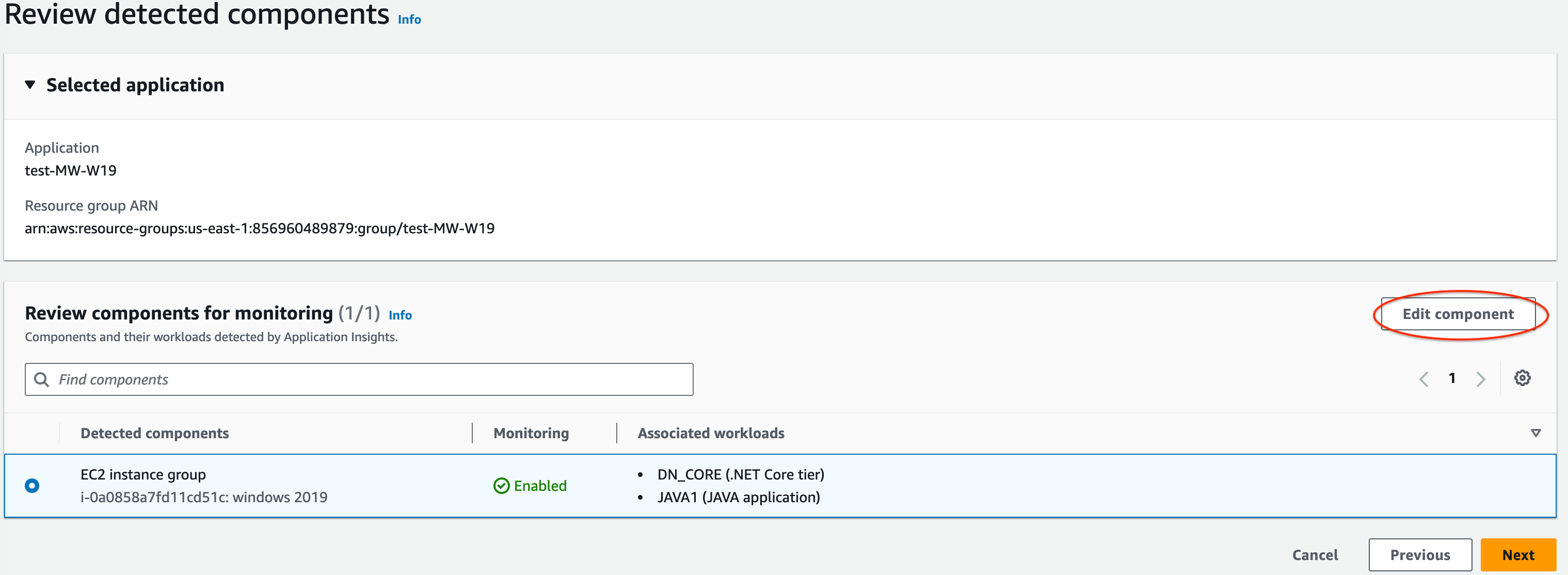
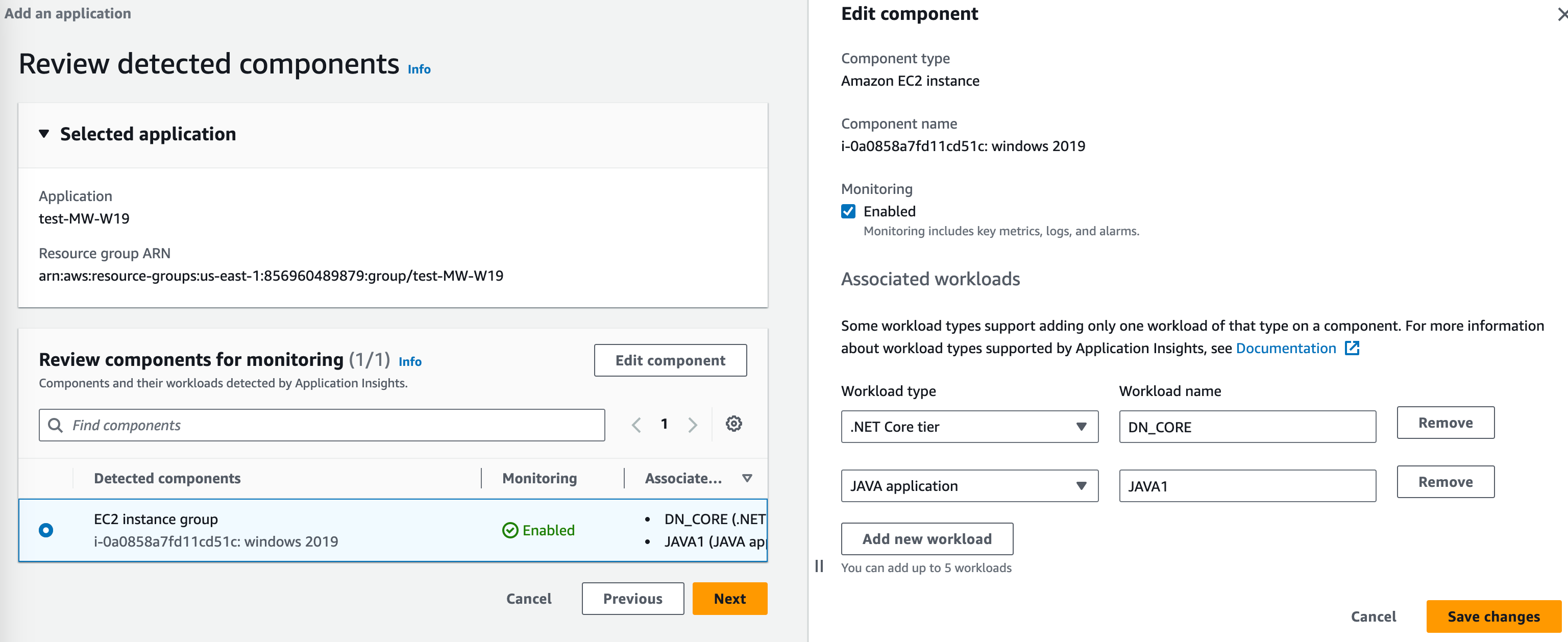
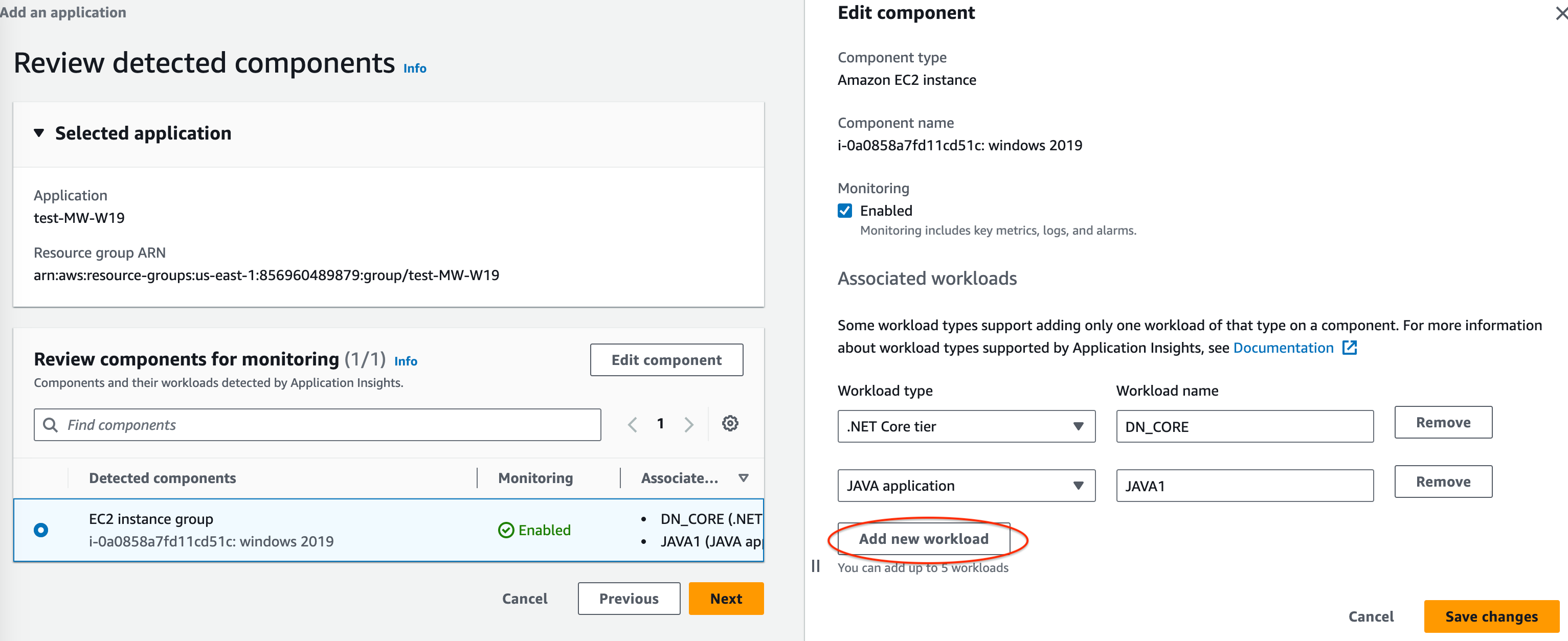
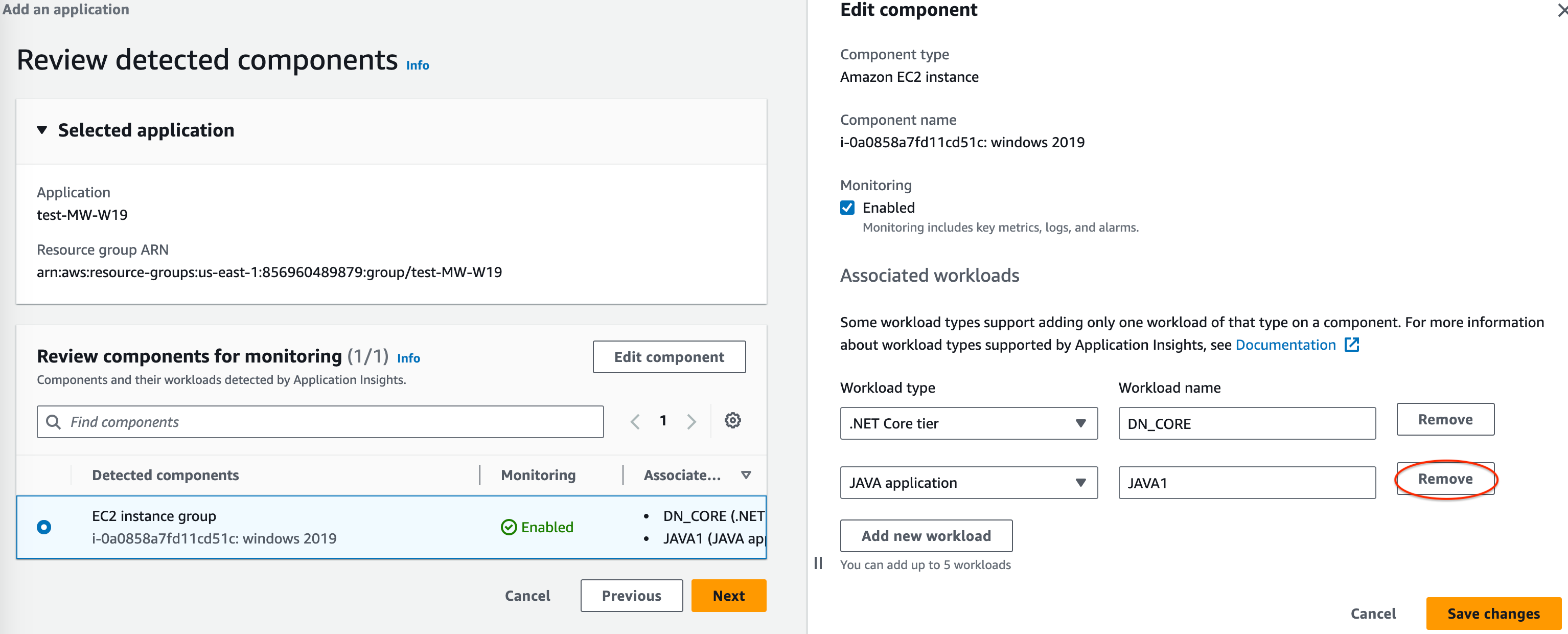
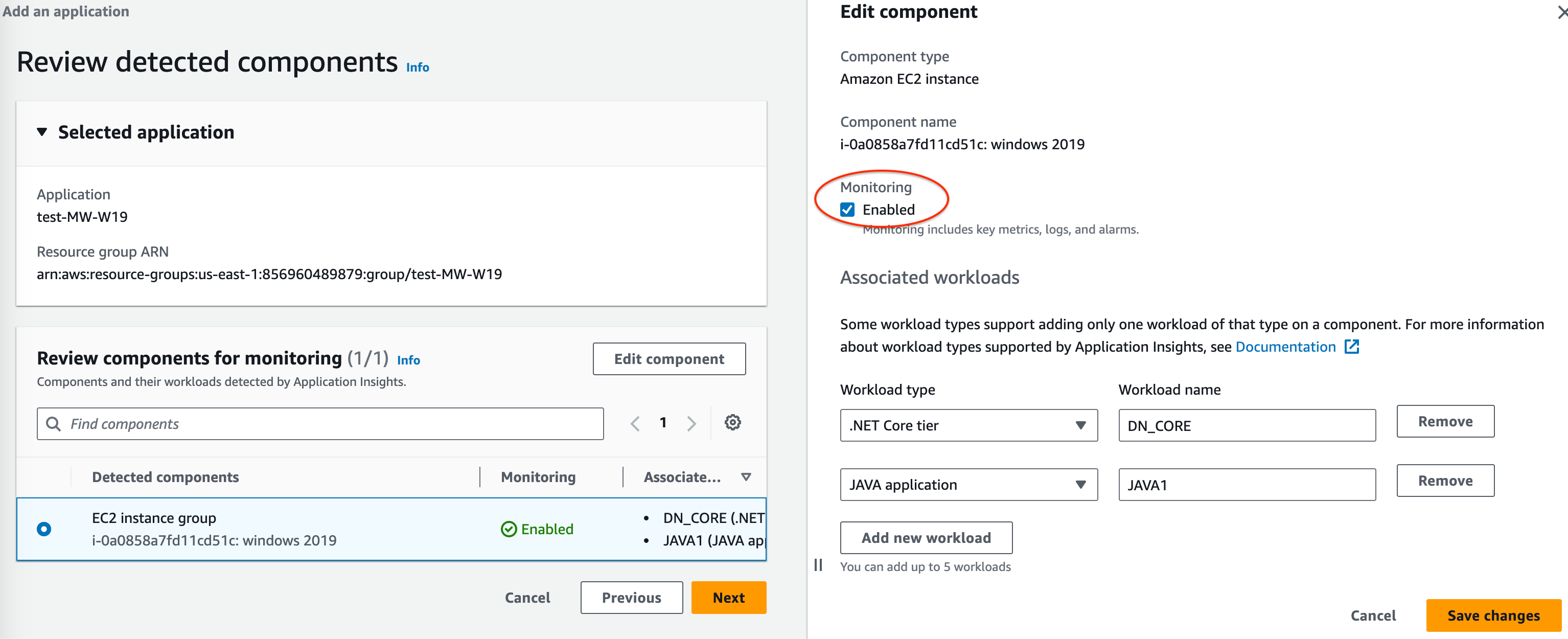
为 Amazon ECS 和 Amazon EKS 资源监控启用 Application Insights
您可以启用 Application Insights,以从 Container Insights 控制台监控容器化应用程序和微服务。Application Insights 支持监控以下资源:
-
Amazon ECS 集群
-
Amazon ECS 服务
-
Amazon ECS 任务
-
Amazon EKS 集群
启用 Application Insights 后,它会提供建议的指标和日志,检测潜在问题,生成 CloudWatch Events,以及为容器化应用程序和微服务创建自动控制面板。
您可以从 Container Insights 或 Application Insights 控制台为容器化资源启用 Application Insights。
从 Container Insights 控制台启用 Application Insights
在 Container Insights 控制台中的 Container Insights Performance monitoring(性能监控)控制面板上,选择 Auto-configure Application Insights(自动配置 Application Insights)。启用 Application Insights 后,它会显示有关检测到的问题的详细信息。
从 Application Insights 控制台启用 Application Insights
当组件列表中出现 ECS 集群时,Application Insights 会自动使用 Container Insights 启用其他容器监控。
对于 EKS 集群,您可以通过 Container Insights 启用其他监控,提供诊断信息(如容器重启失败),以帮助您查明问题并解决问题。要为 EKS 设置 Container Insights,还需要执行其他步骤。有关详细信息,请参阅 Amazon EKS 了解在 EKS 上设置 Container Insights 的步骤。
使用 EKS 的 Linux 实例支持使用 Container Insights 对 EKS 进行额外监控。
有关对 ECS 和 EKS 集群的 Container Insights 支持的更多信息,请参阅 Container Insights。
为应用程序组件禁用监控
要为应用程序组件禁用监控,请从应用程序详细信息页面中选择要禁用监控的组件。选择 Actions(操作),然后 Remove from monitoring(取消监控)。
删除应用程序
要删除应用程序,请在 CloudWatch 控制面板中的左侧导航窗格中选择 Insights 下方的 Application Insights。选择要删除的应用程序。在 Actions(操作)下选择 Delete application(删除应用程序)。这会删除监控,并删除为应用程序组件保存的所有监视器。不会删除应用程序资源。
