Environment settings
The Environment settings page displays product configuration details, such as:
-
General
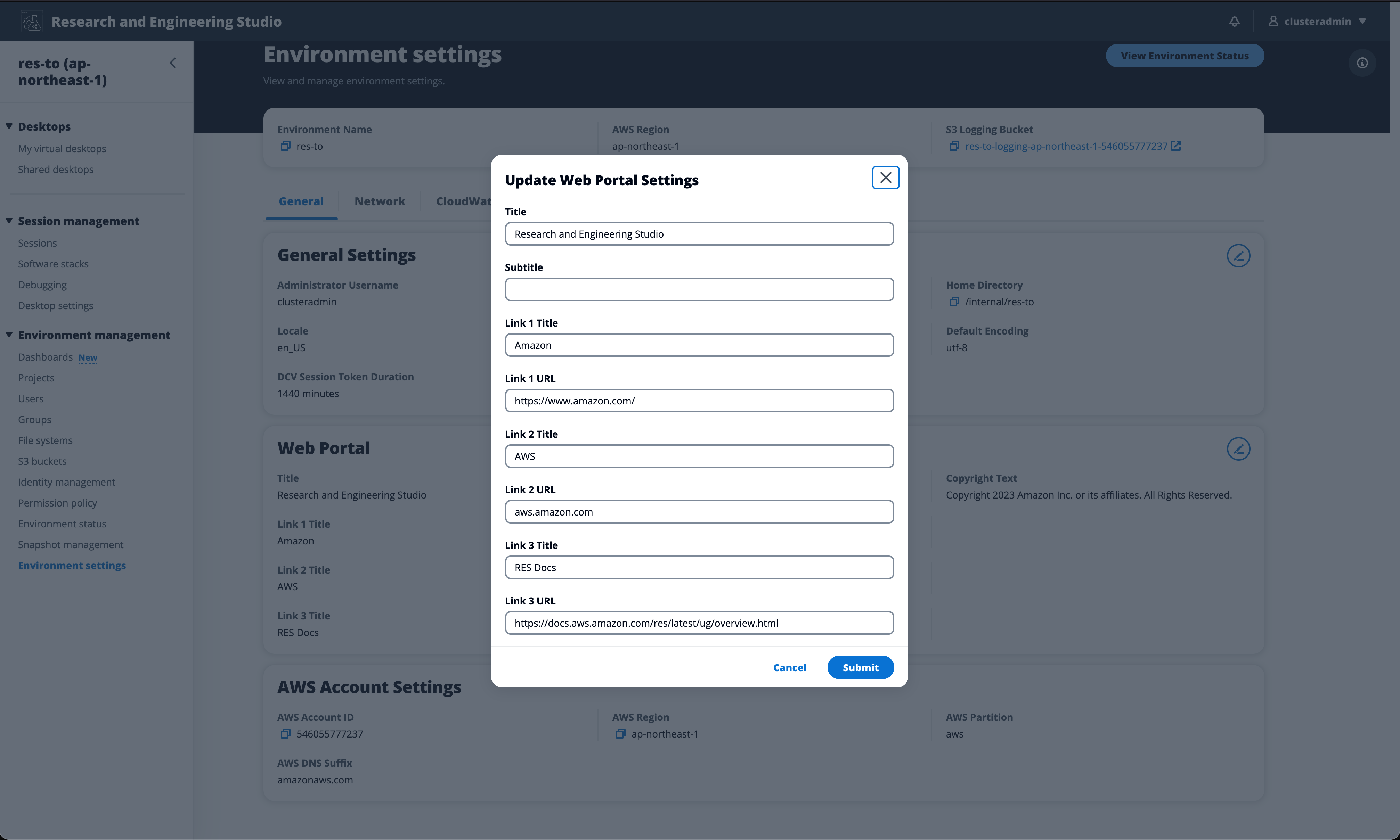
You can edit the web portal title and subtitle, and add custom links to the web portal login page. To configure custom links:
-
Navigate to Environment Management > Environment Settings.
-
Under the General tab, choose Edit.
-
In the Custom Links section, choose Add Link.
-
Enter a Title and URL for each link you want to display on the login page.
-
Choose Submit to save your changes.
Custom links appear on the web portal login page, allowing administrators to direct users to resources such as internal documentation, support pages, or acceptable use policies.
-
-
Identity Provider
Displays information such as Single Sign-On status.
-
Network
Displays VPC ID, Prefix list IDs for access.
-
Directory Service
Displays active directory settings and service account secrets manager ARN for username and password.
