WordPress by Bitnami
This blueprint packaged by Bitnami is being deprecated
Blueprints packaged by Bitnami will no longer receive updates after May 19, 2026. Starting November 19, 2026, you will no longer be able to create new instances with this blueprint. When creating new instances, we recommend using the equivalent Lightsail blueprint if available. Existing instances using blueprints packaged by Bitnami will continue to run without any disruption. Learn more
If you have an existing instance that uses a blueprint packaged by Bitnami and want to migrate to a Lightsail-packaged blueprint, see Migrate to Lightsail blueprints.
This section covers topics related to instances that use WordPress packaged by Bitnami. If you're not sure which vendor packaged your blueprint, see Identify your blueprint vendor. If your instance uses the WordPress blueprint packaged by Lightsail, see WordPress instead.
Topics
Secure your WordPress site with HTTPS on Lightsail with bncert
Secure your Lightsail WordPress instance with free Let's Encrypt SSL certificates and certbot
Transfer WordPress data to a MySQL managed database in Lightsail
Connect a Lightsail WordPress instance to an Amazon Aurora database
Connect a WordPress website on Lightsail to Amazon S3 with WP Offload Media
Configure WordPress with a Lightsail content delivery network
Connect a WordPress instance to a Lightsail bucket for static content
Identify your blueprint vendor
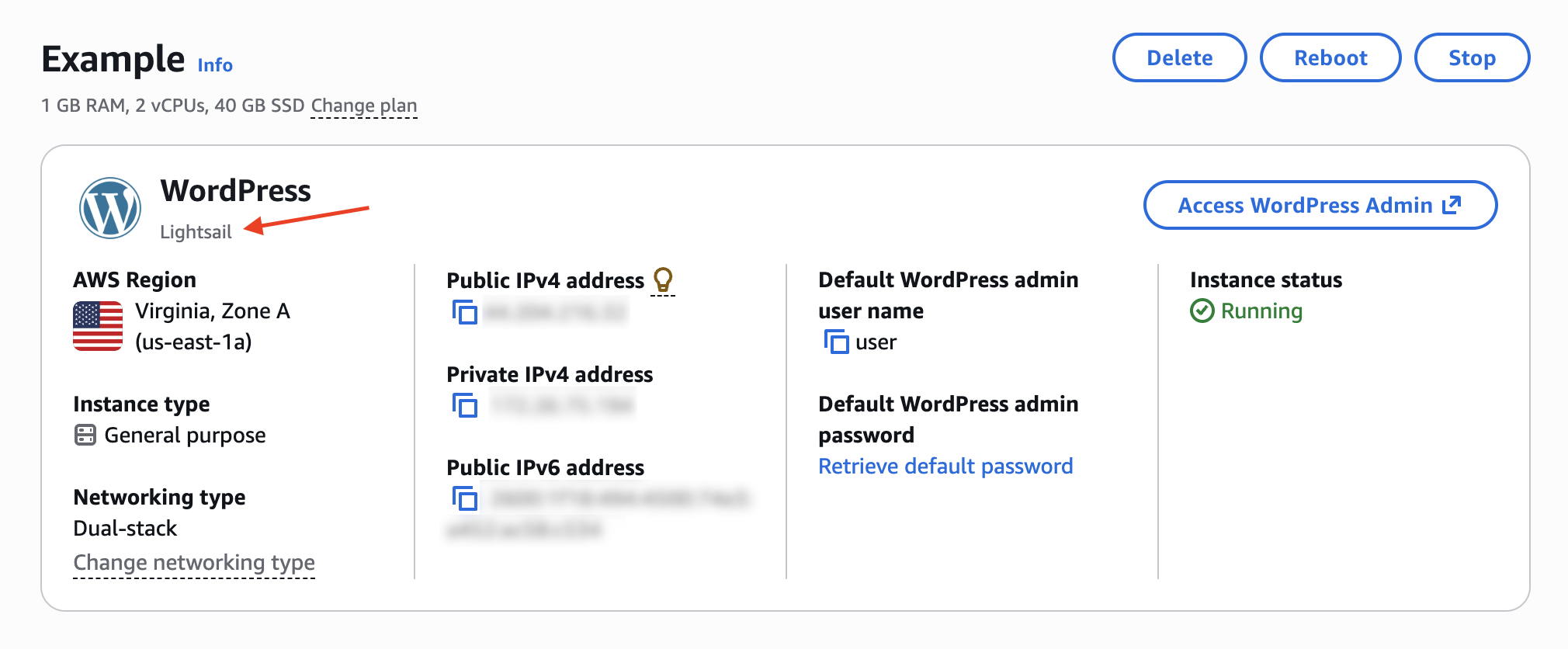
Before you begin, confirm which vendor packaged your instance blueprint. Navigate to your instance's management page in the Lightsail console and check the blueprint information in the header. It shows either "Lightsail" or "Bitnami" as the vendor.
The following example shows an instance that uses WordPress packaged by Lightsail: