기계 번역으로 제공되는 번역입니다. 제공된 번역과 원본 영어의 내용이 상충하는 경우에는 영어 버전이 우선합니다.
Amazon S3 Tables 통합 활성화
Amazon S3 콘솔을 사용하여 Amazon S3 Table 버킷을 생성하고 AWS 분석 서비스와 통합할 수 있습니다. 자세한 내용은 AWS 분석 서비스에서 Amazon S3 Tables 사용을 참조하세요.
에서 Lake Formation 콘솔을 AWS Lake Formation 사용하여 AWS Glue Data Catalog 및 와의 Amazon S3 Tables 통합을 활성화하거나 AWS Lake Formation를 사용할 수 있습니다 AWS CLI.
-
Lake Formation 콘솔(https://console.aws.amazon.com/lakeformation/
)을 엽니다. 탐색 창의 Data Catalog에서 카탈로그를 선택합니다.
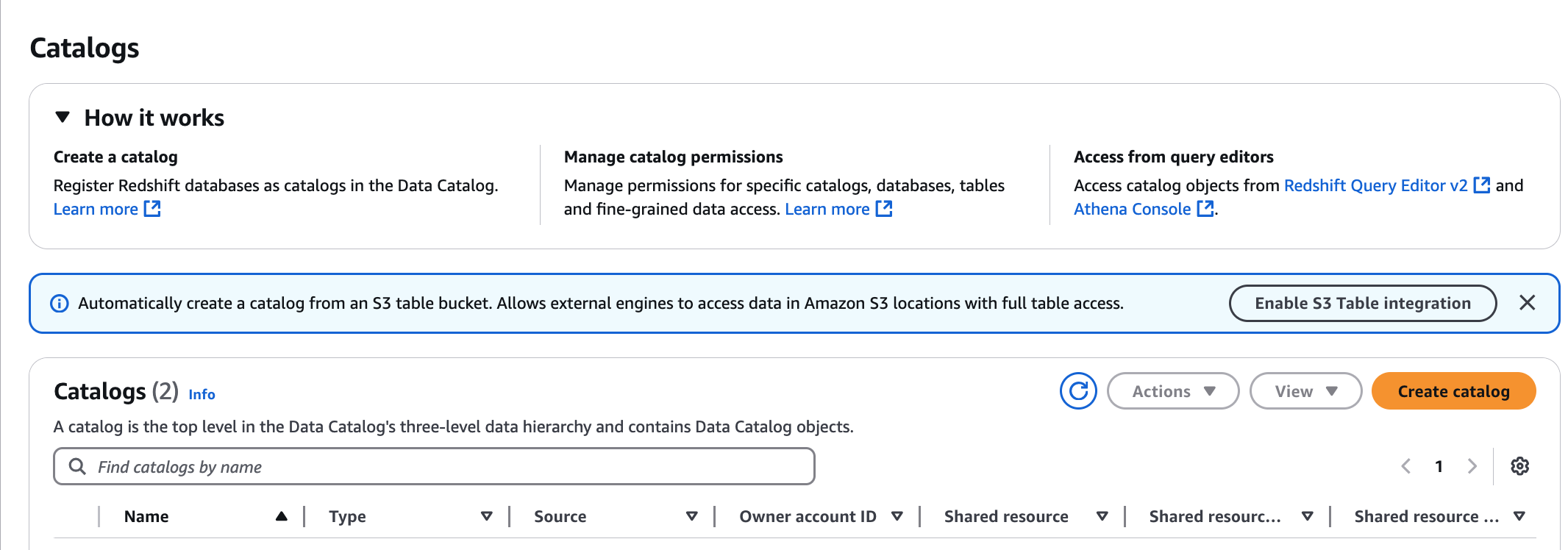
카탈로그 페이지에서 S3 Table 통합 활성화를 선택합니다.
-
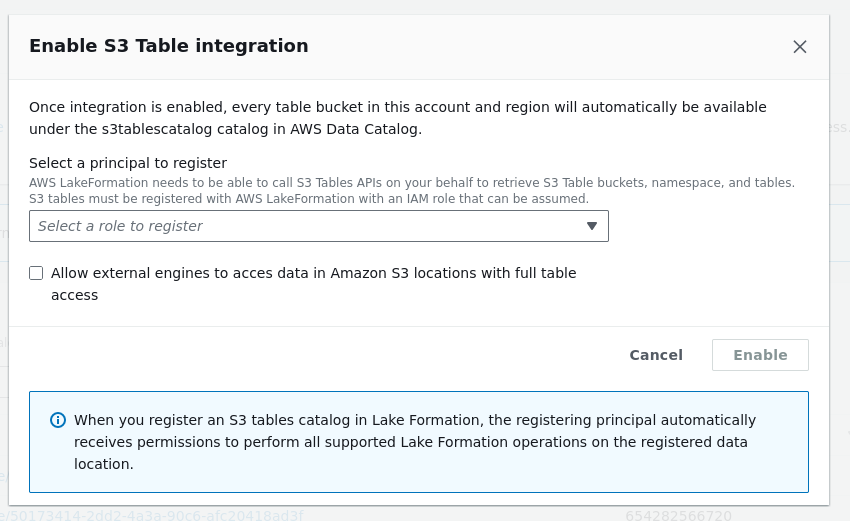
Lake Formation이 분석 쿼리 엔진에 자격 증명을 제공하는 데 필요한 권한이 있는 IAM 역할을 선택합니다. 역할에서 데이터에 액세스하는 데 필요한 권한은 사전 조건 섹션의 step3-permissions 섹션을 참조하세요.
-
외부 엔진이 전체 테이블 액세스 권한으로 Amazon S3 위치의 데이터에 액세스하도록 허용 옵션을 선택합니다. 타사 엔진에 대한 전체 테이블 액세스를 활성화하면 Lake Formation은 IAM 세션 태그 검증을 수행하지 않고 타사 엔진에 직접 자격 증명을 반환합니다. 즉, 액세스 중인 테이블에는 Lake Formation 세분화 액세스 제어를 적용할 수 없습니다.
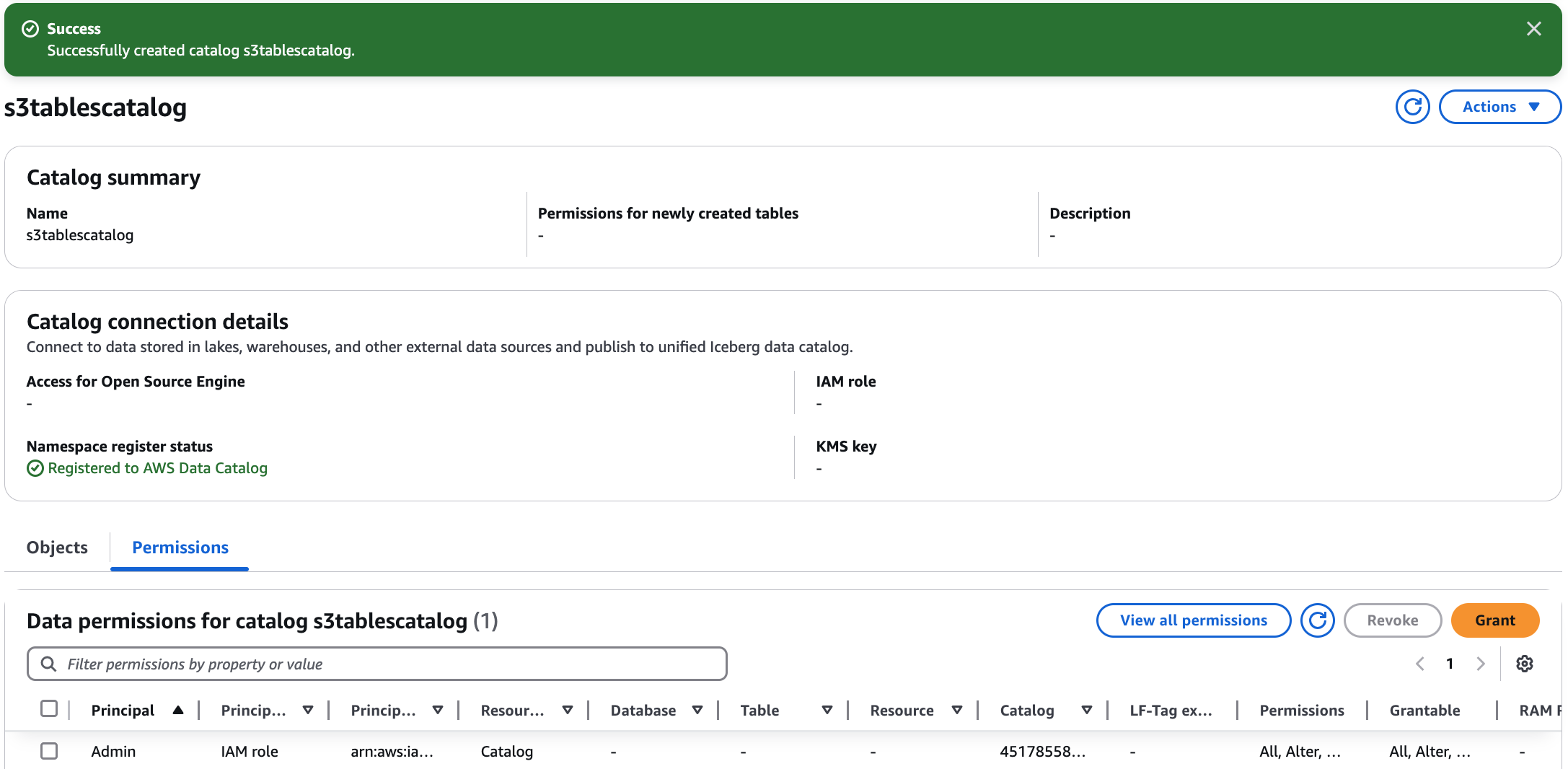
활성화를 선택합니다. S3 Tables의 새 카탈로그가 카탈로그 목록에 추가됩니다. S3 Tables 카탈로그 통합을 활성화하면 서비스가 S3 Table 버킷의 데이터 위치를 Lake Formation에 등록합니다.
-
카탈로그를 선택하여 카탈로그 객체를 보고 다른 보안 주체에게 권한을 부여합니다.
다단계 카탈로그를 생성하려면 Amazon Simple Storage Service 사용 설명서의 테이블 버킷 생성 섹션을 참조하세요.
사전 조건 섹션에 따라 Lake Formation이 테이블 리소스에 액세스할 수 있도록 허용하는 IAM 서비스 역할을 생성합니다.
-
다음 신뢰 정책을 포함하는
Role-Trust-Policy.json이라는 파일을 생성합니다.{ "Version": "2012-10-17", "Statement": [ { "Sid": "LakeFormationDataAccessPolicy", "Effect": "Allow", "Principal": { "Service": "lakeformation.amazonaws.com" }, "Action": [ "sts:AssumeRole", "sts:SetContext", "sts:SetSourceIdentity" ], "Condition": { "StringEquals": { "aws:SourceAccount": "111122223333" } } } ] } -
다음 명령을 사용하여 IAM 서비스 역할을 생성합니다.
aws iam create-role \ --role-nameS3TablesRoleForLakeFormation\ --assume-role-policy-document file://Role-Trust-Policy.json -
다음 신뢰 정책을 포함하는
LF-GluePolicy.json이라는 파일을 생성합니다.{ "Version": "2012-10-17", "Statement": [ { "Sid": "LakeFormationPermissionsForS3ListTableBucket", "Effect": "Allow", "Action": [ "s3tables:ListTableBuckets" ], "Resource": [ "*" ] }, { "Sid": "LakeFormationDataAccessPermissionsForS3TableBucket", "Effect": "Allow", "Action": [ "s3tables:CreateTableBucket", "s3tables:GetTableBucket", "s3tables:CreateNamespace", "s3tables:GetNamespace", "s3tables:ListNamespaces", "s3tables:DeleteNamespace", "s3tables:DeleteTableBucket", "s3tables:CreateTable", "s3tables:DeleteTable", "s3tables:GetTable", "s3tables:ListTables", "s3tables:RenameTable", "s3tables:UpdateTableMetadataLocation", "s3tables:GetTableMetadataLocation", "s3tables:GetTableData", "s3tables:PutTableData" ], "Resource": [ "arn:aws:s3tables:us-east-1:111122223333:bucket/*" ] } ] } -
다음 명령을 사용하여 정책을 역할에 연결합니다.
aws iam put-role-policy \ --role-nameS3TablesRoleForLakeFormation\ --policy-nameLakeFormationDataAccessPermissionsForS3TableBucket\ --policy-document file://LF-GluePolicy.json -
다음을 포함하는
input.json이라는 파일을 생성합니다.{ "ResourceArn": "arn:aws:s3tables:us-east-1:111122223333:bucket/*", "WithFederation": true, "RoleArn": "arn:aws:iam::111122223333:role/S3TablesRoleForLakeFormation" } -
다음 명령을 사용하여 Lake Formation에 테이블 버킷을 등록합니다.
aws lakeformation register-resource \ --region us-east-1 \ --with-privileged-access \ --cli-input-json file://input.json -
다음 카탈로그를 포함하는
catalog.json이라는 파일을 생성합니다.{ "Name": "s3tablescatalog", "CatalogInput": { "FederatedCatalog": { "Identifier": "arn:aws:s3tables:us-east-1:111122223333:bucket/*", "ConnectionName": "aws:s3tables" }, "CreateDatabaseDefaultPermissions": [], "CreateTableDefaultPermissions": [], "AllowFullTableExternalDataAccess": "True" } } -
다음 명령을 사용하여
s3tablescatalog카탈로그를 생성합니다. 이 카탈로그를 생성하면가 테이블 버킷, 네임스페이스 및 테이블에 해당하는 객체 AWS Glue Data Catalog 로 채워집니다.aws glue create-catalog \ --region us-east-1 \ --cli-input-json file://catalog.json -
다음 명령을 AWS Glue 사용하여
s3tablescatalog카탈로그가에 추가되었는지 확인합니다.aws glue get-catalog --catalog-id s3tablescatalog
