Les traductions sont fournies par des outils de traduction automatique. En cas de conflit entre le contenu d'une traduction et celui de la version originale en anglais, la version anglaise prévaudra.
Ensembles de données
Les ensembles de données sont des ensembles d'index qui représentent un regroupement logique de vos données d'observabilité. Vous utilisez des ensembles de données pour organiser les journaux et les données de trace afin de pouvoir interroger et analyser ensemble les index associés dans l'expérience Discover. Chaque jeu de données correspond à un ou plusieurs index de votre domaine de OpenSearch service et définit le type de données, le champ horaire et le langage de requête pour la page Découvrir.
Types de jeux de données
Le tableau suivant décrit les types de jeux de données que vous pouvez créer.
| Type | Description | Langage de requête |
|---|---|---|
| Journaux | Regroupe un ou plusieurs index de journaux à des fins d'interrogation et de visualisation sur la page Discover Logs. | PERSONNES |
| Suivis | Regroupe les indices d'intervalle de trace à des fins d'interrogation et de visualisation sur la page Discover Traces. | PERSONNES |
Note
Les métriques ne nécessitent pas de jeu de données car les données métriques ne sont pas stockées dans OpenSearch. Les métriques sont demandées directement depuis Amazon Managed Service for Prometheus à l'aide de ProSQL.
Pour créer un jeu de données de logs
Procédez comme suit pour créer un jeu de données de journaux dans l' OpenSearch interface utilisateur.
-
Dans votre espace de travail d'observabilité, développez Discover dans le volet de navigation de gauche et choisissez Logs.
-
Choisissez Créer un jeu de données.
-
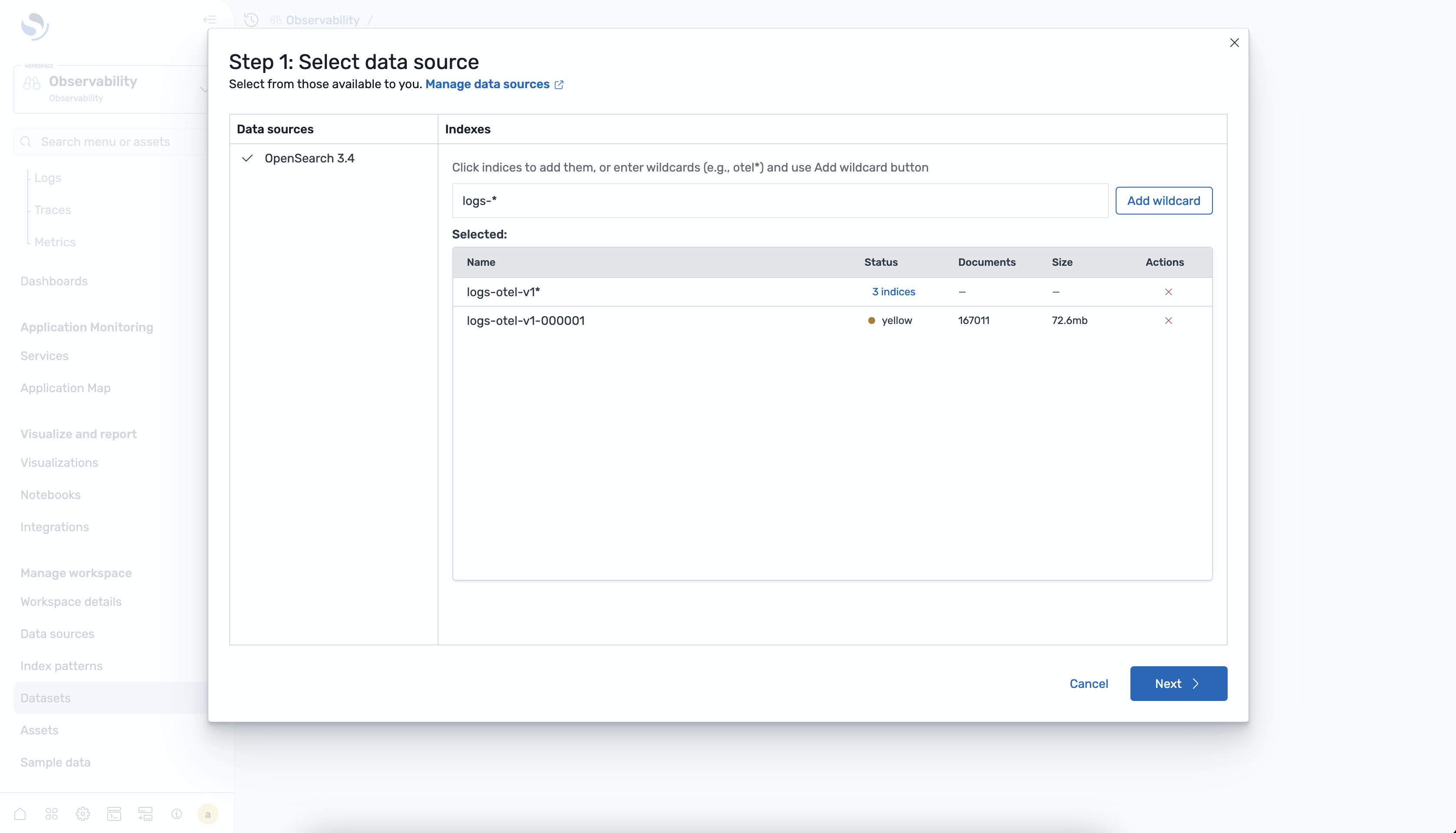
Sélectionnez une source de données dans la liste des connexions de OpenSearch service disponibles.
-
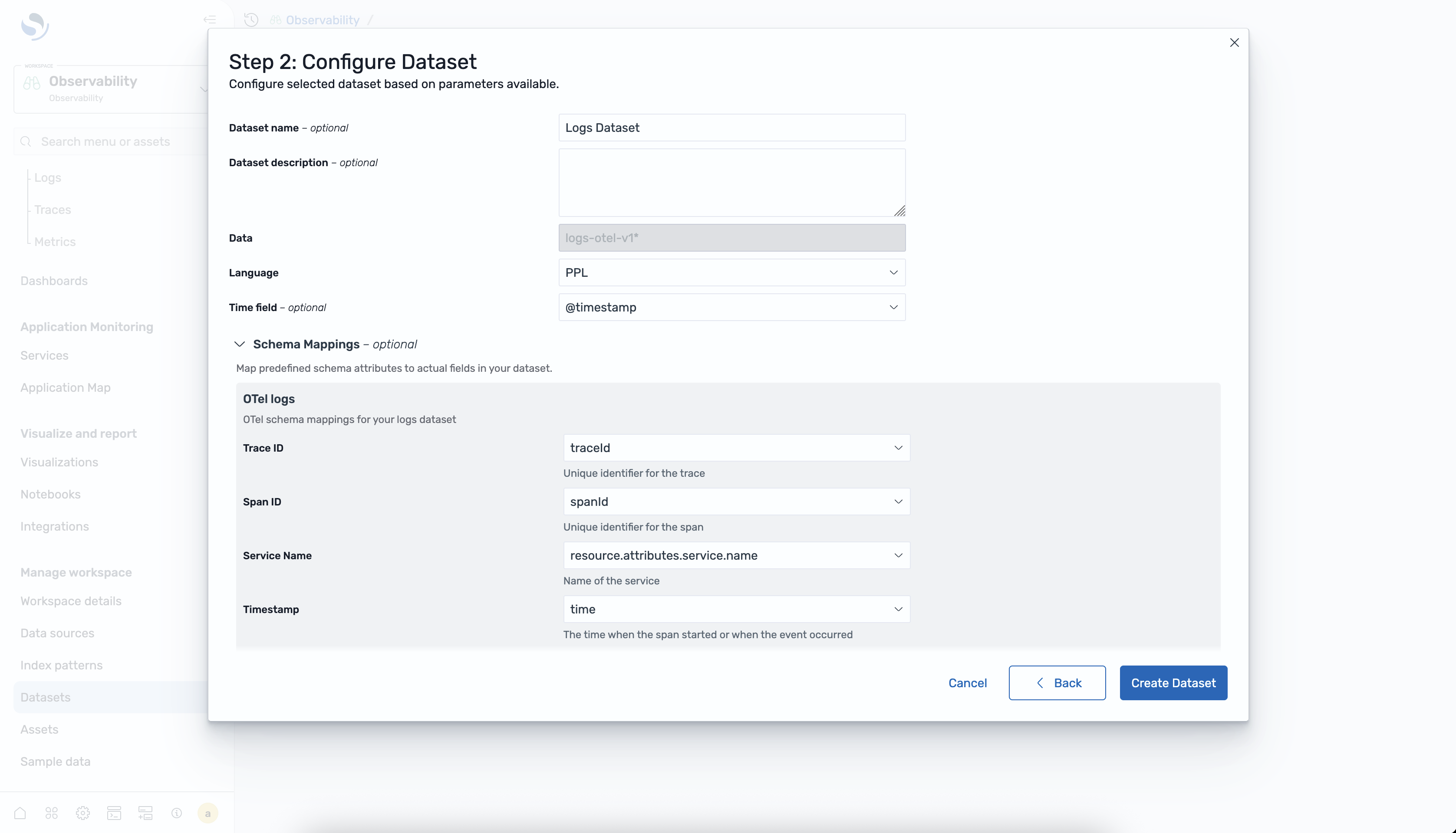
Configurez le jeu de données en saisissant un nom, en sélectionnant l'index et en spécifiant le champ d'horodatage.
-
Choisissez Create dataset pour enregistrer la configuration.
Pour créer un jeu de données de traces
Procédez comme suit pour créer un jeu de données de traces dans l' OpenSearch interface utilisateur.
-
Dans votre espace de travail d'observabilité, développez Discover dans le menu de navigation de gauche et choisissez Traces.
-
Choisissez Créer un jeu de données.
-
Sélectionnez une source de données dans la liste des connexions de OpenSearch service disponibles.
-
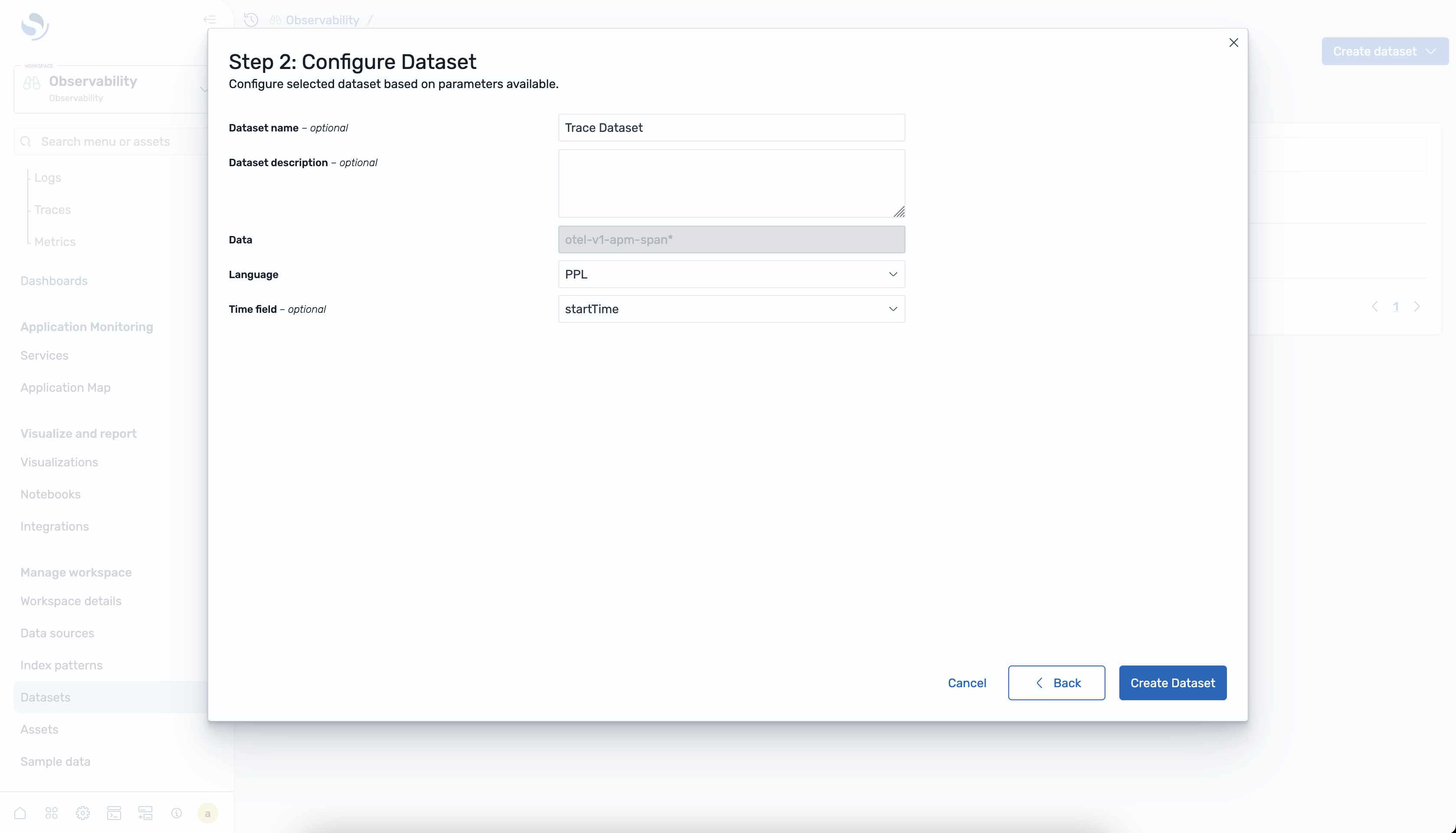
Configurez le jeu de données en saisissant un nom, en sélectionnant l'indice d'étendue et en spécifiant le champ d'horodatage.
-
Choisissez Create dataset pour enregistrer la configuration.
Pour afficher les ensembles de données
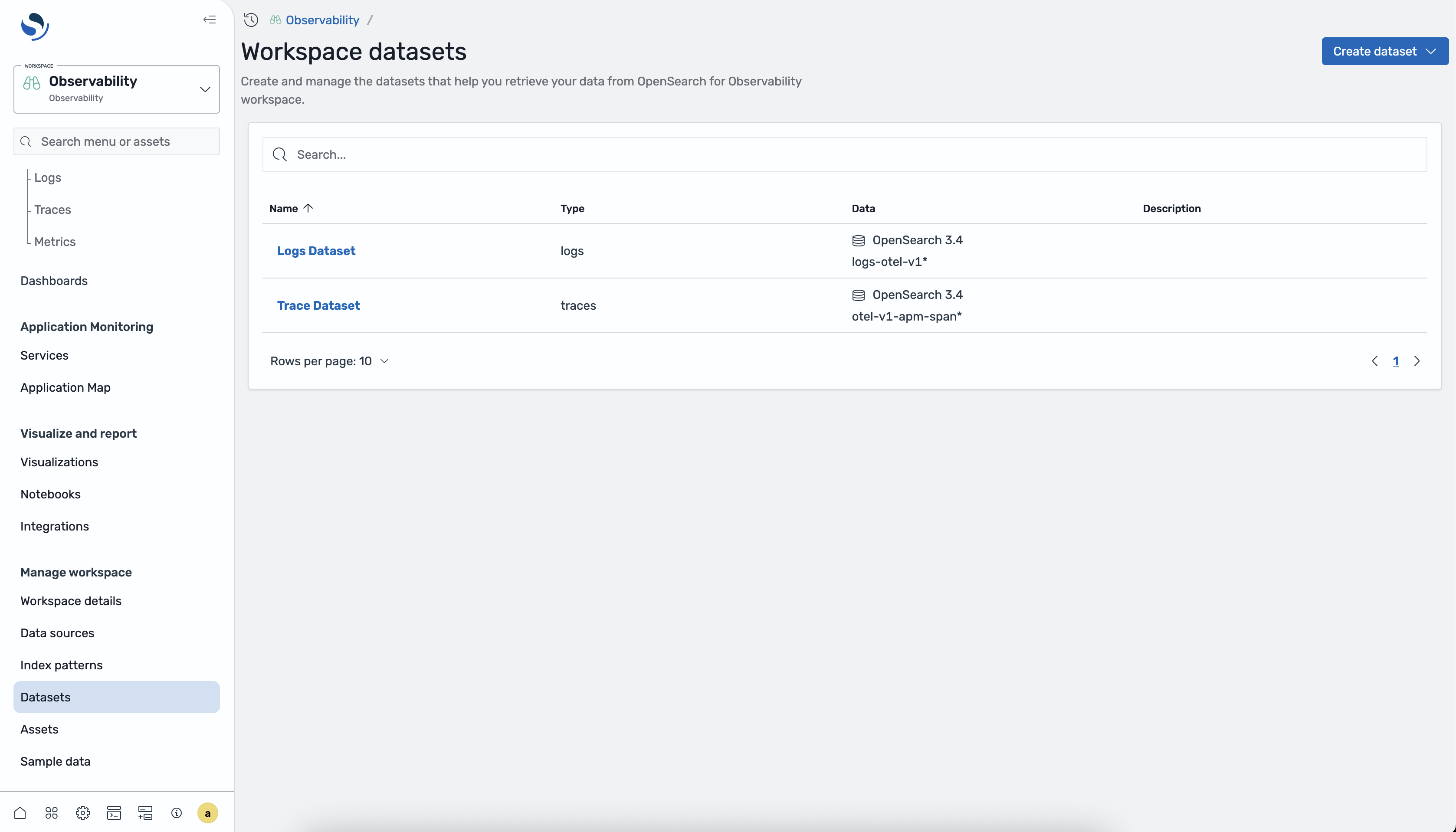
Vous pouvez afficher tous les ensembles de données configurés à partir du sélecteur de jeux de données sur la page Discover Logs ou Discover Traces. La liste des ensembles de données indique le nom, le type, la source de données et le champ d'horodatage de chaque ensemble de données.
Analyse de jeux de données dans Discover
Après avoir créé un jeu de données, vous pouvez l'analyser sur la page de découverte correspondante.
Journaux
Sélectionnez un jeu de données de journaux dans le sélecteur de jeu de données de la page Discover Logs pour interroger et visualiser les données de vos journaux à l'aide de PPL. Pour de plus amples informations, veuillez consulter Découvrez Logs.
Suivis
Sélectionnez un jeu de données de traces dans le sélecteur de jeu de données de la page Discover Traces pour explorer les étendues de trace, consulter les métriques RED et explorer les traces individuelles. Pour de plus amples informations, veuillez consulter Découvrez Traces.
