Create an AgentCore Memory
You can create an AgentCore Memory with the AgentCore CLI, the AWS console, or with the CreateMemory
AWS SDK operation. When creating a memory, you can configure settings such as name, description, encryption settings, expiration timestamp for raw events, and memory strategies if you want to extract long-term memory.
When creating an AgentCore Memory, consider the following factors to maintain it meets your application’s needs:
Event retention – Choose how long raw events are retained (up to 365 days) for short-term memory.
eventExpiryDuration is applied per event at write time. Updating it affects only events created after the change. Previously stored events keep their original expiration and cannot be extended, and expired events cannot be recovered.
Security requirements – If your application handles sensitive information, consider using a customer managed AWS KMS key for encryption. The service still encrypts data using a service managed key, even if you don’t provide a customer-managed AWS KMS key.
Memory strategies – Define how events are processed into meaningful long-term memories using built-in or built-in with overrides strategies. If you do not define any strategy, only short-term memory containing raw events are stored. For more information, see Use long-term memory.
Naming conventions – Use clear, descriptive names that help identify the purpose of each AgentCore Memory, especially if your application uses multiple stores.
Example
- AgentCore CLI
-
-
The AgentCore CLI memory commands must be run inside an existing agentcore project. If you don’t have one yet, create a project first:
agentcore create --name my-agent --no-agent
cd my-agent
Create a basic memory (short-term only):
agentcore add memory --name my_agent_memory
agentcore deploy
Create memory with long-term strategies:
agentcore add memory --name ShoppingSupportAgentMemory \
  --strategies SUMMARIZATION,USER_PREFERENCE
agentcore deploy
Check memory status:
agentcore status
- Interactive
-
-
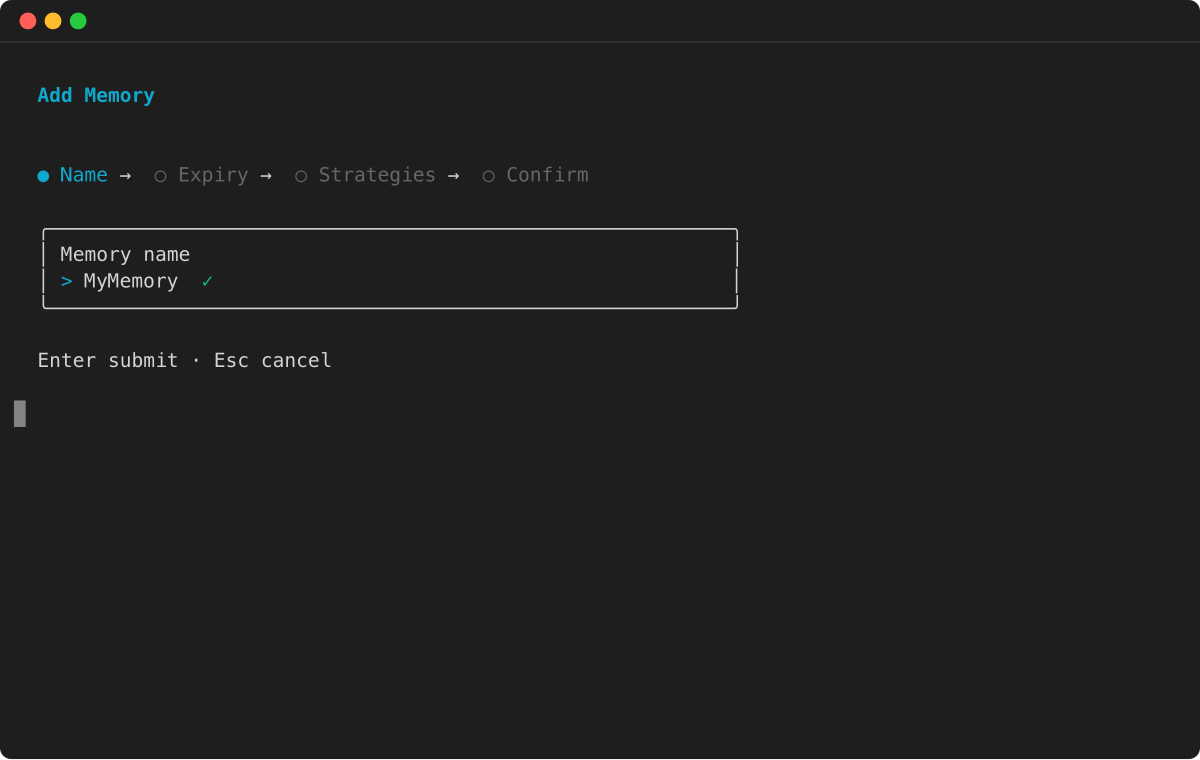
Run agentcore to open the TUI, then select add and choose Memory :
-
Enter the memory name:
-
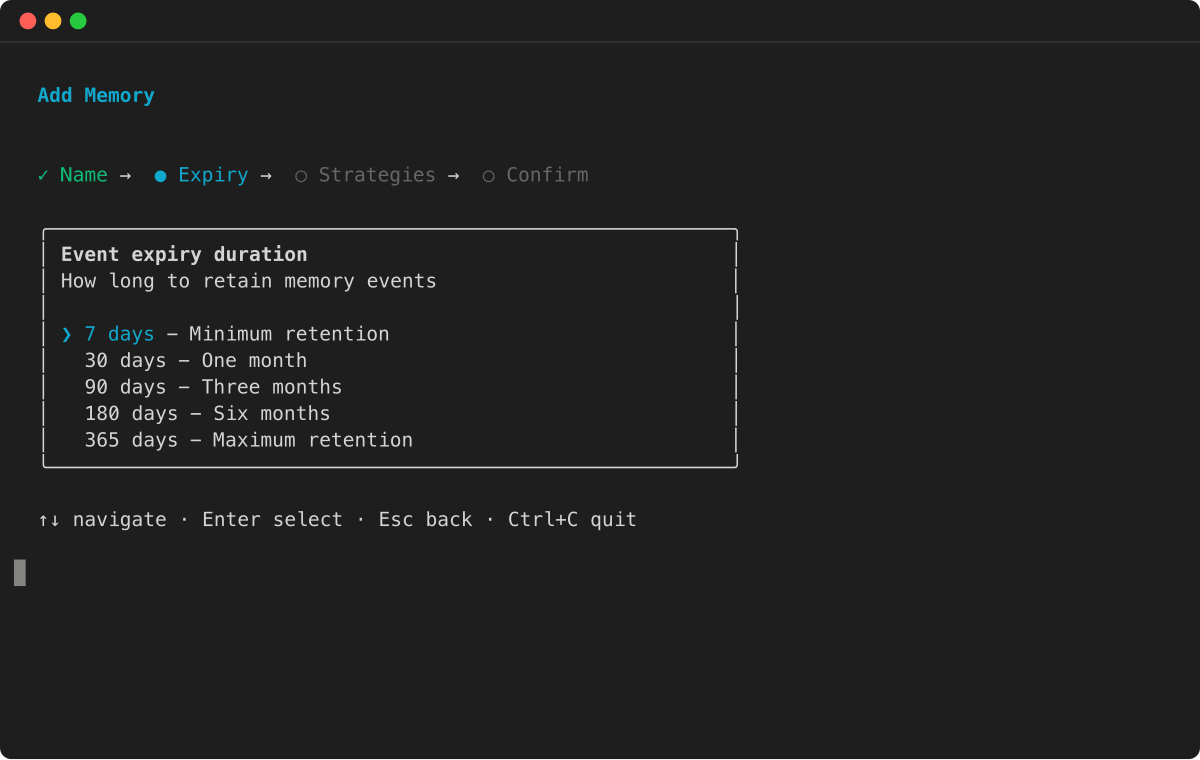
Select the event expiry duration:
-
Choose memory strategies for long-term memory extraction:
-
Review the configuration and press Enter to confirm:
-
AWS SDK
-
-
For more information, see AWS SDK.
import boto3
import time

# Initialize the Boto3 clients for control plane and data plane operations
control_client = boto3.client('bedrock-agentcore-control')
data_client = boto3.client('bedrock-agentcore')

print("Creating a new memory resource...")

# Create the memory resource with defined strategies
response = control_client.create_memory(
    name="ShoppingSupportAgentMemory",
    description="Memory for a customer support agent.",
    memoryStrategies=[
        {
            'summaryMemoryStrategy': {
                'name': 'SessionSummarizer',
                'namespaceTemplates': ['/summaries/{actorId}/{sessionId}/']
            }
        },
        {
            'userPreferenceMemoryStrategy': {
                'name': 'UserPreferenceExtractor',
                'namespaceTemplates': ['/users/{actorId}/preferences/']
            }
        }
    ]
)

memory_id = response['memory']['id']
print(f"Memory resource created with ID: {memory_id}")

# Poll the memory status until it becomes ACTIVE
while True:
    mem_status_response = control_client.get_memory(memoryId=memory_id)
    status = mem_status_response.get('memory', {}).get('status')
    if status == 'ACTIVE':
        print("Memory resource is now ACTIVE.")
        break
    elif status == 'FAILED':
        raise Exception("Memory resource creation FAILED.")
    print("Waiting for memory to become active...")
    time.sleep(10)
- Console
-
-
====== To create an AgentCore memory
-
Open the Amazon Bedrock AgentCore console.
-
In the left navigation pane, choose Memory.
-
Choose Create memory.
-
For Memory name enter a name for the AgentCore Memory.
-
(Optional) For Short-term memory (raw event) expiration set the duration (days), for which the AgentCore Memory will store events.
-
(Optional) In Additional configurations set the following:
-
For Memory description , enter a description for the AgentCore Memory.
-
If you want to use your own AWS KMS key to encrypt your data, do the following:
-
In KMS key , choose Customize encryption settings (advanced).
-
In Choose an AWS KMS key choose or enter the ARN of an existing AWS KMS key. Alternatively, choose Create an AWS KMS to create a new AWS KMS key.
-
(Optional) For Long-term memory extraction strategies choose one or more memory strategies . For more information:
-
Choose Create memory to create the AgentCore Memory.