Get started with AgentCore Memory
Amazon Bedrock Amazon Bedrock AgentCore Memory lets you create and manage AgentCore Memory resources that store conversation context for your AI agents. This getting started guides you through installing dependencies and implementing both short-term and long-term memory features. The instructions use the AgentCore CLI.
The steps are as follows:
-
Create an AgentCore Memory containing a semantic strategy
-
Write events (conversation history) to the memory resource
-
Retrieve memory records from long term memory
For other examples, see Amazon Bedrock AgentCore Memory examples.
Prerequisites
Before starting, make sure you have:
-
AWS Account with credentials configured (
aws configure) -
Python 3.10+ installed
-
Node.js 18+ installed (for the AgentCore CLI)
To get started with Amazon Bedrock Amazon Bedrock AgentCore Memory, install the dependencies, create an AgentCore CLI project, and set up a virtual environment. The below commands can be run directly in the terminal.
pip install bedrock-agentcore
npm install -g @aws/agentcore
agentcore create --name agentcore-memory-quickstart --no-agent
cd agentcore-memory-quickstart
python -m venv .venv
source .venv/bin/activate
The AgentCore CLI provides commands for creating and managing memory resources. Use agentcore add memory to create a memory, and agentcore deploy to provision it in AWS. For event operations and session management, use the AWS Python SDK (Boto3) ( bedrock-agentcore ).
Note
The AgentCore CLI helps you create and deploy memory resources. For the complete set of Amazon Bedrock AgentCore Memory operations, see the Boto3 documentation: bedrock-agentcore-control
Full example: See the Amazon Bedrock AgentCore samples
Step 1: Create an AgentCore Memory
You need an AgentCore Memory to start storing information for your agent. By default, memory events (which we refer to as short-term memory) can be written to an AgentCore Memory. For insights to be extracted and placed into long term memory records, the resource requires a memory strategy which is a configuration that defines how conversational data should be processed, and what information to extract (such as facts, preferences, or summaries).
In this step, you create an AgentCore Memory with a semantic strategy so that both short term and long term memory can be utilized. This will take 2-3 minutes. You can also create AgentCore Memory resources in the AWS console.
Create memory with semantic strategy:
Example
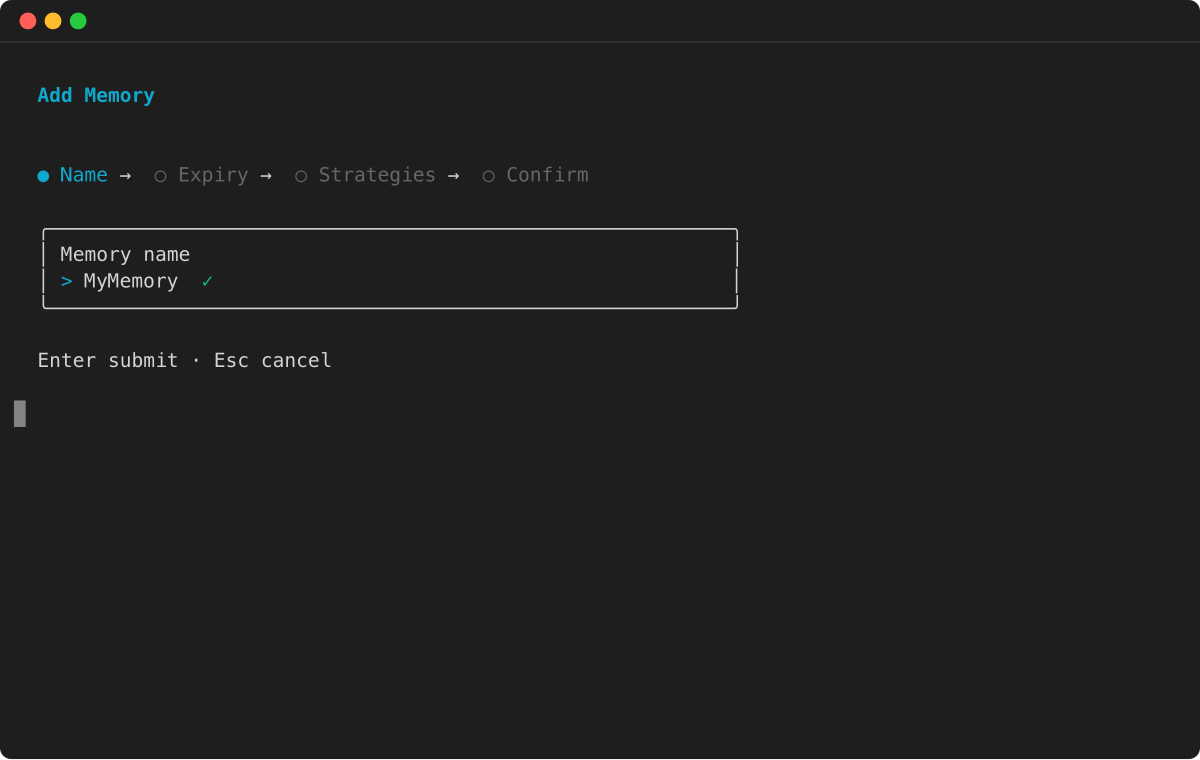

After deployment, verify the memory was created:
agentcore status
Step 2: Write events to memory
You can write events to an AgentCore Memory as short-term memory and extracts insights for long-term memory.
Writing events to memory has multiple purposes. First, event contents (most commonly conversation history) are stored as short-term memory. Second, relevant insights are pulled from events and written into memory records as a part of long-term memory.
The memory resource id, actor id, and session id are required to create an event. In this step, you create three events, simulating messages between an end user and a chat bot.
import boto3
from bedrock_agentcore.memory import MemorySessionManager
from bedrock_agentcore.memory.constants import ConversationalMessage, MessageRole

control_client = boto3.client('bedrock-agentcore-control', region_name='us-west-2')

# Retrieve the memory created in Step 1
response = control_client.list_memories()
memory = response['memories'][0]
memory_id = memory['id']

# Create a session to store memory events
session_manager = MemorySessionManager(
    memory_id=memory_id,
    region_name="us-west-2")

session = session_manager.create_memory_session(
    actor_id="User1",
    session_id="OrderSupportSession1"
)

# Write memory events (conversation turns)
session.add_turns(
    messages=[
        ConversationalMessage(
            "Hi, how can I help you today?",
            MessageRole.ASSISTANT)],
)

session.add_turns(
    messages=[
        ConversationalMessage(
            "Hi, I am a new customer. I just made an order, but it hasn't arrived. The Order number is #35476",
            MessageRole.USER)],
)

session.add_turns(
    messages=[
        ConversationalMessage(
            "I'm sorry to hear that. Let me look up your order.",
            MessageRole.ASSISTANT)],
)
You can get events (turns) for a specific actor after they’ve been written.
# Get the last k turns in the session
turns = session.get_last_k_turns(k=5)

for turn in turns:
    print(f"Turn: {turn}")
In this case, you can see the last three events for the actor and session.
Step 3: Retrieve records from long term memory
After the events were written to the memory resource, they were analyzed and useful information was sent to long term memory. Since the memory contains a semantic long term memory strategy, the system extracts and stores factual information.
You can list all memory records with:
# List all memory records
memory_records = session.list_long_term_memory_records(
    namespace_path="/"
)

for record in memory_records:
    print(f"Memory record: {record}")
    print("--------------------------------------------------------------------")
Or ask for the most relevant information as part of a semantic search:
# Perform a semantic search
memory_records = session.search_long_term_memories(
    query="can you summarize the support issue",
    namespace_path="/",
    top_k=3
)
Important information about the user is likely stored is long term memory. Agents can use long term memory rather than a full conversation history to make sure that LLMs are not overloaded with context.
Adding memory to an existing agent
If you created a Strands agent without memory and want to add it later, follow these steps:
-
Add a memory resource to your project:
agentcore add memory --name MyMemory --strategies SEMANTIC,SUMMARIZATION agentcore deploy -
Create the
memory/directory in your agent:mkdir -p app/MyAgent/memory -
Create
app/MyAgent/memory/session.py:import os from typing import Optional from bedrock_agentcore.memory.integrations.strands.config import AgentCoreMemoryConfig, RetrievalConfig from bedrock_agentcore.memory.integrations.strands.session_manager import AgentCoreMemorySessionManager MEMORY_ID = os.getenv("MEMORY_MYMEMORY_ID") REGION = os.getenv("AWS_REGION") def get_memory_session_manager(session_id: str, actor_id: str) -> Optional[AgentCoreMemorySessionManager]: if not MEMORY_ID: return None retrieval_config = { f"/users/{actor_id}/facts": RetrievalConfig(top_k=3, relevance_score=0.5), f"/summaries/{actor_id}/{session_id}": RetrievalConfig(top_k=3, relevance_score=0.5) } return AgentCoreMemorySessionManager( AgentCoreMemoryConfig( memory_id=MEMORY_ID, session_id=session_id, actor_id=actor_id, retrieval_config=retrieval_config, ), REGION ) -
Update your
main.pyto use the session manager:from memory.session import get_memory_session_manager @app.entrypoint async def invoke(payload, context): session_id = getattr(context, 'session_id', 'default-session') user_id = getattr(context, 'user_id', 'default-user') agent = Agent( model=load_model(), session_manager=get_memory_session_manager(session_id, user_id), system_prompt="You are a helpful assistant.", ) response = agent(payload.get("prompt")) return response -
Deploy the updated project:
agentcore deploy
Note
Each memory resource gets an environment variable MEMORY_<NAME>_ID (uppercase, with underscores) that is automatically available in your agent’s runtime environment after deployment.
Cleanup
When you’re done with the memory resource, you can delete it:
agentcore remove memory --name CustomerSupportSemantic
agentcore deploy
Next steps
Consider the following:
-
Add another strategy to your memory resource.
-
Enable observability for more visibility into how memory is working
-
Look at further examples.
