Random sampling of contacts for evaluation in Connect Customer
Connect Customer provides managers with a random sample of their agents’ contacts for evaluation, removing manager bias and streamlining the evaluation process. On Contact Search, managers can specify the number of contacts that they need to evaluate for each agent, as per union agreements, regulation or internal guidelines. They then receive the required number of contacts, randomly selected from the specified timeframe, for example, 3 contacts per agent from the last week. In addition, managers can apply additional filters within Contact Search to ensure that the provided contacts are suitable for evaluation. For example, contacts must be longer than 180 seconds, have an associated audio or screen recordings, transcripts and have not yet been evaluated. Once the sample is generated, you can select an evaluation form and create draft evaluations in bulk for each of the contacts within the sample. Evaluations created in this way will denote that the contact was selected through random sampling, and provide auditability to ensure that the filter criteria did not introduce any bias in selection.
Random sampling of contacts for evaluation
-
Login to Amazon Connect with a user, who has the following set of permissions on their security profile:
-
Contact Search - View
-
Sample contacts
-
Evaluation forms – perform evaluations
-
-
Select the timeframe of contacts for evaluation, such as trailing week. Note that you can sample contacts from a maximum period of 5 weeks.

-
Select the agent or agent hierarchy that you need to evaluate.


-
Apply any additional filters to select only those contacts that are suitable for evaluation.
-
Conversational analytics: Ensures that the contact is analyzed by conversational analytics and has a transcript
-
Recording: Filter contacts with audio recording (voice) or screen recording (video)
-
Interaction Duration: You can choose contacts with a minimum and maximum agent-customer interaction
-
Evaluation Status: Only select contacts that have not yet been evaluated

-
-
Specify the sampling criteria, such as 5 contacts per agent and choose apply to generate a sample.

-
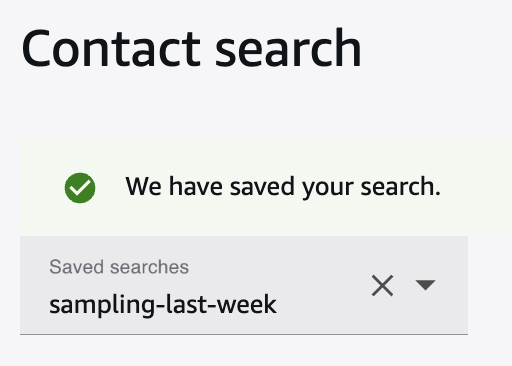
You can save the set of filters and sampling criteria within saved search.

-
Once the sample is generated, you can create draft evaluations in bulk across all the contacts.
-
Select Create Draft Evaluations
-
Select the Evaluation Form


This associates the draft evaluations with the sample name.
Note
This step is required if you need to retrieve the contact sample in the future.


-
Retrieving and viewing sampled contacts for evaluation
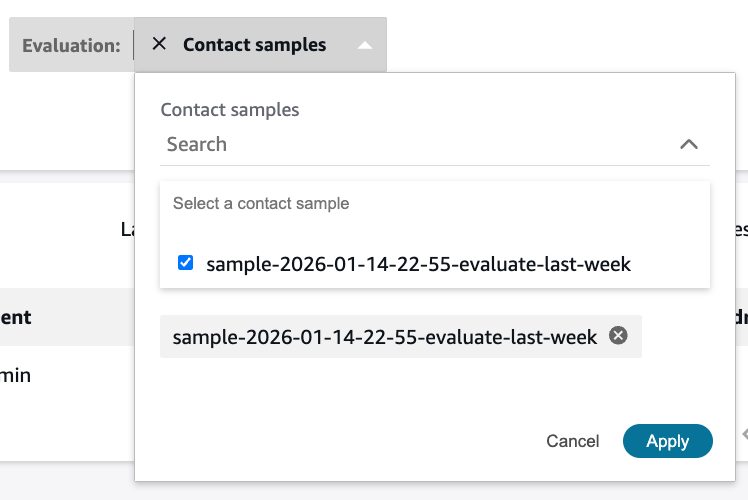
To retrieve the contact sample in the future, go to Contact Search and apply the filter Evaluation – contact samples. Note that contact samples are specific to the user that generated the sample.
Auditing sampling criteria
If you open an evaluation, it will indicate if contact sampling was used to create the evaluation. You can choose Yes to audit the filter criteria used to generate the contact sample, ensuring that filters did not introduce any bias (e.g., negative customer sentiment) during the contact selection process.


